

 WordPress
The search block in the navigation block is very large
The search form is using the default medium font size, compared to the navigation link which uses the small font size.
In the image: First, from the left side, there are two regular navigation links that are using size small. Next is a sub menu, which uses the default medium size. And then a page link and the search form.


I think it is this font size that is enlarging it:
.wp-element-button, .wp-block-button__link {
    background-color: var(--wp--preset--color--primary);
    border-radius: 0;
    border-width: 0;
    color: var(--wp--preset--color--contrast);
    font-family: inherit;
    font-size: var(--wp--preset--font-size--medium);
    line-height: inherit;
    padding: calc(0.667em + 2px) calc(1.333em + 2px);
    text-decoration: none;
}
yeah, probably the best solution is to remove the font size from the button element and apply it directly to the button block then

When I remove the font size from button elements, only the size of the file block button changes, because the other buttons inherits the medium size from the body.
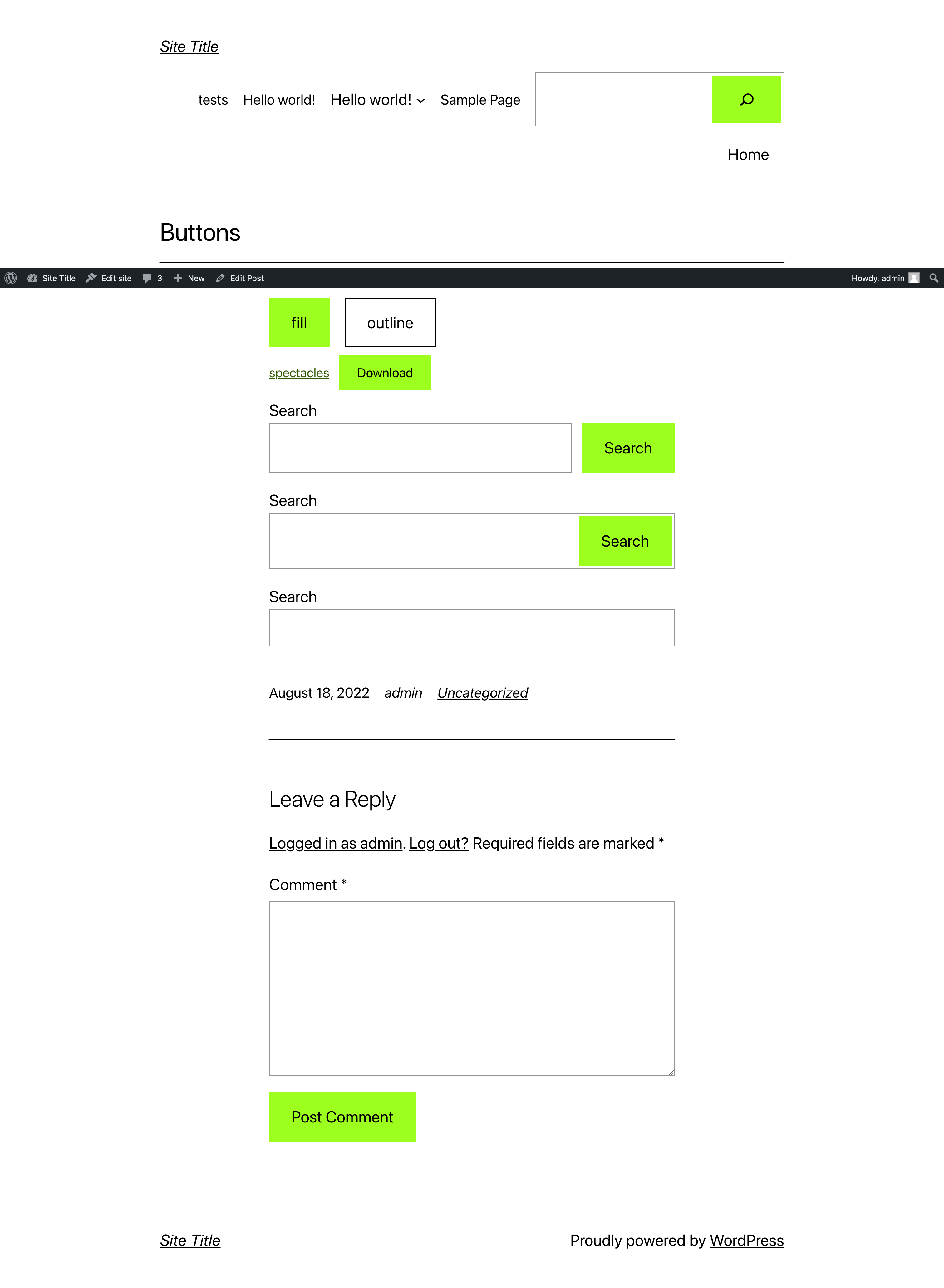
When I remove the font size from button elements, only the size of the file block button changes, because the other buttons inherits the medium size from the body.
Yeah, I think by default the search block inherits the font size from the container, maybe we need a group wrapper with a font size rule?
So remove the button element font size, and then set the small font size on the navigation block, not the navigation link