

 WordPress
Add: Content lock ability.
As shared by @jameskoster in https://github.com/WordPress/gutenberg/pull/42684#issuecomment-1199621547 we are exploring a content lock with the following requirements when a container is ‘content locked’:
- Non-content child blocks (containers, spacers, columns, etc) are hidden from list view, un-clickable on the canvas, and entirely un-editable.
- The Inspector will display a list of all child 'content' blocks. Clicking a block in this list reveals its settings panel. We may need to list the root block as well, but I am not 100% sure.
- The main List View only shows content blocks, all at the same level regardless of actual nesting.
- Children are move / remove locked.
- Additional child blocks cannot be inserted.
- There is a link in the block toolbar to ‘Edit as blocks’. This temporarily toggles off the features outlined above, allowing full edit access, either inline (similar to cropping in the Image block) or in template part focus mode. We should test both approaches.
This PR implements that initially exploring an inline ‘Edit as blocks’.
Screenshots


Sample
<!-- wp:group {"lock":{"content":true},"backgroundColor":"pale-cyan-blue","layout":{"type":"default"}} -->
<div class="wp-block-group has-pale-cyan-blue-background-color has-background"><!-- wp:heading {"style":{"typography":{"fontStyle":"normal","fontWeight":"700"}},"backgroundColor":"pale-pink","fontSize":"x-large"} -->
<h2 class="has-pale-pink-background-color has-background has-x-large-font-size" style="font-style:normal;font-weight:700">Heading</h2>
<!-- /wp:heading -->

<!-- wp:paragraph {"backgroundColor":"vivid-red","textColor":"secondary"} -->
<p class="has-secondary-color has-vivid-red-background-color has-text-color has-background">Paragraph</p>
<!-- /wp:paragraph -->

<!-- wp:image {"align":"center","width":239,"height":239,"sizeSlug":"large","style":{"border":{"width":"18px"}}} -->
<figure class="wp-block-image aligncenter size-large is-resized has-custom-border"><img src="https://s.w.org/style/images/about/WordPress-logotype-wmark.png" alt="" style="border-width:18px" width="239" height="239"/></figure>
<!-- /wp:image -->

<!-- wp:spacer {"height":"28px"} -->
<div style="height:28px" aria-hidden="true" class="wp-block-spacer"></div>
<!-- /wp:spacer -->

<!-- wp:group {"backgroundColor":"secondary"} -->
<div class="wp-block-group has-secondary-background-color has-background"><!-- wp:separator -->
<hr class="wp-block-separator has-alpha-channel-opacity"/>
<!-- /wp:separator -->

<!-- wp:spacer {"height":"55px"} -->
<div style="height:55px" aria-hidden="true" class="wp-block-spacer"></div>
<!-- /wp:spacer -->

<!-- wp:pullquote {"gradient":"blush-bordeaux"} -->
<figure class="wp-block-pullquote has-blush-bordeaux-gradient-background has-background"><blockquote><p>End quote inside another group</p></blockquote></figure>
<!-- /wp:pullquote --></div>
<!-- /wp:group --></div>
<!-- /wp:group -->
Testing
- I pasted the previous sample on the code editor.
- I verified there is no way I could select the image (images will be considered content in the future on another PR I'm making) or spacer blocks by clicking on it or by using keyboard navigation e.g.: arrows and tabs. It looks like the non content block do not exist.
- I verified the non-content blocks don't appear on the list view.
- I verified the group block is totally locked; I could not insert or move any block inside it.
- I verified I could use Edit as blocks to totally make the block normal.
- I verified that If I'm using edit as blocks and move away to another block outside the group, the group block becomes locked again, and the edit as blocks stops.
- I verified that If I'm using edit as blocks and click finish editing as blocks, the group block becomes locked again, and the edit as blocks stops.
Missing
UI to add a content block. For now, we can just hardcode on the code editor. But I guess a UI could be offered either as part of the lock modal or as part of a UI to create patterns on the editor.

Nice, this is working fairly well. A couple of observations:
We need a way to handle non-text content like images. In the example above it should be possible to swap the image source.
It's a bit strange to find the parent container in the 'content' section of the Inspector, since that is not really 'content'. We'll need to adjust the design a bit there.
There's something a little bit awkward about clicking the block in the Inspector and being taken to the settings panel. I think it's because it looks like list view, and so I've come to expect that clicking will just select the block. Having both actions take place simultaneously (select & reveal settings) feels a bit unexpected. Perhaps we need a dedicated 'Settings' button or something.
A more high-level thought that may impact some of the above: 'content lock' kind of suggests to me that only content can be edited. Consequently this brings into question whether it should be possible to adjust the style of the content blocks inside the container? It would simplify things a great deal if you were only able to edit the actual content (and use the tools in the toolbar) here. If it's not a lot of work, it could be interesting to try a version of this where you cannot access the settings panels.

Nice, this is a potent PR, let's be sure to land a variant of this in time for 6.1.
I took it for a quick spin:

I'm still absorbing the feature, so I'll need to think more about this. But a few very quick first impressions:
- Locking down and flattening the structure, but maintaining editability of text, is the key value of this.
- The simple logic for the sliding inspector works pretty well for customizing each block inside.
- The flow for Edit as blocks and finish editing as blocks works well, since the unit maintains its overall locking state even if you de-select. In other words, it isn't a "convert to blocks" button. Though, let's look for simpler wording here (Is "Edit" and "Done" too little?)
Something that I'll need to think more about is the heuristic for which blocks show up as still selectable, and which ones don't. I have to edit as blocks to change the image, but I can change the heading level. Mainly this feels a bit confusing as I can clearly see there's an image present, but it doesn't show up in the list view.
Part of me would like for all of this to be locked down even further, especially for the first iteration. As an unformed thought is to not show any child blocks in list view when locked, and to use a drastically simplified block toolbar for any editable fields inside. Something closer to the caption toolbar we have:

I.e. perhaps instead of this:

maybe something like this:

I'll come back with more thoughts, but wanted to share immediate reactions. Nice work!

As an unformed thought is to not show any child blocks in list view when locked
I think this is worth a try, possibly in conjunction with not providing access to the inspector for child blocks as well. These feel somewhat linked to me, and fit the notion of shipping something sooner that is more lightweight.
It would solve the somewhat awkward duplication of child blocks appearing both in list view and the Inspector. And the interaction quirk I pointed out in my last comment, where clicking the child block's name in the Inspector has two detached actions (select + expose settings). It would probably feel more natural if it was just a selection tool.
maybe something like this:
That's a good thought. There's really no need to display the block type in the toolbar, especially as transforms shouldn't be possible in this context. Ditto the lock icon – the lock status of these blocks should probably be governed inherently by the parent's 'content lock'.
Just to connect a dot, could we somehow leverage the work in https://github.com/WordPress/gutenberg/pull/42399# to achieve this?
I would add that it might be worth keeping the parent selector though. It will be helpful in configurations where child blocks fill the height/width of the parent.
Just to connect a dot, could we somehow leverage the work in https://github.com/WordPress/gutenberg/pull/42399 to achieve this?
I had that thought too. It might, but given how trivial it was in the inspector to hide a few of the toolbar segments, it might be okay to do a temporary thing in the mean time?
I would add that it might be worth keeping the parent selector though. It will be helpful in configurations where child blocks fill the height/width of the parent.
I don't feel strongly about this. But I do kind of feel like having to select a layer kind of goes against the main purpose of "flattening" a pattern like this. What might be a use case where one such thing was needed in this flattened hierarchy? And might there be a different way to accomplish it?
A transversal thought: at the moment a block has options in both the toolbar and in the inspector. I recall @critterverse thinking a lot about this split back in the day, and it remains a bit messy.
As configuration tools in Global Styles → Blocks increasingly get added and mature, it's also becoming clear that if you need to be able to configure a block default, it has to be present in the inspector. It cannot live only in the block toolbar, lest it just won't be fully accessible there. (Because you might be styling a Featured Image on a template that doesn't yet have a featured image inserted in the canvas to select).
This could suggest that every action present in the block toolbar must, somehow, also be present in the inspector. The block toolbar would still afford an immediate and intuitive access point, but nevertheless the option has to be present in the inspector. Which means absorbing controls in an interface like this could potentially be even simpler still.
Something to think about.
I don't feel strongly about this. But I do kind of feel like having to select a layer kind of goes against the main purpose of "flattening" a pattern like this.
I don't feel strongly either. It's on my list to test this PR with different block configurations, I think that will help to make a decision.
Hey, I've reviewed parts of this code (listview, blockinspector) and need to finish it.
In the meantime, I have a conceptual doubt. I've read some of the linked issues and the relationship between this lock and the "block lock" mechanism we have in place is not clear to me. What's the difference between:

And this other lock:

In principle, it sounds like the work here could go into the "lock modal" at a visual level. Conceptually, the lock in this PR feels like a "special/smart" lock that does a few things beyond what the other locks do (affects the inspector and listview) though fall into the boat. Does that make sense? It'd be helpful to finalize the technical review to have more context about these things.

Hey, I've reviewed parts of this code (listview, blockinspector) and need to finish it.
In the meantime, I have a conceptual doubt. I've read some of the linked issues and the relationship between this lock and the "block lock" mechanism we have in place is not clear to me. What's the difference between:
And this other lock:
In principle, it sounds like the work here could go into the "lock modal" at a visual level. Conceptually, the lock in this PR feels like a "special/smart" lock that does a few things beyond what the other locks do (affects the inspector and listview) though fall into the boat. Does that make sense? It'd be helpful to finalize the technical review to have more context about these things.
The other locks allow restrictions on the block like movement or removal, and that's it. This lock is something more advanced. It not only applies restrictions of removal and movement but also tries to make things nested in an area look like a single block, where only the blocks with content are editable.
Hi @jameskoster, @jasmussen, @oandregal, thank you for the reviews.
We need a way to handle non-text content like images. In the example above it should be possible to swap the image source.
Images are going to be content when https://github.com/WordPress/gutenberg/pull/43038 is merged.
I would add that it might be worth keeping the parent selector, though. It will be helpful in configurations where child blocks fill the height/width of the parent.
I would say not the parent because we don't want a hierarchy concept, but on all the toolbars the top block that has the lock would appear as the parent, so we always have a way to select it even if children take up all the space. It would appear as if all the content blocks are direct children no matter what other blocks are in the middle.
So here are the things we should try/next steps.
- Remove the inspector when there is a content lock. Based on this feedback from @jameskoster.
If it's not a lot of work, it could be interesting to try a version of this where you cannot access the settings panels.
- Correct the labels to "Edit" and "Done".
- Remove child blocks from the list view when the block has content locking.
- Simplify the toolbar and just show some tools. This one is more nuanced e.g: we can not hide almost everything from the toolbar on images as that would make it impossible to replace the image, but on text blocks, we can have a simplified version.
Does this list of next experiments seems correct, or is there anything I'm missing/should not be tested now?
Sounds good to me.
Simplify the toolbar and just show some tools. This one is more nuanced e.g: we can not hide almost everything from the toolbar on images as that would make it impossible to replace the image, but on text blocks, we can have a simplified version.
Just to clarify, it would be the exact same categories we remove across all inner blocks, it would not be a curated list. Specifically, it would be the "mover group" and the ellipsis, always. So in the case of paragraphs and images, it would be these sections:


I've given this a try using the blockquote that can have innerblocks and also the cite which is a richtext field. Note how:
- the paragraph within the quote is listed in the listview
- the cite within the quote is not listed
- the quote itself is listed
| Unlocked | Locked |
|---|---|
 |
 |
I'll have a look at what can we do here in the context of Nik's comment about how the nuances of __experimentalRole at https://github.com/WordPress/gutenberg/pull/43038#pullrequestreview-1066268642
I've given this a try using the blockquote that can have innerblocks and also the cite which is a richtext field. Note how:
I gave this a shot and it looks like we need to live with this for now. The issue is that the quote's cite is not a block so it's only editable if we make the quote itself editable. If we remove the "role=content" from the quote atts (see), there's no way for the user to edit the cite.
Size Change: +1.73 kB (0%)
Total Size: 1.24 MB
| Filename | Size | Change |
|---|---|---|
build/block-editor/index.min.js |
161 kB | +1.47 kB (+1%) |
build/block-editor/style-rtl.css |
15.2 kB | +90 B (+1%) |
build/block-editor/style.css |
15.2 kB | +89 B (+1%) |
build/block-library/index.min.js |
188 kB | +17 B (0%) |
build/blocks/index.min.js |
49.6 kB | +60 B (0%) |
ℹ️ View Unchanged
| Filename | Size |
|---|---|
build/a11y/index.min.js |
982 B |
build/annotations/index.min.js |
2.76 kB |
build/api-fetch/index.min.js |
2.26 kB |
build/autop/index.min.js |
2.14 kB |
build/blob/index.min.js |
475 B |
build/block-directory/index.min.js |
7.05 kB |
build/block-directory/style-rtl.css |
990 B |
build/block-directory/style.css |
991 B |
build/block-editor/default-editor-styles-rtl.css |
378 B |
build/block-editor/default-editor-styles.css |
378 B |
build/block-library/blocks/archives/editor-rtl.css |
61 B |
build/block-library/blocks/archives/editor.css |
60 B |
build/block-library/blocks/archives/style-rtl.css |
65 B |
build/block-library/blocks/archives/style.css |
65 B |
build/block-library/blocks/audio/editor-rtl.css |
150 B |
build/block-library/blocks/audio/editor.css |
150 B |
build/block-library/blocks/audio/style-rtl.css |
122 B |
build/block-library/blocks/audio/style.css |
122 B |
build/block-library/blocks/audio/theme-rtl.css |
110 B |
build/block-library/blocks/audio/theme.css |
110 B |
build/block-library/blocks/avatar/editor-rtl.css |
116 B |
build/block-library/blocks/avatar/editor.css |
116 B |
build/block-library/blocks/avatar/style-rtl.css |
59 B |
build/block-library/blocks/avatar/style.css |
59 B |
build/block-library/blocks/block/editor-rtl.css |
161 B |
build/block-library/blocks/block/editor.css |
161 B |
build/block-library/blocks/button/editor-rtl.css |
441 B |
build/block-library/blocks/button/editor.css |
441 B |
build/block-library/blocks/button/style-rtl.css |
505 B |
build/block-library/blocks/button/style.css |
505 B |
build/block-library/blocks/buttons/editor-rtl.css |
292 B |
build/block-library/blocks/buttons/editor.css |
292 B |
build/block-library/blocks/buttons/style-rtl.css |
275 B |
build/block-library/blocks/buttons/style.css |
275 B |
build/block-library/blocks/calendar/style-rtl.css |
207 B |
build/block-library/blocks/calendar/style.css |
207 B |
build/block-library/blocks/categories/editor-rtl.css |
84 B |
build/block-library/blocks/categories/editor.css |
83 B |
build/block-library/blocks/categories/style-rtl.css |
79 B |
build/block-library/blocks/categories/style.css |
79 B |
build/block-library/blocks/code/editor-rtl.css |
53 B |
build/block-library/blocks/code/editor.css |
53 B |
build/block-library/blocks/code/style-rtl.css |
103 B |
build/block-library/blocks/code/style.css |
103 B |
build/block-library/blocks/code/theme-rtl.css |
124 B |
build/block-library/blocks/code/theme.css |
124 B |
build/block-library/blocks/columns/editor-rtl.css |
108 B |
build/block-library/blocks/columns/editor.css |
108 B |
build/block-library/blocks/columns/style-rtl.css |
406 B |
build/block-library/blocks/columns/style.css |
406 B |
build/block-library/blocks/comment-author-avatar/editor-rtl.css |
125 B |
build/block-library/blocks/comment-author-avatar/editor.css |
125 B |
build/block-library/blocks/comment-content/style-rtl.css |
92 B |
build/block-library/blocks/comment-content/style.css |
92 B |
build/block-library/blocks/comment-template/style-rtl.css |
187 B |
build/block-library/blocks/comment-template/style.css |
185 B |
build/block-library/blocks/comments-pagination-numbers/editor-rtl.css |
123 B |
build/block-library/blocks/comments-pagination-numbers/editor.css |
121 B |
build/block-library/blocks/comments-pagination/editor-rtl.css |
222 B |
build/block-library/blocks/comments-pagination/editor.css |
209 B |
build/block-library/blocks/comments-pagination/style-rtl.css |
235 B |
build/block-library/blocks/comments-pagination/style.css |
231 B |
build/block-library/blocks/comments-title/editor-rtl.css |
75 B |
build/block-library/blocks/comments-title/editor.css |
75 B |
build/block-library/blocks/comments/editor-rtl.css |
834 B |
build/block-library/blocks/comments/editor.css |
832 B |
build/block-library/blocks/comments/style-rtl.css |
632 B |
build/block-library/blocks/comments/style.css |
630 B |
build/block-library/blocks/cover/editor-rtl.css |
605 B |
build/block-library/blocks/cover/editor.css |
607 B |
build/block-library/blocks/cover/style-rtl.css |
1.55 kB |
build/block-library/blocks/cover/style.css |
1.55 kB |
build/block-library/blocks/embed/editor-rtl.css |
293 B |
build/block-library/blocks/embed/editor.css |
293 B |
build/block-library/blocks/embed/style-rtl.css |
410 B |
build/block-library/blocks/embed/style.css |
410 B |
build/block-library/blocks/embed/theme-rtl.css |
110 B |
build/block-library/blocks/embed/theme.css |
110 B |
build/block-library/blocks/file/editor-rtl.css |
300 B |
build/block-library/blocks/file/editor.css |
300 B |
build/block-library/blocks/file/style-rtl.css |
253 B |
build/block-library/blocks/file/style.css |
254 B |
build/block-library/blocks/file/view.min.js |
346 B |
build/block-library/blocks/freeform/editor-rtl.css |
2.44 kB |
build/block-library/blocks/freeform/editor.css |
2.44 kB |
build/block-library/blocks/gallery/editor-rtl.css |
948 B |
build/block-library/blocks/gallery/editor.css |
950 B |
build/block-library/blocks/gallery/style-rtl.css |
1.53 kB |
build/block-library/blocks/gallery/style.css |
1.53 kB |
build/block-library/blocks/gallery/theme-rtl.css |
108 B |
build/block-library/blocks/gallery/theme.css |
108 B |
build/block-library/blocks/group/editor-rtl.css |
337 B |
build/block-library/blocks/group/editor.css |
337 B |
build/block-library/blocks/group/style-rtl.css |
57 B |
build/block-library/blocks/group/style.css |
57 B |
build/block-library/blocks/group/theme-rtl.css |
78 B |
build/block-library/blocks/group/theme.css |
78 B |
build/block-library/blocks/heading/style-rtl.css |
76 B |
build/block-library/blocks/heading/style.css |
76 B |
build/block-library/blocks/html/editor-rtl.css |
327 B |
build/block-library/blocks/html/editor.css |
329 B |
build/block-library/blocks/image/editor-rtl.css |
876 B |
build/block-library/blocks/image/editor.css |
873 B |
build/block-library/blocks/image/style-rtl.css |
627 B |
build/block-library/blocks/image/style.css |
630 B |
build/block-library/blocks/image/theme-rtl.css |
110 B |
build/block-library/blocks/image/theme.css |
110 B |
build/block-library/blocks/latest-comments/style-rtl.css |
284 B |
build/block-library/blocks/latest-comments/style.css |
284 B |
build/block-library/blocks/latest-posts/editor-rtl.css |
213 B |
build/block-library/blocks/latest-posts/editor.css |
212 B |
build/block-library/blocks/latest-posts/style-rtl.css |
463 B |
build/block-library/blocks/latest-posts/style.css |
462 B |
build/block-library/blocks/list/style-rtl.css |
88 B |
build/block-library/blocks/list/style.css |
88 B |
build/block-library/blocks/media-text/editor-rtl.css |
266 B |
build/block-library/blocks/media-text/editor.css |
263 B |
build/block-library/blocks/media-text/style-rtl.css |
507 B |
build/block-library/blocks/media-text/style.css |
505 B |
build/block-library/blocks/more/editor-rtl.css |
431 B |
build/block-library/blocks/more/editor.css |
431 B |
build/block-library/blocks/navigation-link/editor-rtl.css |
705 B |
build/block-library/blocks/navigation-link/editor.css |
703 B |
build/block-library/blocks/navigation-link/style-rtl.css |
115 B |
build/block-library/blocks/navigation-link/style.css |
115 B |
build/block-library/blocks/navigation-submenu/editor-rtl.css |
296 B |
build/block-library/blocks/navigation-submenu/editor.css |
295 B |
build/block-library/blocks/navigation-submenu/view.min.js |
423 B |
build/block-library/blocks/navigation/editor-rtl.css |
1.96 kB |
build/block-library/blocks/navigation/editor.css |
1.96 kB |
build/block-library/blocks/navigation/style-rtl.css |
2.04 kB |
build/block-library/blocks/navigation/style.css |
2.03 kB |
build/block-library/blocks/navigation/view-modal.min.js |
2.78 kB |
build/block-library/blocks/navigation/view.min.js |
443 B |
build/block-library/blocks/nextpage/editor-rtl.css |
395 B |
build/block-library/blocks/nextpage/editor.css |
395 B |
build/block-library/blocks/page-list/editor-rtl.css |
363 B |
build/block-library/blocks/page-list/editor.css |
363 B |
build/block-library/blocks/page-list/style-rtl.css |
175 B |
build/block-library/blocks/page-list/style.css |
175 B |
build/block-library/blocks/paragraph/editor-rtl.css |
174 B |
build/block-library/blocks/paragraph/editor.css |
174 B |
build/block-library/blocks/paragraph/style-rtl.css |
260 B |
build/block-library/blocks/paragraph/style.css |
260 B |
build/block-library/blocks/post-author/style-rtl.css |
175 B |
build/block-library/blocks/post-author/style.css |
176 B |
build/block-library/blocks/post-comments-form/editor-rtl.css |
96 B |
build/block-library/blocks/post-comments-form/editor.css |
96 B |
build/block-library/blocks/post-comments-form/style-rtl.css |
493 B |
build/block-library/blocks/post-comments-form/style.css |
493 B |
build/block-library/blocks/post-date/style-rtl.css |
61 B |
build/block-library/blocks/post-date/style.css |
61 B |
build/block-library/blocks/post-excerpt/editor-rtl.css |
73 B |
build/block-library/blocks/post-excerpt/editor.css |
73 B |
build/block-library/blocks/post-excerpt/style-rtl.css |
69 B |
build/block-library/blocks/post-excerpt/style.css |
69 B |
build/block-library/blocks/post-featured-image/editor-rtl.css |
507 B |
build/block-library/blocks/post-featured-image/editor.css |
505 B |
build/block-library/blocks/post-featured-image/style-rtl.css |
166 B |
build/block-library/blocks/post-featured-image/style.css |
166 B |
build/block-library/blocks/post-template/editor-rtl.css |
99 B |
build/block-library/blocks/post-template/editor.css |
98 B |
build/block-library/blocks/post-template/style-rtl.css |
282 B |
build/block-library/blocks/post-template/style.css |
282 B |
build/block-library/blocks/post-terms/style-rtl.css |
73 B |
build/block-library/blocks/post-terms/style.css |
73 B |
build/block-library/blocks/post-title/style-rtl.css |
100 B |
build/block-library/blocks/post-title/style.css |
100 B |
build/block-library/blocks/preformatted/style-rtl.css |
103 B |
build/block-library/blocks/preformatted/style.css |
103 B |
build/block-library/blocks/pullquote/editor-rtl.css |
135 B |
build/block-library/blocks/pullquote/editor.css |
135 B |
build/block-library/blocks/pullquote/style-rtl.css |
326 B |
build/block-library/blocks/pullquote/style.css |
325 B |
build/block-library/blocks/pullquote/theme-rtl.css |
167 B |
build/block-library/blocks/pullquote/theme.css |
167 B |
build/block-library/blocks/query-pagination-numbers/editor-rtl.css |
122 B |
build/block-library/blocks/query-pagination-numbers/editor.css |
121 B |
build/block-library/blocks/query-pagination/editor-rtl.css |
221 B |
build/block-library/blocks/query-pagination/editor.css |
211 B |
build/block-library/blocks/query-pagination/style-rtl.css |
282 B |
build/block-library/blocks/query-pagination/style.css |
278 B |
build/block-library/blocks/query-title/style-rtl.css |
63 B |
build/block-library/blocks/query-title/style.css |
63 B |
build/block-library/blocks/query/editor-rtl.css |
439 B |
build/block-library/blocks/query/editor.css |
439 B |
build/block-library/blocks/quote/style-rtl.css |
213 B |
build/block-library/blocks/quote/style.css |
213 B |
build/block-library/blocks/quote/theme-rtl.css |
223 B |
build/block-library/blocks/quote/theme.css |
226 B |
build/block-library/blocks/read-more/style-rtl.css |
132 B |
build/block-library/blocks/read-more/style.css |
132 B |
build/block-library/blocks/rss/editor-rtl.css |
202 B |
build/block-library/blocks/rss/editor.css |
204 B |
build/block-library/blocks/rss/style-rtl.css |
289 B |
build/block-library/blocks/rss/style.css |
288 B |
build/block-library/blocks/search/editor-rtl.css |
165 B |
build/block-library/blocks/search/editor.css |
165 B |
build/block-library/blocks/search/style-rtl.css |
396 B |
build/block-library/blocks/search/style.css |
393 B |
build/block-library/blocks/search/theme-rtl.css |
114 B |
build/block-library/blocks/search/theme.css |
114 B |
build/block-library/blocks/separator/editor-rtl.css |
146 B |
build/block-library/blocks/separator/editor.css |
146 B |
build/block-library/blocks/separator/style-rtl.css |
233 B |
build/block-library/blocks/separator/style.css |
233 B |
build/block-library/blocks/separator/theme-rtl.css |
194 B |
build/block-library/blocks/separator/theme.css |
194 B |
build/block-library/blocks/shortcode/editor-rtl.css |
464 B |
build/block-library/blocks/shortcode/editor.css |
464 B |
build/block-library/blocks/site-logo/editor-rtl.css |
461 B |
build/block-library/blocks/site-logo/editor.css |
461 B |
build/block-library/blocks/site-logo/style-rtl.css |
192 B |
build/block-library/blocks/site-logo/style.css |
192 B |
build/block-library/blocks/site-tagline/editor-rtl.css |
86 B |
build/block-library/blocks/site-tagline/editor.css |
86 B |
build/block-library/blocks/site-title/editor-rtl.css |
84 B |
build/block-library/blocks/site-title/editor.css |
84 B |
build/block-library/blocks/social-link/editor-rtl.css |
184 B |
build/block-library/blocks/social-link/editor.css |
184 B |
build/block-library/blocks/social-links/editor-rtl.css |
674 B |
build/block-library/blocks/social-links/editor.css |
673 B |
build/block-library/blocks/social-links/style-rtl.css |
1.39 kB |
build/block-library/blocks/social-links/style.css |
1.39 kB |
build/block-library/blocks/spacer/editor-rtl.css |
322 B |
build/block-library/blocks/spacer/editor.css |
322 B |
build/block-library/blocks/spacer/style-rtl.css |
48 B |
build/block-library/blocks/spacer/style.css |
48 B |
build/block-library/blocks/table/editor-rtl.css |
494 B |
build/block-library/blocks/table/editor.css |
494 B |
build/block-library/blocks/table/style-rtl.css |
611 B |
build/block-library/blocks/table/style.css |
609 B |
build/block-library/blocks/table/theme-rtl.css |
175 B |
build/block-library/blocks/table/theme.css |
175 B |
build/block-library/blocks/tag-cloud/style-rtl.css |
239 B |
build/block-library/blocks/tag-cloud/style.css |
239 B |
build/block-library/blocks/template-part/editor-rtl.css |
235 B |
build/block-library/blocks/template-part/editor.css |
235 B |
build/block-library/blocks/template-part/theme-rtl.css |
101 B |
build/block-library/blocks/template-part/theme.css |
101 B |
build/block-library/blocks/text-columns/editor-rtl.css |
95 B |
build/block-library/blocks/text-columns/editor.css |
95 B |
build/block-library/blocks/text-columns/style-rtl.css |
166 B |
build/block-library/blocks/text-columns/style.css |
166 B |
build/block-library/blocks/verse/style-rtl.css |
87 B |
build/block-library/blocks/verse/style.css |
87 B |
build/block-library/blocks/video/editor-rtl.css |
561 B |
build/block-library/blocks/video/editor.css |
563 B |
build/block-library/blocks/video/style-rtl.css |
174 B |
build/block-library/blocks/video/style.css |
174 B |
build/block-library/blocks/video/theme-rtl.css |
110 B |
build/block-library/blocks/video/theme.css |
110 B |
build/block-library/common-rtl.css |
1.01 kB |
build/block-library/common.css |
1 kB |
build/block-library/editor-elements-rtl.css |
75 B |
build/block-library/editor-elements.css |
75 B |
build/block-library/editor-rtl.css |
10.9 kB |
build/block-library/editor.css |
10.9 kB |
build/block-library/elements-rtl.css |
54 B |
build/block-library/elements.css |
54 B |
build/block-library/reset-rtl.css |
478 B |
build/block-library/reset.css |
478 B |
build/block-library/style-rtl.css |
11.9 kB |
build/block-library/style.css |
11.9 kB |
build/block-library/theme-rtl.css |
695 B |
build/block-library/theme.css |
700 B |
build/block-serialization-default-parser/index.min.js |
1.1 kB |
build/block-serialization-spec-parser/index.min.js |
2.83 kB |
build/components/index.min.js |
197 kB |
build/components/style-rtl.css |
11.5 kB |
build/components/style.css |
11.6 kB |
build/compose/index.min.js |
12 kB |
build/core-data/index.min.js |
15.5 kB |
build/customize-widgets/index.min.js |
11.3 kB |
build/customize-widgets/style-rtl.css |
1.38 kB |
build/customize-widgets/style.css |
1.38 kB |
build/data-controls/index.min.js |
653 B |
build/data/index.min.js |
8.06 kB |
build/date/index.min.js |
32 kB |
build/deprecated/index.min.js |
507 B |
build/dom-ready/index.min.js |
324 B |
build/dom/index.min.js |
4.69 kB |
build/edit-navigation/index.min.js |
16 kB |
build/edit-navigation/style-rtl.css |
4 kB |
build/edit-navigation/style.css |
4.01 kB |
build/edit-post/classic-rtl.css |
546 B |
build/edit-post/classic.css |
547 B |
build/edit-post/index.min.js |
30.5 kB |
build/edit-post/style-rtl.css |
6.94 kB |
build/edit-post/style.css |
6.94 kB |
build/edit-site/index.min.js |
57.8 kB |
build/edit-site/style-rtl.css |
8.22 kB |
build/edit-site/style.css |
8.2 kB |
build/edit-widgets/index.min.js |
16.5 kB |
build/edit-widgets/style-rtl.css |
4.35 kB |
build/edit-widgets/style.css |
4.35 kB |
build/editor/index.min.js |
41.5 kB |
build/editor/style-rtl.css |
3.66 kB |
build/editor/style.css |
3.65 kB |
build/element/index.min.js |
4.68 kB |
build/escape-html/index.min.js |
537 B |
build/format-library/index.min.js |
6.75 kB |
build/format-library/style-rtl.css |
571 B |
build/format-library/style.css |
571 B |
build/hooks/index.min.js |
1.64 kB |
build/html-entities/index.min.js |
448 B |
build/i18n/index.min.js |
3.77 kB |
build/is-shallow-equal/index.min.js |
527 B |
build/keyboard-shortcuts/index.min.js |
1.78 kB |
build/keycodes/index.min.js |
1.81 kB |
build/list-reusable-blocks/index.min.js |
1.74 kB |
build/list-reusable-blocks/style-rtl.css |
835 B |
build/list-reusable-blocks/style.css |
835 B |
build/media-utils/index.min.js |
2.93 kB |
build/notices/index.min.js |
953 B |
build/nux/index.min.js |
2.05 kB |
build/nux/style-rtl.css |
732 B |
build/nux/style.css |
728 B |
build/plugins/index.min.js |
1.94 kB |
build/preferences-persistence/index.min.js |
2.22 kB |
build/preferences/index.min.js |
1.3 kB |
build/primitives/index.min.js |
933 B |
build/priority-queue/index.min.js |
612 B |
build/react-i18n/index.min.js |
696 B |
build/react-refresh-entry/index.min.js |
8.44 kB |
build/react-refresh-runtime/index.min.js |
7.31 kB |
build/redux-routine/index.min.js |
2.74 kB |
build/reusable-blocks/index.min.js |
2.21 kB |
build/reusable-blocks/style-rtl.css |
256 B |
build/reusable-blocks/style.css |
256 B |
build/rich-text/index.min.js |
10.4 kB |
build/server-side-render/index.min.js |
1.61 kB |
build/shortcode/index.min.js |
1.53 kB |
build/token-list/index.min.js |
644 B |
build/url/index.min.js |
3.61 kB |
build/vendors/react-dom.min.js |
38.5 kB |
build/vendors/react.min.js |
4.34 kB |
build/viewport/index.min.js |
1.08 kB |
build/warning/index.min.js |
268 B |
build/widgets/index.min.js |
7.2 kB |
build/widgets/style-rtl.css |
1.18 kB |
build/widgets/style.css |
1.19 kB |
build/wordcount/index.min.js |
1.06 kB |
![github-actions[bot] avatar](https://avatars.githubusercontent.com/in/15368?v=4 "Published by a pub.dev verified publisher")
@jameskoster I've updated the sample pattern. To be locked, it needs to have "templateLock":"noContent" instead of "lock": {"content": true}. See rationale.
Edit: ah, also note that since https://github.com/WordPress/gutenberg/pull/43280 the images can be replaced as well.
Thank you a lot for continuing this work, @oandregal 👍
I added some more updates according to what we discussed:
- Toolbar simplification on children of content-locked blocks.
- Totally removed the inspector control when there is a content lock.
- Correct the labels to "Edit" and "Done".
- Remove child blocks from the list view when the block has content locking.
- Removed the hierarchy concept. The parent selector always shows the block that is locking everything.
Fixed some issues with the change to templateLock, e.g., edit as blocks were not totally unlocking things (besides the attribute we need to update settings). I also made the content lock inheritance a special case, child blocks should not be able to get out of it; otherwise, things don't work well.
@jameskoster, @jasmussen this implements all the experiments we discussed let me know your thoughts and what we can explore next.
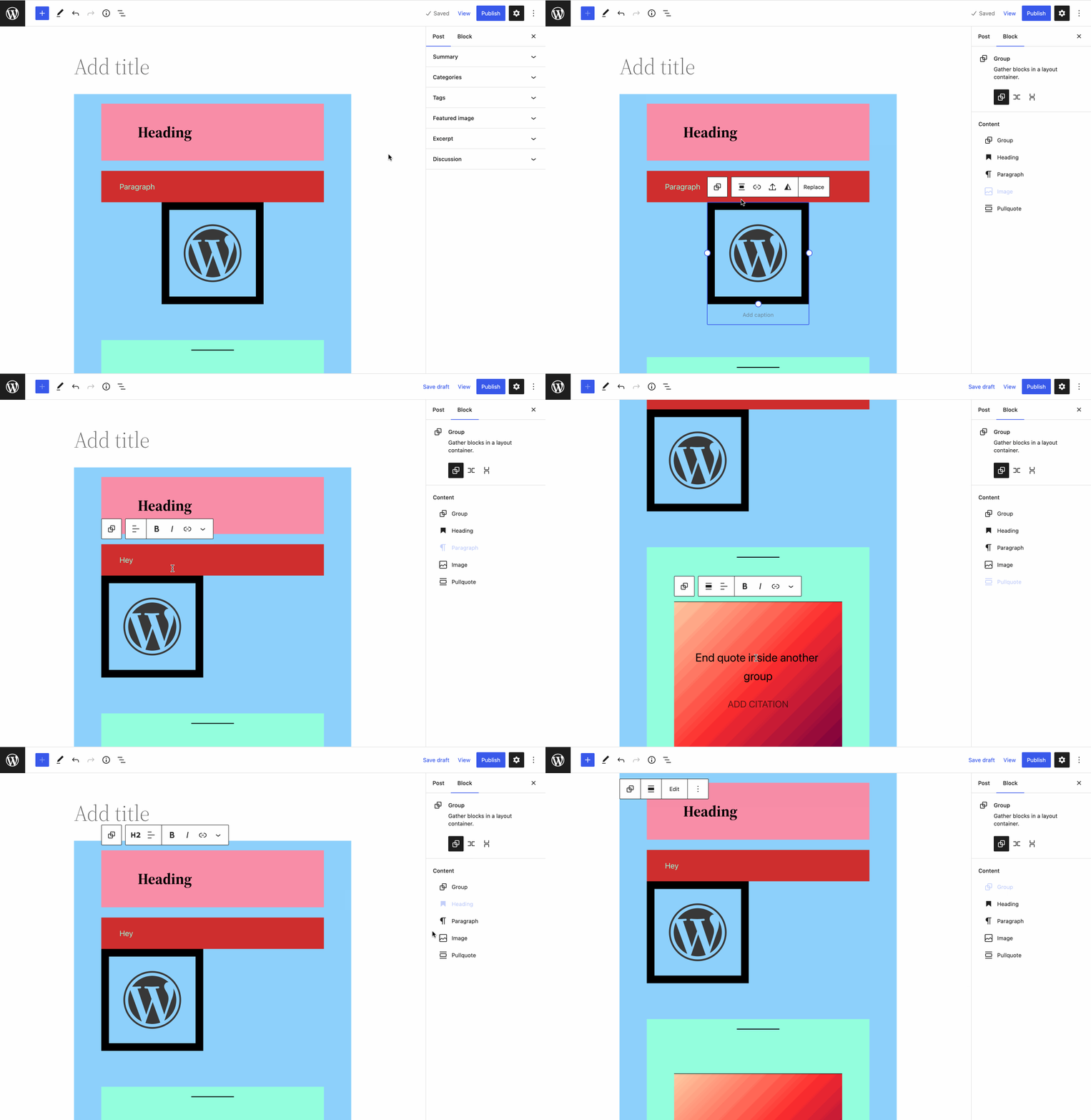
Took it for a spin, here's a quick GIF:
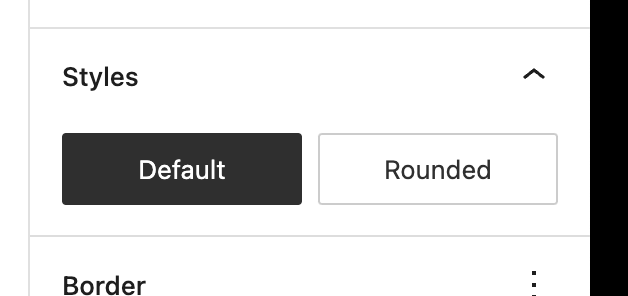
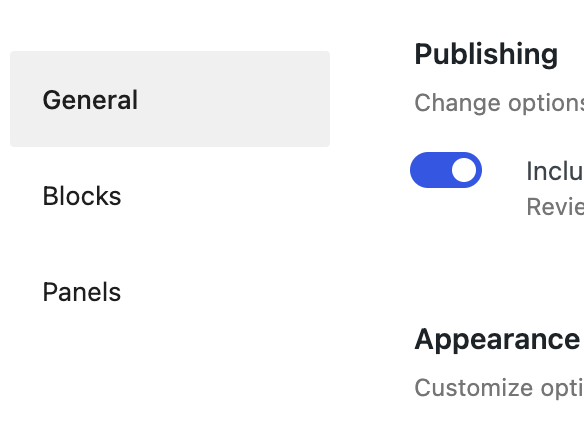
Quick small note: the active state in the inspector isn't legible. We should probably use an active state like either the style toggles or sections in the preferences:
Overall: good progress! The simplification of the toolbar, especially the removal of the ellipsis menu, makes this feel much more considered and intentional.
I still think there's something about that "select parent" button which makes it feel like it's not big enough of a shift to warrant "locking". How sure are we that this button is necessary in most cases? A single group with a full-wide image inside and nothing else, making it go edge to edge in all directions, this would necessitate the button in order to not have to use the list view to select the pattern container. But what other specific examples can you think of that would necessitate the button? I would love to start without this button and add it back only when we find it necessary.
But what other specific examples can you think of that would necessitate the button?
Your example is the only one I can think of. Somewhat linked to this, do we need to list the container as a clickable item in the Inspector? The presence of the 'Group' item beneath the 'Content' heading feels a bit strange. I agree, we can probably try removing both to begin with.
With images (and other blocks I suppose), should it be possible to change alignment? Or is this verging into 'layout' territory and should therefore be locked?
In the container toolbar 'Edit' seems a bit loose, since it's already editable to some extent. I think 'Edit as blocks' worked a bit better. Perhaps there is other language we can use to describe the functionality? 🤔
In the container toolbar 'Edit' seems a bit loose, since it's already editable to some extent. I think 'Edit as blocks' worked a bit better. Perhaps there is other language we can use to describe the functionality? 🤔
It is a bit loose, but it's also short and concise, whereas "Edit as blocks" starts to feel complex. How about "Modify"?
Maybe it should be more integrated with the locking UI. Probably something to look into as a follow-up.
Hi @jasmussen, @jameskoster following the feedback, I applied the following changes:
- Totally remove the parent selector.
- Use the active button state for the content blocks on the inspector.
- Remove the container block from the content blocks on the inspector.
- Changed the label to "Modify".
Regarding things like removing alignment from images, I agree it is something that makes sense. In order to accomplish this, we need changes at the block level, the block is the one that knows that some buttons are supposed to change images, etc, and should be available on a content lock while others are design-related buttons. I guess we can, after merging the content lock mode, have a PR purely adapting our blocks for this mode that can also serve as an example for other blocks in the community if they want to provide the ideal experience.
I guess we can, after merging the content lock mode, have a PR purely adapting our blocks for this mode that can also serve as an example for other blocks in the community if they want to provide the ideal experience.
I think it's fine to do that as a follow-up, but if we agree that alignment should be disabled in this mode then I would be hesitant about shipping this PR without the follow-up in 6.1.
Maybe it should be more integrated with the locking UI.
Perhaps the solution is staring directly at us... what if the following lock configuration invoked template lock? 🤔

Nice! This is getting close. Here's a quick status update:
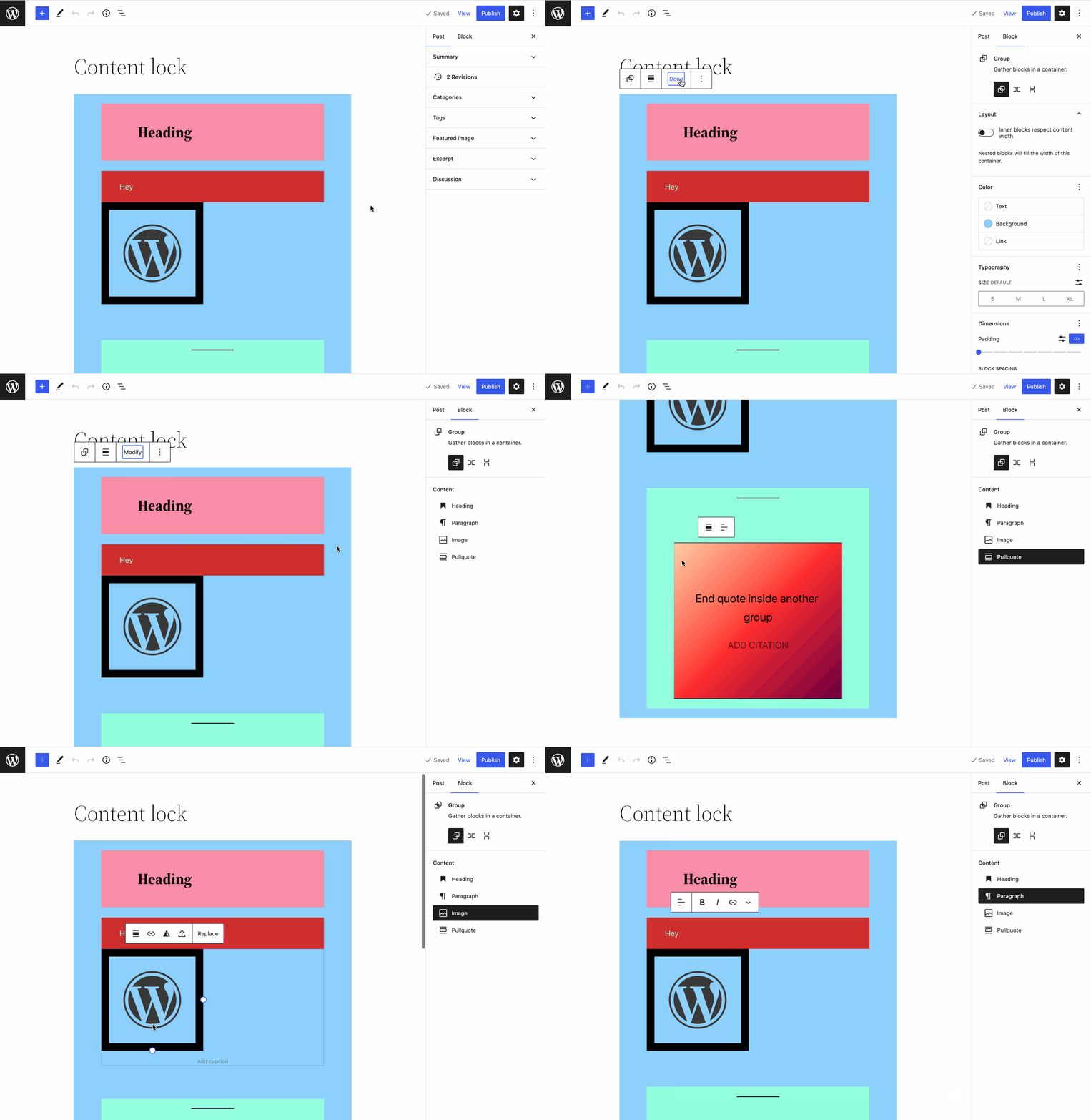
This looks good:
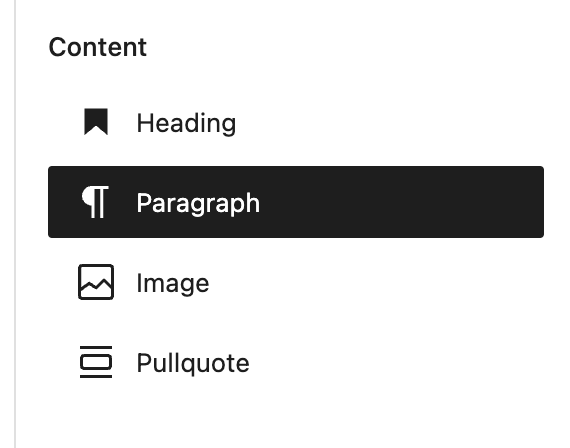
I think it works well without the parent selector. But right now with it hidden, the positioning of the toolbar is wrong, indented:

It looks like this CSS is at fault here:

If it's easy to contextually unset that margin in this state, let's do it. If it becomes too ugly and hacky, let's add the parent selector button back and revisit separately, so we can land this first version.
The padding left and right of the "Modify" button (I think the word works okay, we can try it for the first version) is too wide:
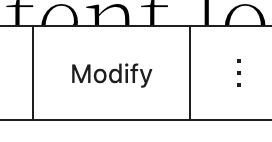
compare with Replace:
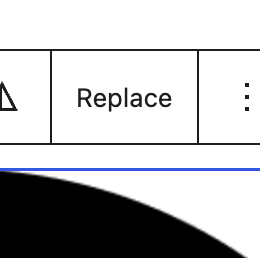
It looks like this is because the Modify button is nested in an additional wrapping components-toolbar-group, which doubles the padding:
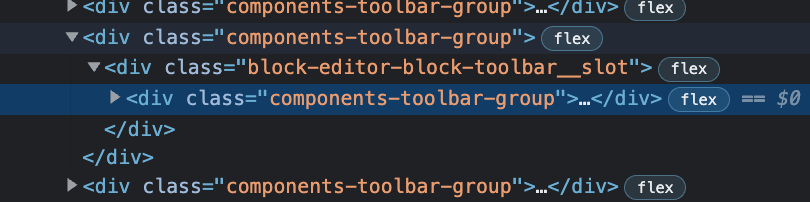
Is that an easy fix?
Perhaps the solution is staring directly at us... what if the following lock configuration invoked template lock? 🤔
I do like the idea of fewer new buttons in the toolbar, and embracing existing interfaces. But the template lock modal isn't very clear in this case — and after all you CAN still edit content inside even if parts of this are locked. I wonder what's easier to land in the near term: the "Modify" button, or the modal changes?
and after all you CAN still edit content inside even if parts of this are locked
Exactly. The modal stipulates that child blocks will be movement/removal locked, which is the exact functionality templatelock exhibits. To be clear, I'm suggesting this as a way to toggle templatelock on.
The 'Modify' button as a way to toggle off seems fine. Although looking at your gif above, if the Inspector wasn't open, it would be quite hard to tell what the result of clicking 'Modify' actually was. That's why I think 'Edit as blocks' worked a bit better despite the verbosity. Not a strong opinion though :)
HI @jasmussen, @jameskoster,
I updated this PR to fix the toolbar margin and the "Modify" button padding.
Regarding the option in the lock modal vs "Modify" button, I see it as two different things. The modify button locking is not something permanent. It just temporarily allows the user to make changes, but it is not permanently changing the attribute. I guess we can (and should) have an option in the modal to allow adding the content locking state permanently or remove it permanently (can be done in follow-up).
I think it's fine to do that as a follow-up, but if we agree that alignment should be disabled in this mode, then I would be hesitant about shipping this PR without the follow-up in 6.1.
No issue at all if we agree that some options of the block, like alignment, should be disabled, we can merge this PR, and then the follow-up focused only on block changes can still be created and merged on time for 6.1.
The modify button locking is not something permanent. It just temporarily allows the user to make changes
Thanks, that's a good distinction to make. I wonder if there's anything we can do to help indicate the temporary nature? Perhaps temporarily invoking spotlight mode on the container?
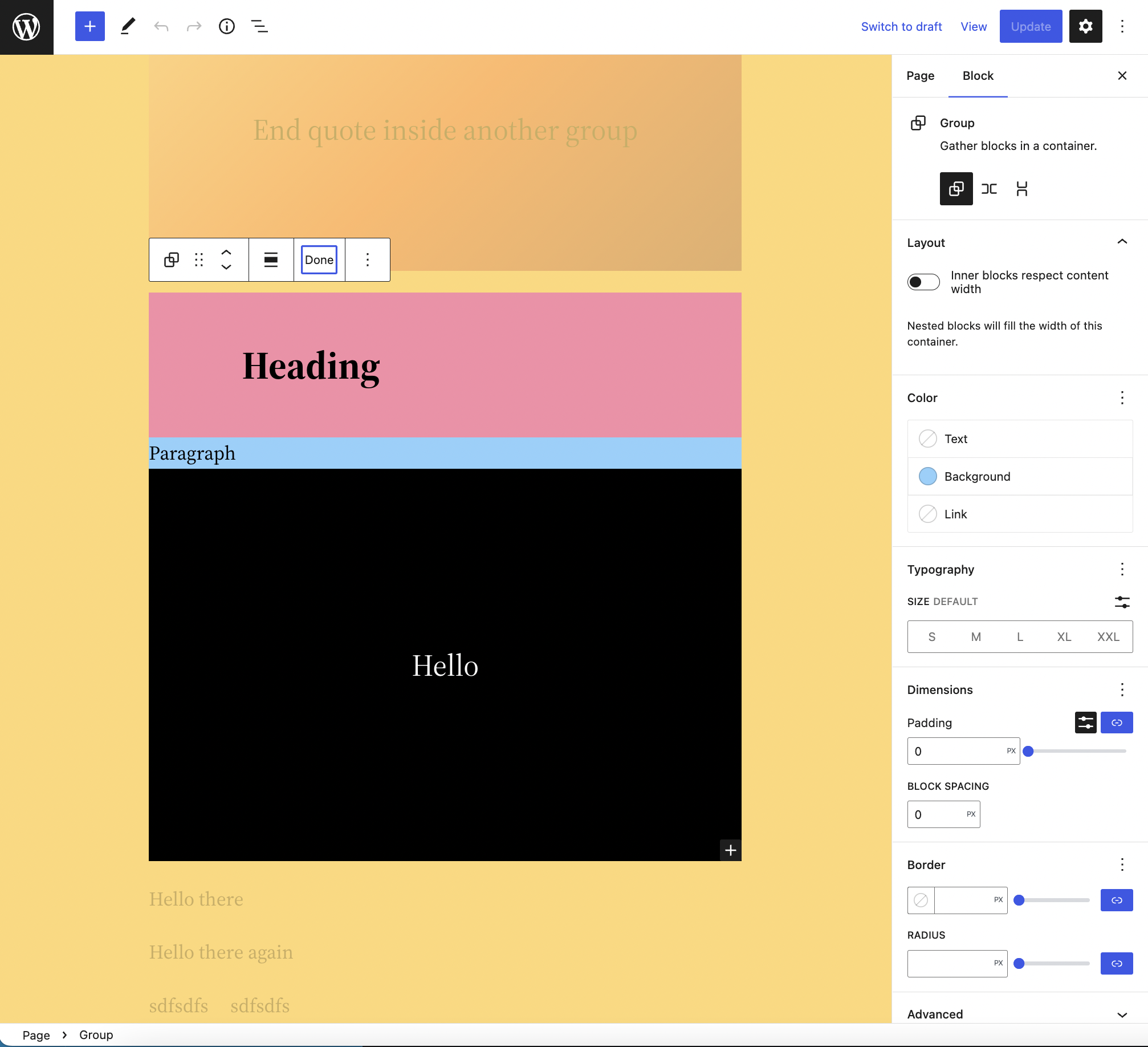
Speaking of spotlight mode, since we want these containers to feel like a single unit, shouldn't the whole thing be focussed when spotlight mode is enabled? Currently only the selected child block is:
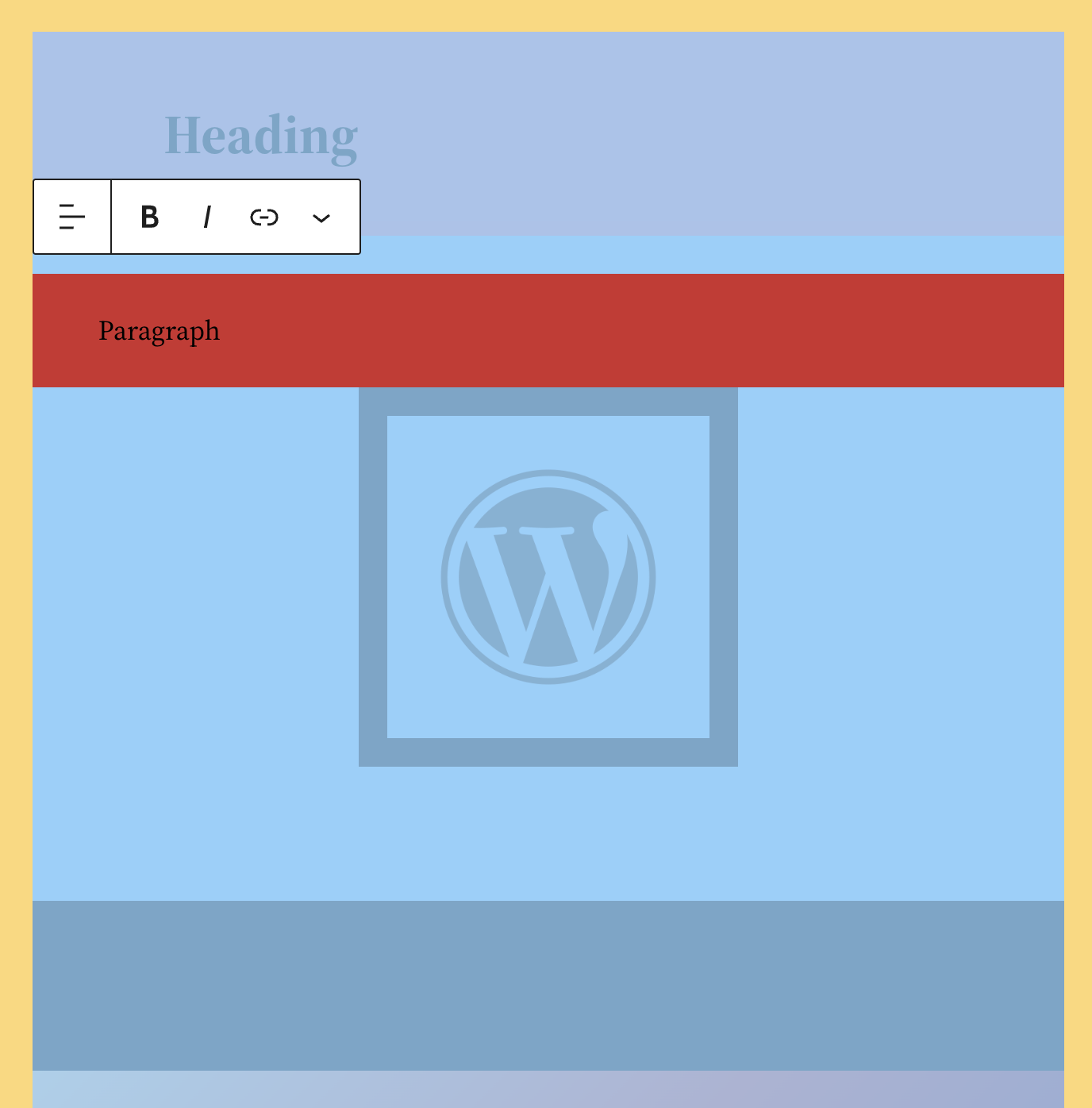
I made the updates suggested by @jameskoster:
- In spotlight mode, all the block is highlighted.
- When editing as blocks spot light mode is temporarily enabled.
Thank you for working on this! It feels close!
Thank you too to you and @jameskoster for suggesting the improvements and helping them get done 👍
Nice, it really is close, all the polish looks good. Current status:
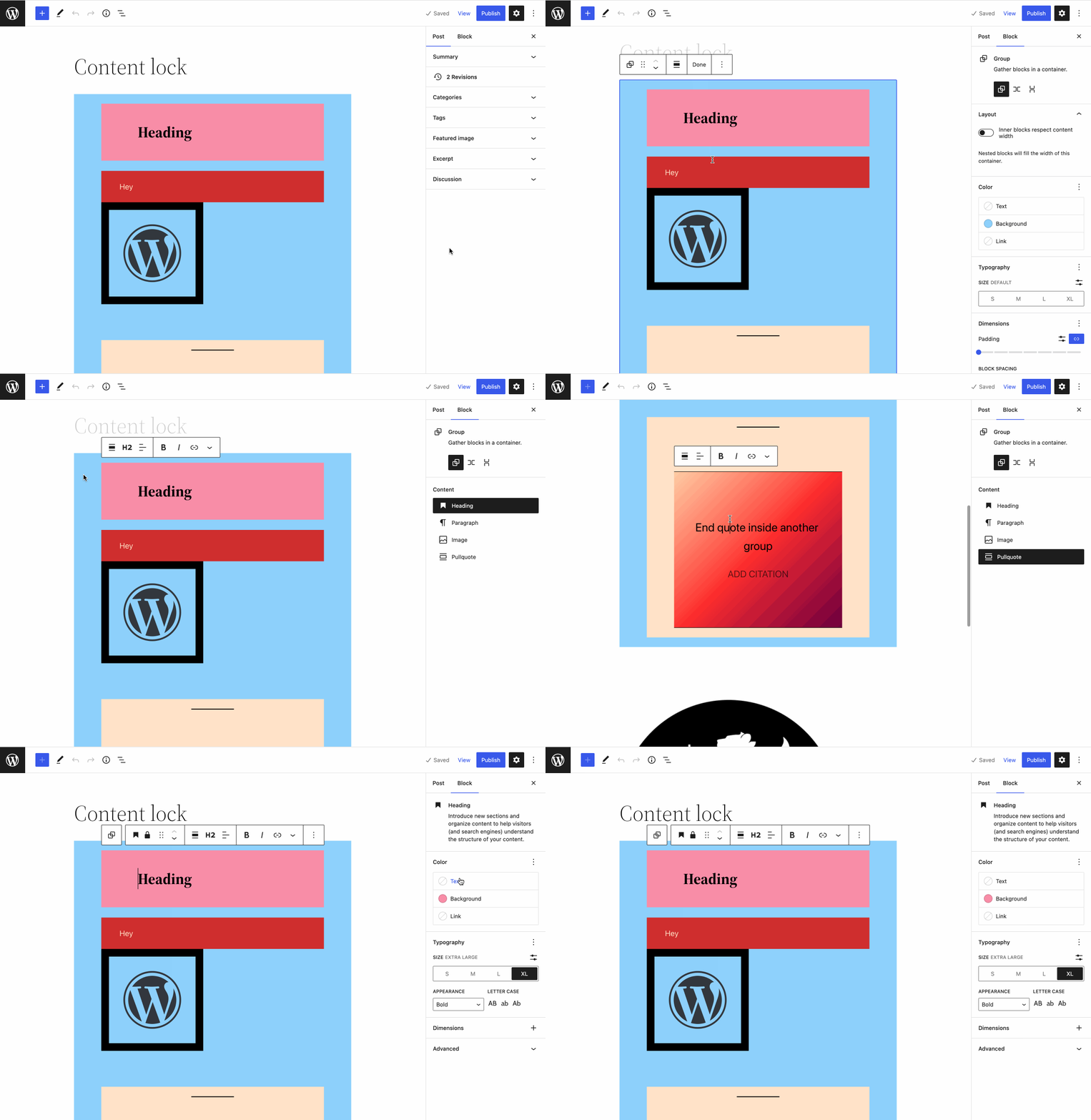
A few comments/questions.
In locked mode, I can't click in the canvas to select the Heading. But I can click in the inspector to change both level, and get full access to deleting the block, etc. — I may have missed a beat, but was this intentional? It seems like you should only get access to the full toolbar and ability to delete/move when you first click "Modify".
Speaking of "Modify" — that still shows the locked-down toolbars. It's my understanding that when modify is toggled, editing the contents inside should be just like editing the contents of a normal group. Is that right?
Hi @jasmussen, Thank you for reporting these issues. They were bugs and should now be fixed 👍