

 WordPress
Update markup and styling for My Courses page
The My Courses page is generated by Sensei and can be viewed here: https://learn.wordpress.org/my-courses - this is a draft page, so you need to be logged in to view it.
The page shows all of the courses the logged-in user has enrolled in, with tabs to filter to only active or completed courses.
We need the course cards on this page to have the same styling as the course cards on the courses page. Since the My Courses page is generated by Sensei, I'm not sure how much control we have over the markup, but we may be able to override it with a template in the theme. Either way, if that page can look like the rest of the courses, then we can use it.

I'd argue there's no reason not to publish it now, and then update the styling after it's live. It's such a huge benefit to course learners, I'd prefer to ship it and iterate on it once it's available.
In order to make it useful, we would need to have this linked somewhere. Some ideas:
- Next to the View All Courses link at the top of the list of courses on the home page
- Somewhere at the top of the Courses page page

I would agree with @jonathanbossenger the benefit to learners having easy access to this information far outweighs the need for a clean style.

We also need to add this page to navigation, somewhere that is obvious and easy for learners to find.
We also need to add this page to navigation, somewhere that is obvious and easy for learners to find.
I just noticed the menu at the top of the Learn site once you get past the home page.
I checked, and this is just a regular classic menu, so it would just be a case of publishing the page, and adding it to that menu.
FWIW this ticket can remain open if the page is published because it's asking for a visual update.
I have published the page now: https://learn.wordpress.org/my-courses
I'm hesitant to add it to the top menu, mostly because it means that the menu won't fit in the space provided for it. We could add it as a drop-down under 'Courses' though, but that will likely require some CSS to make it work.
That being said - that top menu is actually hard-coded in the theme and not coming from the dashboard - there is a saved menu in the dashboard, but it isn't being used.
My thoughts about where we could add a 'My Courses' link:
- Alongside the 'view all courses' link on the home page - only show it if the user is logged in
- Alongside the 'search courses' label on the courses archive page - only show if the user is logged in
- Potentially in a drop-down menu underneath the 'courses' menu item - that will require more CSS though, so likely more work than the other simple text links
I have published the page now: https://learn.wordpress.org/my-courses Yay!
Alongside the 'view all courses' link on the home page - only show it if the user is logged in Alongside the 'search courses' label on the courses archive page - only show if the user is logged in
I agree, these two seem to be the highest-value wins with the lowest requirements to implement.
Alongside the 'view all courses' link on the home page - only show it if the user is logged in Alongside the 'search courses' label on the courses archive page - only show if the user is logged in
Agreed that these are the best areas without having to modify the menu/etc.
@jonathanbossenger
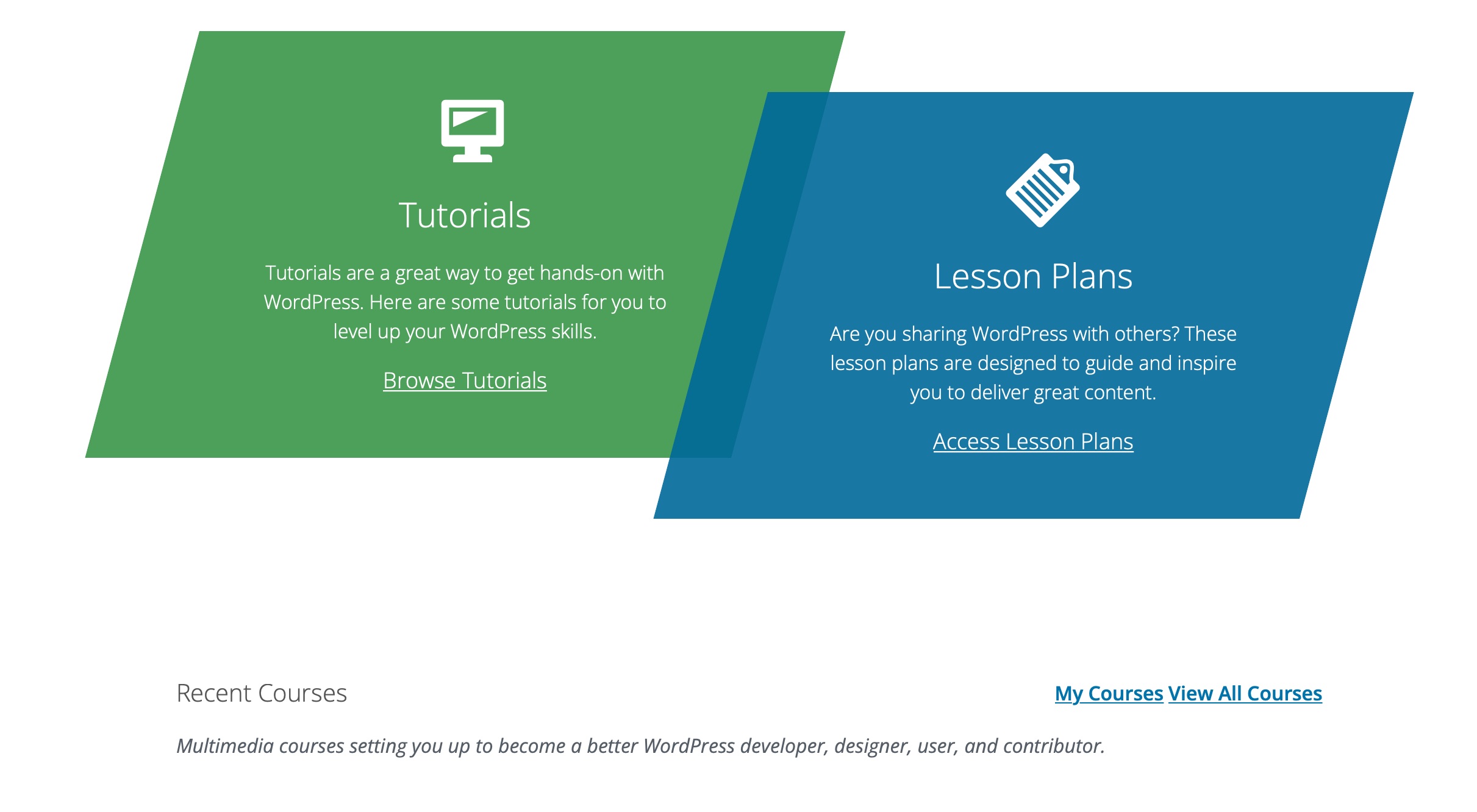
I've started working on adding the "My Courses" links to the front page and the course archive page.
Front page:
Course Archive:
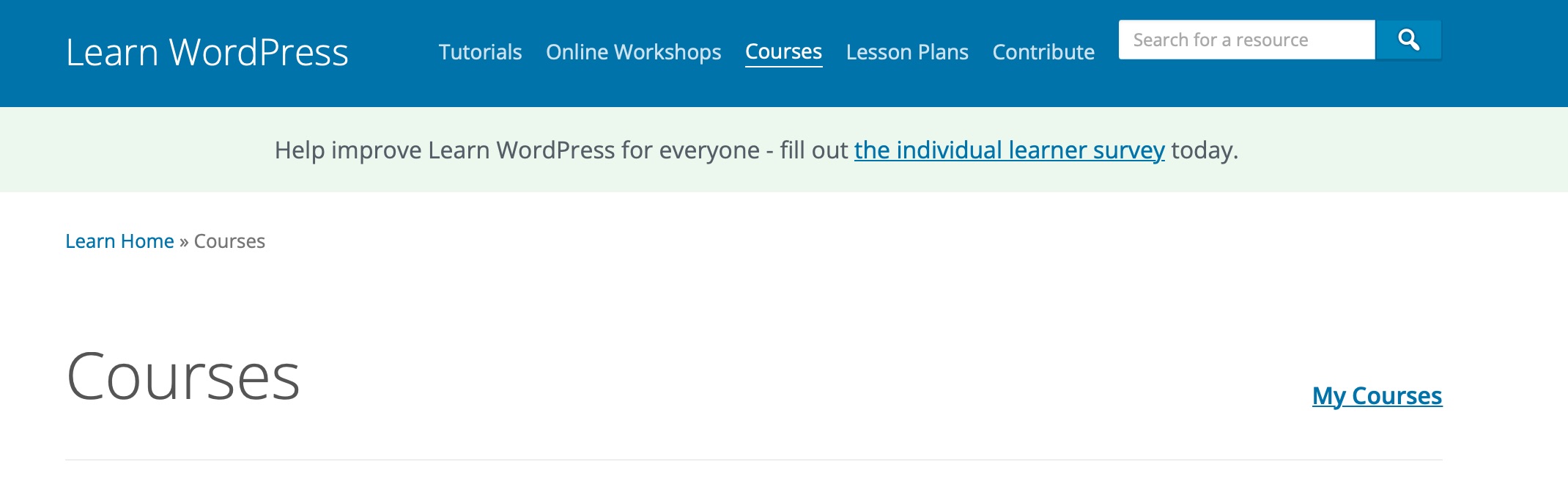
I have a couple of questions:
- What if any CSS framework/system is the website using?
- How can we import the other learn.wordpress.org content to work on other parts of the site? I did find the REST API endpoints for the pages and that imported successfully, but the courses did not and resulted in database errors.
If there is any documentation on the CSS we are using, I can fix the spacing on the frontpage links. As I would prefer to not need to add unnecessary CSS just to fix this spacing issue.
I have added more spacing on the front page. @jonathanbossenger thoughts?

@digitalchild LGTM
I'll try to answer your earlier questions:
What if any CSS framework/system is the website using?
AFAIK there's no framework in place, but the wporg-learn-2020 theme uses Sass which you can find in the CSS directory of the theme. There's a README.md file in that directory that discusses the structure.
How can we import the other learn.wordpress.org content to work on other parts of the site?
Unfortunately, this is not possible at this time. You can read more about the history of this here and here. We might need to either update the current script or add a new script, to import course data.
What I usually do is just grab one of the smaller courses, and manually copy the course content into the local site.


There is still work to be done on styling the cards, as mentioned in the description, so I've moved this back to TODO
I would like to give it a shot, but the my-courses page in my local install still empty. What I did:
- Set it up in the sensei settings
- create a bunch of courses
- Started one with my admin account
And it still looks like this:

@unprintedch thanks for asking about this. This is a small undocumented requirement of courses. For a course to be included on the front end, it needs to have a manual excerpt. So if you edit the course and enter a manual excerpt in the excerpt meta box, it should appear.
There actualy was default content in the excerpt (down the right sidebar right?) They still not appear in the "my-courses" page.