
winmerge
 winmerge copied to clipboard
 WinMerge
Substitution filters not working in WinMerge v2.16.12.0
I tried substitution filters in WinMerge v2.16.12.0 x64 and could not get them to do anything. They take a long time to process, so they act like they are doing something, but there was no visible change in the output in either pane. To test, I simply tried changing all occurrences of a to test. I also tried a regex substitution of changing , (a comma) to ,\r\n, and that also didn't work.
See also: Problems with Substitution Filters #790 (I saw that issue report after writing this one, but it sounds like that issue is related, but may not be identical. I want to carefully read the reply from @sdottaka a couple more times and perform more testing.)

Could you tell me the contents of the compared files?
I compared files with the following content, and the Substitution Filters seem to work as they should.


@sdottaka What your screenshot shows is exactly what I was expecting. Besides creating the filter, and clicking "Enable" in the Filters dialog box, did you have to do anything else special to get it to work?
Regarding the contents of the files I compared... ooh, um, that was 4 days ago, and I've probably used WinMerge at least 200 times since then. :) I don't remember which files I was comparing, but I know I was comparing scores of modified JSON files (not quite JSON syntax, but very close). Most of those files did not have any CR or LF characters; perhaps that's a helpful clue.
did you have to do anything else special to get it to work?
The Substitution filters settings I have made are only those shown in the screenshot above.
I have the same issue: the filter doesn't seem to work.
I use a regex as shown below
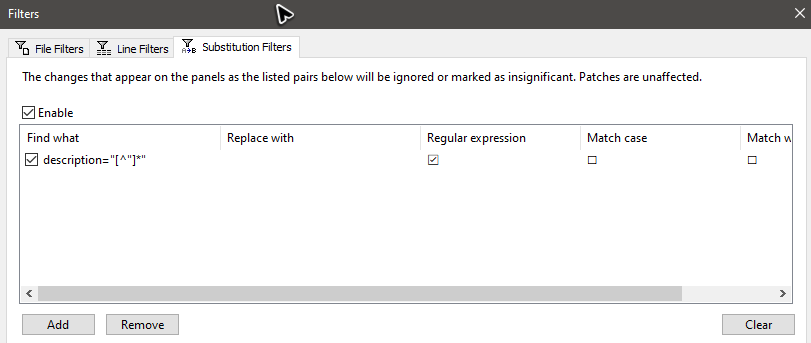 The regex should remove all descriptions from an XML document.
But when I compare two XML files, I get
The regex should remove all descriptions from an XML document.
But when I compare two XML files, I get
 I would expect that the line SomethingElse is highlighted as a difference but that the Param1 line is not marked,
btw - When I remove the SomethingElse line then both files are seen as identical, i.e. in this case the substitution filter works.

Unfortunately, there is a limitation in the substitution filters that are applied after the diff calculation.
I hope to fix this eventually, but it is unlikely to happen soon.
Instead, try using the PrediffLineFilter.sct plugin, which provides similar functionality.
This plugin is applied before the diff calculation, so you will get the expected results.
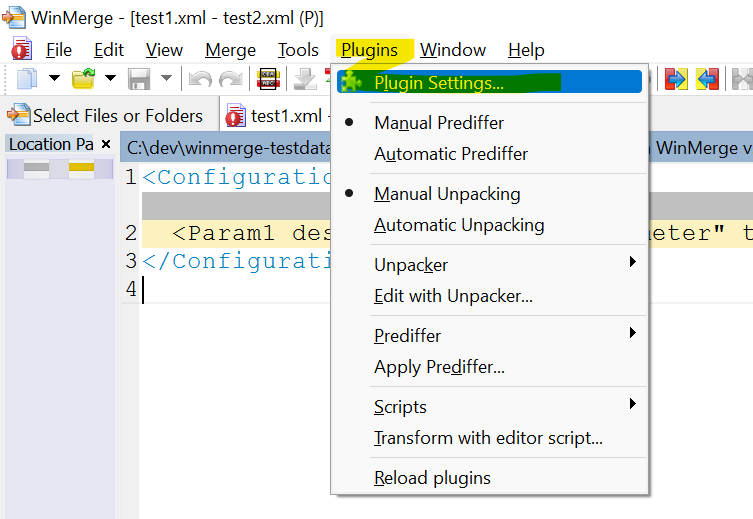
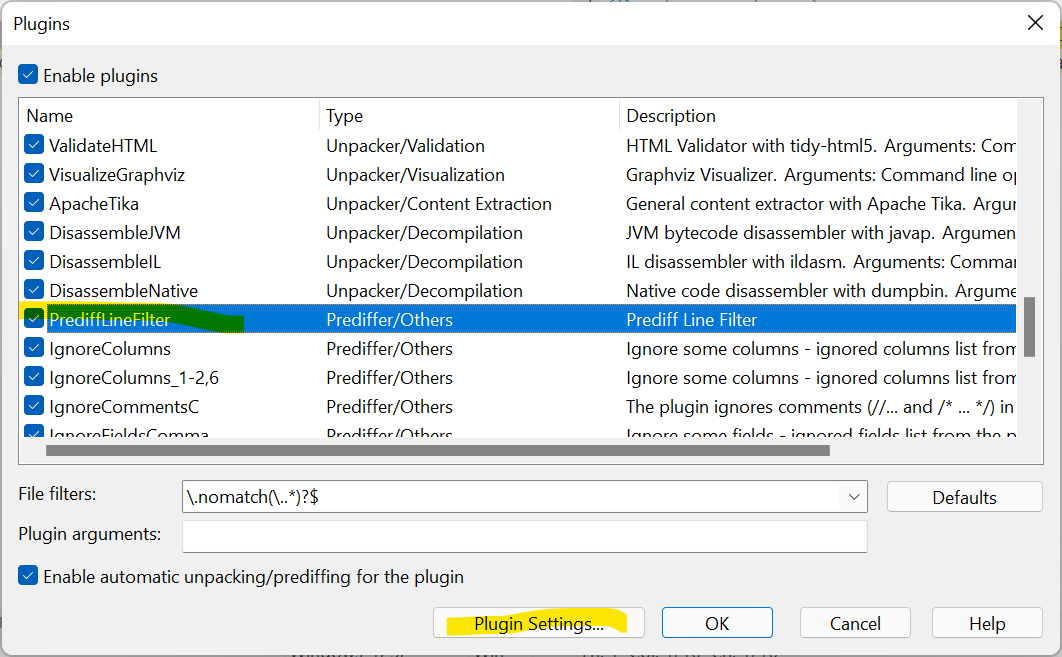
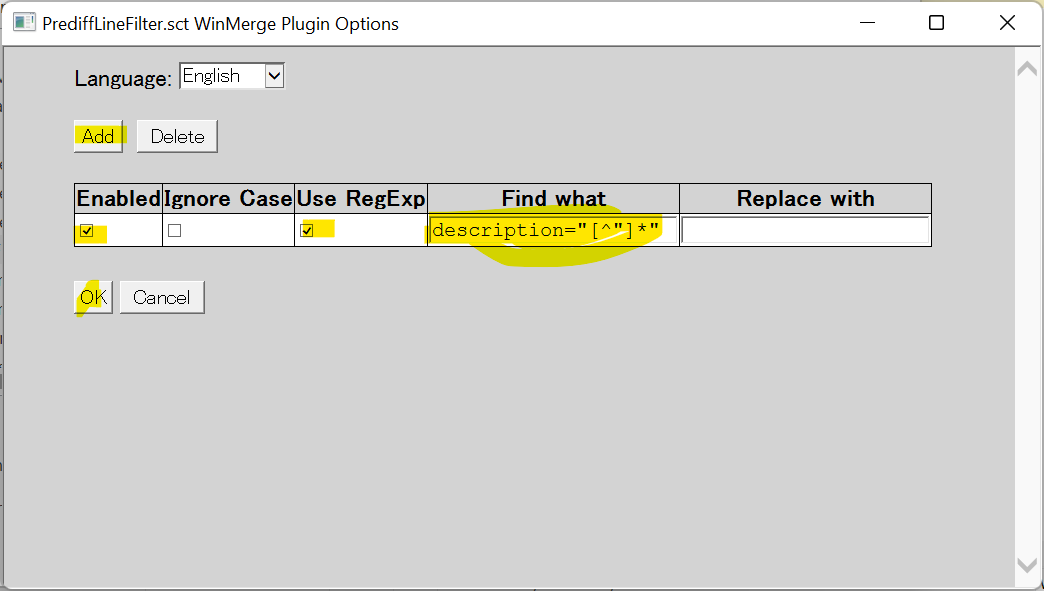
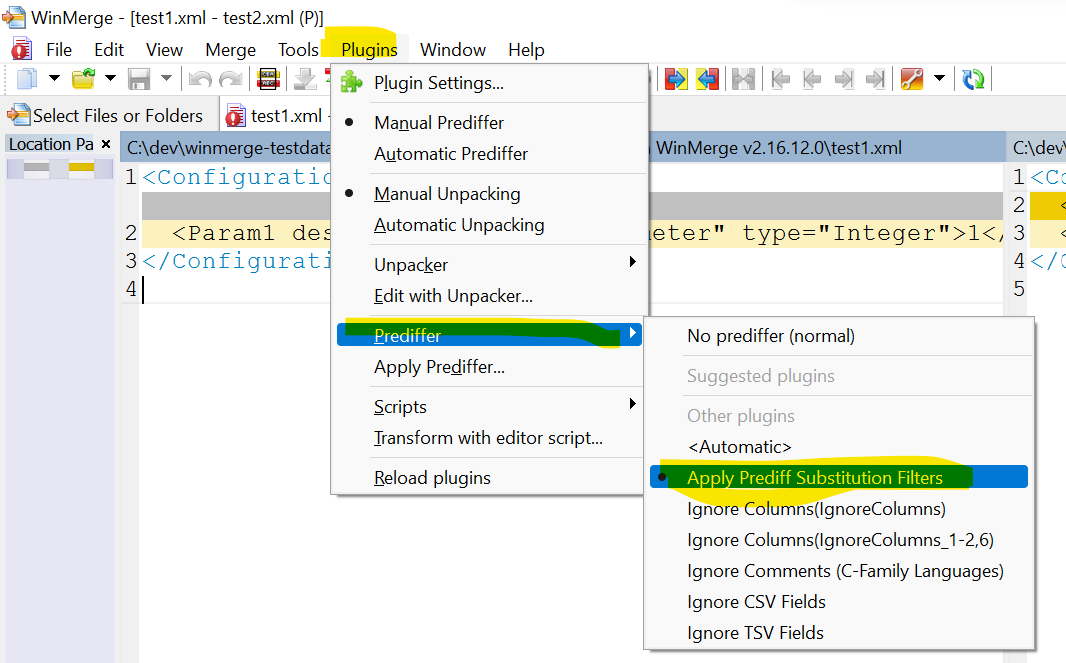
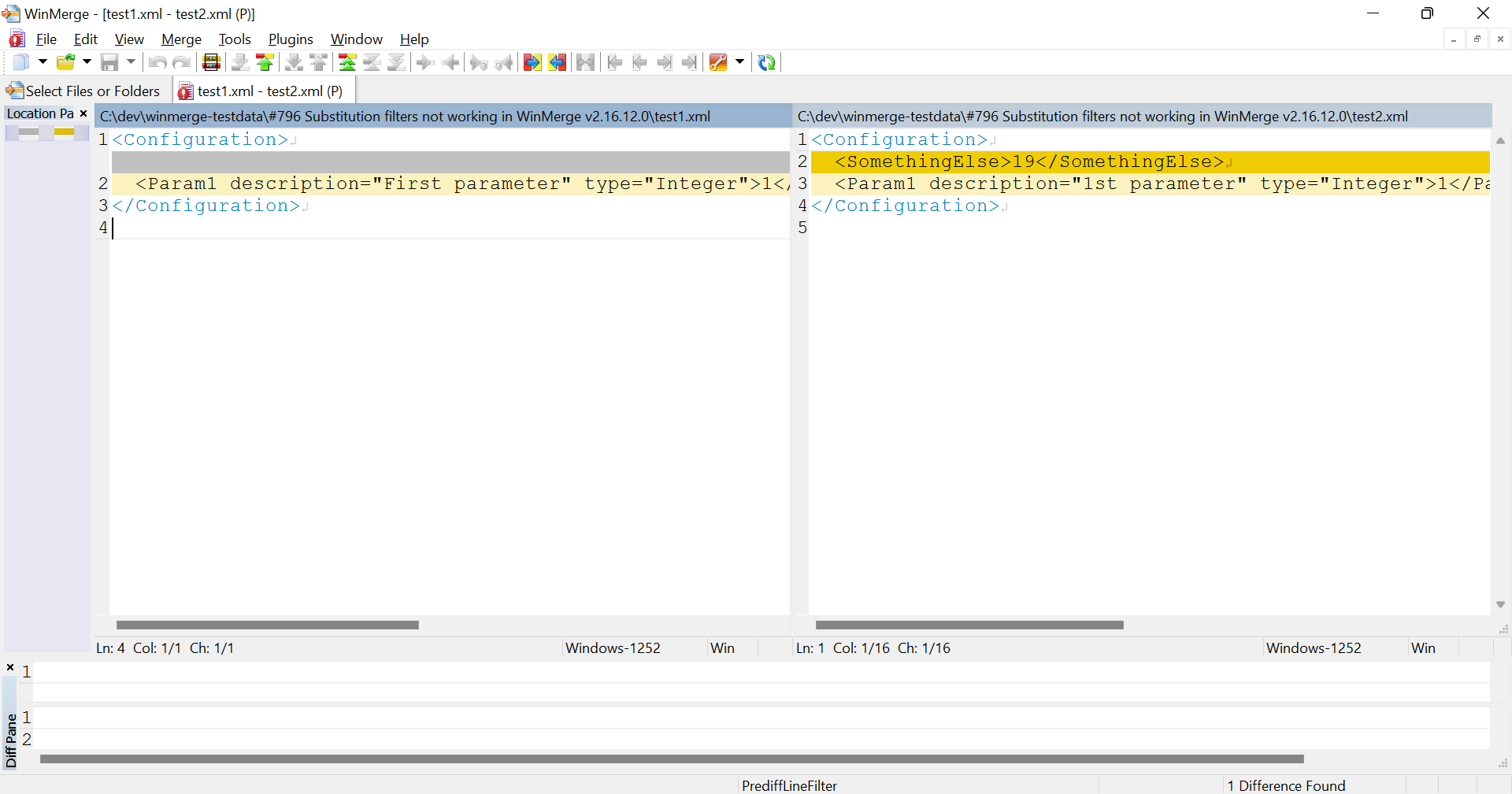
@sdottaka I was never able to get the PrediffLineFilter plugin to work... the settings page never appears.
So I was experimenting with substitution filters again, and now have a pair of files that demonstrate very odd behaviour. The substitutions are never displayed in the output, but for a portion of the files, WinMerge correctly identifies that the substituted changes are to be ignored. Yet partway through the files, the substitution filter simply stops having any effect.
Can you provide the contents of the Substitution filters and the pair of files? Also what version of WinMerge are you using?
@sdottaka Thank you for fixing this, and my sincere apologies that I never responded to your June 5 comment. I'm not sure how the notification got removed, but it was gone on my end. Feel free to ping me if that ever happens again!