

 WinMerge
The context menu items are poorly visible if some Aero themes are used in Windows 7
The context menu items are poorly visible if some Aero themes are used in Windows 7
Could you fix the black and gray (for inactive) text colors so that Windows themes cannot change them? Ideally, add an interface theme that is dark and light.


Here is so in your program - 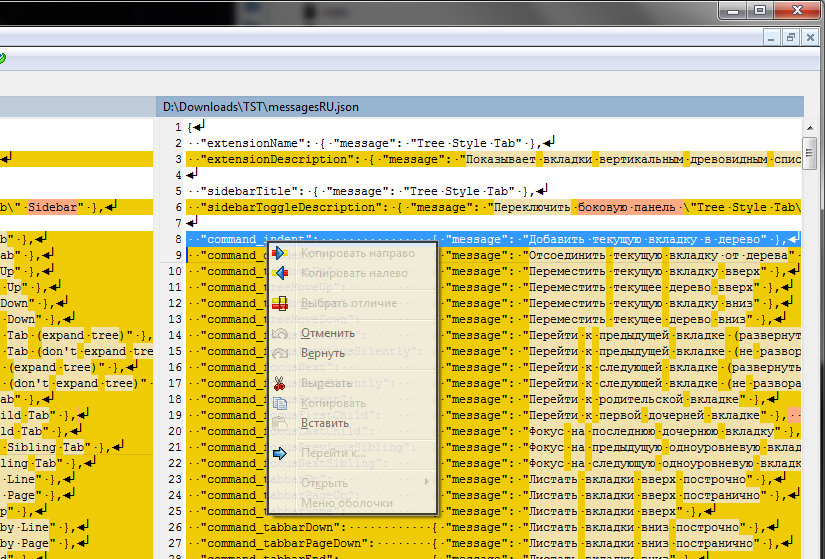
I would like the program to ignore the font colors of the OS theme. Or, in addition to font colors, it should pick up the background color of the context menu, since it is dark in the OS theme
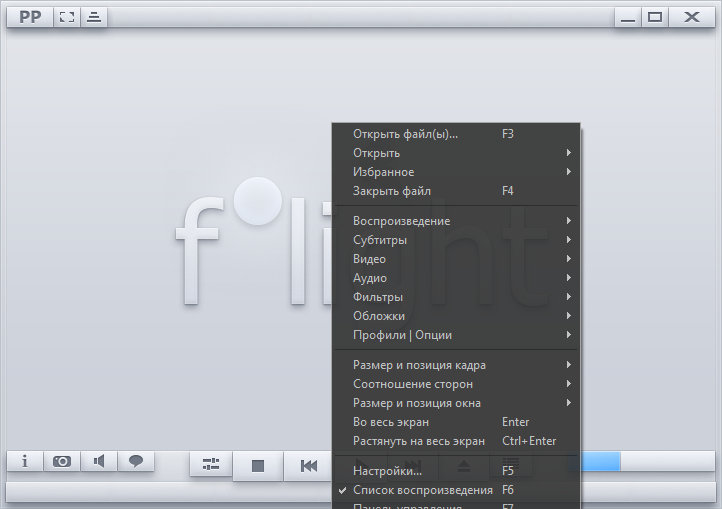
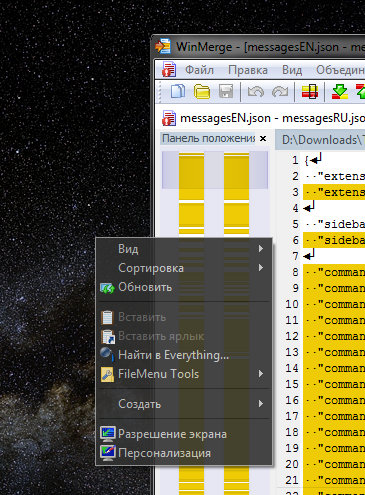 most other programs that pick up the OS theme also display the context menu background dark. Например PotPlayer
 or Notepad++
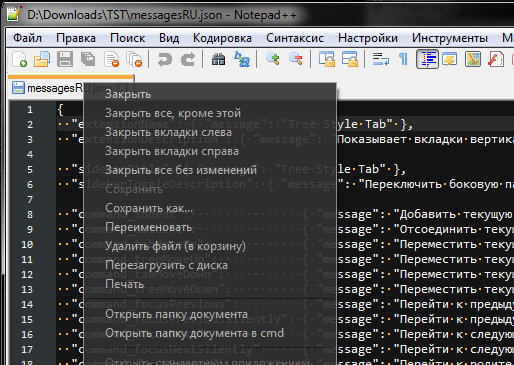 And all other programs, with very few exceptions.
Thank you for screenshots.
I think that translucent context menus and black backgrounds are not standard Windows 7 features. Do you have any applications that do this?
This is standard for some third-party Windows 7 themes. But this effect can be achieved using programs from the site https://www.moo0.com - "Transparent Menu" and "RightClicker". And some other programs that I can't remember right now.