
winmerge
 winmerge copied to clipboard
 WinMerge
WinMerge stops responding when preparing to generate a large report
After comparison was finished (291,990 items selected) I try to generate a report, but WinMerge just hangs, does not bring up the Report dialog, runs CPU at a very high rate continually with used memory jumping around in a range form ~390 to ~450 Megabytes. Waited for over 2 hours and still no report dialog. It took all night (over 9 hours) to do the compare and now I will loose all that work as will have to kill the APP. Using Windows 10 WinMerge 2.14.0.0 Unicode

I have not yet been able to reproduce this problem, but perhaps you are using an older 32-bit version of WinMerge 2.14.0, which may be causing your memory usage to exceed the 2GB limit. Could you try the latest 2.16.20 64bit version?
https://winmerge.org/downloads/?lang=en

Just tried with the new version and it indeed is fixed, however the same compare of ~300000 files that took 9 hours in the 2.14.0.0 version in the current 2.16.20.0 version took 20 hours, so the compare function speed has gotten worse significantly. In 2.14.0.0 I used quick content compare, while in 2.16.20.0 I used binary compare, which is documented as being even faster than the quick content compare.
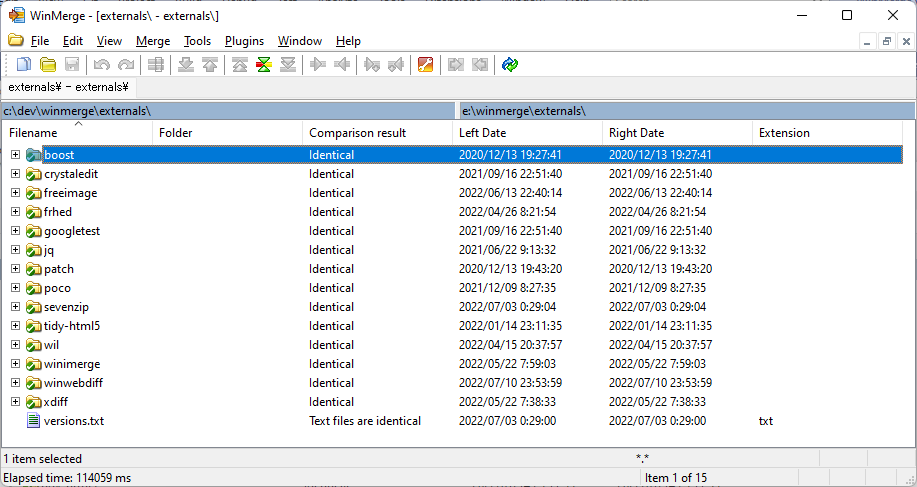
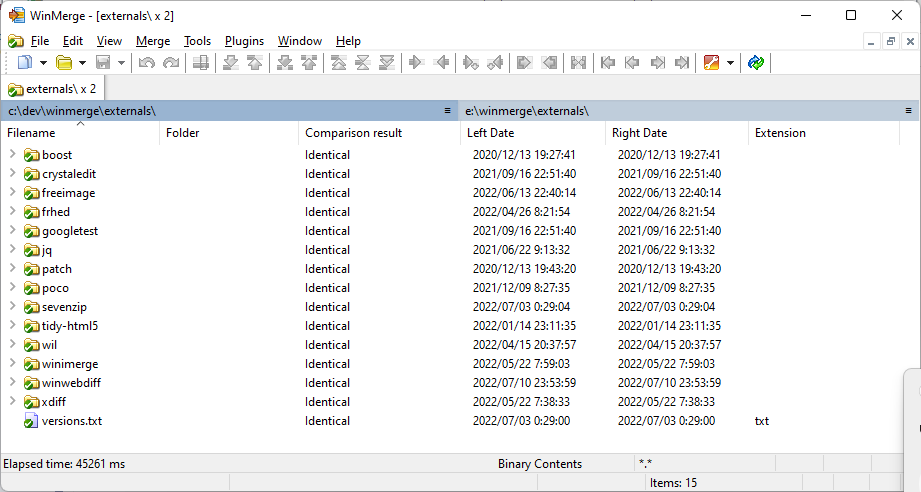
When I tried, the 2.16.20 Binary Contents compare method was slower than the 2.14.0 QuickContents compare method. However, the cause was that they were comparing folders with the same path. When comparing folders with the same path, there was an optimization to reduce the number of open files, which was effective.
When comparing different folder paths, the Binary Contents compare method of 2.16.20 can be compared more than twice as fast as below.
What does that mean? I was comparing 2 different paths, they were both on the same external USB drive, but they were different paths.
So far I have not been able to reproduce the problem that the 2.16.20 Binary contents compare method is slower than the 2.14.0 Quick contents compare method.