
winmerge
 winmerge copied to clipboard
 WinMerge
All files in one list
Hi,
I've probably clicked something somewhere that has done this :)
Open WinMerge Select folder 1 Select folder 2 Click compare
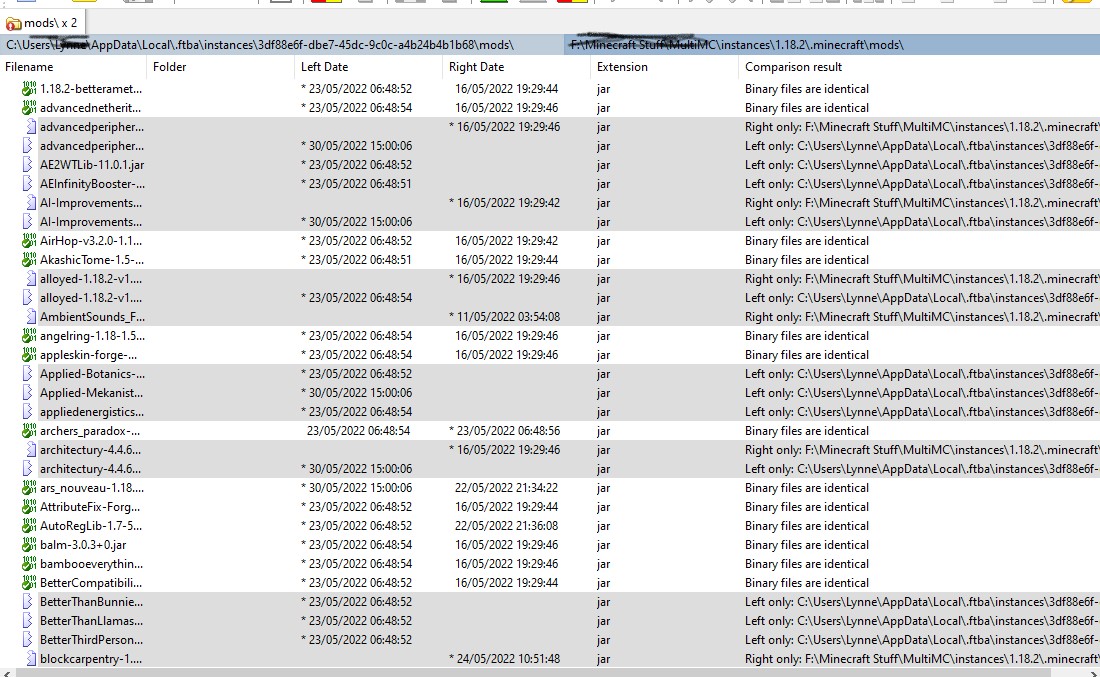
All files are listed in one long list instead of folder 1 on the left and folder 2 on the right.
Could someone please tell me the settings to get these two folders to display like they used to - side by side with the differing files showing in colours.
Hope this makes sense :)
Kind regards, Renada

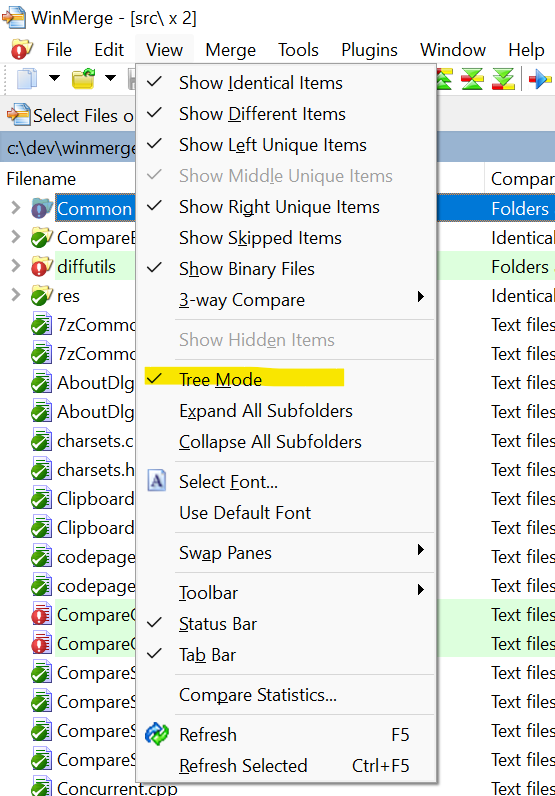

Hi :)
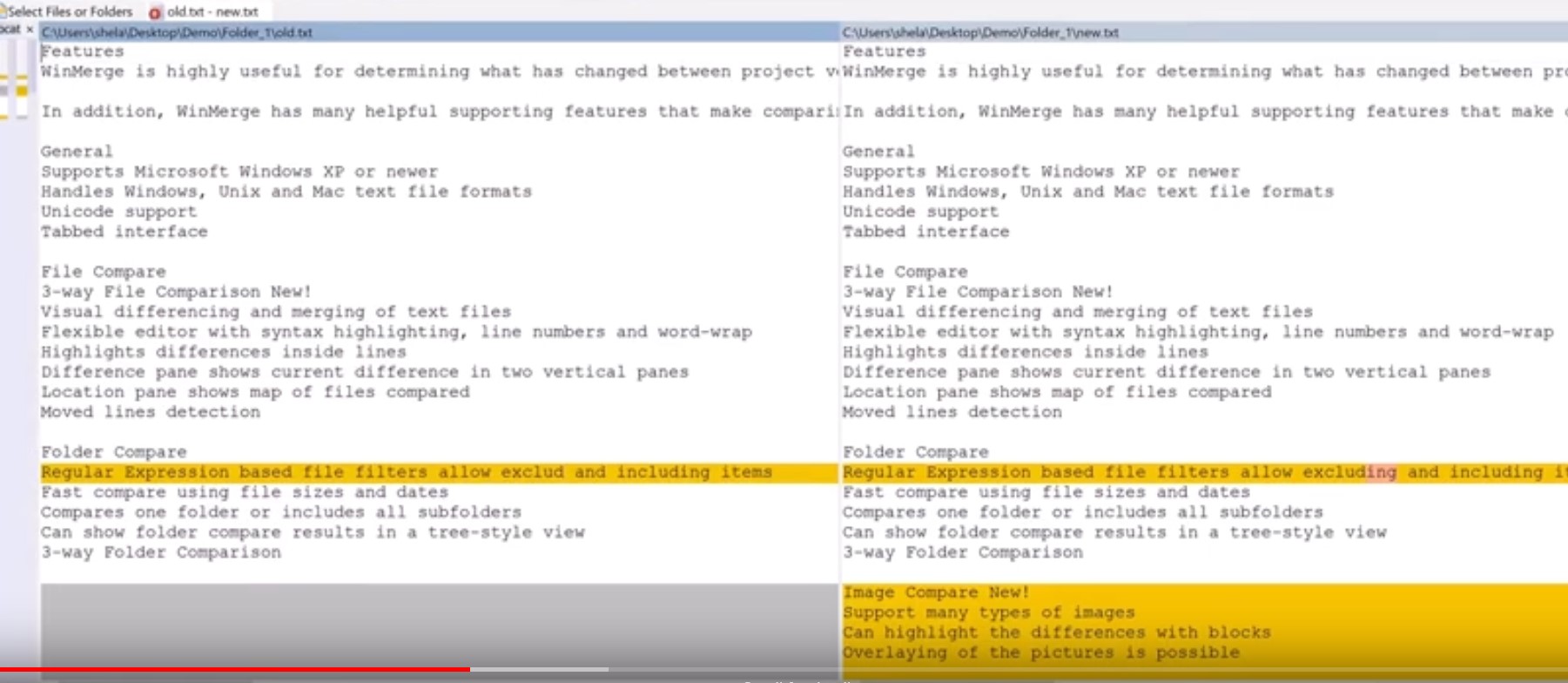
Thanks for replying. Tree mode is enabled. I've taken a screenshot of what I see and a screenshot from a YouTube video of what others see and what I USED to see.
Unless this is an update change I'd really like to get back to the way it was (side by side)
USED TO SEE:
WHAT I SEE NOW:
Kind regards, Renada
Sorry. I guess I didn't read this issue carefully.
Am I correct in my understanding that you are trying to compare folders?
If so, there is no side-by-side display of folders in any configuration or past version of WinMerge. I suspect you were using some other comparison tool or a modified version of WinMerge when you were getting the results you expected.
If you are trying to compare files, please specify files, not folders.
Hi :) Thanks for the reply and I see what you're saying now. It was definitely WinMerge but as you say I was comparing single files and now am trying to compare a folder full of files. Thanks again :) Kind regards,Renada
On Tuesday, 31 May 2022, 11:39:58 BST, Takashi Sawanaka ***@***.***> wrote:
Sorry. I guess I didn't read this issue carefully.
Am I correct in my understanding that you are trying to compare folders?
If so, there is no side-by-side display of folders in any configuration or past version of WinMerge. I suspect you were using some other comparison tool or a modified version of WinMerge when you were getting the results you expected.
If you are trying to compare files, please specify files, not folders.
— Reply to this email directly, view it on GitHub, or unsubscribe. You are receiving this because you authored the thread.Message ID: @.***>