
winmerge
 winmerge copied to clipboard
 WinMerge
Allow ignoring folder properties, such as date, when comparing folders.
Basically, I would like a way for a folder comparison to show a folder only when a file within that folder, no matter how deep, has a difference. Obviously, this only applies when I am only showing items with a difference, or that exist in one folder and not the other.
So far, everything I have tried has not worked.

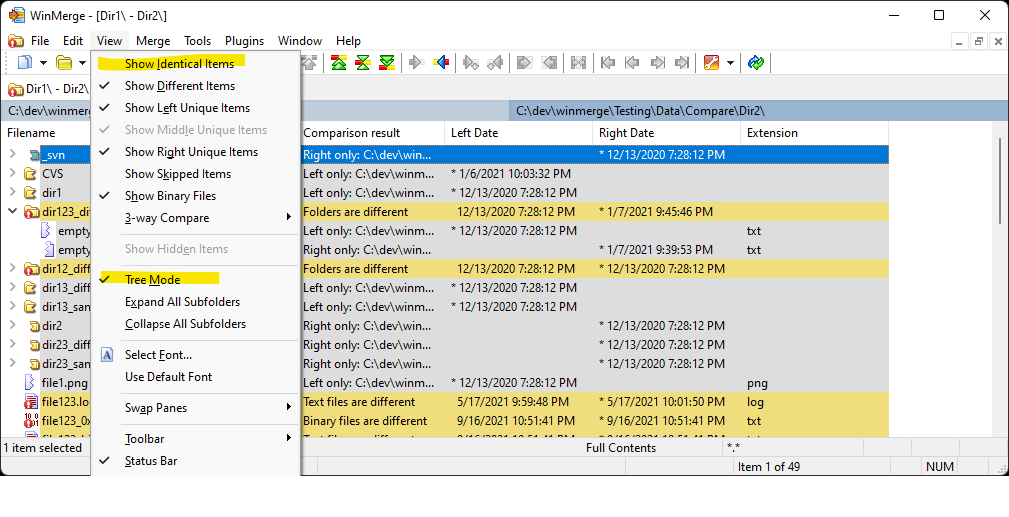
Perhaps I'm not understanding your requirements correctly, but enabling tree mode and unchecking the 'Show Identical Items' menu item does not meet your requirements?
Also, when comparing folders with the Full Contents compare method, the modification date and time are not compared and are ignored.
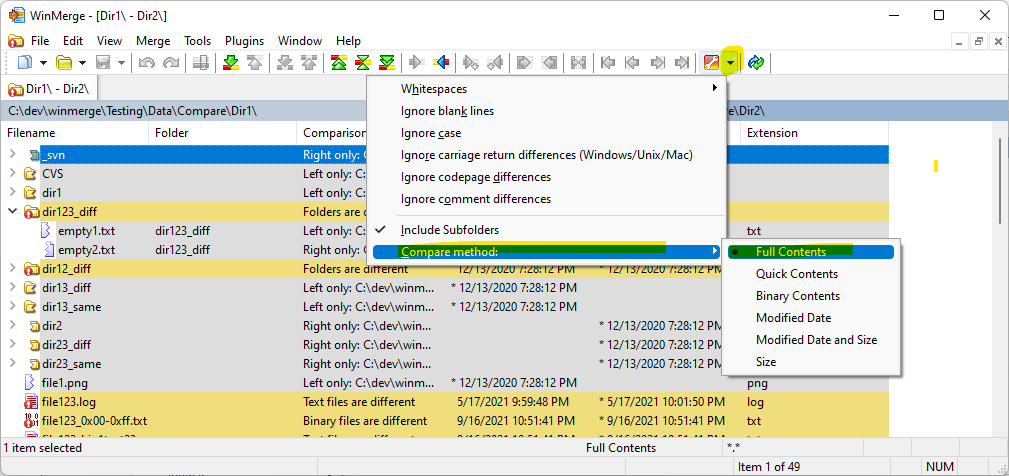

My compare method was Binary Contents, but switching to Full Contents didn't affect the results.
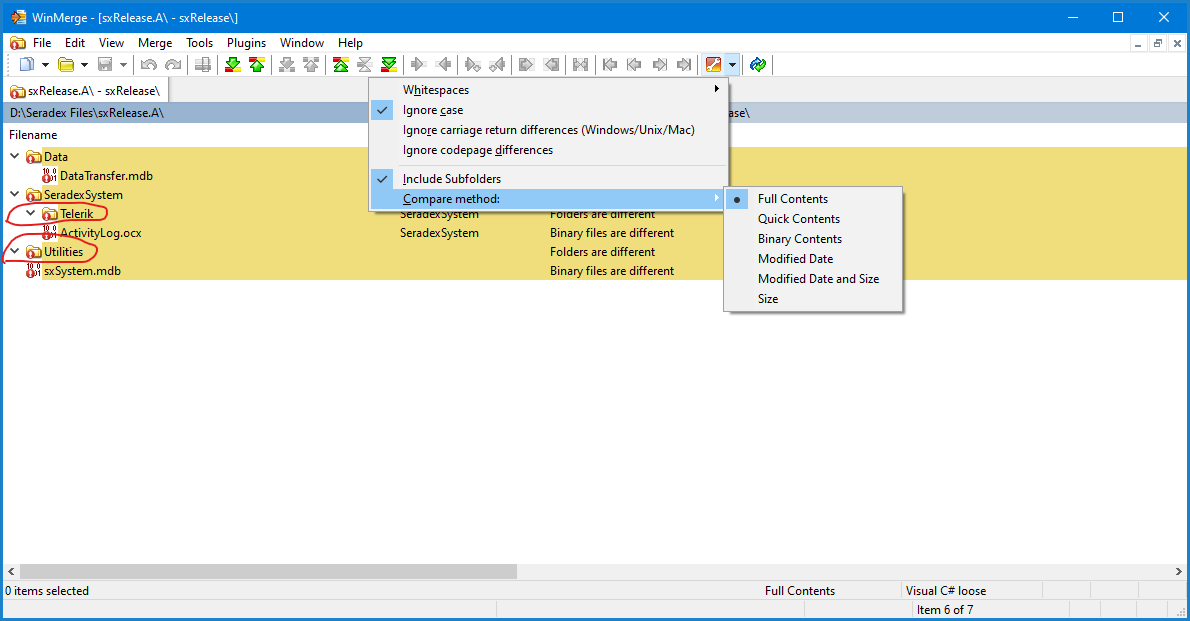
As you can see, two folders are shown that show no file differences.
I did not expect either the Telerik or the Utilities folder to be shown since there is nothing under them. I would also expect the SeradexSystem folder to not be displayed IF ActivityLog.ocx was not. Note that in this case, I am not showing unique items on either side.