
difftastic
 difftastic copied to clipboard
 Wilfred
Diffing a modified HTML script element highlights its whole content
This is almost surely a feature request, or perhaps just an observation, rather than a bug.
(1) A description of the issue. A screenshot is often helpful too.
If i have an HTML document with a script element containing JavaScript code, and i modify the JavaScript code, then difftastic's diff highlights the whole content of the script element as changed. The same goes for a style element containing CSS which i modify.
I would guess this is because the parser for HTML is in effect, and doesn't attempt to parse the content of the script element.
In my dream diff tool, the parser would parse the content of the script element with a JavaScript parser. And would similarly switch language when doing things like parsing JavaScript string constants containing HTML, or bash here-docs containing YAML, and so on and so forth. This will probably remain a dream!
A modest but significant improvement here might be to see that the content of the script element is multiple lines, and apply a fallback line-by line diff.
(2) A copy of what you're diffing. If you're diffing files, include the before and after files. If you're using difftastic with a VCS repository (e.g. git), include the URL and commit hash.
This is a private repository of my employer's, so i can't share it. If a concrete example would be useful, i am happy to construct one.
(3) The version of difftastic you're using (see
difft --version) and your operating system.
$ difft --version
Difftastic 0.36.1
$ grep PRETTY_NAME /etc/os-release
PRETTY_NAME="Ubuntu 20.04.5 LTS"


Here's a repo with three files:
https://github.com/tomwhoiscontrary/nested-diff-demo
If you run:
git diff fe84d5f..80fad29
You should see some changes.
The example most relevant to this issue is page.html, where there is JavaScript inside HTML, with a small change.
Code.java is a simpler (?) case, where there is some code with a string literal which has changed. For me, the whole string literal shows up as changed, even though the change is adding a word inside it and leaving the rest unchanged. A line-by-line diff wouldn't help here, but some --word-diff -esque logic might.
TortureTest.java is Java code containing a string literal containing HTML containing javaScript containing a string literal, with a single word changed in the middle.
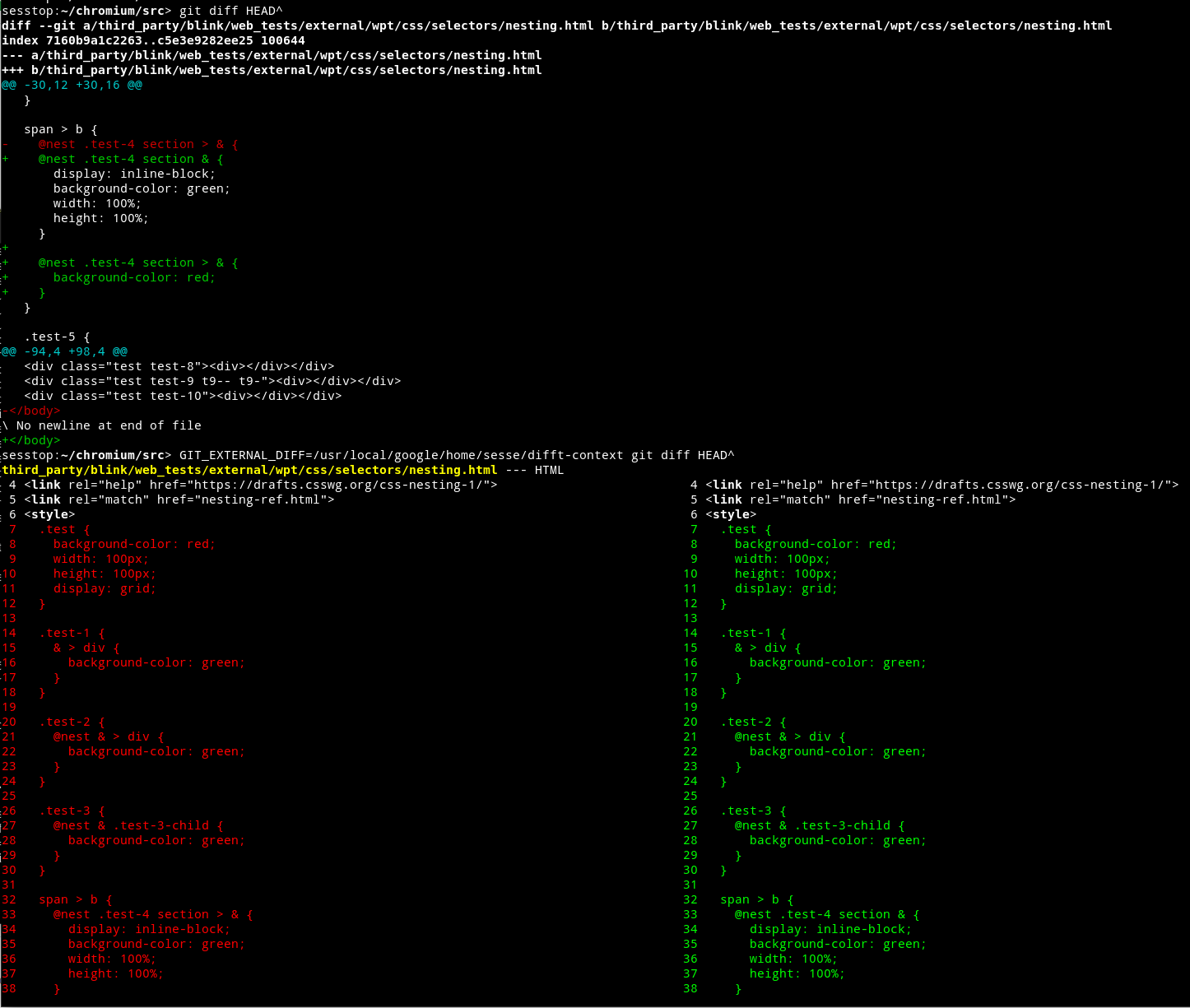

It seems this is possible to do with tree-sitter's subrange parsers. Prototype before/after:
