WhiteMagic
Stuck Button After Release of Shift Button.
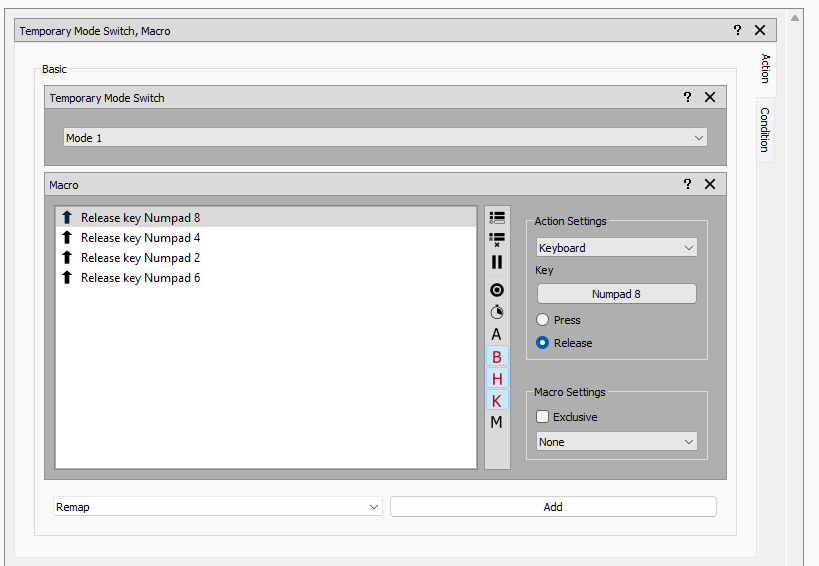
I have a shift button (Zapbox Button 71 is the physical button) mapped as a temporary mode shift - Mode 1 is the shifted mode.
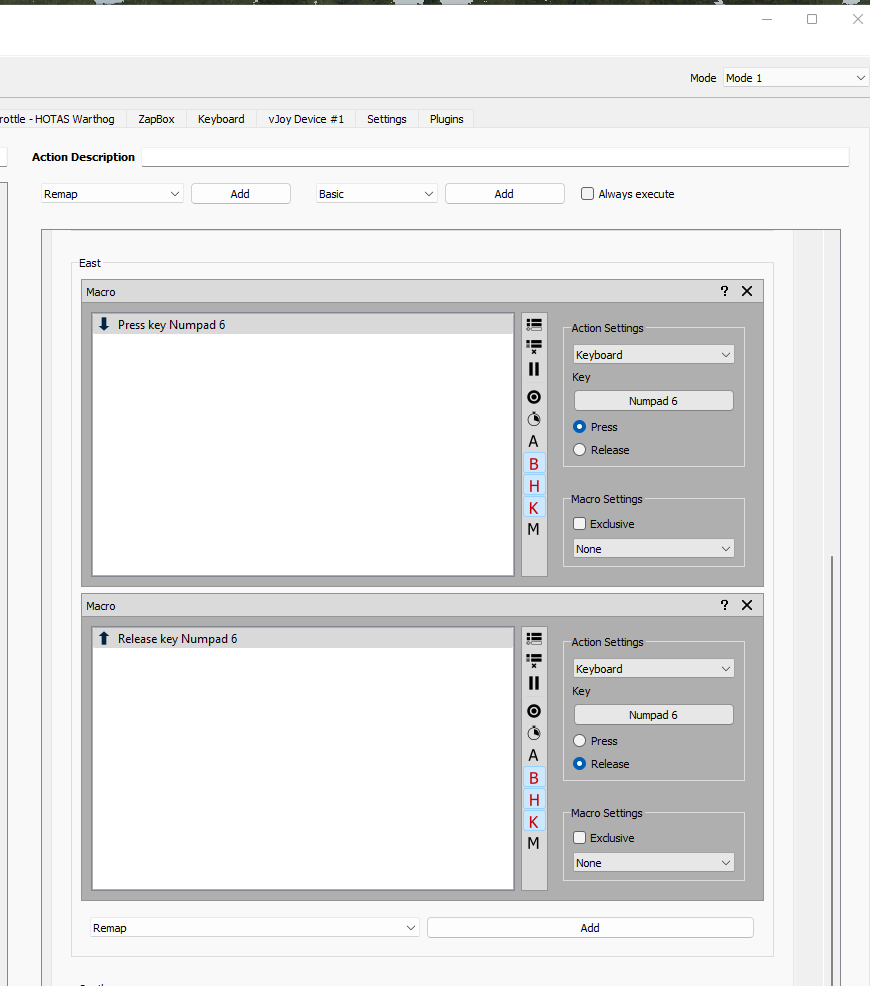
I also have a hat switch mapped by a macro to a keyboard command (Num Pad 6 - Pan View Right) that operates only when the temporary shift button is held down. Note the hat switch, and hence the Num Pad 6, needs to be sent to the game as a hold down event rather than a pulse.
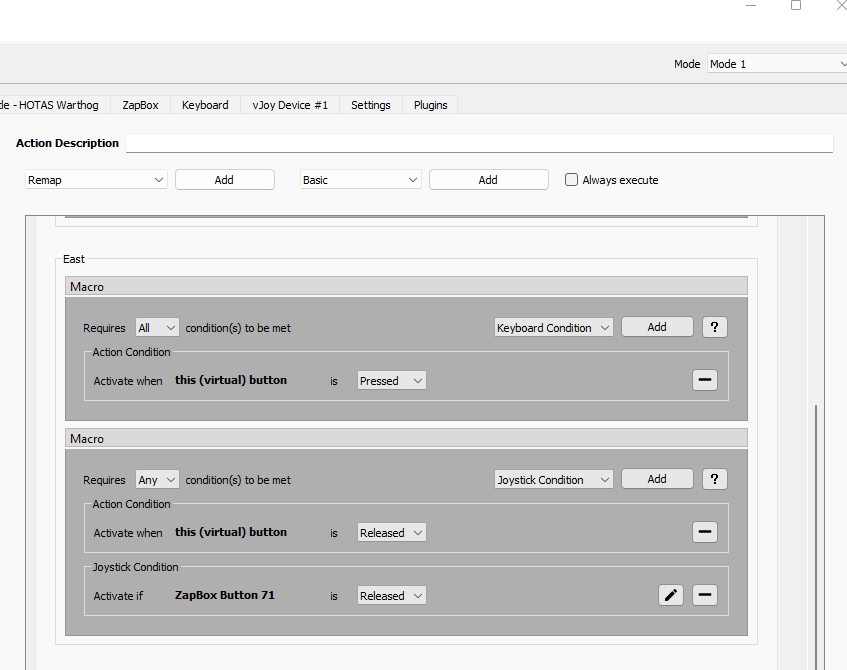
The hat switch macro is split into two macros, one for Num Pad 6 press and one for Num Pad 6 release. I have also applied "Action Conditions" for virtual button press and release respectively.
If I hold down the shift button, then hold the hat switch, then release the hat switch and finally release the shift button, all operates normally.
If I hold down the shift button, then hold the hat switch, then release the SHIFT button, then release the hat switch, the operation defined by the hat switch continues to operate which creates havoc with both the game and I suspect Joystick Gremlin. The game becomes unresponsive and sometimes Windows itself behaves strangely even after the game has been shut down and JG has been shut down.
I want the hat switch command (Num Pad 6 - Pan View Right) to end at the EARLIER of either the release shift button or the release of the hat switch.
Is there a way to do this ?
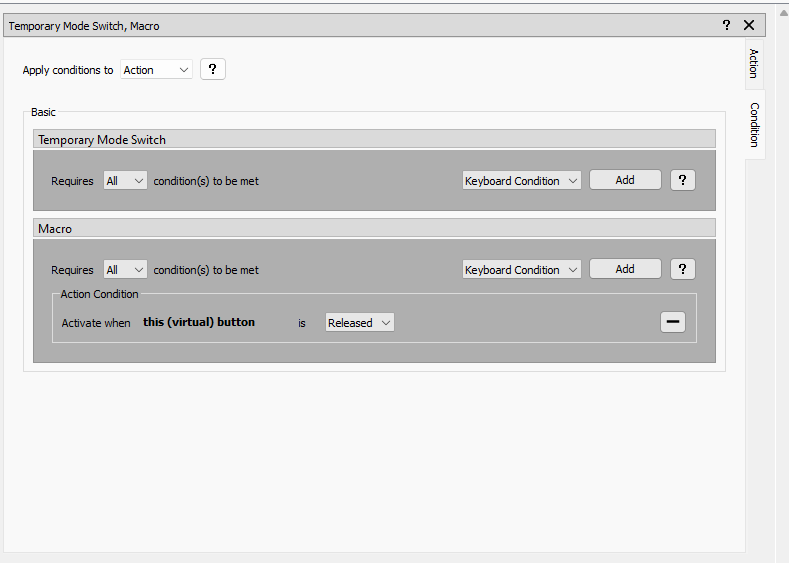
I have already tried adding a condition where the physical shift button is released but it doesn't work. See images below.

Same. Switch mode is selected for button release. I also tried "go back to previous mode" and neither work. Disregard. I was using the incorrect option. I was using "Switch Mode" when I should have been using "Temporary Switch Mode". @speedbird5 I hope this helps you as well.

Same. Switch mode is selected for button release. I also tried "go back to previous mode" and neither work.
Yep, I'm wondering if this project is dead. No replies from the creator for a long time.
Same. Switch mode is selected for button release. I also tried "go back to previous mode" and neither work. Disregard. I was using the incorrect option. I was using "Switch Mode" when I should have been using "Temporary Switch Mode". @speedbird5 I hope this helps you as well.
Yes, but I am using temporary switch mode an it doesn't work
As this really is a bug reporting tool the hotas discord (https://discord.gg/szqaJE7) is a much better place to ask such questions as other people can help with setup and configuration questions as well.
As for the actual problem, you can't solve this with actions purely defined on the shift button. Gremlin is a purely reactive system, an event happens and it reacts. As such Gremlin will act when the shift button is released but cares not about the other keys you may have in your system. So to fix the issue of ending up in the release macro not triggering you have to add another release macro to the actual hat itself.
As a side note, assuming the images you show are for the ZapBox Button 71 input, the joystick condition will never trigger, due to event processing sequences resulting in the state not having been updated when the button is released and processed on the action.

Thanks. I didn’t know there was a discord. I’ll try the release macro on the hat but I think I may have tried that already.
I have solved the problem by applying a macro to the shift button which cancels the trapped hat switch commands when the shift button is released.. In my case, when shifted, the hat switch was mapped to pan left, pan right, pan up, pan down, so the macro on the shift button simply cancels all possible trapped hat switch commands.