T-Clock
 T-Clock copied to clipboard
 White-Tiger
Font scaling issues
in windows 10, when changing "Scale and layout" -> "Change the size of text, apps and other items" in the Display settings, the font of T-Clock is not resized accordingly and you can end up with a very tiny font in high resolution displays (for instance 150% on a 4K display). T-Clock should resize its font accordingly to the % on that menu. If you increase the font manually on the app, the problem comes when you disconnect the external monitor and you end up with a huge font in your laptop screen task bar.

This also affects when you are using a dual screen setup with different resolutions and text sizes for each screen
Also occurs when remotely working on a PC where the resolution in the remote session differs from the acual screens.


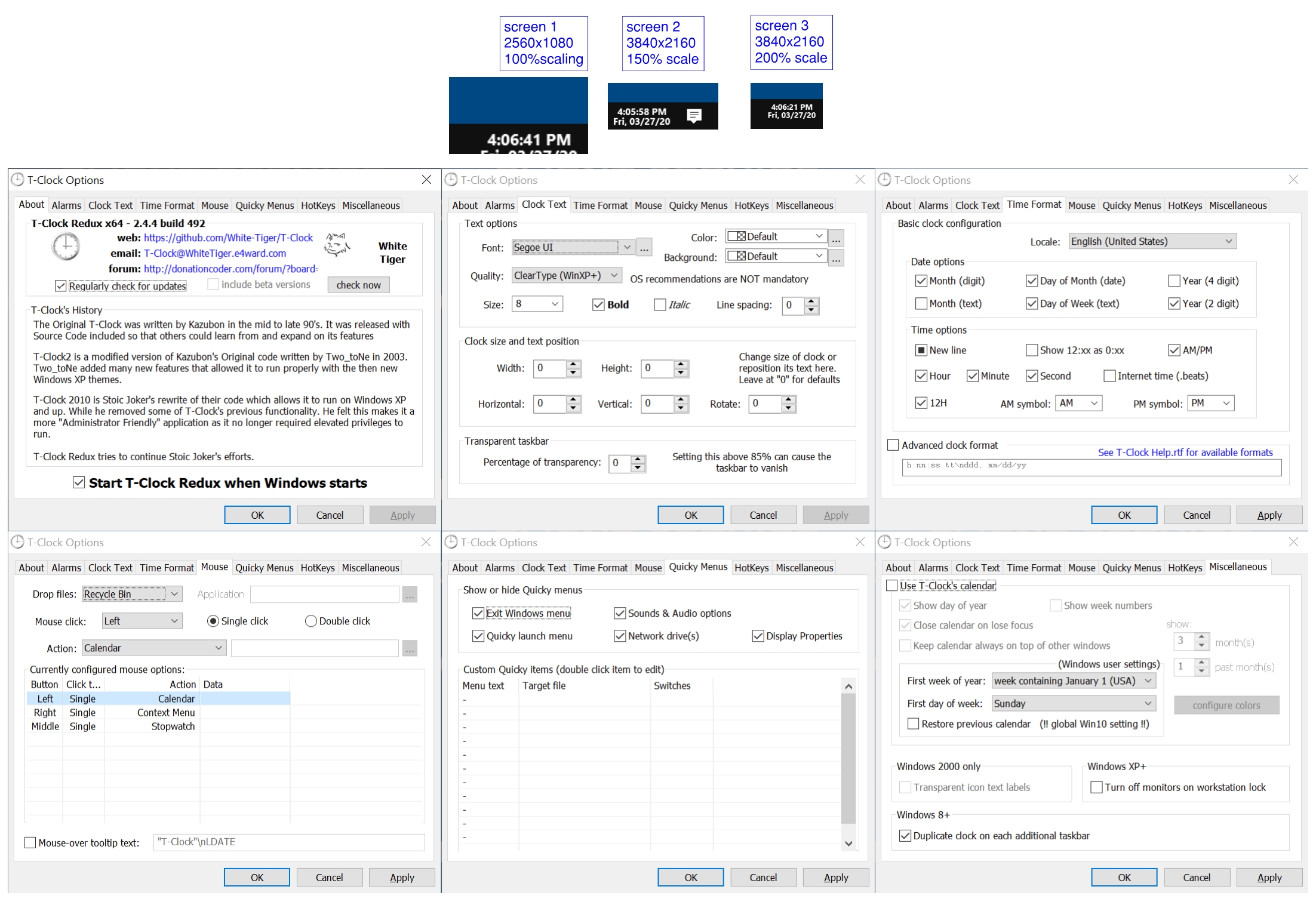
I confirm that it is an issue when using two screens with different scaling & resolution. The clock is not scaled correctly on the second screen.

I can confirm that both the resolution as well as the scaling of each display affects the size and location of the text.
I have attached a jpg with my T-clock settings and the results for each screen