

 WayfireWM
Inconsistent colors between textures from cairo surfaces and from OpenGL::render_rectangle()
Describe the bug
I'm making a more advanced plugin for decorations in wayfire. One of the features of this plugin is the ability to have rounded corners with outlines. These rounded corners are made using cairo, while the rest of the border uses the OpenGL::render_rectangle() function. I have noticed that, when a color is transparent, said color doesn't match between these two textures.
To Reproduce Steps to reproduce the behavior:
- Create a cairo surface with a transparent color and render it with
OpenGL::render_texture().. - Render a rectangle using
OpenGL::render_rectangle()with the same color. - Compare the 2 colors.
Expected behavior The two colors will be the same, since they have the same rgba values.
Screenshots or stacktrace
Here is what it looks like when the background isn't transparent:
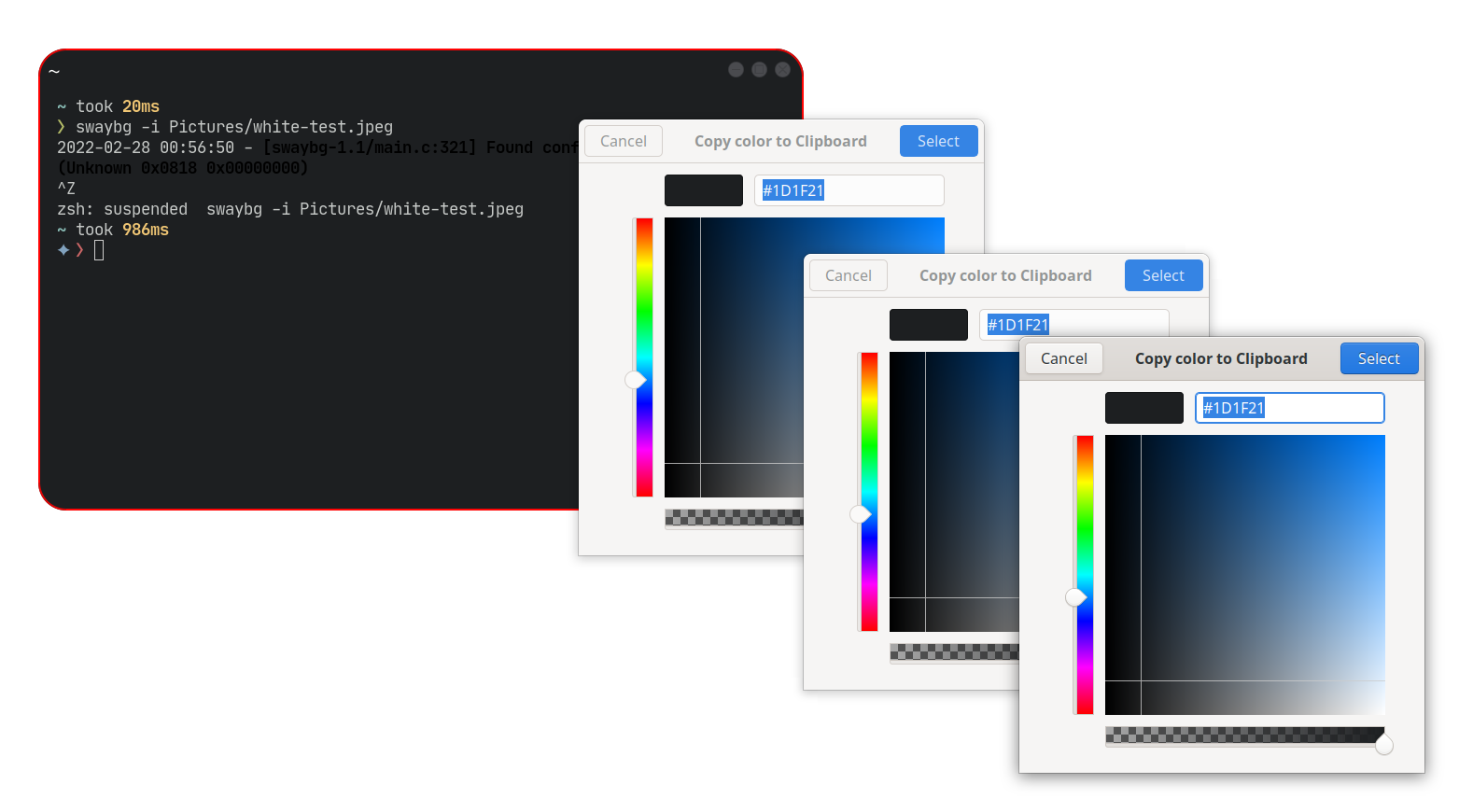
And when I set the transparency values to 0.9:

In the pictures, the first color value is the one from the kitty terminal that I'm using. It also differs, but I think that warrants its own issue. The second color is the border color, rendered with OpenGL::render_rectangle(), and the third color is the color form the cairo surface, rendered with OpenGL::render_texture.
All colors are working on a completely white background, so that is not the cause of the difference. I know that the difference isn't even noticeable at all, but it is still non standard behavior.
The whole plugin (still in early alpha!) can be found here, but here are the relevant bits of code:
Function that generates the corner surface:
cairo_surface_t *decoration_theme_t::form_corner(bool active) const {
	float outline_radius = corner_radius - (float)outline_size / 2;

        const auto format = CAIRO_FORMAT_ARGB32;
        cairo_surface_t *surface = cairo_image_surface_create(format, corner_radius, corner_radius);
        auto cr = cairo_create(surface);

        float t = 0.9; // <----------------------------------------------- Transparency

        wf::color_t back = { 0.114, 0.122, 0.129, t }; // <--------------- Background

        /* Clearance */
        cairo_set_operator(cr, CAIRO_OPERATOR_CLEAR);
        cairo_set_source_rgba(cr, 0, 0, 0, 0);
        cairo_rectangle(cr, 0, 0, corner_radius, corner_radius);
        cairo_fill(cr);

        cairo_set_operator(cr, CAIRO_OPERATOR_OVER);
        /* Border */
	wf::color_t color = active ? active_border : inactive_border;
        cairo_set_source_rgba(cr, back.r, back.g, back.b, back.a);
        cairo_arc(cr, 0, 0, corner_radius, 0, M_PI / 2);
        cairo_line_to(cr, 0, 0);
        cairo_fill(cr);

        /* Outline */
        color = active ? active_outline : inactive_outline;
        cairo_set_source_rgba(cr, color.r, color.g, color.b, color.a);
        cairo_set_line_width(cr, outline_size);
        cairo_arc(cr, 0, 0, outline_radius, 0, M_PI / 2);
        cairo_stroke(cr);
        cairo_destroy(cr);

        return surface;
}
Function that uploads said surface to an OpenGL texture:
void update_corners(
	wf::firedecor::decoration_theme_t::edge_colors_t colors, int corner_radius) {
	if ((current_corner_radius != corner_radius) ||
            !(current_edge.active_border == colors.active_border) ||
            !(current_edge.active_border == colors.inactive_border) ||
	    !(current_edge.active_outline == colors.active_outline) ||
	    !(current_edge.inactive_outline == colors.inactive_outline)) {
		auto surface = theme.form_corner(ACTIVE);
		cairo_surface_upload_to_texture(surface, corners.active);
		surface = theme.form_corner(INACTIVE);
		cairo_surface_upload_to_texture(surface, corners.inactive);
		current_edge.active_border = colors.active_border;
		current_edge.inactive_border = colors.inactive_border;
		current_edge.active_outline = colors.active_outline;
		current_edge.inactive_outline = colors.inactive_outline;
		current_corner_radius = corner_radius;
	}
};
Function that renders the background. Notice here that I used a trick that I saw here #1258, before doing so, the colors were much more discernible.
void render_background(const wf::framebuffer_t& fb,
	wf::geometry_t rect, const wf::geometry_t& scissor, bool active, wf::point_t origin) {
	auto colors = theme.get_edge_colors();

	int r = theme.get_corner_radius();
	update_corners(colors, r);
	r = current_corner_radius;
	auto& corner = active ? corners.active : corners.inactive;

	wf::geometry_t top_left = { rect.x, rect.y, r, r };
	wf::geometry_t top_right = { rect.width - r + origin.x, rect.y, r, r };
	wf::geometry_t bottom_left = { rect.x, rect.height - r + origin.y, r, r };
	wf::geometry_t bottom_right = { rect.width - r, rect.height - r, r, r };
	int outline_size = theme.get_outline_size();

	bottom_right = bottom_right + origin;

	float t = 0.9; // <----------------------------------------------- Transparency

 	wf::color_t back = { 0.114 * t, 0.122 * t, 0.129 * t, t }; // <--- Background

	/** Non corner background */
	OpenGL::render_begin(fb);
	fb.logic_scissor(scissor);

	/** Middle rectangle and central outlines */
	OpenGL::render_rectangle(
		{ rect.x + r, rect.y, rect.width - 2 * r, rect.height },
		back,
		fb.get_orthographic_projection());
	OpenGL::render_rectangle(
		{ rect.x + r, rect.y, rect.width - 2 * r, outline_size},
		  active ? colors.active_outline : colors.inactive_outline,
		fb.get_orthographic_projection());
	OpenGL::render_rectangle(
		{ rect.x + r, rect.height - outline_size + origin.y,
		  rect.width - 2 * r, outline_size },
		active ? colors.active_outline : colors.inactive_outline,
		fb.get_orthographic_projection());

	/** Left border and outline */
	OpenGL::render_rectangle(
		{ rect.x, rect.y + r, r, rect.height - 2 * r },
		back,
		fb.get_orthographic_projection());
	OpenGL::render_rectangle(
		{ rect.x, rect.y + r, outline_size, rect.height - 2 * r },
		  active ? colors.active_outline : colors.inactive_outline,
		fb.get_orthographic_projection());

	/** Right border and outline */
	OpenGL::render_rectangle(
		{ rect.width - r + origin.x, rect.y + r, r, rect.height - 2 * r },
		back,
		fb.get_orthographic_projection());
	OpenGL::render_rectangle(
		{ rect.width - outline_size + origin.x,
		  rect.y + r, outline_size, rect.height - 2 * r },
		active ? colors.active_outline : colors.inactive_outline,
		fb.get_orthographic_projection());
	/** Corner background */

	/* Top left corner */
	OpenGL::render_texture(corner.tex, fb, top_left, glm::vec4(1.0f),
		OpenGL::TEXTURE_TRANSFORM_INVERT_X);

	/* Top right corner */
	OpenGL::render_texture(corner.tex, fb, top_right, glm::vec4(1.0f));

	/* Bottom left corner */
	OpenGL::render_texture(corner.tex, fb, bottom_left, glm::vec4(1.0f),
		OpenGL::TEXTURE_TRANSFORM_INVERT_X | OpenGL::TEXTURE_TRANSFORM_INVERT_Y);

	/* Bottom right corner */
	OpenGL::render_texture(corner.tex, fb, bottom_right, glm::vec4(1.0f),
		OpenGL::TEXTURE_TRANSFORM_INVERT_Y);
	OpenGL::render_end();
}
Wayfire version 0.7.2-1, git

It looks like the difference is only 1 in all channels. Maybe cairo does the color*alpha premultiplication differently which could lead to some rounding differences. In the window shadows plugin I did the premultiplication similar to how you did it. However, I don't think it is a wayfire bug, just a difference in implementation between cairo and your code, given how small the difference is.

As already mentioned, I don't see evidence of a bug on Wayfire's side, you probably need to handle the rounding differently.
