
AVideo-Encoder
 AVideo-Encoder copied to clipboard
 WWBN
WWBN
Extract WebM Video
We need an option like MP4 , where we can opt HD , SD or Low only . On webm right now it's like we have no choice . The encoder will encode them to the 3 resolutions . ( I'm re-transcoding all my videos to webm , saved around 40% disk space ) , but without this option , I can't disable the MP4 encoder .
I hope you can implement it , also on the advanced site option .

Sorry I do not get it.
the HD , SD or Low should also reflect on the webm. is not working that way?

No... You can not chose to what qualities the webm will be encoded .
Also , when you select to encode WebM , does encode also MP4 , even if the MP4 are disabled ...
Basically does create 6 video files ... _HD ( mp4, webm ) , _SD ( mp4 , webm ) , _Low ( mp4, webm )

I just released a new encoder (v3.3) and a new streamer (v9.6) that handle separately webm and MP4 files, also the new encoder create the resolutions dynamically just like we do for HLS
I saw it , and I can't believe it . I'm debugging it on my local server before I git pull . Amazing !
send me any bugs related to it you find.
I have my head up today for this new release.
So , first you should remove the command line with the b:v .

Basically you're putting all resolutions to be set to 1MB . We should have something like HLS , where we can control how much bitrate for each resolution . For MP4 it's fine , since we have the crf ( this feature is strict to crf ) . webm does not really work on the same way as libx264 .
But I'll give it a try and fine something where we can rate limit the bitrate .
no , we really need something like HLS ;
$height = self::getResolution($pathFileName);
            $resolutions = array(360, 480, 720, 1080, 1440, 2160);
            $bandwidth = array(600000, 1000000, 2000000, 4000000, 8000000, 12000000);
            //$videoBitrate = array(472, 872, 1372, 2508, 3000, 4000);
Ok,
we have the following formats ...
- 2160p: 3840x2160
- 1440p: 2560x1440
- 1080p: 1920x1080
- 720p: 1280x720
- 480p: 854x480
- 360p: 640x360
- 240p: 426x240
what would be the best -b:v value for each of it?
what would be the best -b:v value for each of it? There's no exact value . For example on my site I upload very often videos 1080p/60fps , is not the same value for 1080/30fps .
I also use Variable framerate option . In case a video is lower then 60 FPS , will not transcode it to 60 FPS . If it's higher then 60 , neither will be transcoded to 60 FPS . I'm using a limiter .
I just need to be able to add a value . The best result quality/bitrate is to bet crf with limiter ( maxrate ) . This way , if the source video does not require higher bitrate , will be low . But if a video want to go for 10mb , will be limited by the maxrate .
Containing the bitrate, only this way we can achieve the best value disk-space/quality .
Ok , I can see you have added some variables that I haven't seen before . But look at the HLS ;
-c:v h264 -vf scale=-2:{$resolution} -r 24 -g 48 -keyint_min 48 -sc_threshold 0 -bf 3 -b_strategy 2 -minrate {$minrate}k -crf 23 -maxrate {$maxrate}k -bufsize {$bufsize}k -c:a aac -b:a {$autioBitrate}k -f hls -hls_time 6 -hls_list_size 0 -hls_key_info_file {$destinationFile}keyinfo {$destinationFile}res{$resolution}/index.m3u8
-minrate {$minrate} , -maxrate {$maxrate}k . How can I add this values to the MP4/WEBM ?
I have to change the code for that,
tell me what would be the best variables/code combination, I will add the variables to replace the code.
If you gonna change the code , make sure you can add an option for the framerate . Videos of 480p or under should have 30FPS maximum .
On the code , we need something like this that work ; https://github.com/WWBN/AVideo-Encoder/blob/b353fac2a1a51d02f0e0f01bc2fc096007bee0fb/objects/Format.php#L425
foreach ($resolutions as $key => $value) {
                if ($height >= $value) {
                    $resolution = $value;
                    $rate = $bandwidth[$key] / 1000;
                    $minrate = ($rate * 0.5);
                    $maxrate = ($rate * 1.5);
                    $bufsize = ($rate * 2);
                    $autioBitrate = $audioBitrate[$key];
This way , each can adapt it to it's needs. I don't know if possible or not , but an array for $frameRate would be very useful . This way , we can encode ( 240 to 20FPS ) , 360-480 to 30 FPS , 720,1080.... to 60 ( if the source got 60 fps )
Yes, an array is possible, you need to add 7 framerates, one for each resolution
- 2160p: 3840x2160
- 1440p: 2560x1440
- 1080p: 1920x1080
- 720p: 1280x720
- 480p: 854x480
- 360p: 640x360
- 240p: 426x240
what will be the best framerate for each of this?
But what I most need your help is to see how the FFMPEG code will look like, currently I have this
HLS
-c:v h264 -vf scale=-2:{$resolution} -r 24 -g 48 -keyint_min 48 -sc_threshold 0 -bf 3 -b_strategy 2 -minrate {$minrate}k -crf 23 -maxrate {$maxrate}k -bufsize {$bufsize}k -c:a aac -b:a {$autioBitrate}k -f hls -hls_time 6 -hls_list_size 0 -hls_key_info_file {$destinationFile}keyinfo {$destinationFile}res{$resolution}/index.m3u8
MP4
-vf scale=-2:{$resolution} -movflags +faststart -preset veryfast -vcodec h264 -acodec aac -strict -2 -b:a {$autioBitrate}k -max_muxing_queue_size 1024 -y {$destinationFile}
WEBM
-vf scale=-2:{$resolution} -movflags +faststart -preset veryfast -f webm -c:v libvpx -b:v 1M -acodec libvorbis -b:a {$autioBitrate}k -y {$destinationFile}
Something like this :
MP4
-vf scale=-2:{$resolution} -c:v h264 -crf 23 -preset veryfast -r {$frameRate} -minrate {$minrate}k -maxrate {$maxrate}k -bufsize {$bufsize}k -movflags +faststart -c:a aac -strict -2 -b:a {$autioBitrate}k -max_muxing_queue_size 1024 -y {$destinationFile}
The webm doesn't differ so much , just different parameters of the codec .
Team, I really appreciate the tool and the new feature, but is there a way to automatically encode all video as (low) 360p? Thanks!

@itpastor select all this features , except the ones I have highlighted , clear the cache afterward .
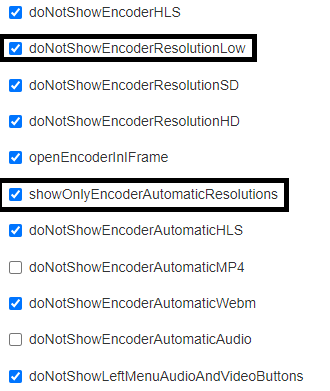
Got it. However I don’t have the option for ShowOnlyEncoderAutomaticResolutions. I just installed today, but perhaps my version is older?
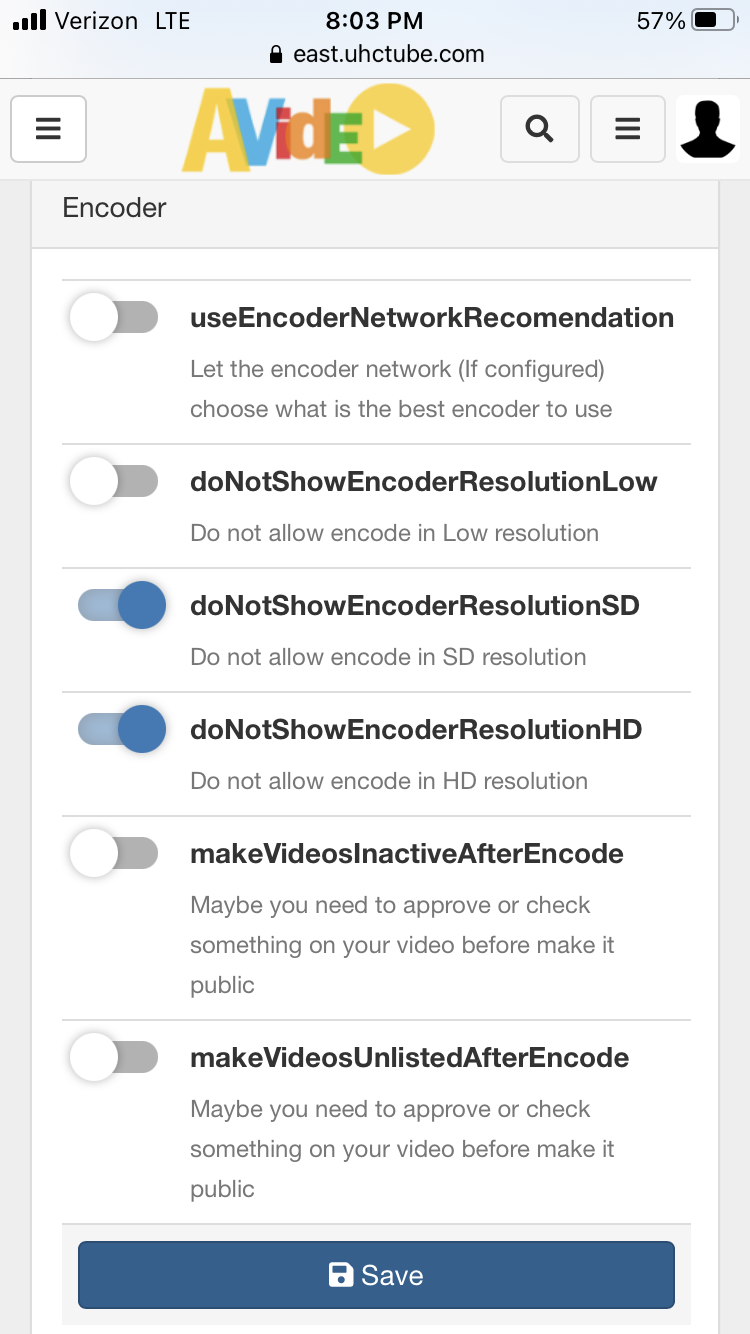
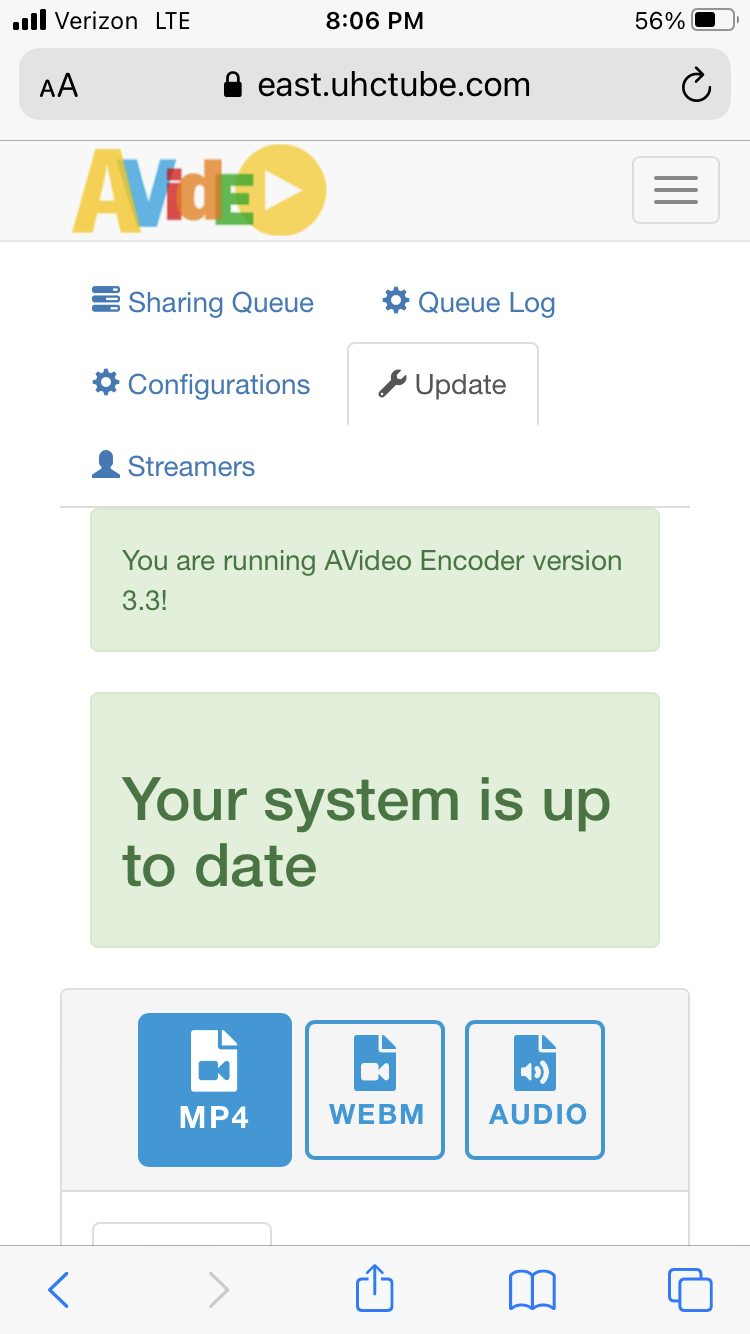
@DanielnetoDotCom Any update ? You asked about an example ;
Yes, an array is possible, you need to add 7 framerates, one for each resolution But what I most need your help is to see how the FFMPEG code will look like, currently I have this
This is how it should like ;
Something like this :
MP4
-vf scale=-2:{$resolution} -c:v h264 -crf 23 -preset veryfast -r {$frameRate} -minrate {$minrate}k -maxrate {$maxrate}k -bufsize {$bufsize}k -movflags +faststart -c:a aac -strict -2 -b:a {$autioBitrate}k -max_muxing_queue_size 1024 -y {$destinationFile}The webm doesn't differ so much , just different parameters of the codec .
@DanielnetoDotCom I'm still waiting for this . Because this feature will save a lot of disk space and encoding time . Right now I'm re-transcoding them manually with a bash script ...
Hi
what are the valid/good framerates for each of those?
- 2160p: 3840x2160
- 1440p: 2560x1440
- 1080p: 1920x1080
- 720p: 1280x720
- 480p: 854x480
- 360p: 640x360
- 240p: 426x240
well ,
240p ; 20FPS
360p ; 30FPS
480p; 30FPS
720,1080,1440,2160 ; Native FPS basically ( or skip the -r flag , or give it variable framerate ) .
Would be cool if we could change it , even if from the script .
@DanielnetoDotCom This feature is really getting costly for high quality videos if they're not limited . Can you please add this ? You asked about an example , I gave it . When you got some time , please take a look .
If you add {$framerate} in your configuration it will add a framerate rule
For example: -vf scale=-2:{$resolution} -movflags +faststart -preset veryfast -f webm -c:v libvpx -b:v 1M -acodec libvorbis -b:a {$autioBitrate}k {$framerate} -y {$destinationFile}
God bless you !
$videoFramerate = array(20, 30, 30, 0, 0, 0); Does the 0 means same as source ?
Yes, if it is 0, it will ignore the -r parameter
so if it is a 240p video the command will be:
-vf scale=-2:{$resolution} -movflags +faststart -preset veryfast -f webm -c:v libvpx -b:v 1M -acodec libvorbis -b:a {$autioBitrate}k -r 20 -y {$destinationFile}
if it is a 720p or greater it will be:
-vf scale=-2:{$resolution} -movflags +faststart -preset veryfast -f webm -c:v libvpx -b:v 1M -acodec libvorbis -b:a {$autioBitrate}k -y {$destinationFile}
Without the -r
@DanielnetoDotCom I think there's you missed the 240p .
With your array structure , the 20FPS will affect the 360p not the 240p , since the 240p is executed alone .
// create command
            $value = 240;
            $resolution = $value;
            $minrate = 200;
            $maxrate = 450;
            $bufsize = 600;
            $autioBitrate = 128;

            $command = get_ffmpeg().' -i {$pathFileName} ';
            eval("\$command .= \" $code\";");