

 WSA-Community
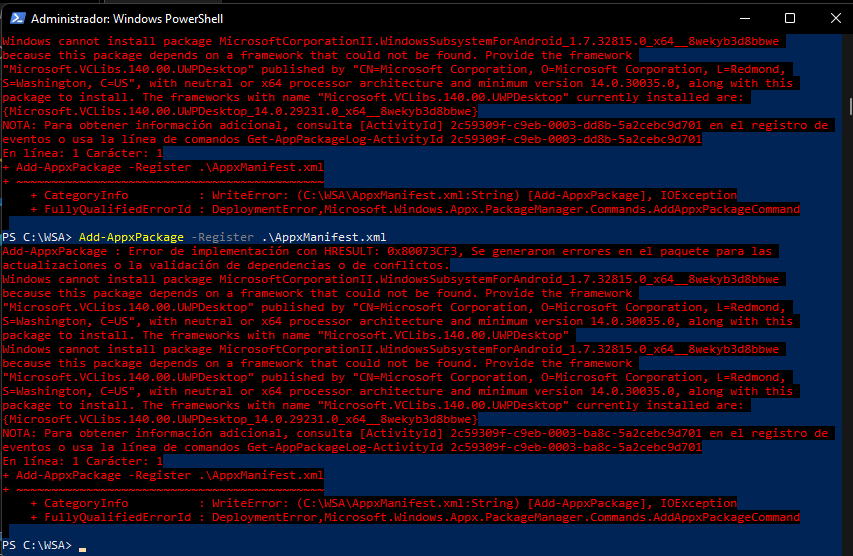
Error 0x80073CF3 when trying to run the following Add-AppxPackage -Register command. \ AppxManifest.xml


Have you enabled developer mode and deleted the files it asks you to delete?
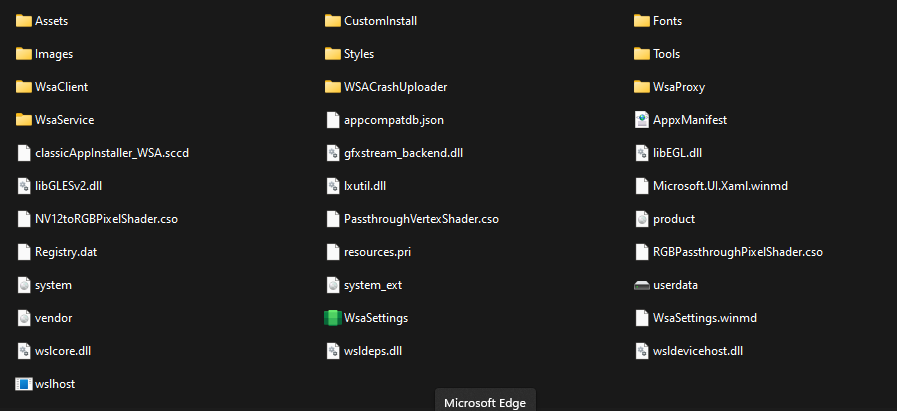

I think everyone here doing the same mistake as me you need to enable installing apps from any source inside "privacy and security" and then "for developers" https://benisnous.com/wp-content/uploads/2021/06/1624954739_New-Security-Features-in-Windows-11.png

Well, you need the dependency "Microsoft.VCLibs.140.00.UWPDesktop_8wekyb3d8bbwe". You can get it from store.rg-adguard.net
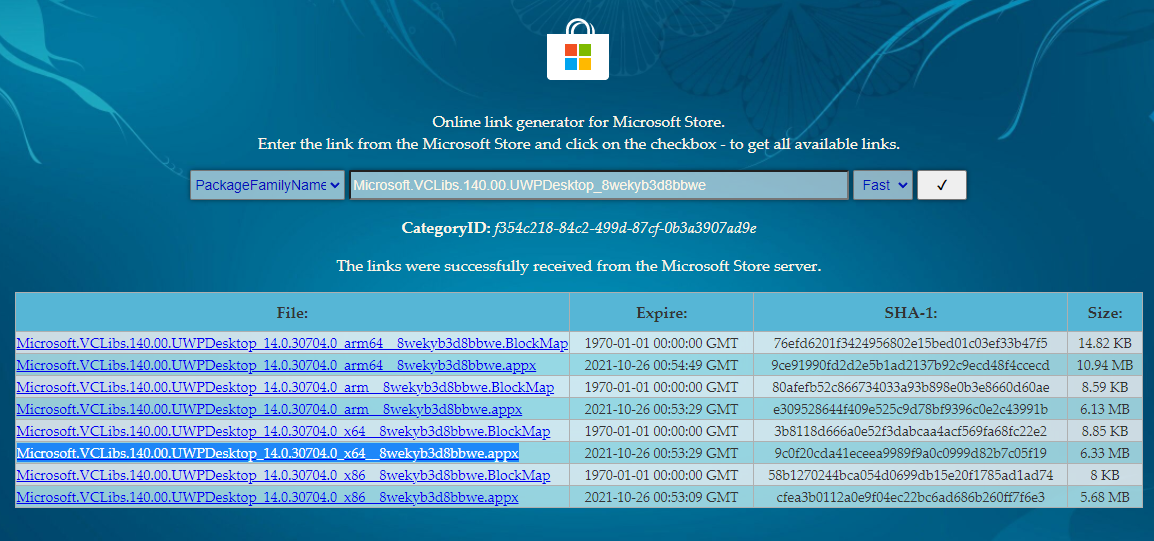

I already installed the dependency but nothing, does it need to be in Windows Insider Program?
officially you should have enrolled in the insider program. It just makes things like this simpler. Inside the XML file are a few dependencies your system must meet and obviously you encounter one. My guess is you are not running the min Win version. Here are the deps that most likely apply to you:
<Dependencies> <TargetDeviceFamily Name="Windows.Desktop" MinVersion="10.0.22000.120" MaxVersionTested="10.0.22000.120" /> <PackageDependency Name="Microsoft.VCLibs.140.00.UWPDesktop" MinVersion="14.0.30035.0" Publisher="CN=Microsoft Corporation, O=Microsoft Corporation, L=Redmond, S=Washington, C=US" /> <PackageDependency Name="Microsoft.UI.Xaml.2.6" MinVersion="2.62108.18004.0" Publisher="CN=Microsoft Corporation, O=Microsoft Corporation, L=Redmond, S=Washington, C=US" /> <PackageDependency Name="Microsoft.VCLibs.140.00" MinVersion="14.0.30035.0" Publisher="CN=Microsoft Corporation, O=Microsoft Corporation, L=Redmond, S=Washington, C=US" />

I also faced this on a fresh win11 install, i fixed it by installing the file from here
https://docs.microsoft.com/en-us/troubleshoot/cpp/c-runtime-packages-desktop-bridge
using the same appx install command and pointing it to the downloaded file.

The following helped me:
- Update Microsoft Store.
- Press the button to check for updates in the store itself.
Repeat step: Add-AppxPackage -Register C:\WindowsSubsystemAndroid\AppxManifest.xml

officially you should have enrolled in the insider program. It just makes things like this simpler. Inside the XML file are a few dependencies your system must meet and obviously you encounter one. My guess is you are not running the min Win version. Here are the deps that most likely apply to you:
<Dependencies> <TargetDeviceFamily Name="Windows.Desktop" MinVersion="10.0.22000.120" MaxVersionTested="10.0.22000.120" /> <PackageDependency Name="Microsoft.VCLibs.140.00.UWPDesktop" MinVersion="14.0.30035.0" Publisher="CN=Microsoft Corporation, O=Microsoft Corporation, L=Redmond, S=Washington, C=US" /> <PackageDependency Name="Microsoft.UI.Xaml.2.6" MinVersion="2.62108.18004.0" Publisher="CN=Microsoft Corporation, O=Microsoft Corporation, L=Redmond, S=Washington, C=US" /> <PackageDependency Name="Microsoft.VCLibs.140.00" MinVersion="14.0.30035.0" Publisher="CN=Microsoft Corporation, O=Microsoft Corporation, L=Redmond, S=Washington, C=US" />
Do hoy know a way of install the xaml dependence, some link ?

https://answers.microsoft.com/en-us/windows/forum/all/help-with-0x80073cf9-on-windows-10/a1bd57d1-4bfe-4f9d-91c2-0a87c596f983
