

 WOA-Project
DISM exited with code 2.
2020-10-08 10:52:07.295 +02:00 [Information] Injecting drivers 2020-10-08 10:52:07.296 +02:00 [Verbose] Getting "WindowsARM" volume 2020-10-08 10:52:08.321 +02:00 [Verbose] Starting process { FileName: "C:\Windows\SysNative\dism.exe", Arguments: "/Add-Driver /Image:L:\ /Driver:"Downloaded\Drivers\BSP Drivers" /Recurse /ForceUnsigned" } 2020-10-08 10:52:08.328 +02:00 [Verbose] Process started sucessfully 2020-10-08 10:52:08.435 +02:00 [Verbose] 2020-10-08 10:52:08.436 +02:00 [Verbose] Tool zur Imageverwaltung fr die Bereitstellung 2020-10-08 10:52:08.436 +02:00 [Verbose] Version: 10.0.18362.900 2020-10-08 10:52:08.437 +02:00 [Verbose] 2020-10-08 10:52:26.840 +02:00 [Verbose] Abbildversion: 10.0.17134.1 2020-10-08 10:52:26.840 +02:00 [Verbose] 2020-10-08 10:52:36.884 +02:00 [Verbose] 2020-10-08 10:52:36.884 +02:00 [Verbose] Fehler: 2 2020-10-08 10:52:36.884 +02:00 [Verbose] 2020-10-08 10:52:36.884 +02:00 [Verbose] Die angegebene Datei "Downloaded\Drivers\BSP Drivers" kann nicht gefunden werden. 2020-10-08 10:52:36.884 +02:00 [Verbose] 2020-10-08 10:52:36.884 +02:00 [Verbose] Die DISM-Protokolldatei befindet sich unter "C:\Windows\Logs\DISM\dism.log". 2020-10-08 10:52:36.956 +02:00 [Error] An error has occurred Deployer.Exceptions.DeploymentException: There has been a problem during deployment: DISM exited with code 2. bei Deployer.NetFx.ImageServiceBase.<InjectDrivers>d__3.MoveNext() in D:\a\1\s\Source\DeployerPlatform\Deployer.NetFx\ImageServiceBase.cs:Zeile 74. --- Ende der Stapelüberwachung vom vorhergehenden Ort, an dem die Ausnahme ausgelöst wurde --- bei System.Runtime.CompilerServices.TaskAwaiter.ThrowForNonSuccess(Task task) bei System.Runtime.CompilerServices.TaskAwaiter.HandleNonSuccessAndDebuggerNotification(Task task) bei Deployer.Tasks.InjectDrivers.<Execute>d__4.MoveNext() --- Ende der Stapelüberwachung vom vorhergehenden Ort, an dem die Ausnahme ausgelöst wurde --- bei System.Runtime.CompilerServices.TaskAwaiter.ThrowForNonSuccess(Task task) bei System.Runtime.CompilerServices.TaskAwaiter.HandleNonSuccessAndDebuggerNotification(Task task) bei Deployer.Execution.ScriptRunner.<Run>d__5.MoveNext() --- Ende der Stapelüberwachung vom vorhergehenden Ort, an dem die Ausnahme ausgelöst wurde --- bei System.Runtime.CompilerServices.TaskAwaiter.ThrowForNonSuccess(Task task) bei System.Runtime.CompilerServices.TaskAwaiter.HandleNonSuccessAndDebuggerNotification(Task task) bei Deployer.Execution.ScriptRunner.<Run>d__4.MoveNext() --- Ende der Stapelüberwachung vom vorhergehenden Ort, an dem die Ausnahme ausgelöst wurde --- bei System.Runtime.CompilerServices.TaskAwaiter.ThrowForNonSuccess(Task task) bei System.Runtime.CompilerServices.TaskAwaiter.HandleNonSuccessAndDebuggerNotification(Task task) bei Deployer.Raspberry.WoaDeployer.<Deploy>d__3.MoveNext() --- Ende der Stapelüberwachung vom vorhergehenden Ort, an dem die Ausnahme ausgelöst wurde --- bei System.Runtime.CompilerServices.TaskAwaiter.ThrowForNonSuccess(Task task) bei System.Runtime.CompilerServices.TaskAwaiter.HandleNonSuccessAndDebuggerNotification(Task task) bei Deployer.Raspberry.Gui.ViewModels.DeploymentViewModel.<Deploy>d__20.MoveNext() in D:\a\1\s\Source\Deployer.Raspberry.Gui\ViewModels\DeploymentViewModel.cs:Zeile 82. 2020-10-08 10:52:36.962 +02:00 [Information] Error: There has been a problem during deployment: DISM exited with code 2.


Could you please check the concrete error that DISM is having by checking C:\Windows\Logs\DISM\dism.log?
It can give us a clue of what's happening.
From: Bugster911 [email protected] Sent: Wednesday, October 14, 2020 1:11:32 PM To: WOA-Project/WOA-Deployer-Rpi [email protected] Cc: Subscribed [email protected] Subject: Re: [WOA-Project/WOA-Deployer-Rpi] DISM exited with code 2. (#74)
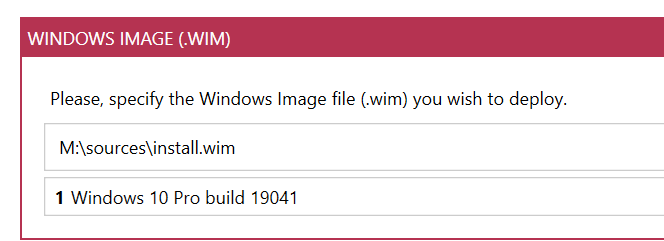
I got the exact same error... Version info: [image]https://eur04.safelinks.protection.outlook.com/?url=https%3A%2F%2Fuser-images.githubusercontent.com%2F14869546%2F95981290-b5647700-0e1e-11eb-8fc9-d2337edf4798.png&data=02%7C01%7C%7C205081f8a8f94849c01108d87031e922%7C84df9e7fe9f640afb435aaaaaaaaaaaa%7C1%7C0%7C637382706943115577&sdata=pQBp1m17WKmEaW%2BwUvMjNIki%2FYBbuIh49EQsWxsXZ3Y%3D&reserved=0
— You are receiving this because you are subscribed to this thread. Reply to this email directly, view it on GitHubhttps://eur04.safelinks.protection.outlook.com/?url=https%3A%2F%2Fgithub.com%2FWOA-Project%2FWOA-Deployer-Rpi%2Fissues%2F74%23issuecomment-708333254&data=02%7C01%7C%7C205081f8a8f94849c01108d87031e922%7C84df9e7fe9f640afb435aaaaaaaaaaaa%7C1%7C0%7C637382706943125572&sdata=n3Yj4%2FhFtfjviW6AzAd6ThpcjBQ%2BJ8%2FTm7e1KChKyHQ%3D&reserved=0, or unsubscribehttps://eur04.safelinks.protection.outlook.com/?url=https%3A%2F%2Fgithub.com%2Fnotifications%2Funsubscribe-auth%2FAAXXHW2WHMJXH4FLH7MFOLDSKWBOJANCNFSM4SIPMN4A&data=02%7C01%7C%7C205081f8a8f94849c01108d87031e922%7C84df9e7fe9f640afb435aaaaaaaaaaaa%7C1%7C0%7C637382706943125572&sdata=LE8ZURIFvMX4KelLQ1lg5zNUTlC8mmBhblYtG6xUVDY%3D&reserved=0.


So I am trying this solution out now:
Flihx commented on Jul 30 •
It actually worked for me. I took the "RPi4_Windows_ARM64_Drivers_v0.1.zip", unzipped it and then created a Folder called Drivers in Downloaded. I then made a folder called "BSP Drivers" and took all the Subfolders from the Zip and put them in the BSP Drivers folder. Then it worked. Glad it works anyway tho.
Ok, so that worked for me and got me until this:
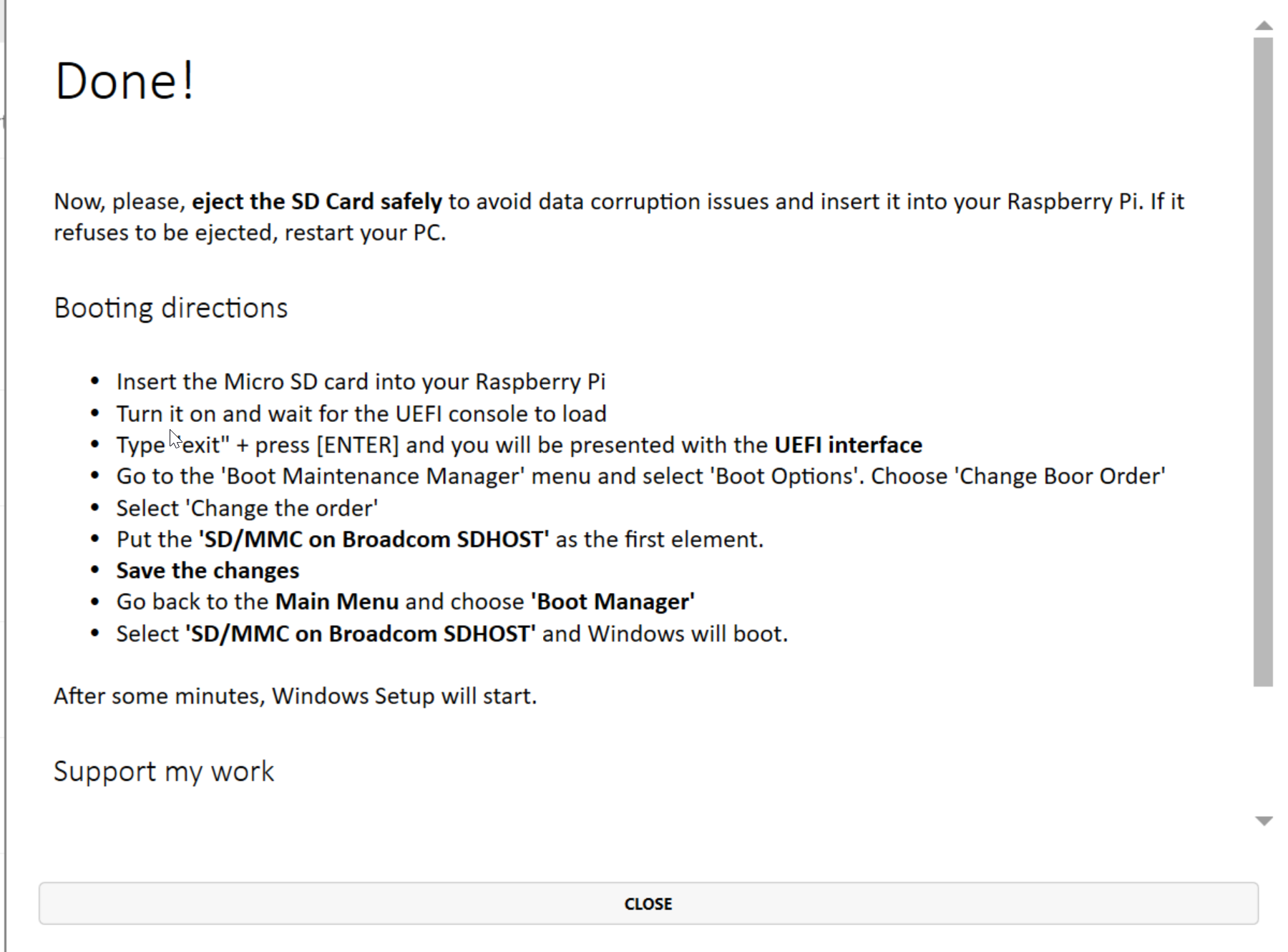
but now I don't get past this:
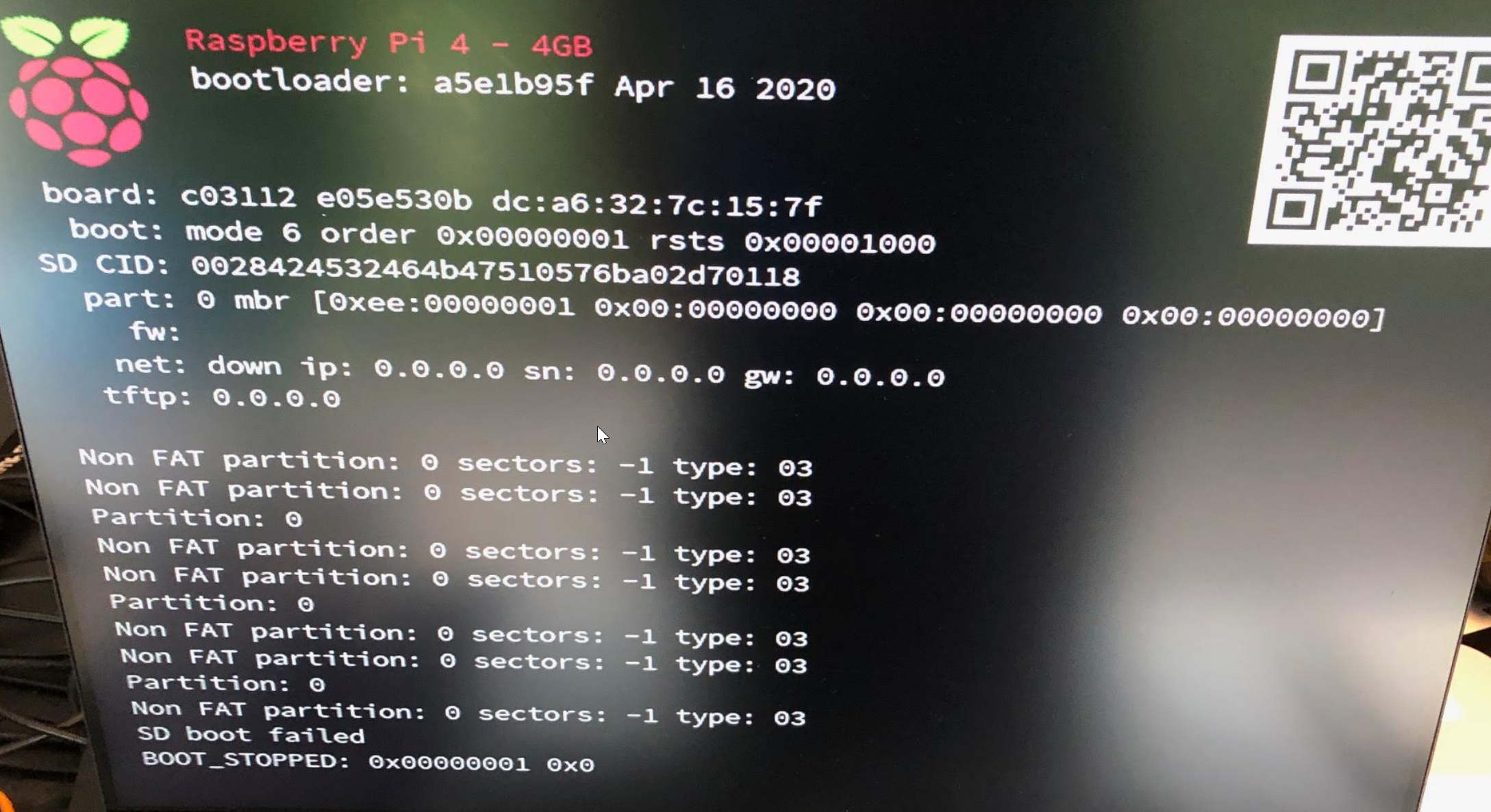
what a struggle ;)
It appears the Deployer is still trying to pull the BSP drivers from a deal URL, and not failing gracefully.
I had success by manually downloading the relevant driver ZIP from here: https://github.com/worproject/RPi-Windows-Drivers/releases
And unzipping them to "Downloaded\Drivers\BSP Drivers"
