
VoronUsers
 VoronUsers copied to clipboard
 VoronDesign
Magnetic Panels with Magnet Inserts
- [x] The mod, firmware configuration or slicer profile is in the correct category
folder. Printable mods go to
printer_mods/, firmware configurations go tofirmware_configurations/, slicer profiles go toslicer_profiles/. Create a subfolder with your name, and place the mods in a subfolder with a descriptive name within that folder, e.g.:/printer_mods/FHeilmann/flux_capacitor - [x] Folders names MUST NOT contain spaces. If possible, make sure file names also do not contain any spaces.
- [x] For each mod, add a small
README.mdfile to its folder with a short description of what the mod accomplishes. This readme can be used to add pictures, give assembly instructions or specify a bill of materials if the mod requires additional hardware. - [x] The PR modifies the top-level
README.mdof the category folder adding the contribution to the table. Read the top part of the file for instructions on how to do this. Please preserve the alphabetical ordering while adding new rows. Make sure to fill out the compatibility matrix to indicate which versions of the Voron printer the submission is compatible with. - [x] The mod/configuration/profile has been tested by the person submitting the mod and/or other Voron users. Make sure to add information about how the mod was tested below.
- [x] The mod is not merely a slight modification of an official Voron part, configuration or profile (i.e. an official Voron part with a few mm added or removed or a slicer profile which only modifies a few values). (When in doubt, contact one of the admins in the Voron discord before submitting the PR)
- [x] Submitted STLs are printable without support. (If the mod does not meet this criterion join the Voron discord and ask the other users for advice on how to modify the mod such that it does not require supports)
- [x] Submitted STL files are not corrupt. (This can be tested by opening the STL in PrusaSlicer and checking if mesh errors are reported.)
- [x] Submitted STL files are oriented and scaled properly for printing.
- [x] Submission includes a CAD file in the form of a
.STEPor.SCADfile - [x] Submitted firmware configs or slicer profiles contain no sensitive data (e.g. API keys).
Which mods/configurations/profiles are added by this PR?
Magnetic Panels with Magnet Inserts, no configs, no profiles added.
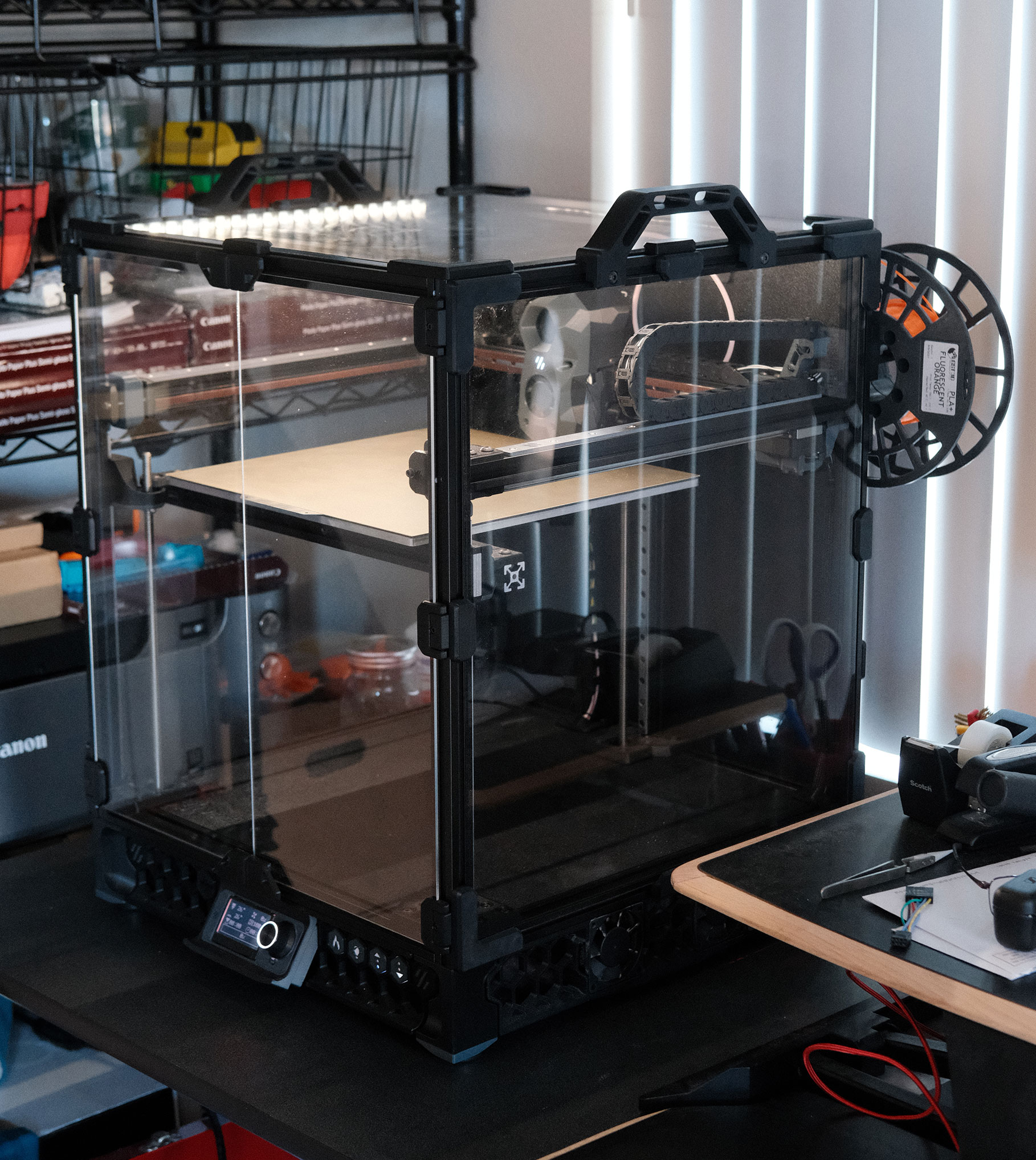
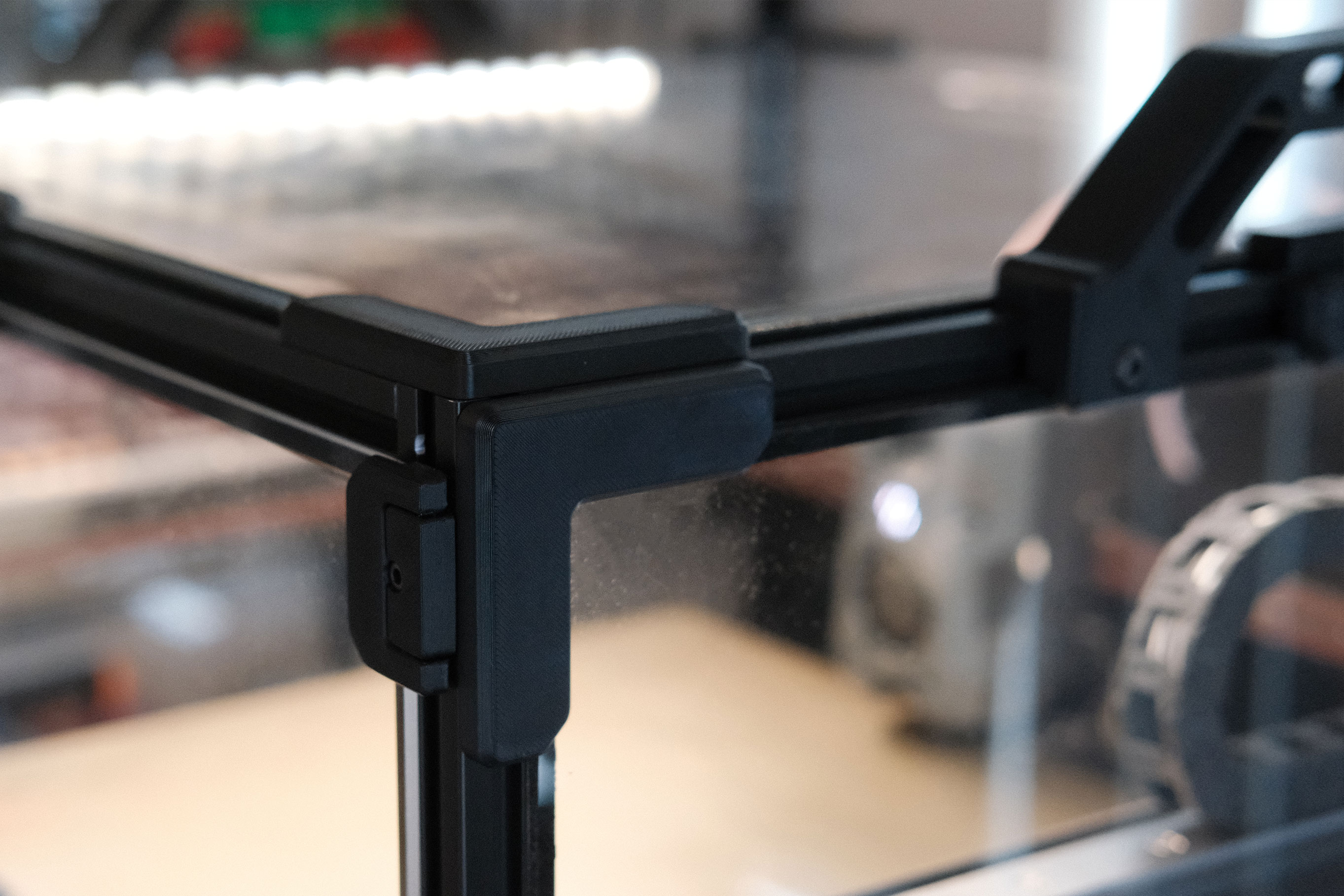
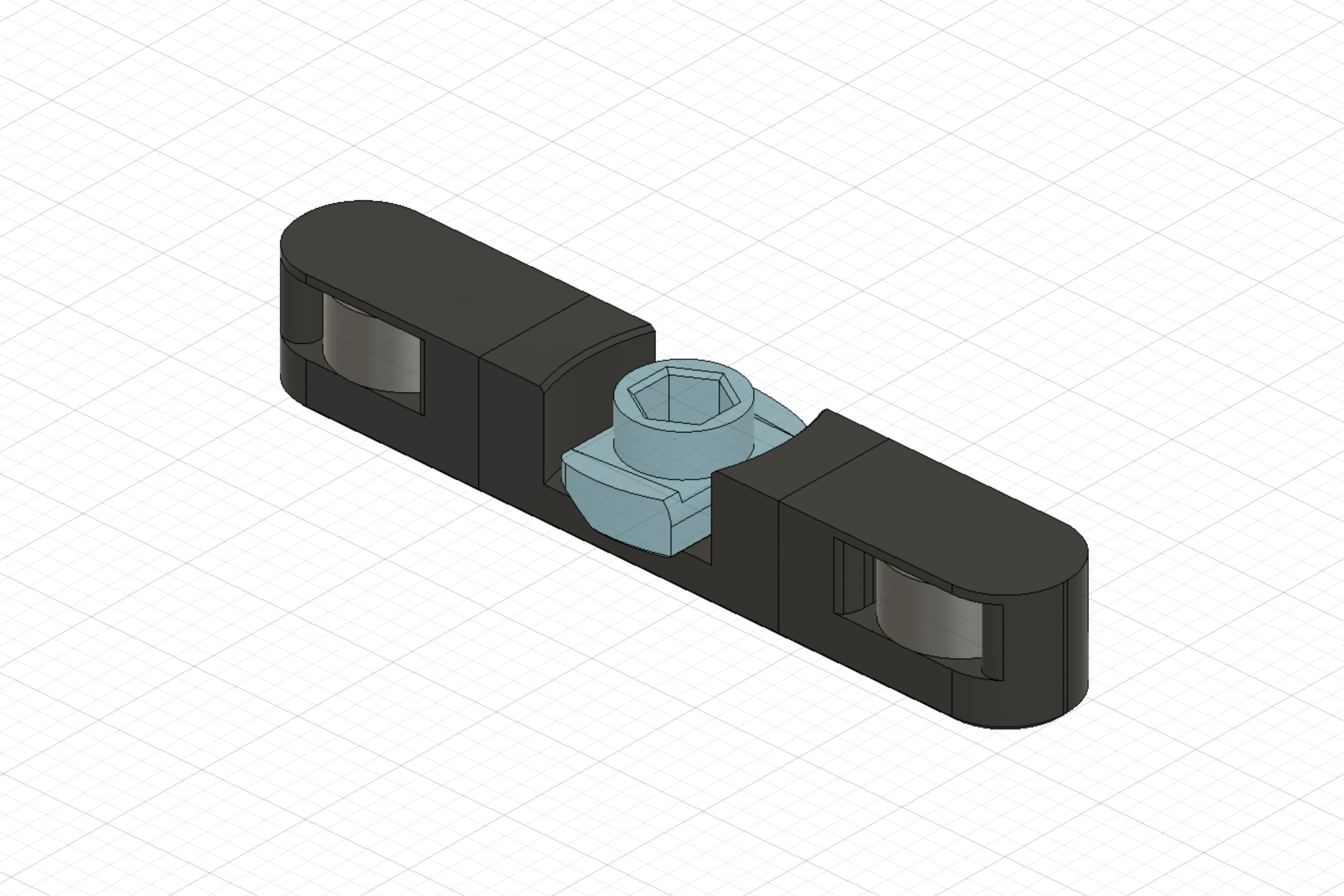
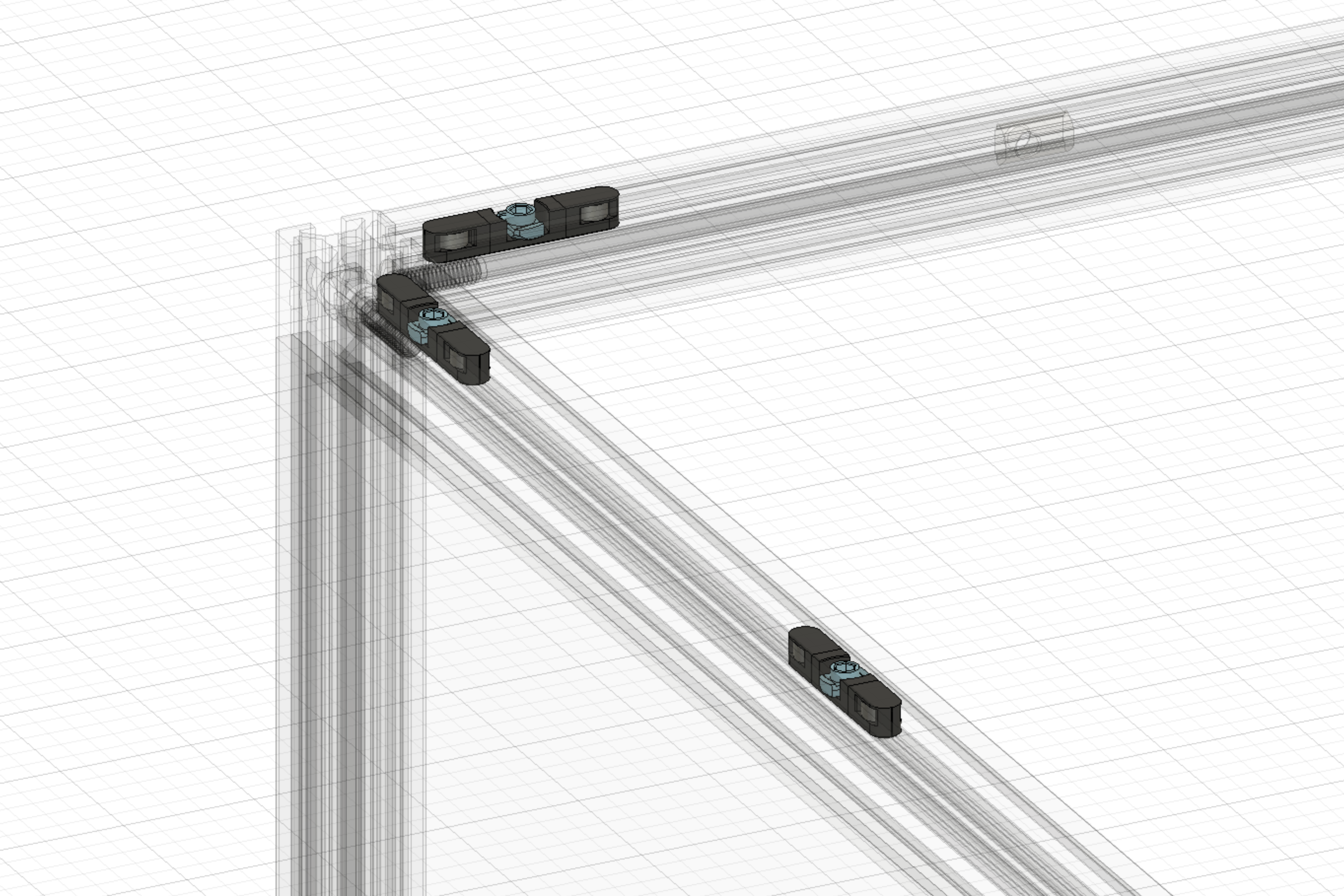
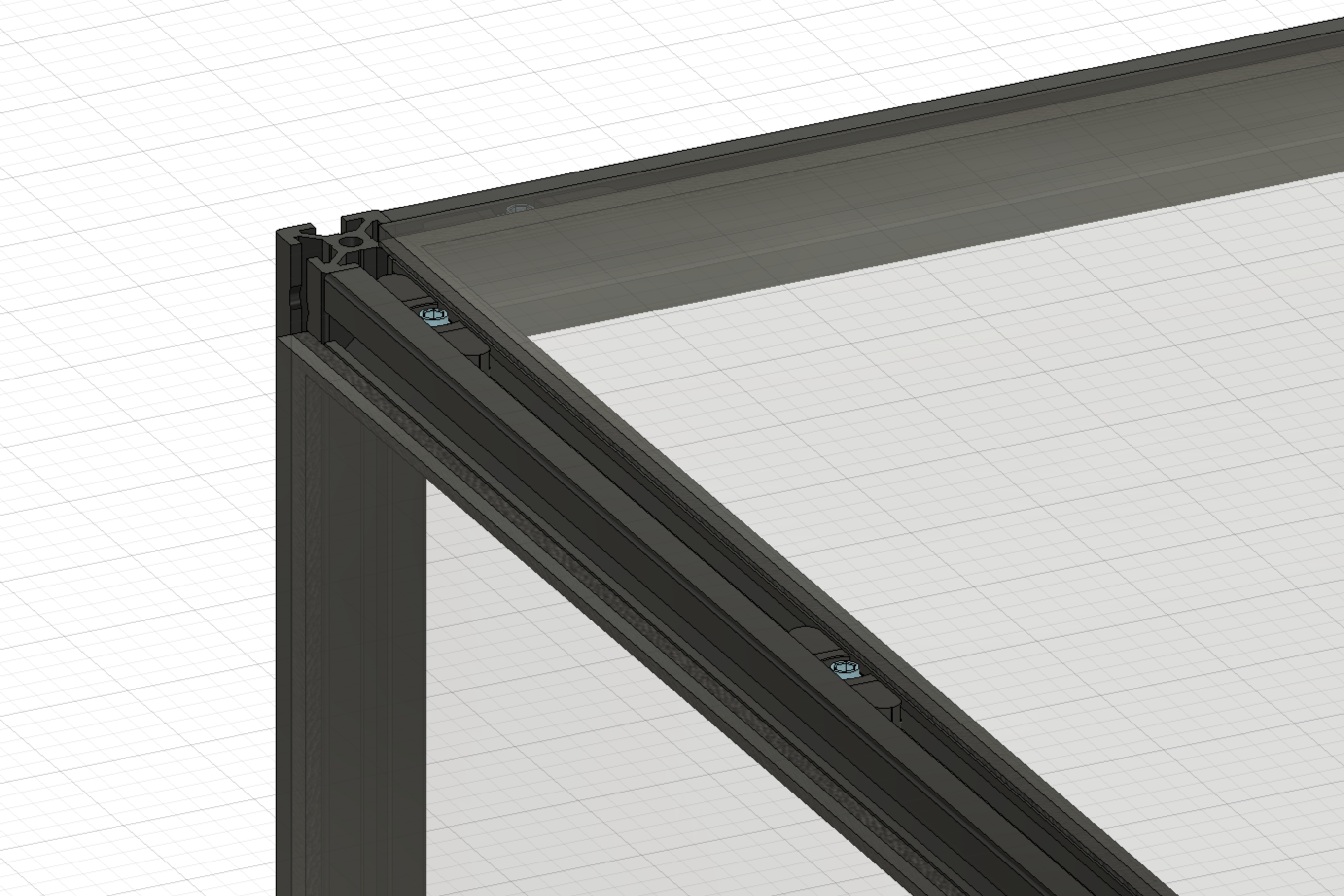
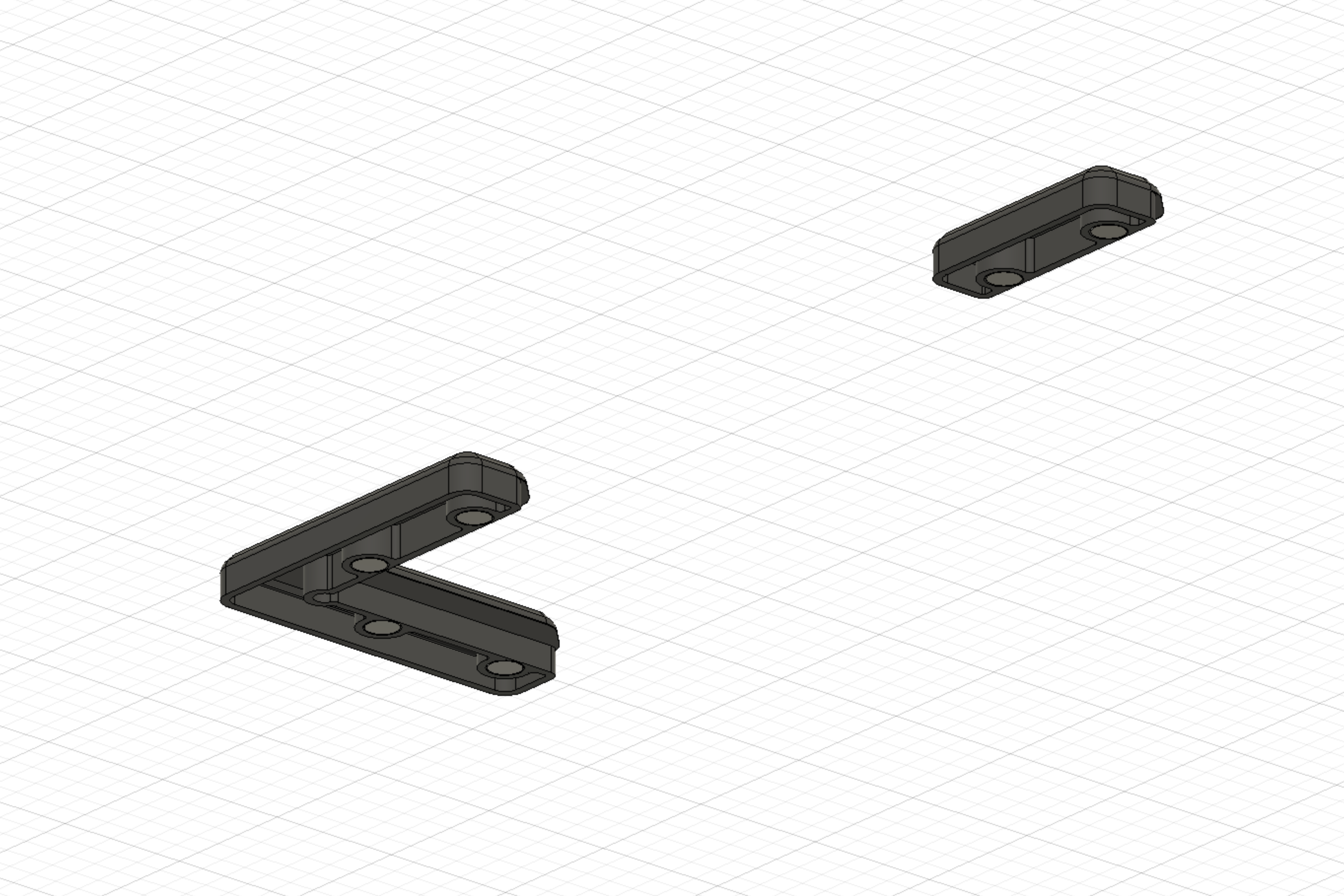
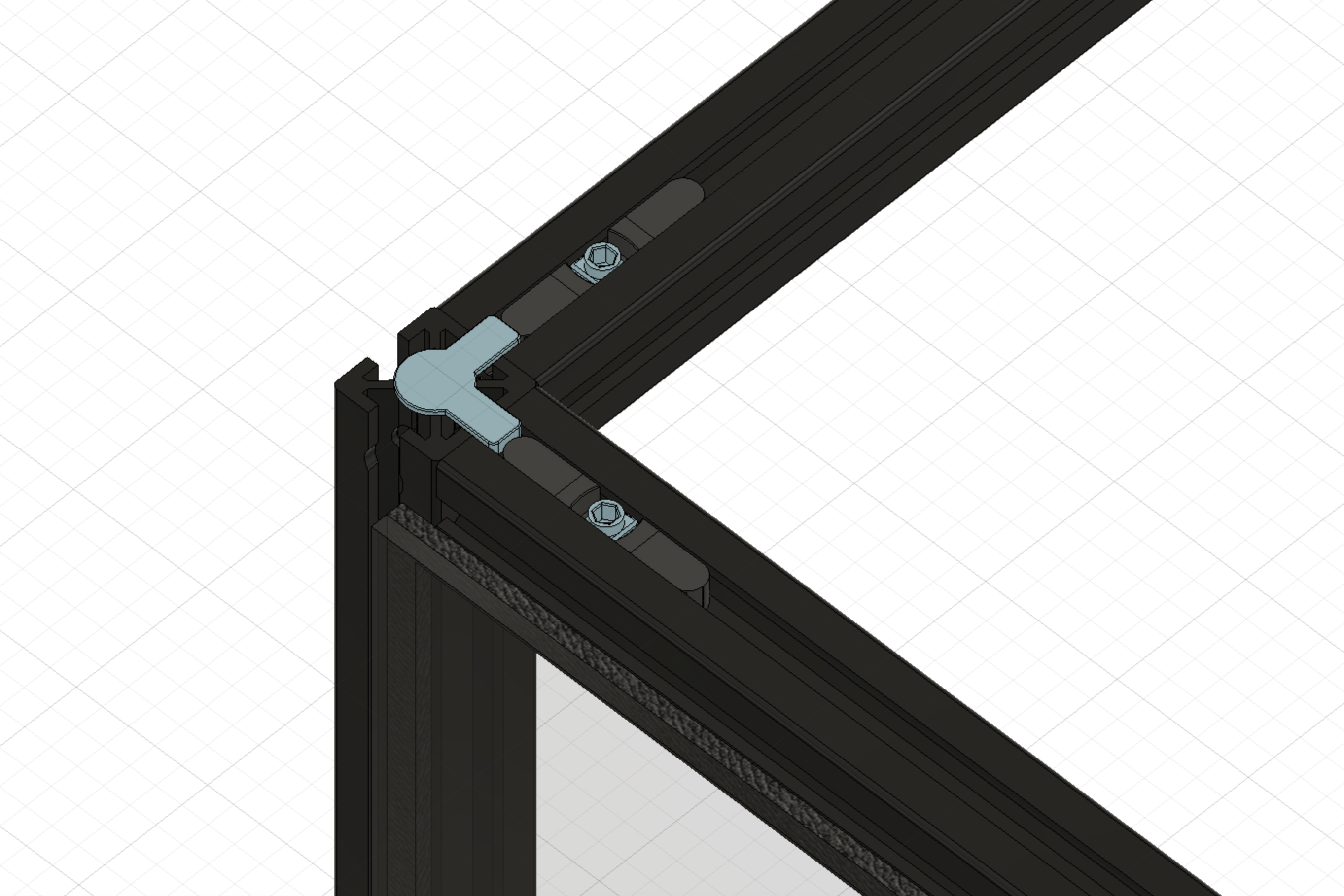
This mod inserts 6x3 magnets into the frame slots for a more streamlined look and ease of useability. No plastic parts to rub or cause tight fitment. The design is based on the default Trident mounting clips for aesthetics and low filament requirements.
How was it tested?
Printed and tested on two separate Tridents. My writeup available here: https://leanghoun.github.io/docs/collections/voron-trident/mods-tweaks#magnetic-panels-with-magnet-inserts Video of another user's testing: https://discord.com/channels/460117602945990666/551488536256184331/979523108169986068
Any background context you want to provide?
None
Screenshots (if appropriate)

Further notes
None

Nice mod! I really like it!
What is the difference between Magnet-Insert.stl and Magnet-Insert-Side.stl? Can you add something to the readme about when a user should print one versus the other?

Nice mod! I really like it!
What is the difference between Magnet-Insert.stl and Magnet-Insert-Side.stl? Can you add something to the readme about when a user should print one versus the other?
You're right, I should add something to the readme about the difference. "Side" orients the inserts to be printed on its side for easier printing and uses 45° chamfers rather than bridging and fillets. I have added a few lines for clarity as suggested. Thanks!
@leanghoun Can you remove the empty README.md in the Images folder?

@leanghoun Can you remove the empty README.md in the
Imagesfolder?
Done. Thanks!
Sadly the 6mm magnets does not fit in the extrusions in the LdO kit. I am gonna try it with 5x3mm magnets, hope they will be strong enough.

Sadly the 6mm magnets does not fit in the extrusions in the LdO kit. I am gonna try it with 5x3mm magnets, hope they will be strong enough.
Hey, @pixelmagic66. Thanks for the heads up. Do you have calipers to measure the LDO kit rail opening? And do you have Fusion360? I have a beta parametric model of the inserts that you can adjust for smaller 5x3 magnets. Will attach here (it's a WIP so it's messy). Alternatively, I can eyeball a 5x3mm insert and export the STL for you. Magnetic Panels - Parametric Magnet Inserts.zip
5.79mm is the spacing and I imported the step file in Fusion360 allready, could use the Fusion file if you have it, easyer to edit then step. Thanks for your reply !
edit: you attached the fusion! Thanks very much !
5.79mm is the spacing and I imported the step file in Fusion360 allready, could use the Fusion file if you have it, easyer to edit then step. Thanks for your reply !
If you find that the panels are not being held strongly enough, you can (1) add more mid panel clips or (2) use some of the original screw-in clips along the bottom as a secure rest to hold the panels up. Ideally, the magnets will have enough pulling force to prevent chamber hot air to escape. My N52 magnets hold the panels almost too tight and I have to pry them off. Lol.
Fusion file is uploaded to my previous comment. Let me know if you have any questions!
The fusion seems you kindly posted only have the sketches for the magnets, it turns out the nuts with the LDO kit also do not really fit in the spacing to be turned 90 degree. Any change you could share the fusion file with all the sketches so I can try to make them fit ?
The fusion seems you kindly posted only have the sketches for the magnets, it turns out the nuts with the LDO kit also do not really fit in the spacing to be turned 90 degree. Any change you could share the fusion file with all the sketches so I can try to make them fit ?
Unfortunately, the nut was created with a lot of shape combines. There isn't really any useful sketch for those!
Thank you for your quick reply, I will try something else with extrude to create some space.
Thank you for your quick reply, I will try something else with extrude to create some space.
The nuts need to be smaller? You can try scaling X, Y, and/or Z a bit? Print a few variations and see if any of those work?
The nuts are somewhat larger, adjusted the space with push/pull and did the same with the magnets. Printed a pair and works like a charm !
While the 4mm pieces fit perfectly for my 3mm panel with 1mm foam tape, the 6mm pieces is too shallow for my 3mm panel with 3mm foam tape. The difference in depth (for panel & tape) is only about 0.6mm. Both panels adhered with 1mm thick VHB tape.

Hey, @jonesuki. The existing 6mm variants + 0.6mm more foam depth would be ideal for you? Give the 7mm clip a try and if it doesn't work, let me know. There should be just a tiny bit of squish from the magnets pulling the panel against foam to ensure chamber seal.
Hi @leanghoun, thanks for your prompt reply.
(Top panel: 3mm+1mm; side panel: 3mm+3mm, both use 1mm VHB tape)
According to my measurements, the current 6mm variant falls short of ~1.7mm. The magnets just barely hold the weight of the panel given the gap.
Will give the 7mm variant a try and post the update here. Thanks.