

 Vita3K
Minecraft: PlayStation Vita Edition [PCSB00560]
App summary
- Minecraft: PlayStation Vita Edition
- PCSB00560
- 1.84 (Latest Version)
Vita3K summary
- Version: v0.1.6 3057
- Build number: a601eefd
- Commit hash: https://github.com/vita3k/vita3k/commit/[commit]
- CPU backend: Dynarmic.
- GPU backend: OpenGL
Test environment summary
- Tested by: MilesTailsFan2005
- OS: Windows 10
- CPU: Intel(R) Xeon(R) CPU E5-1650 0 @ 3.20GHz 3.20 GHz
- GPU: NVIDIA GTX1050TI
- RAM: 8 GB
Issues
Works Fine In OpenGL Broken On Vulkan Pressing There is not enough free space on the memory card it should have a option saying ok pressing that lets you play (May Comeback Up Making It Little Annoying To Play) Little Green Flickers May Show On The Hud And Menu
Screenshots


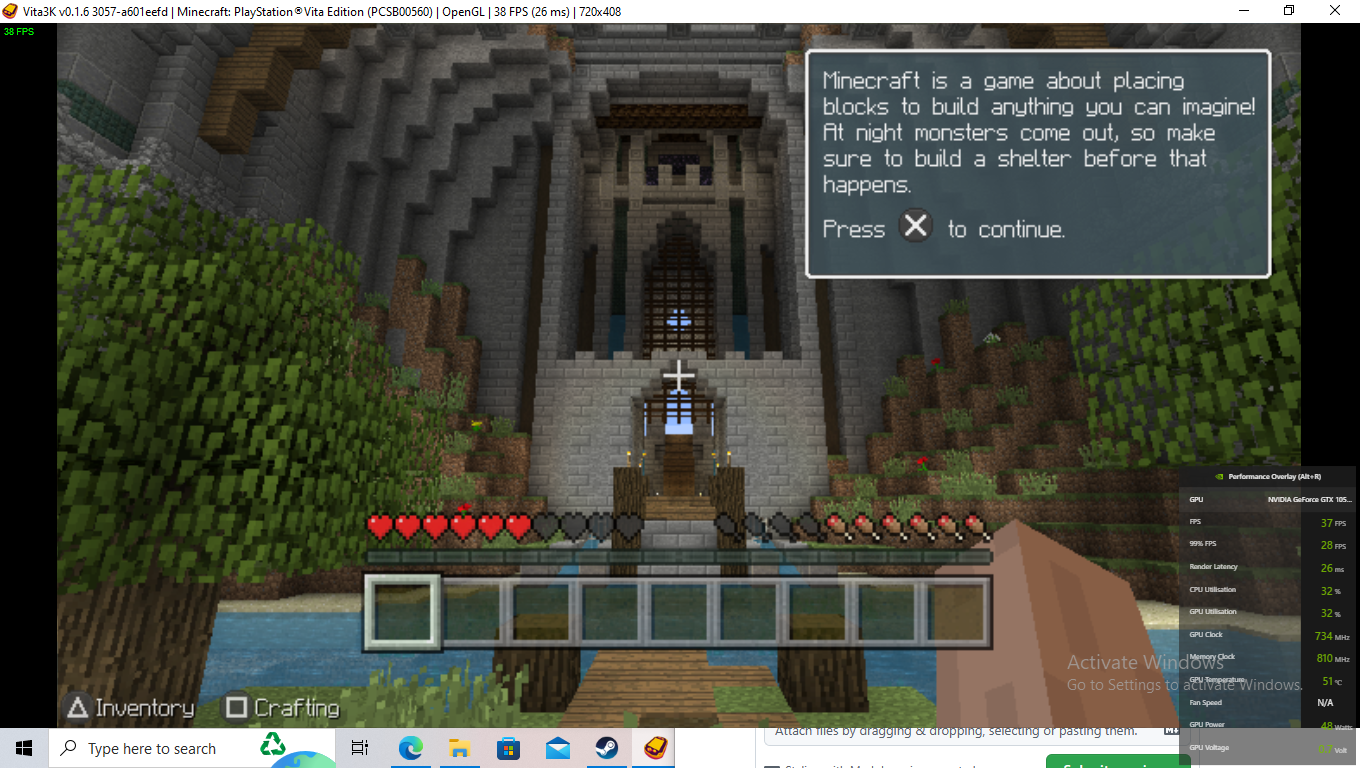


Log
Recommended labels
- https://github.com/Vita3K/compatibility/labels/vulkan%20issue
- https://github.com/Vita3K/compatibility/labels/Ingame%20-
- https://github.com/Vita3K/compatibility/labels/shader%20bug

Yeah though it needs the latest version to look more playable its how cemu acts when you try and play minecraft
Update The Message "Their Is Not Enough Space Free" Is Officially Gone! I Saved A New World And Opened It Multiple Times And Haven't Gotten The Error
Vita3K Build: 3502
- Version: v0.1.9
- Commit hash: https://github.com/Vita3K/Vita3K/commit/4ac8a416
- CPU backend: Dynamic
App Info
- App name: Minecraft: Playstation Vita Edition
- App serial: PCSB00560
- App version: 1.01
- Region: EUROPE
API & Info
- Tested VULKAN and OGL
- Audio works as expected
Test environment summary
- Tested by: UsualVII
- OS: Windows 11
- CPU: Intel i5-11600k
- GPU: RTX 3060 Ti 8GB
- RAM: 32GB
Issues
- As today the game is on Black Screen (just like the JP Version)
Notes:
- Common error: Mask not implemented in the vulkan renderer! [VULKAN ONLY ERROR]
- Common error 2: Open_file (sceAppUtilSaveDataSlotSearch) returned 0x80010002
Recommended labels
- Bootable
- Regression
Logs
Screenshot


Vita3K summary
- Version: v0.2.0
- Build number: 3803
- Commit hash: https://github.com/vita3k/vita3k/commit/8c71bdd0
- CPU backend: Dynarmic
- GPU backend: OpenGL
Test environment summary
- Tested by: Slade
- OS: Microsoft Windows 10 Professional (build 19045)
- CPU: Intel(R) Core(TM) i7-3770K CPU @ 3.50GHz
- GPU: NVIDIA GeForce GTX 1060 6GB
- RAM: 16 GB
Issues
- The game requires two things to run corectly:
- OpenGL
- Updating to version 1.84
- The game will not run correctly if using Vulkan, even if updated.
- The game takes a while to load and can freeze during heavy loading.
Screenshots
Log
PCSB00560 - [Minecraft_ PlayStation®Vita Edition].log
Recommended labels
- Ingame +
- Vulkan issue

i'm using Version: v0.2.0 Build number: 3807 CPU backend: Dynarmic GPU backend: OpenGL the ui is missing most of the textures and it's very hard to navigate the main menu the gameplay aside is alright
App summary
- Minecraft: PlayStation Vita Edition
- PCSB00560
- 1.84 (latest basically)
Vita3K summary
- Version: v0.2.0 3816-3df27923
- Commit hash: https://github.com/Vita3K/Vita3K/commit/3df27923
- GPU backend: OpenGL
Test environment summary
- Tested by: Diman (ever_daemon)
- OS: Fedora 42 (KDE)
- CPU: Intel(R) Core(TM) i5-9600K (6) @ 4.60 GHz
- GPU: AMD Radeon RX 570 Series [Discrete]
- RAM: 16 GB
Issues
- dead render on vulkan
- in glide (single because there's no mp impl in v3k) it always says "wrong way" and it results into "DNF" in leaderboard
- looks like saving is broken (or no?)
- sometimes text flickers
Screenshots

a bit update about ^^ (which i did today and not 2 days ago)
in score attack of glide it still says wrong way and DNF in time, score does not well.. score or adds to score counter call whatever you want