

 Viir
Viir
Problem adding settings, works fine if I dont
I added the setting of not hiding when Neutral. But it wont work, this comes up: (ive tried other settings like unloading on a specific station, doesnt work either)
Unrecognized option '--bot-settings=hide-when-neutral-in-local = no'

That looks like you are using an older version of the botlab client. In this case, the solution is to install version 2021-08-23 on your system. You can find it here: https://to.botlab.org/guide/how-to-install-the-botlab-client-and-register-the-botlab-command Also, the updated bot for your scenario is at https://catalog.botlab.org/e025c79ef959d848559d2d7c15e527ea39c720ab6b06763ef1ccf4c08c39f902

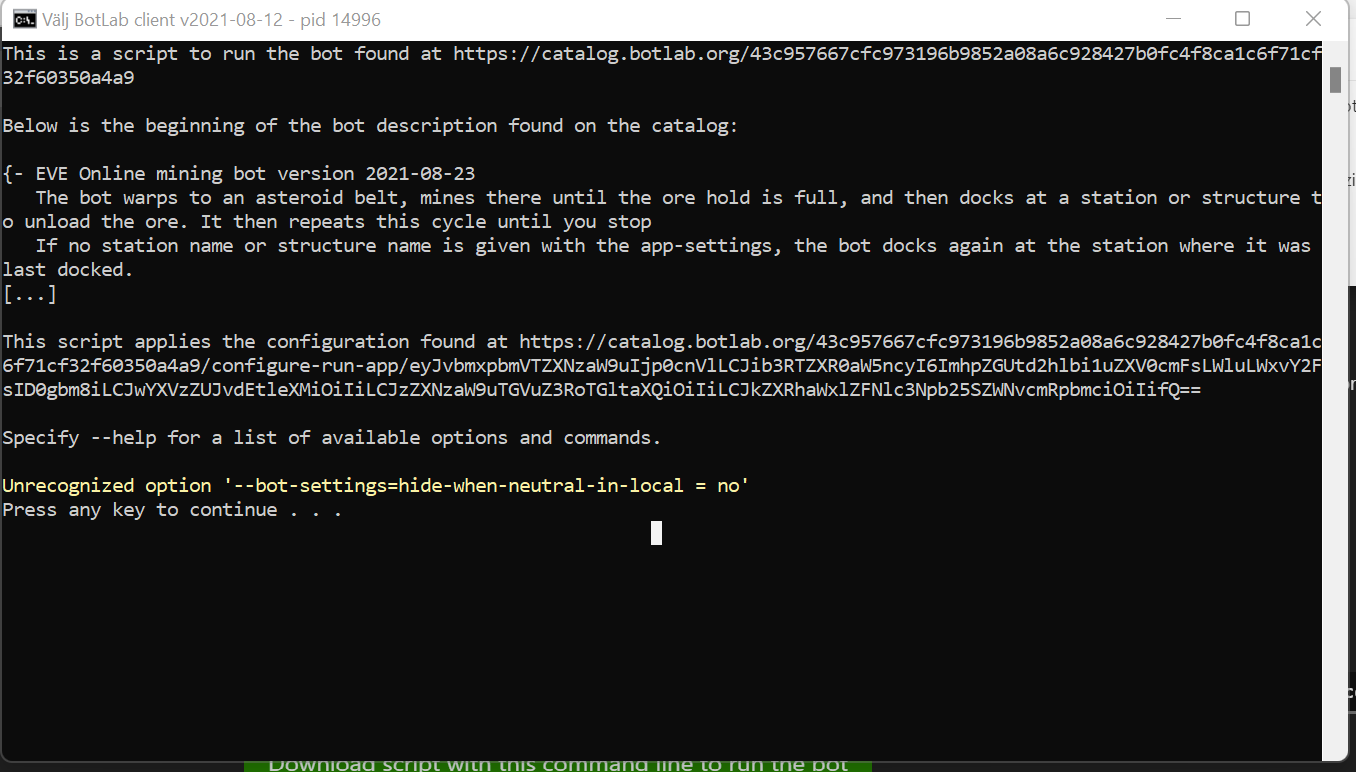
Look here, this still happens after I installed it, am I missing something? I am copying straight from the example?
In that screenshot I see a problem: That instance was started with an older version of the botlab client. In the title bar we can see the version identifier 2021-08-12
What do you get when you run botlab in an instance of the 'Command Prompt' app in Windows?
Here is a screenshot of how it should look like, it is displaying version 2021-08-23:
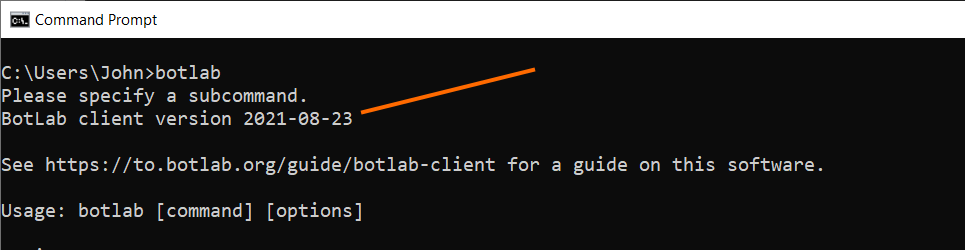
As long as it doesn't, the installation was not successful.
(As an alternative to installing, you could also edit the .bat script file that you downloaded from the website and replace the botlab.exe with a full path to a specific file.)
Yes I could see it too now but thats in the "name" on the botlab (idk if that matters) When I open botlab in CMD it says 21.08.23 like you showed. Can I uninstall and make a clean install somehow?
Yes I could see it too now but thats in the "name" on the botlab (idk if that matters)
Yes, the script from the UI in the catalog depends on the default name for the executable file. After you renamed it the original script does not find it anymore. You can change the script text to use the same name that you chose for the executable file.w
Can I uninstall and make a clean install somehow?
Yes, you can use this Environment Variables -> Edit environment variable interface in Windows to uninstall:
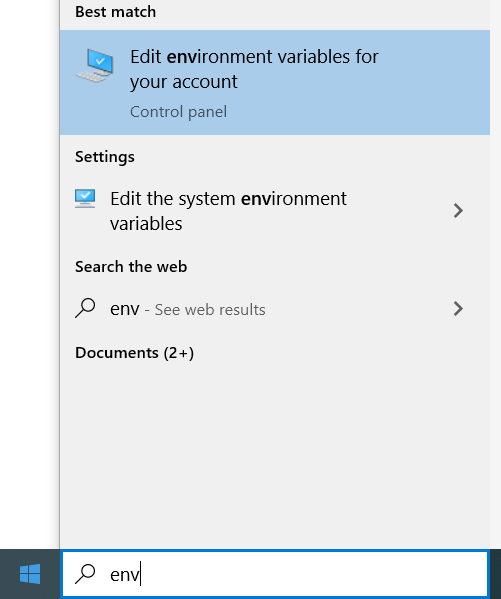
In the 'Environment Variables' window, select 'Edit' for the Path variable:
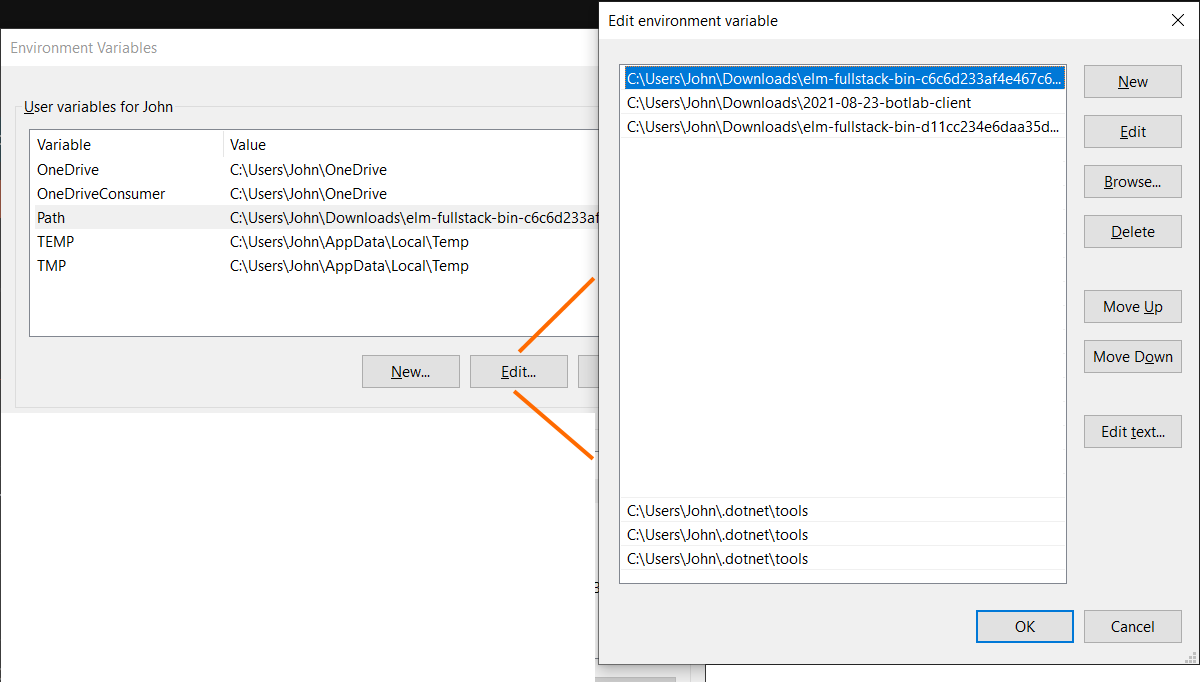
Then remove the entry to the directory containing the botlab executable.
The uninstalling is not necessary before installing, because installing will add a new lookup directory with higher priority than the previous entries.
To make entering settings and bot prompts easier, we introduced this graphical user interface:
As soon as we enter a prompt here, the system will check if the bot understands that format and display a warning message if it does not work.