VeryGoodOpenSource
feat: web socket support
Description
Hello, first of all: Thank you for this package. After aqueduct was closed, there was no real alternative to create the server in the same language as the flutter application. Currently I want to built a real time chat application. For this, I need to support web sockets to communicate with the client. https://pub.dev/packages/shelf_web_socket is a shelf socket plugin that can be used for this.
Requirements
- [x] Checklist of requirements to be fulfilled
Additional Context
-

Hi @CodeDoctorDE 👋 Thanks so much for the support! Web socket support is on the roadmap and we’re planning to work on it after #89 🙂

You can add web sockets with shelf_web_socket package. Dart frog have a fromShelfHandler wrapper.
ws example:
// routes/ws.dart

import 'dart:async';

import 'package:dart_frog/dart_frog.dart';
import 'package:shelf_web_socket/shelf_web_socket.dart' as ws;

FutureOr<Response> onRequest(RequestContext context) async {
  return fromShelfHandler(
    ws.webSocketHandler((webSocket) {
      webSocket.sink.add('Hello from Dart Frog - Web Socket 🐸');
    }),
  )(context);
}
index.html example:
<!-- public/index.html -->

<!DOCTYPE html>
<html lang="en">

<head>
    <meta charset="UTF-8">
    <meta http-equiv="X-UA-Compatible" content="IE=edge">
    <meta name="viewport" content="width=device-width, initial-scale=1.0">
    <title>Document</title>
</head>

<body>
    <script>
        let socket = new WebSocket("ws://localhost:8080/ws");
        socket.onmessage = function (event) {
            console.log(event)
        };
    </script>
</body>

</html>
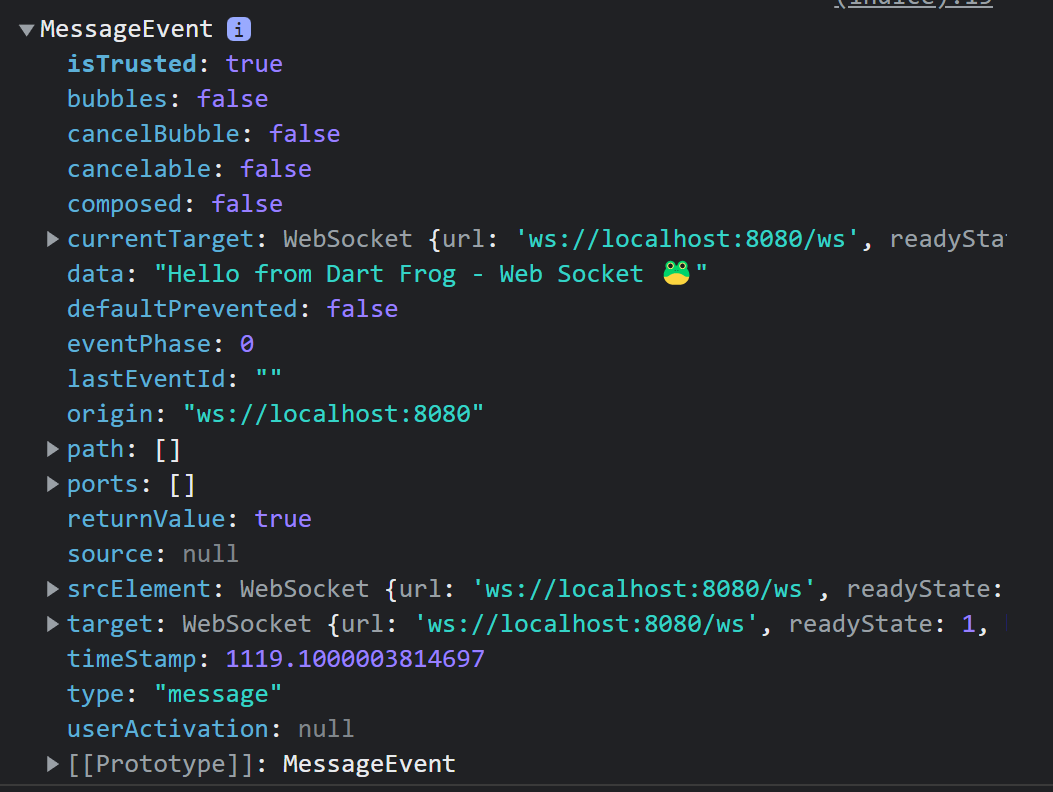
Result