
ieturk
 ieturk copied to clipboard
Published
6 years ago
•
 Varal7
Varal7
Intuitive Annotation Tool for Information Extraction / Named Entity Recognition using localturk / Amazon Mechanical Turk
IE-Turk: Annotation tool for Information Extraction with localturk / Amazon Mechanical Turk
Annotate
Annotate using Mechanical Turk
- Create an new project in Amazon Mturk interface.
- Paste the content of
annotate.htmlin the second tabDesign layout. - Insert the scripts
config.js,annotate.jsand the CSS filestyle.cssinto the document as well - Prepare a tokenized version of the entry, splitting characters with
>>. - Submit batch
Annotate locally
Requires localturk. Install using
npm install -g localturk
Modify config.js with the name of the fields of interest.
Then simply run it using the same tokenized csv file as for Mechanical Turk.
localturk annotation.html input.csv output.csv
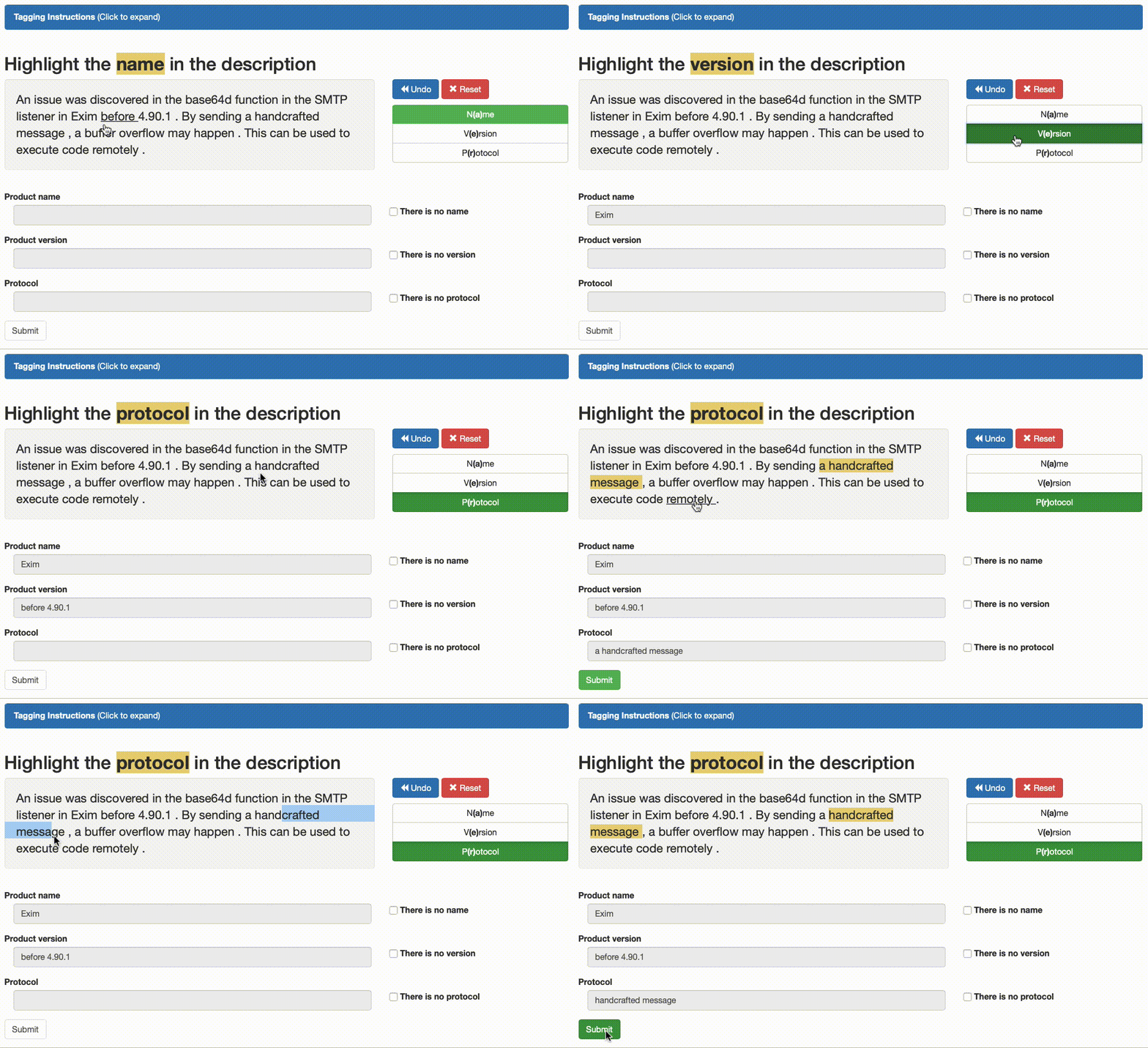
Visualize
Simply open visualize.html with any modern browser.
Then choose the .csv that came from either localturk or Mechanical Turk.
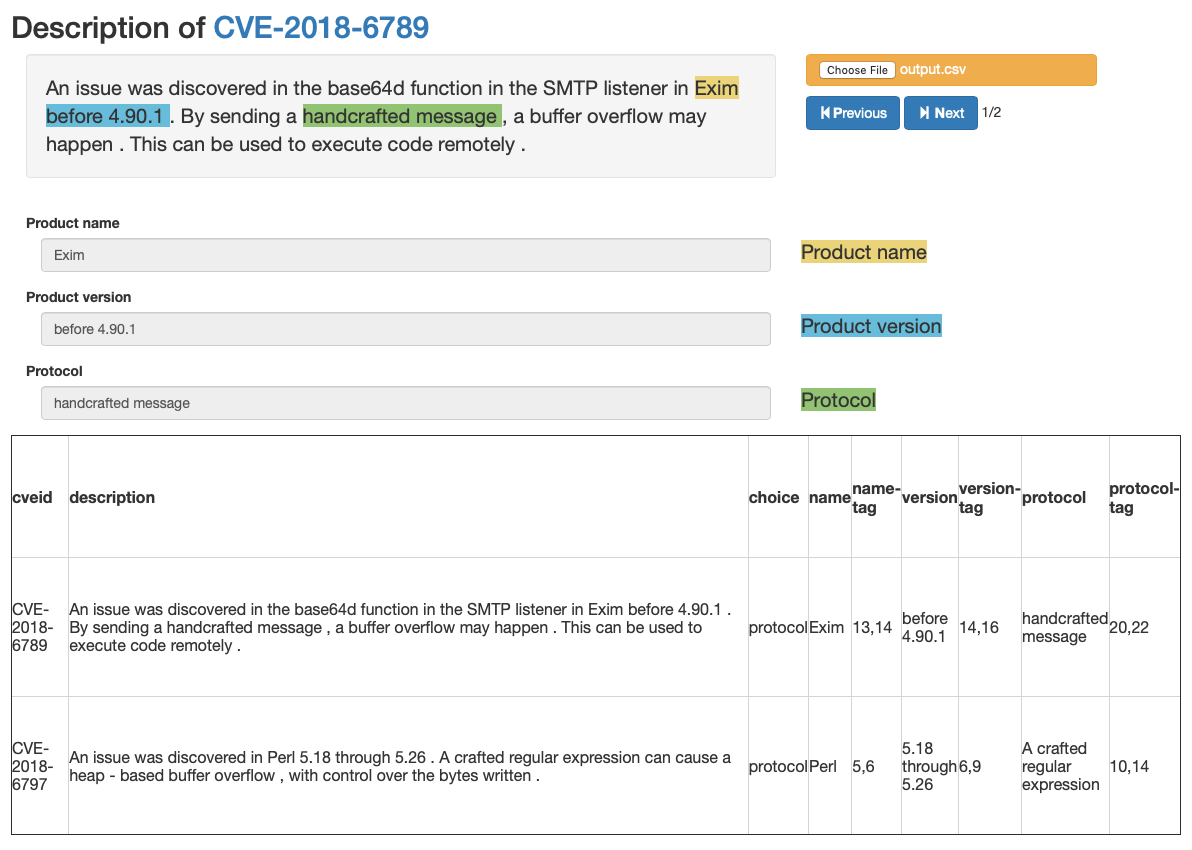
This file is also served at Visualization Demo. You can try uploading this CSV file.
 Varal7