

 ValveSoftware
Get binding as a friendly user string
I'm looking into making our tutorial work with the new API, after looking into https://github.com/ValveSoftware/steamvr_unity_plugin/issues/167 i fixed so the GetDeviceComponentName method returned what it should. I guess scroll_wheel is just a bug and it Should return touchpad.
Lets say action Release magazine is bound to D Pad North. Then a text saying Touchpad wont do. Maybe you guys can add a method, GetUserFriendlyDescription which will return something like 'D Pad North' but maybe thats not enough, maybe it even needs to return "Touch D Pad North" or "Click D Pad North",
edit: This is a fork from https://github.com/ValveSoftware/steamvr_unity_plugin/issues/165

Here is an old prototype video of our Tutorial that shows how it works today
https://www.youtube.com/watch?v=aBjM7HGmEU8
Unfortunately this is a bug we haven't been able to fix yet. I'll let you know when we get this fixed.

@keithbradner Thanks for feedback, cant wait to test this feature either in our tutorial :D
I believe we have a function that will better suit your needs in the most recent beta. All in actions now have public string GetLocalizedOriginPart(params EVRInputStringBits[] localizedParts). It takes as many parts of the string as you want to get out, see the summary of the method for more info. This is in the 2.2b3 beta: https://github.com/ValveSoftware/steamvr_unity_plugin/releases/tag/2.2b3
@keithbradner Ok I tested both GetLocalizedOrigin and GetLocalizedOriginPart they give same error

Looks like there's a bug with OpenVR where if the action hasn't been used yet it throws errors. Should still have a more friendly error message. Probably something better for inactive actions as well.
@keithbradner Thanks, that was the issue. I think it might be a bit restrictive to require the ActionSet and Action to be activated for it to work. I dont think it will be a problem for my in game tutorial because its flow driven, when you complete one task in the tutorial you will move to the next so the actionsets will always be enabled. But I could see a problem for someone that want to display the controls on a help me screen. There could be actionsets not enabled at that time. Sure you could enable all disabled sets, generate the help page than disable them again. Though, not a very ncie workflow.
Again, not a problem for me currently. What is a problem though is that a action bound to Trackpad North only returns "Trackpad". That wont help a player to understand how he should activate the action sadly.
So I saw that you are moving for release (RC2 is out) How about this feature?
Unfortunately this is an underlying SteamVR issue which has releases separately from the unity plugin.
Do you have any ETA when it will be fixed? We offcourse want to go live before Knuckles are released to the public
I have implemented GetLocalizedOriginPart in the actual tutorial now
It works very well for interaction actions that use the trigger etc,
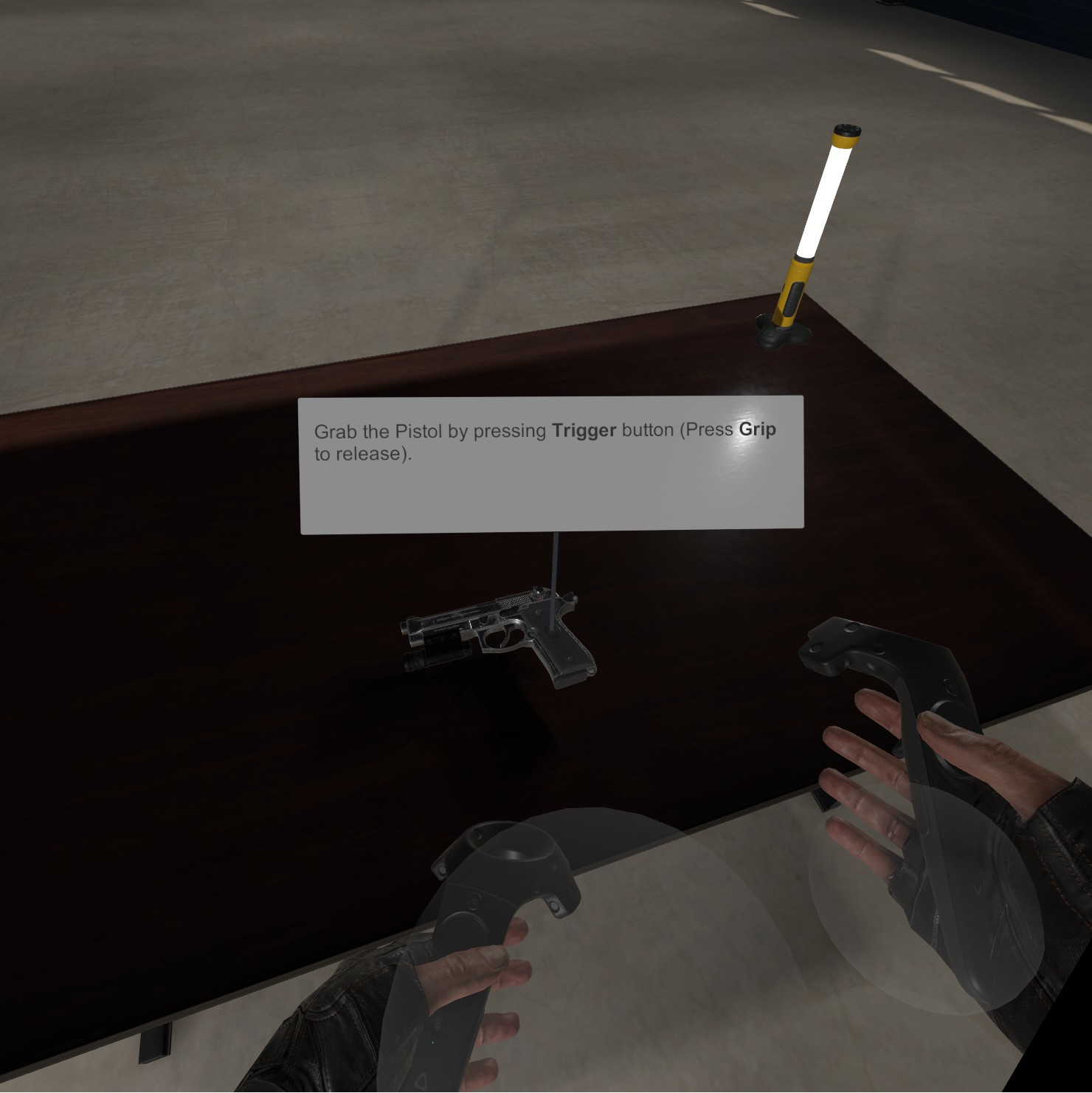
But as we discussed earlier its really counterintuitive when using the Trackpad as a D-Pad
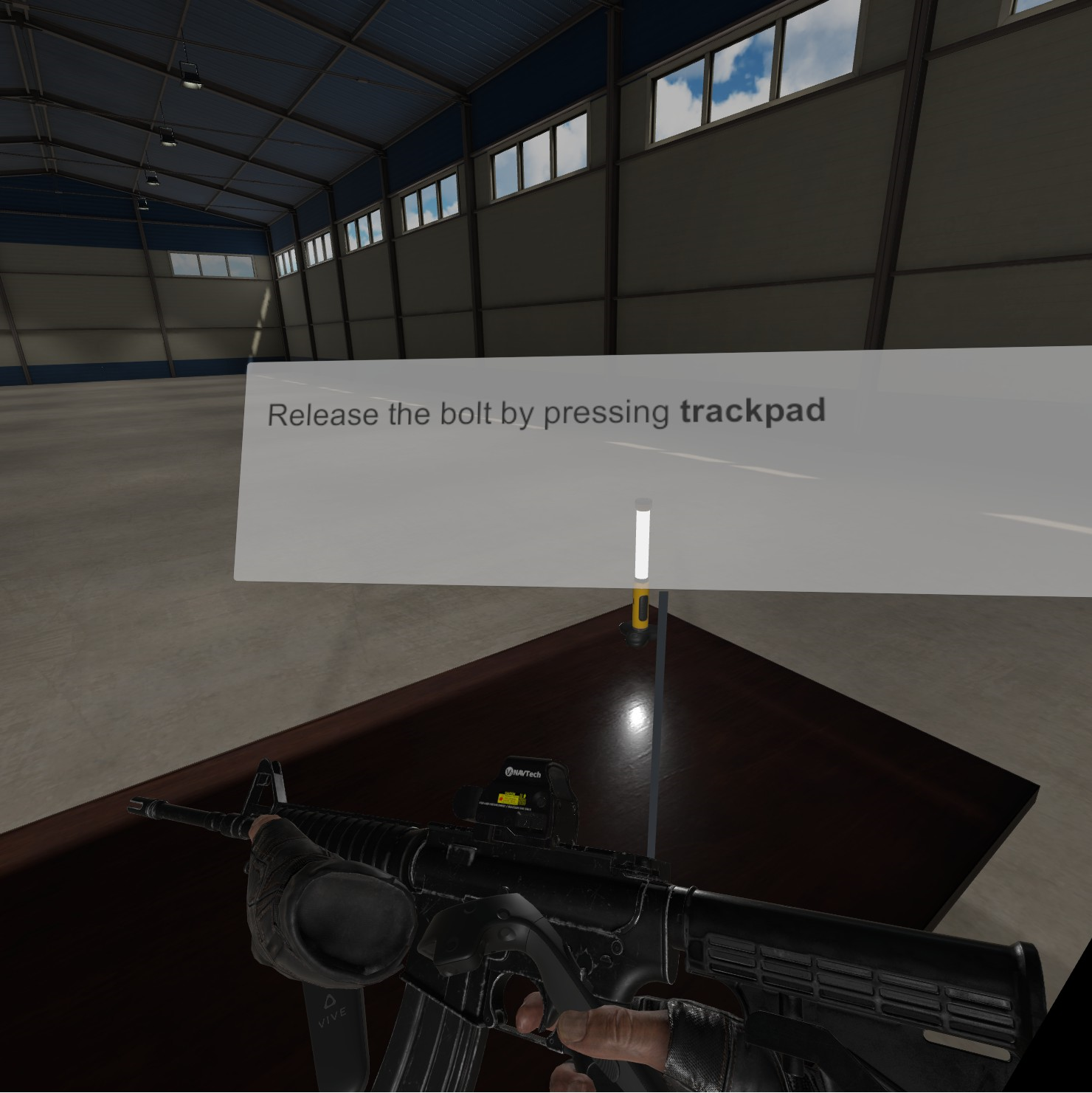
Hope you guys are looking to fix it.
I also found a bug. If I use SteamVR_Input_Sources.Any and one of the hands actions are disabled I get same error as before

Here is a workaround for that
        private static readonly SteamVR_Input_Sources[] handSources = new [] { SteamVR_Input_Sources.LeftHand, SteamVR_Input_Sources.RightHand };

        protected string GetActionCaption(SteamVR_Action_Boolean action)
        {
            foreach (var source in handSources)
                if(action.GetActive(source)) //Workaround for bug in steamVR
                    return string.Format("<b>{0}</b>", action.GetLocalizedOriginPart(source, EVRInputStringBits.VRInputString_InputSource).ToLower());

            return "<Unbound>";
        }
And it works
btw @keithbradner Its really not optimal that the actionset/action needs to be enabled for it to work. Its really fragile and creates timing issues easily.
@keithbradner hi again. Actually, its not a timing issue at all. I did some logging
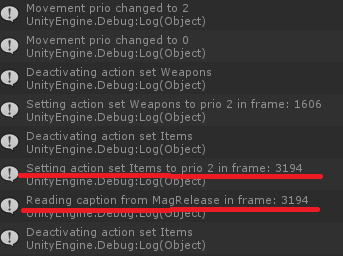
I grab the item and then upgrade its prio to 2 and then I read the caption using GetLocalizedOriginPart. This could be related to #1020 similar behaviour . Anyway, I active and try to read the caption in same frame, could be that too. I think you need todo a full regression test on the activate action set / prio stuff.
A quick note for the guys at openvr that starts to look at this. There are now two issues here. First, the GetLocalizedOriginPart returns "Trackpad" even if the action is bound to "Trackpad North".
Second issue is that the action needs to be active for the GetLocalizedOriginPart to work, to me thats a bit counterintuitive, you might want to display all bindings in a help screen without any action sets being active for example. In my case I can live with it becasuse my tutorial is in-game and flow driven so the actions will be active when I call GetLocalizedOriginPart. The problem is there is a bug in openvr/unity-plugin so if I active the actionset and call GetLocalizedOriginPart in same frame it does not work.
Hey guys any thoughts on this? While not a complete show stopper it's really not snappy for Vive wands players when they play the game the first time and any action bound to Track pad just says Trackpad instead of D Pad North or similar. Thanks
So I saw that you got the new bindings UI working which displays Trackpad mapping correctly
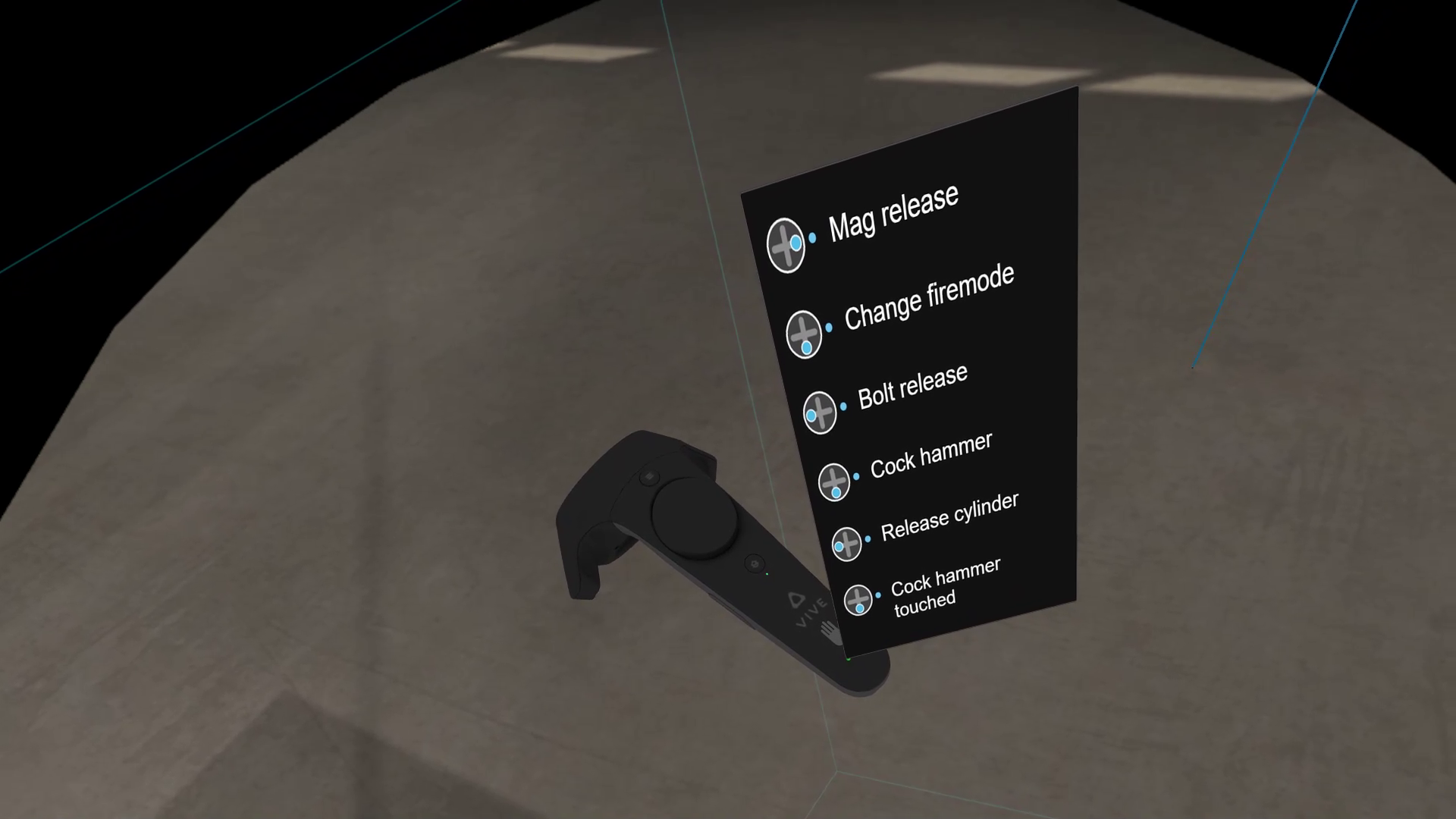
Shouldn't it be a pretty easy fix to make GetLocalizedOriginPart return correct binding info too?
And if the SDK could give us the underlaying ptr to the icon that would be a huge plus so we can present it in our UI. But for now, lets get the string representation to actually represent the binding :D
@keithbradner Now when the release is close you really need to fix this. I just tested with latest beta of steamvr. And the bug remains.
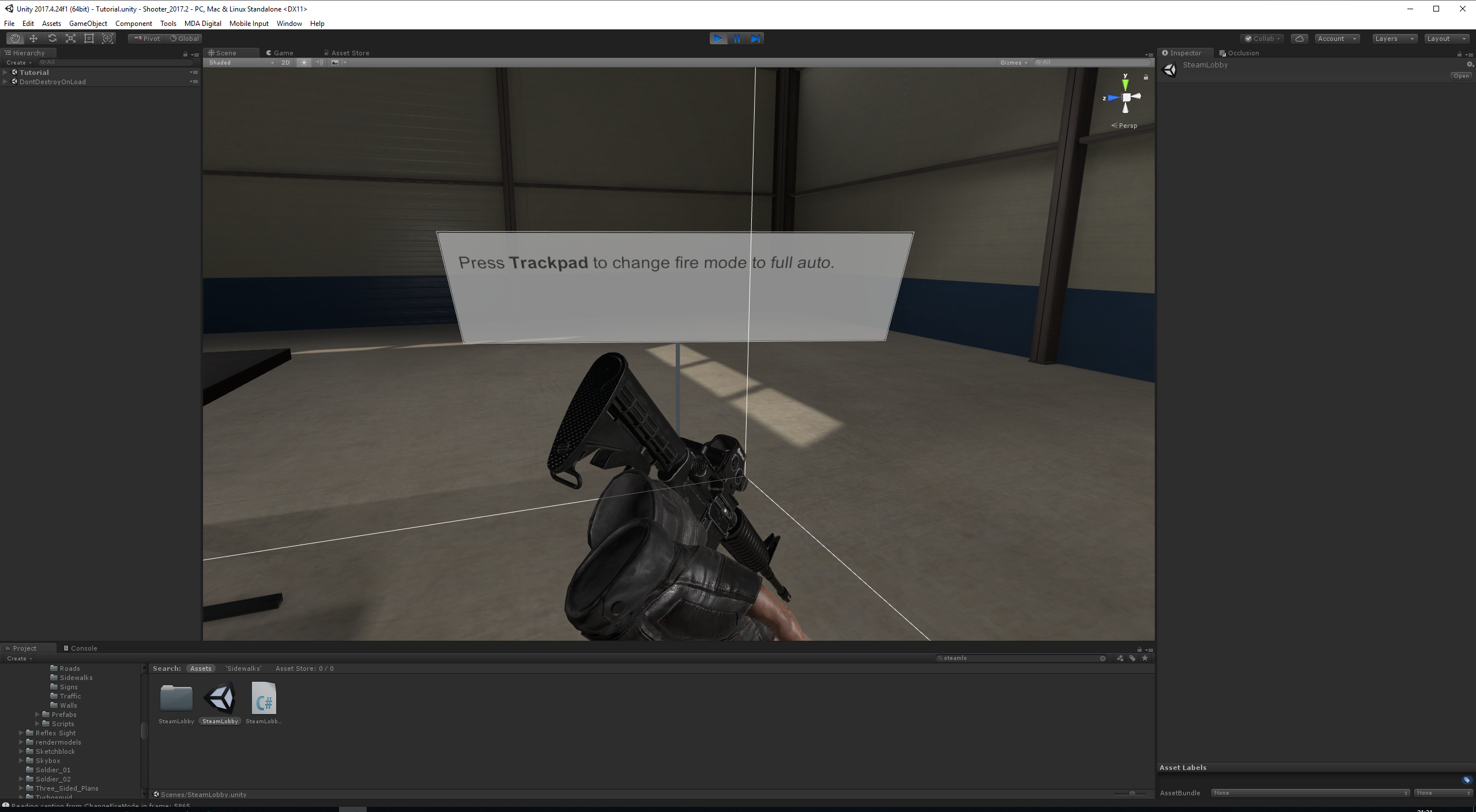
Bump. Just got feedback from a user that rightfully thinks that Trackpad is not helpful.
We also bumped into this issue. GetLocalizedOriginPart returns a generic "Trackpad" instead of the specific direction the action is bound to.
It also applies to actionset overrides. For example if we enable an actionset with a higher priority that has an action bound to the trackpad position it'll also disable all the DPad click actions, this doesn't happen if the lower priority action is a button click instead.


I did a little bit of deep diving and managed to actually find the exact function that provides all of this data. Was quite hidden actually and was quite confusing on which data you needed to pass. But managed to get it working. It's the GetActionBindingInfo function. It will return InputBindingInfo_t which has all of the binding information you need in string format.
For example, was able to get all of this information from this function. Exactly what everyone has been wanting:
This also works with all button types.
The variables that you will want from InputBindingInfo_t will be rchModeName & rchSlotName

Replying to https://github.com/ValveSoftware/openvr/issues/1017#issuecomment-1976611388
Did a quick check, is it possible to call it without changing vendor code? Seems to be internal stuff
edit: OpenVR.Input.GetActionBindingInfo
Replying to https://github.com/ValveSoftware/openvr/issues/1017#issuecomment-1976630984
You should just be able to call it like this:
			InputBindingInfo_t bindingInfo= new InputBindingInfo_t();
			uint returnCount= 0;
			OpenVR.Input.GetActionBindingInfo( steamVRAction.handle, ref bindingInfo, 512, 10, ref returnCount );
Then just use the bindingInfo to get all of the variables for it
,
Interesting, I get a NullReferenceException: Object reference not set to an instance of an object
But it also sets the struct data correctly before null reference error
,
Interesting, I get a NullReferenceException: Object reference not set to an instance of an object
But it also sets the struct data correctly before null reference error
I had the same issue originally. It was due to having a SteamVR binding on both controllers. So Jump was bound on the left and right controller. It for some reason doesn't like having duplicate bindings
Replying to https://github.com/ValveSoftware/openvr/issues/1017#issuecomment-1976710403
We use the built in priority system alot. For example the menu action has a lower priority than the weapon actions. So if you hold a gun with the Valve Index you cant bring up menu on that hand until you let go of the weapon. Meaning menu action will be on both controllers.
Seems that the native function isnt stable enough for prime time