

 ValveSoftware
[BUG] Half-Life: Alyx (native version) - "Options" submenu is empty and inactive
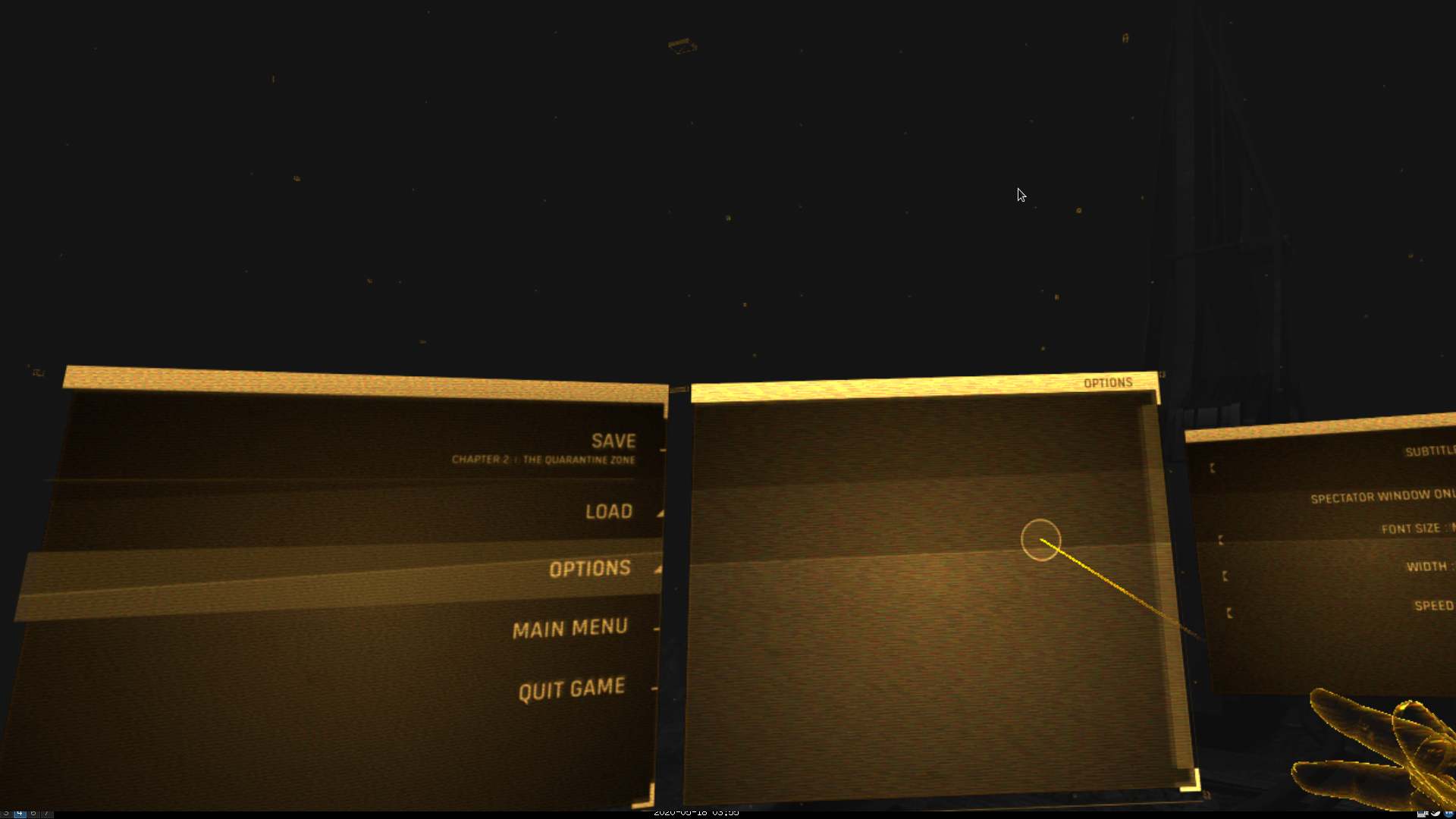
Describe the bug "Options" submenu is empty and inactive most of the time. See attached screenshot.
Scrolling by controller's touchpad/trackpad fixes this problem temporarily, just for a few seconds, which is enough to change something or switch to another submenu. Then "Options" usually disappears again. Not sure whether this workaround is usable on non-Index controllers or not.
This bug is almost 100% reproducible for me. However, sometimes "Options" starts working as it should.
To Reproduce Steps to reproduce the behavior:
- Launch HL: Alyx (native Linux version)
- Open "Options"
Expected behavior Menu should be displayed normally, all menu's items should be clickable.
System Information (please complete the following information):
- Distribution: Fedora 32 x86_64
- SteamVR version: Beta 1.12.3
- Steam client version: Built May 15 2020, at 03:04:21 / package versions: 1589513816
- Opted into Steam client beta?: No
- Graphics driver version: Mesa 20.1.0-rc3 (LLVM 10.0.0), with
RADV_PERFTEST=aco - Gist for SteamVR System Information: https://gist.github.com/im-0/c57e3d927df050cea21b41039f1c5564
- GPU: AMD Radeon VII
Screenshots
Additional context N/A

Same sometimes happens with the "Games" menu. Looks like all menus with scrolling may be affected.
The issue is still present in version 1.4.1. I don't know how exactly to reproduce it, it just happens fairly often while using any menus. I found that dragging the scrollbar at the side of the menu fixes it for a very brief moment.
RX 5700 XT, Valve Index (with Index controllers), Arch Linux (kernel 5.7.2-5), Mesa 20.1.1, RADV ACO, SteamVR Beta 1.13.3

I've found that this happens when attempting to scroll a menu using the Vive Wands touchpad. As with OP, the menu contents will reappear when scrolling, though only for a tiny amount of time. Navigating to a different menu and back reset the menu and allowed me to continue.
Steam and SteamVR Beta, Debian Testing, XFCE 4.14, Kernel 5.6 (don't remember the exact version, will update the post when at my PC), Nvidia 980ti with driver version 440.

Got the same bug in my games-menu. Fiddling with the touchpads and blindly pressing the trigger button until you hit something in the menu that's visible for a millisecond, then returning to games view, seems to fix it. Seems like scrolling-related problem that occurs in any list/window with enough entries warrant a scrollbar.
Steam and SteamVR Beta, Valve Index & Index-controllers, Kernel 5.7, Nvidia 2080ti with 440-driver.

~~The issue is still present, but I managed to work around it by running the game with AMDVLK instead of RADV. This will only work with AMD GPUs.~~
~~Instructions for Arch Linux~~
~~- Install the amdvlk package.~~
~~- AMDVLK will now be the default, but SteamVR only runs with RADV.~~
~~- To change the default back to RADV, add this to /etc/environment:~~
DISABLE_LAYER_AMD_SWITCHABLE_GRAPHICS_1=1
VK_ICD_FILENAMES=/usr/share/vulkan/icd.d/radeon_icd.i686.json:/usr/share/vulkan/icd.d/radeon_icd.x86_64.json
~~- SteamVR should now work again.~~
~~- Install amd-vulkan-prefixes from the AUR (optional, see below)~~
~~- To run Half-Life: Alyx with AMDVLK, set launch options to: vk_amdvlk %command%~~
~~Other Distros~~
~~The amd-vulkan-prefixes scripts are just for convienience. All they do is set the correct VK_ICD_FILENAMES environment variable. Alternatively, you can set the variable directly in the launch options like so: VK_ICD_FILENAMES=/usr/share/vulkan/icd.d/amd_icd32.json:/usr/share/vulkan/icd.d/amd_icd64.json %command%~~
~~Why this works~~ ~~The Vulkan implementation of Half-Life: Alyx was likely written and tested on Windows. AMDVLK is published directly by AMD and apparently shares code with the Windows driver. RADV is the open source implementation included in Mesa.~~
Edit: Nevermind, this doesn't actually fix it. It happened again.
