

 ValveSoftware
Resident Evil Village (1196590)
Compatibility Report
- Name of the game with compatibility issues: Resident Evil Village
- Steam AppID of the game: 1196590
System Information
- GPU: AMD Radeon 6900XT
- Driver/LLVM version: Mesa 21.3-git/12.0.0
- Kernel version: 5.13-rc0
- Link to full system information report as Gist
- Proton version: experimental-6.3-20210507
I confirm:
- [x] that I haven't found an existing compatibility report for this game.
- [x] that I have checked whether there are updates for my system available.
Symptoms
-
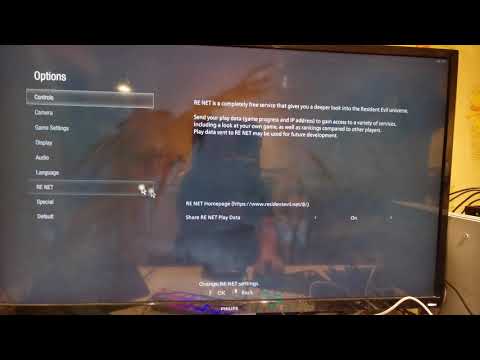
Impossible to change display settings. Clicking on "Display" item in options has not any effect.

-
The game crashes after start.
Reproduction
Always.
Below the demonstration video (will opened on youtube)

Hello @NTMan, /usr/include/c++/11/array:188: std::array<_Tp, _Nm>::value_type& std::array<_Tp, _Nm>::operator[](std::array<_Tp, _Nm>::size_type) [with _Tp = unsigned int; long unsigned int _Nm = 512; std::array<_Tp, _Nm>::reference = unsigned int&; std::array<_Tp, _Nm>::size_type = long unsigned int]: Assertion '__n < this->size()' failed. looks like a line of interest from the log.

System Information
- GPU: RX 5700
- GPU Driver: 21.1.0 - kisak-mesa PPA
- Kernel version: 5.10.35-051035-generic
- Distro version: Mint 20.1 (64bit) (Cinnamon)
- Proton version: experimental-6.3-20210507 system_info.txt
Compatibility Report
With Proton Experimental (6.3-20210507) I'm able to get into gameplay (played only like ~10 minutes though so far of the beginning). I can confirm that the display settings can't be changed. Also the cut-scene videos are just a place-holder image.
With regular Proton-6.3-3, the game crashes on launch. steam-1196590-experimental-6.3-20210507.log.zip steam-1196590-proton-6.3-3.log

In Proton experimental-6.3-20210512b fixed bug with unable changing display settings. But the game still crashing at start. steam-1196590.log

UPD: Updating mesa solve this issue.
Game is fully playable for me but returning to main menu crashes GPU Pop!_OS 20.10 Vega 56, Mesa 21.0.0 steam-1196590.log

Game works perfectly (excluding cutscenes) but I'm having an issue where after viewing notes, my mouse is unfocused on the game window and camera movement no longer works until I press ESC to open the pause menu and resume the game.
Happens on both borderless and fullscreen.
Running KDE on OpenSUSE Tumbleweed RTX 2080 Ti, driver ver 460.73

System Information:
- GPU: RX 6800 XT
- GPU Driver: 4.6 Mesa 21.0.3
- Kernel version: 5.12.1-2-MANJARO
- Distro version: Manjaro Linux
- Proton version: experimental-6.3-20210514
- Full system information as https://gist.github.com/Realitaetsverlust/dd33e42b7bb0f8eaa3ab1f4640e5dae6
Compatibility report
Game works in general (apart from the graphics menu as OP described), but I have some very weird stripes in the game.

Cutscenes are all placeholders too, but that is due to media foundation afaik, so not unexpected.

Hello @Realitaetsverlust, we'll probably want to re-evaluate rendering issues in this game and mesa/radv after https://gitlab.freedesktop.org/mesa/mesa/-/merge_requests/10692 lands (or try a build of mesa which includes that merge request).
Hello @Realitaetsverlust, we'll probably want to re-evaluate rendering issues in this game and mesa/radv after https://gitlab.freedesktop.org/mesa/mesa/-/merge_requests/10692 lands (or try a build of mesa which includes that merge request).
Thanks for the answer! I used whatever mhwd delivered me as driver, so I guess I'll just wait for the next rolling update. Thanks for the reply! :)
Working so far for me with Proton Experimental. However I notice fps drop when shooting an enemy or reloading. Anyone else experience this? I'm using a GTX 1070 I don't get this in Windows.

@Hunk4TH Digital Foundry had the same issue. So it seems like it can happen on Windows too.
Not sure what causes it though, the demo ran perfectly fine on an AMD card.

@Hunk4TH Digital Foundry had the same issue. So it seems like it can happen on Windows too.
Not sure what causes it though, the demo ran perfectly fine on an AMD card.
That's odd. I beat it on Windows 10 and never encountered that issue. Of course everyone's setup is different. It's still enjoyable imo. Hopefully that occurrence can be fixed though! Of course I'm running KDE Plasma maybe that could be the issue too?
Game has been running well with Proton Experimental. Running it on mesa-git has resolved the striping issue that @Realitaetsverlust mentioned.
I've ran into a consistent crash to desktop attempting to cross a bridge several hours into the game. I ran the game again with logging enabled and caused the crash. Here is the log steam-1196590.tar.gz
It crashed 5-6 times at roughly the same spot and I tried to changing all the graphics settings to minimum at 720p but the crash still occurred.

Hello @Equivocal90, in your log, it looks like the game hit the same assert as the opening post https://github.com/ValveSoftware/Proton/issues/4811#issuecomment-834898196.
The game stopped working after today's update. I see a black screen, and then the game closes. It worked fine before that (except for crashes when it ate too much VRAM, and also sometimes I saw white space instead of map and inventory). steam-1196590.zip

System Information
- GPU: RX 5700
- GPU Driver: Mesa 21.3.0-devel (git-8413c57 2021-07-19 focal-oibaf-ppa)
- Kernel version: 5.11.0-22-generic
- Distro version: Linux Mint 20.2 (64 bit) (Cinnamon)
- Proton version: 6.3-5
Retest Compatibility Report
Can confirm the game crashes on launch after todays update, just a window with a black screen that then closes.
Tried also with Proton Experimental and 6.12-GE-1
steam-1196590-6.12-GE-1.log steam-1196590-experimental-6.3-20210719.log steam-1196590-proton-6.3-5.log system_info.txt
Hello @SergeyLatyshev, these look like some lines of interest from your log:
328:err:vkd3d_dxil_log_callback: dxil-spirv: Raw 16-bit load-store was used, which must be implemented with SSBO or BDA.
328:err:vkd3d_dxil_log_callback: dxil-spirv: Failed to convert function.
328:warn:create_shader_stage: Failed to compile shader, vkd3d result -3.
328:warn:d3d12_pipeline_state_init_compute: Failed to create Vulkan compute pipeline, hr 0x80070057.
[...]
324:err:vkd3d_dxil_log_callback: dxil-spirv: Invalid component type for image.
Which is followed by an access violation (c0000005). It hints that the game's trying to do something that VKD3D-Proton hasn't been taught to handle yet.
the game's trying to do something that VKD3D-Proton hasn't been taught to handle yet.
So, Capcom added something new and I'll have to wait for further VKD3D progress?
Did this just start happening when you used a newer proton version? Maybe try a older proton version and see what happens.
Always possible they overwrite the workaround for this.

Did this just start happening when you used a newer proton version? Maybe try a older proton version and see what happens.
No, it was the same Experimental and 6.12-GE. What was changed is the game itself, it got an update yesterday that added AMD FSR and some changes regarding Denuvo.
Actually, I updated the Nvidia driver today from v465 to 470, and after that the game launched once. It ran at exactly 9 fps and crashed as soon as I pressed the inventory key. I had Proton logging turned off, so I don't have a log file, and the game cannot launch since that.
Yeah maybe something in FSR support not quite ready for Linux atm. Hopefully very soon.
It does also not start any more for me after the update :( https://gist.github.com/ChrisLauinger77/ac3f8a7cf89c1499688617bbad1d0cdb

The crashes with the new update are caused by the added fp16 FSR shaders and should be fixed in vkd3d-proton master. Users on older AMD gpus will also need this Mesa patch for FSR to look correctly: https://gitlab.freedesktop.org/mesa/mesa/-/merge_requests/12004
I hope the vkd3d-proton fixes can make it into the next experimental update, in the meantime, you can manually overwrite the 64bit d3d12.dll shipped by Proton with a build of vkd3d-proton master to make it work again.

Also the game needs to be launched with WINEDLLOVERRIDES=dxgi=b %command% to get any kind of decent performance as recent Proton is missing the dxgi factory workaround for dxvk's dxgi.
Also the game needs to be launched with
WINEDLLOVERRIDES=dxgi=b %command%to get any kind of decent performance as recent Proton is missing the dxgi factory workaround for dxvk's dxgi.
Also without WINEDLLOVERRIDES=dxgi=b %command% the current Proton Experimental 6.3-20210723b leads memory leak.
 steam-1196590-without-overrides.log
Updated today Proton Experimental runs the game fine, even FSR works (but sometimes the game crashes when I change FSR settings). The game consumes too much RAM though, about 17 GB, even with WINEDLLOVERRIDES=dxgi=b.
Proton experimental + Latest Game Patch shows blue flames on pillars while FSR is enabled. The issue is immediatly fixed once FSR is disabled.
proton-experimental-20210730 + mesa 21.1.6 + RADV + RX6800 Screencast of the issue: https://streamable.com/terer1

@Mershl i can reproduce this on the vkd3d-proton version shipped in Proton Experimental, but it seems to already be fixed in vkd3d-proton master - it works fine if I overwrite the d3d12.dll in Proton - Experimental/files/lib64/wine/vkd3d-proton with a vkd3d-proton master build. @aeikum for awareness that vkd3d-proton might need a bump in Experimental :)
After latest update Resident Evil 8 crashes for me:
-
When I load save when I go to Karl Heisenberg factory first time. steam-1196590-1.log https://youtu.be/Nr97A8fMozU
-
When I load save when I go to Donna Beneviento first time. steam-1196590-2.log https://youtu.be/piUZTpkWc28
-
When I start new game. steam-1196590-3.log https://youtu.be/hJX0Yqr7tgg
All these crashes unites one error "Unhandled exception: assertion failed in 64-bit code"
Hello @NTMan, your assert has changed slightly from before: /usr/include/c++/11/array:188: std::array<_Tp, _Nm>::value_type& std::array<_Tp, _Nm>::operator[](std::array<_Tp, _Nm>::size_type) [with _Tp = aco::{anonymous}::Idx; long unsigned int _Nm = 512; std::array<_Tp, _Nm>::reference = aco::{anonymous}::Idx&; std::array<_Tp, _Nm>::size_type = long unsigned int]: Assertion '__n < this->size()' failed.