

 ValveSoftware
Evil Genius 2 (700600)
Compatibility Report
- Name of the game with compatibility issues: Evil Genius 2
- Steam AppID of the game: 700600
System Information
- GPU: GTX 1660s
- Driver/LLVM version: nvidia 460.67
- Kernel version: 5.11.10
- Link to full system information report as Gist:
- Proton version: 5.13.6
I confirm:
- [x] that I haven't found an existing compatibility report for this game.
- [x] that I have checked whether there are updates for my system available.
Symptoms
Game crashes on launch
Reproduction
Start the game

Evil Genius 2: World Domination (700600)
Issue transferred from https://github.com/ValveSoftware/Proton/issues/4709. @hsmalley posted on 2021-03-30T18:04:11:
Compatibility Report
- Name of the game with compatibility issues: Evil Genius 2: World Domination
- Steam AppID of the game: 700600
System Information
- GPU: GTX-1050
- Driver/LLVM version: 460.67
- Kernel version: 5.11.10-zen1-1-zen
- Link to full system information report as Gist:
- Proton version: 5.13-6
I confirm:
- [X ] that I haven't found an existing compatibility report for this game.
- [X ] that I have checked whether there are updates for my system available.
<Proton log omitted, please see #4709.>
Symptoms
Game installs but does not launch
Reproduction
Install game and launch

I can reproduce the same issue. steam-700600.log
System Information
- GPU: NVIDIA GeForce RTX 2080 Ti
- Driver/LLVM version: NVIDIA 460.67
- Kernel version: 5.11.7-051107-generic
- Link to full system information report as Gist
- Proton version: Proton Experimental

I can also reproduce this issue, though I notice my backtrace is different:
Backtrace:
=>0 0x000000007b45318c GetFirmwareEnvironmentVariableW+0x17c() in kernel32 (0x000000000022f3e0)
0x000000007b45318c GetFirmwareEnvironmentVariableW+0x17c in kernel32: leaq	0xfffffffffffffff0(%rbp),%rsp
I get the impression that GetFirmwareEnvironmentVariableW is a nop in Wine, which the other backtraces seem to confirm.
System Information
- GPU: NVIDIA GeForce GTX 970
- Driver/LLVM version: NVIDIA 460.67
- Kernel version: 5.11.10-200.fc33.x86_64
- Link to full system information report as Gist
- Proton version: Proton 5.13-6

Bypassing the launcher...
cd ../Steam/steamapps/common/Evil Genius 2/Launcher mv eg2.exe eg2.exe.sav ln -s ../bin/evilgenius_vulkan.exe
I did actually get the game to produce a snippet of sound a few times before it barfed. Lately, I get an actual popup from what seems like the game saying that it failed to run.

Using Proton 6.1-GE-2 and bypassing the launcher by linking it to ../bin/evilgenius_vulkan.exe has let me play the game perfectly fine, though it doesn't exit cleanly and has to be stopped through Steam afterwards.

Using Proton 6.1-GE-2 and bypassing the launcher by linking it to
../bin/evilgenius_vulkan.exehas let me play the game perfectly fine, though it doesn't exit cleanly and has to be stopped through Steam afterwards.
I've tried this, but I still get failures akin to what @sidrew reports (including with 6.1-GE-2 specifically).

Using Proton 6.1-GE-2 and bypassing the launcher by linking it to
../bin/evilgenius_vulkan.exehas let me play the game perfectly fine, though it doesn't exit cleanly and has to be stopped through Steam afterwards.
Can confirm this does get it to work. However it changes scaling to 200% on gnome for me, it caused my screen to freak out a little too unless I set it to boarderless rather than full screen. I'll have to try it later tonight to see if I can replicate it without an external display. I was able to play for about 30 min without any other problems.

Bypassing the launcher was sufficient for me. I didn't even need to change the Proton version. steam-700600.log (from before it worked) system information

I eventually ran it with Proton 6.5-GE-1 and bypassing the launcher. Worked perfectly, including closing the game and external display. It did flicker a bit during launch but otherwise playable.
Bypassing the launcher...
cd ../Steam/steamapps/common/Evil Genius 2/Launcher mv eg2.exe eg2.exe.sav ln -s ../bin/evilgenius_vulkan.exe
I did actually get the game to produce a snippet of sound a few times before it barfed. Lately, I get an actual popup from what seems like the game saying that it failed to run.
Doing the same, but using Proton 5.13-6 makes it work nearly perfectly on my Debian GNU/Linux testing system (running on Ryzen 4800H + Radeon 5500M hardware). The only issue is the mouse cursor being very laggy in the menu. But that problem goes away when I check the "Disable mouse lag" option in the graphics settings.

Ok, so the game is playable if we work around the crappy launcher. What do we do with this issue then? Close it as there is a workaround or keep it for launcher issues?
@PatTheSilent afaik unofficial game compatibility issues do not get closed on this tracker, even if the game works flawlessly.
Bypassing the launcher...
cd ../Steam/steamapps/common/Evil Genius 2/Launcher mv eg2.exe eg2.exe.sav ln -s ../bin/evilgenius_vulkan.exe
I did actually get the game to produce a snippet of sound a few times before it barfed. Lately, I get an actual popup from what seems like the game saying that it failed to run.
It seems we're the only ones the workaround doesn't work for so far. I'm on i3/gentoo/nvidia proprietary drivers/my monitor is 4k.
Do any of these match up with you?
I found a way to run the Evil Genius 2 Launcher without renaming the game's executables, I have tested this on Proton-6.5-GE-1 and Proton-5.13-6. Leaving this here as this may help to enhance Proton to support more games.
My system specifications (click to expand)
System specifications
OS: Arch Linux x86_64
Kernel: 5.11.11-zen1-1-zen
Uptime: 3 hours, 17 mins
Packages: 1298 (pacman)
Shell: bash 5.1.4
Resolution: 1920x1080
DE: Cinnamon 4.8.6
WM: Mutter (Muffin)
WM Theme: Mojave-dark (Mojave-dark)
Theme: Mojave-dark [GTK2/3]
Icons: McMojave-circle [GTK2/3]
Terminal: guake
CPU: Intel i7-4770K (8) @ 3.900GHz
GPU: NVIDIA GeForce GTX 980
GPU: NVIDIA GeForce GTX 980
Memory: 5487MiB / 15937MiB
Here are the few issues I encountered
EG2.exe hangs on startup (both Proton/ProtonGE): I'm working around it with WINEDLLOVERRIDES="*amd_ags_x64=d"
Wine log (click to expand)
Wine log
00d0:trace:loaddll:build_module Loaded L"C:\\windows\\system32\\WINMM.dll" at 00000000637C0000: builtin
00d0:trace:loaddll:build_module Loaded L"C:\\windows\\system32\\mpr.dll" at 000000006D9C0000: builtin
00d0:trace:loaddll:build_module Loaded L"C:\\windows\\system32\\shcore.dll" at 0000000064940000: builtin
00d0:trace:loaddll:build_module Loaded L"C:\\windows\\system32\\shlwapi.dll" at 0000000068A40000: builtin
00d0:trace:loaddll:build_module Loaded L"C:\\windows\\system32\\shell32.dll" at 00007F96343D0000: builtin
00d0:trace:loaddll:build_module Loaded L"C:\\windows\\system32\\ws2_32.dll" at 00007F9634370000: builtin
00d0:trace:loaddll:build_module Loaded L"C:\\windows\\system32\\WININET.dll" at 000000006B2C0000: builtin
00d0:trace:loaddll:build_module Loaded L"C:\\windows\\system32\\OLEAUT32.dll" at 000000006A100000: builtin
00d0:trace:loaddll:build_module Loaded L"C:\\windows\\system32\\opengl32.dll" at 000000007A850000: builtin
00d0:trace:loaddll:build_module Loaded L"C:\\windows\\system32\\wined3d.dll" at 00007F9634190000: builtin
00d0:trace:loaddll:build_module Loaded L"C:\\windows\\system32\\dxgi.dll" at 00007F9634330000: builtin
00d0:trace:loaddll:build_module Loaded L"C:\\windows\\system32\\imm32.dll" at 000000006BEC0000: builtin
00d0:trace:loaddll:build_module Loaded L"C:\\windows\\system32\\usp10.dll" at 0000000062600000: builtin
00d0:trace:loaddll:build_module Loaded L"C:\\windows\\winsxs\\amd64_microsoft.windows.common-controls_6595b64144ccf1df_6.0.2600.2982_none_deadbeef\\COMCTL32.dll" at 000000006E6C0000: builtin
00d0:trace:loaddll:build_module Loaded L"C:\\windows\\system32\\urlmon.dll" at 0000000071140000: builtin
00d0:trace:loaddll:build_module Loaded L"C:\\windows\\system32\\jsproxy.dll" at 0000000071240000: builtin
00d0:trace:loaddll:build_module Loaded L"C:\\windows\\system32\\WINHTTP.dll" at 0000000064340000: builtin
00d0:trace:loaddll:build_module Loaded L"C:\\windows\\system32\\winex11.drv" at 00007F9633DD0000: builtin
00d0:trace:loaddll:build_module Loaded L"C:\\windows\\system32\\uxtheme.dll" at 0000000062140000: builtin
00d0:trace:loaddll:build_module Loaded L"C:\\windows\\system32\\api-ms-win-core-synch-l1-2-0.dll" at 000000006E340000: builtin
00d0:trace:loaddll:build_module Loaded L"C:\\windows\\system32\\api-ms-win-core-fibers-l1-1-1.dll" at 000000006B880000: builtin
00d0:trace:loaddll:build_module Loaded L"C:\\windows\\system32\\api-ms-win-core-localization-l1-2-1.dll" at 00000000008D0000: builtin
00d0:trace:loaddll:build_module Loaded L"C:\\windows\\system32\\vulkan-1.dll" at 0000000064D40000: builtin
00d0:trace:loaddll:build_module Loaded L"C:\\windows\\system32\\winevulkan.dll" at 00007F96334F0000: builtin
00d0:trace:loaddll:build_module Loaded L"C:\\windows\\system32\\amd_ags_x64.dll" at 0000000064DC0000: builtin
00d0:trace:loaddll:build_module Loaded L"C:\\windows\\system32\\dbghelp.dll" at 0000000066200000: builtin
00d0:trace:loaddll:free_modref Unloaded module L"C:\\windows\\system32\\dbghelp.dll" : builtin
wine: Unhandled exception 0xc06d007f in thread d0 at address 000000007B01193E (thread 00d0), starting debugger...
ERROR: ld.so: object '/home/arno/.local/share/Steam/ubuntu12_32/gameoverlayrenderer.so' from LD_PRELOAD cannot be preloaded (wrong ELF class: ELFCLASS32): ignored.
00d8:trace:loaddll:build_module Loaded L"C:\\windows\\system32\\ntdll.dll" at 000000007BC00000: builtin
00d8:trace:loaddll:build_module Loaded L"C:\\windows\\system32\\kernelbase.dll" at 000000007B000000: builtin
00d8:trace:loaddll:build_module Loaded L"C:\\windows\\system32\\kernel32.dll" at 000000007B610000: builtin
00d8:trace:loaddll:build_module Loaded L"C:\\windows\\system32\\winedbg.exe" at 00007F219A890000: builtin
00d8:trace:loaddll:build_module Loaded L"C:\\windows\\system32\\ucrtbase.dll" at 00007F219A670000: builtin
00d8:trace:loaddll:build_module Loaded L"C:\\windows\\system32\\dbghelp.dll" at 0000000066200000: builtin
00d8:trace:loaddll:build_module Loaded L"C:\\windows\\system32\\sechost.dll" at 0000000061900000: builtin
00d8:trace:loaddll:build_module Loaded L"C:\\windows\\system32\\advapi32.dll" at 00007F219A5E0000: builtin
Unhandled exception: 0xc06d007f in 64-bit code (0x000000007b01193e).
Register dump:
 rip:000000007b01193e rsp:000000000021ef80 rbp:000000000021f0d8 eflags:00000202 (   - --  I   - - - )
 rax:000000000021efc0 rbx:0000000000000000 rcx:000000000021efa0 rdx:0000000000000000
 rsi:000000000021f140 rdi:000000000021efc8  r8:0000000000000001  r9:000000000021f138 r10:000000007bc76540
 r11:000000000021ef48 r12:0000000140050330 r13:000000014004cb48 r14:0000000140050a10 r15:0000000000000001
Stack dump:
0x000000000021ef80:  000000000021efa0 ffffffffffffffff
0x000000000021ef90:  000000000021f050 000000007b647c1b
0x000000000021efa0:  00000000c06d007f 0000000000000000
0x000000000021efb0:  000000007b01193e 0000000000000001
0x000000000021efc0:  000000000021f080 0000000000000000
0x000000000021efd0:  0000000000000000 0000000000000000
0x000000000021efe0:  0000000000000000 0000000000000000
0x000000000021eff0:  0000000000000000 0000000000000000
0x000000000021f000:  0000000000000000 0000000000000000
0x000000000021f010:  0000000000000000 0000000000000000
0x000000000021f020:  0000000000000000 0000000000000000
0x000000000021f030:  0000000000000000 0000000000000000
Backtrace:
=>0 0x000000007b01193e EntryPoint+0xffffffffffffffff() in kernelbase (0x000000000021f0d8)
  1 0x0000000140017ffc in eg2 (+0x17ffb) (0x000000000021f0d8)
  2 0x000000014001934b in eg2 (+0x1934a) (0x0000000000000534)
  3 0x000000014000a26a in eg2 (+0xa269) (0x0000000000000534)
  4 0x0000000140009d75 in eg2 (+0x9d74) (0x000000000021ffd0)
  5 0x0000000140018b4e in eg2 (+0x18b4d) (0x000000000021ffd0)
  6 0x000000007b64ae76 in kernel32 (+0x3ae75) (0x000000000021ffd0)
0x000000007b01193e EntryPoint+0xffffffffffffffff in kernelbase: nop
Modules:
Module	Address					Debug info	Name (41 modules)
PE	          8d0000-          8d8000	Deferred        api-ms-win-core-localization-l1-2-1
PE	        53000000-        530db000	Deferred        windowscodecs
PE	        61900000-        6192b000	Deferred        sechost
PE	        62140000-        62170000	Deferred        uxtheme
PE	        62600000-        6263c000	Deferred        usp10
PE	        637c0000-        6387a000	Deferred        winmm
PE	        64340000-        64383000	Deferred        winhttp
PE	        64940000-        64959000	Deferred        shcore
PE	        64d40000-        64d4f000	Deferred        vulkan-1
PE	        64dc0000-        64dcc000	Deferred        amd_ags_x64
PE	        65000000-        65143000	Deferred        ole32
PE	        65780000-        6578e000	Deferred        version
PE	        66440000-        66461000	Deferred        msacm32
PE	        68a40000-        68a94000	Deferred        shlwapi
PE	        6a100000-        6a231000	Deferred        oleaut32
PE	        6a700000-        6a77f000	Deferred        setupapi
PE	        6b2c0000-        6b340000	Deferred        wininet
PE	        6b880000-        6b887000	Deferred        api-ms-win-core-fibers-l1-1-1
Once this is "fixed", the launcher displays the error "This game requires Windows 10"
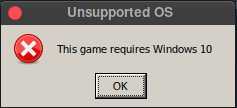
What I believe is happening is that the structure of the kernel32.dll file is inspected to determine its version number.
Unfortunately for us, the default version chosen in Wine is the Windows 7 version [source]
Note: Changing the version in winecfg has no effects
Wine sources (click to expand)
Wine sources
#define WINE_FILEVERSION_STR "6.1.7601.17514"
#define WINE_PRODUCTVERSION_STR "6.1.7601.17514"
The cleanest workaround would be to download the Proton sources, update the version and recompile, but it is quite a tedious task especially as we need only one file.
The quickest I have found is to achieve the same result by directly editing the kernel32.dll (ProtonGE) and kernel32.dll.so (Proton) files.(ps: Make sure PROTON_WINEROOT exists for your system)
Linux sed commands (click to expand)
Linux sed commands
export PROTON_WINEROOT="/home/${USER}/.local/share/Steam/steamapps/common/Proton 5.13/dist/lib64/wine/"
# For Proton GE
sed -i.bak 's/\x01\x00\x06\x00\x6a\x44\xb1\x1d/\x00\x00\x0a\x00\x6a\x44\xb1\x1d/g' "${PROTON_WINEROOT}/kernel32.dll" > /dev/null 2>&1
# For Proton
sed -i.bak 's/\x01\x00\x06\x00\x6a\x44\xb1\x1d/\x00\x00\x0a\x00\x6a\x44\xb1\x1d/g' "${PROTON_WINEROOT}/kernel32.dll.so" > /dev/null 2>&1
This will result in saving the original file under the .bak extension, and will produce a new file as if it had been compiled with the following values
Wine's new configuration (click to expand)
Linux sed commands
#define WINE_FILEVERSION_STR "10.0.7601.17514"
#define WINE_PRODUCTVERSION_STR "10.0.7601.17514"
The launcher is then launched correctly, everything seem to work, to the exception, the background is white and the launch window cannot be moved.

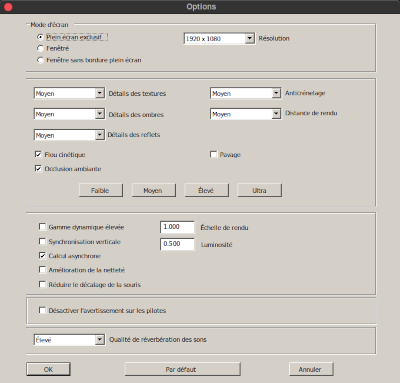
After testing a little bit further I'm assuming it is coming from a missing interface in Windows Imaging Component windowscodecs.dll, the game launcher is probably linked against a Windows 10 version, in other words, the windowscodecs.dll we have available with winetricks is too old to display the launcher as crystal clear as on Windows 10.
Wine log (click to expand)
Wine log
00d4:err:ole:CoGetClassObject class {e018945b-aa86-4008-9bd4-6777a1e40c11} not registered
00d4:err:ole:CoGetClassObject no class object {e018945b-aa86-4008-9bd4-6777a1e40c11} could be created for context 0x1

@class101 wow 😮
@GloriousEggroll do you think this kernel32.dll fix can be added to the next GE release or do you foresee side effects?

@steve7233 if you do not attach the Proton log, I doubt anyone will be able to help you.
<!-- Please add `PROTON_LOG=1 %command%` to the game's launch options and drag
and drop the generated `$HOME/steam-$APPID.log` into this issue report -->
@leinardi Thank you :)
@steve7233 I think if the simple renaming method does not work for you, it is not necessary to test what I posted because it will not do any magic and you will come across the same error after the launcher.
What I posted just allows to run the launcher as expected, so the futur Evil Genius 2 updates will not overwrite the changes, but the Proton updates will overwrite the change anyway, so it is far from perfect anyway.
You should post your log indeed as leinardi wrote so everyone can help you to run it
Bypassing the launcher... cd ../Steam/steamapps/common/Evil Genius 2/Launcher mv eg2.exe eg2.exe.sav ln -s ../bin/evilgenius_vulkan.exe I did actually get the game to produce a snippet of sound a few times before it barfed. Lately, I get an actual popup from what seems like the game saying that it failed to run.
It seems we're the only ones the workaround doesn't work for so far. I'm on i3/gentoo/nvidia proprietary drivers/my monitor is 4k.
Do any of these match up with you?
I'm on Ubuntu 21.04, Intel Xeon, nVidia/Intel (Dell Notebook)... anyone with nVidia getting this to work?
My error log:
@sidrew 2080Ti here, it starts fine for me:
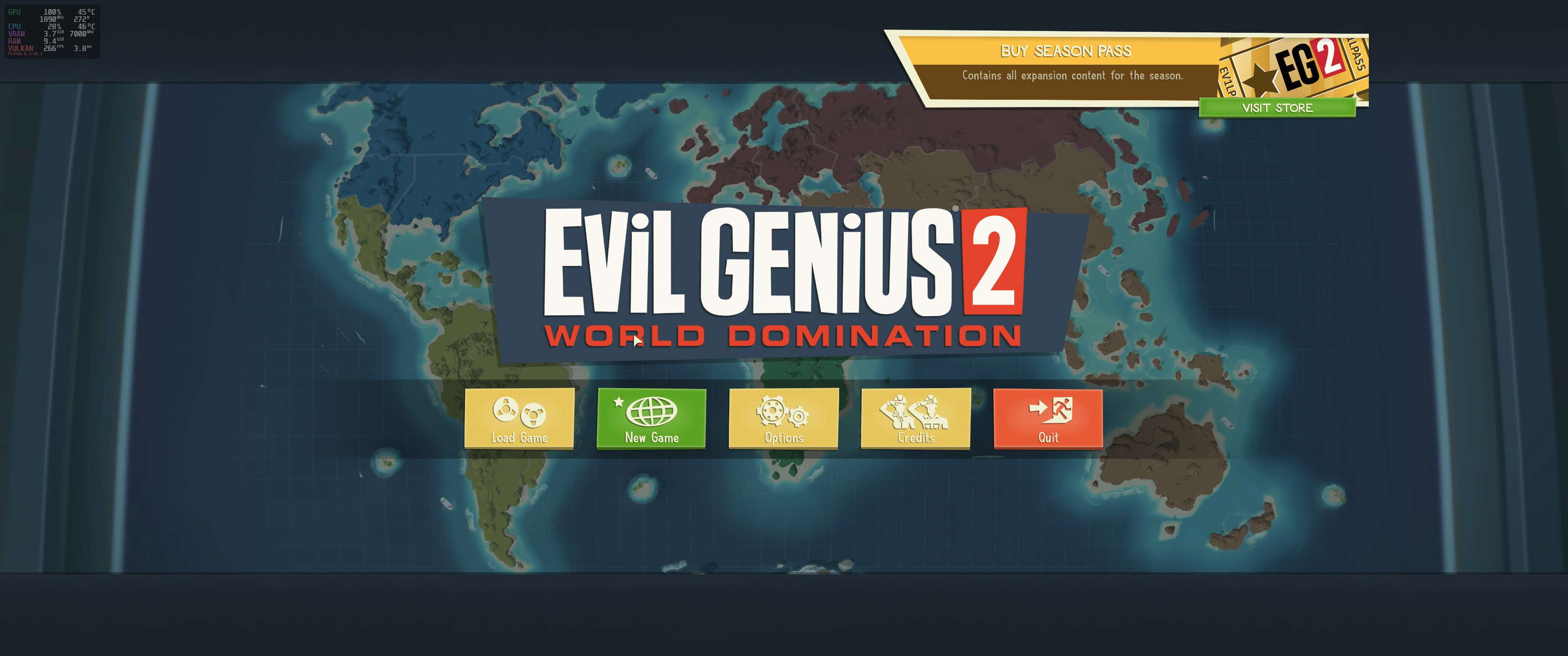
I can't do more tests right now but, if you don't even reach this screen, this should be a confirmation that not all the Nvidia users are affected. Btw, I tested with GE 6.5.
@sidrew I'm running a 1660s with latest proprietary drivers and I've played it for 7 hours yesterday.
@sidrew I'm running a 1660s with latest proprietary drivers and I've played it for 7 hours yesterday.
Meh... okay... I'm on a Quadro RTX 5000 in my lappy... it just doesn't want to play along. :)
Proton-6.5-GE-1
Editing the kernel32.dll doesnt work for me :(
EDIT: With log http://ix.io/2URy

Proton-6.5-GE-1
Editing the kernel32.dll doesnt work for me :(
@noahrama
<!-- Please add `PROTON_LOG=1 %command%` to the game's launch options and drag
and drop the generated `$HOME/steam-$APPID.log` into this issue report -->
Bypassing the launcher...
cd ../Steam/steamapps/common/Evil Genius 2/Launcher mv eg2.exe eg2.exe.sav ln -s ../bin/evilgenius_vulkan.exe
I did actually get the game to produce a snippet of sound a few times before it barfed. Lately, I get an actual popup from what seems like the game saying that it failed to run.
Worked with the exception that the link command needs to be named eg2.exe as well for it to work for me. ln -s ../bin/evilgenius_vulkan.exe eg2.exe

Replying to https://github.com/ValveSoftware/Proton/issues/4708#issuecomment-812822791
Yeah... of course, looks like I truncated my paste. Woops.
I redid the link command with ln -s ../bin/evilgenius_vulkan.exe eg2.exe This got the game working and when I excited it closed correctly just took a few seconds to get the green steam play button to light up. Going to conquer the world now! Haaaaaa *Evil laugh 😈
It seems we're the only ones the workaround doesn't work for so far. I'm on i3/gentoo/nvidia proprietary drivers/my monitor is 4k.
Do any of these match up with you?
@GBeauregard absolutely same config. 2070 Super with nvidia-drivers-465.19.01 and kernel 5.11.11.

It seems we're the only ones the workaround doesn't work for so far. I'm on i3/gentoo/nvidia proprietary drivers/my monitor is 4k. Do any of these match up with you?
@GBeauregard absolutely same config. 2070 Super with nvidia-drivers-465.19.01 and kernel 5.11.11.
I did eventually get it working... for a while... on my Ubuntu 21.04 (beta) box... until a new mesa and/or nvidia driver package came out and blew it up. So... seems like on my nvidia quadro rtx 5000 notebook system... it's very touchy with drivers. Had similar issues with BG3 ... worked for a while... then nothing.