

 ValveSoftware
Grand Theft Auto IV (12210)


The game refuses to launch for me giving me a black screen. XLiveLess is installed

The installation goes fine, then it asks me about a Xbox account, I just hit play and then i get this error


@Houtworm, please read the comment above about XLiveLess. GFWL doesn't work on wine and probably never will.
Source? AFAIK the current blockers are only LiveID service not initializing (which could have benefited a lot of the last work on msi installers) and WPF (which should have some very dirty workaround, at least).
I did get GTA IV to work using playonlinux. xliveless should be used as always. It was rather straight forward until I started to apply patches needing to get any controller to work. Then it stopped working :-(. Anyway: GTA IV should work more or less out of the box by installing the xlive.dll using the steam recipe on PoL (not the GTA IV recipe, as that is outdated).
I hope Proton will have an xliveless option in the future.
Anyway my problem is almost the same as I started with EFLC. EFLC should display a menu to select which of the two stories you want to play before starting the game itself. That menu is black.

@vanyasem : GTA IV EFLC is working for me now (tm) on a GPD WIN 2 using padoka PPA. It only starts from the desktop client though, starting it from big picture gives me black screen. And I need big picture to translate the controller to something sane :-(. I need some more testing though. This is using the 3.7.4-beta proton if I recall correctly... I will play with it some more tonight. Note that being able to run it on the WIN 2 is an achievement as a lot of (linux) games ignore the rotated status of the screen and assume the 720x1280 rotated means 720 horizontal and 1280 vertical. I also will test GTA IV EFLC on my steam machine by starting another wm in the .xsession and use the desktop client.
@mirh Source: winehq. Note on the bottom of the page.
Games for Windows - LIVE does not work under Wine. GFWL components will crash any game that use the service. The only thing to do about it is to cut XLive out using XLiveLess Patch.
I probably won't find a comment by one of Wine maintainers about GFWL support, but considering it has been a lot of time since that note was initially created, you probably get the idea.
Oh, wait, I am not using padoka, but oibaf, and that's a guy/repo who packages upstream mesa for stable ubuntu releases on a daily basis. GTA EFLC seems to just take ages to get to the selection screen I've now seen. I should time it, it looks like 5...10 minutes in big picture mode. The GPD WIN 2 is based on an intel SoC with a 720x1280 portrait display rotated landscape. It has no rotated scanout features, so all rotation is done in software. The specs: intel M3, intel HD 615, 8GB memory, xbox like gamepad.
On my steammachine with steamos beta, I just reboot it, because it never finishes installing. I think I should install it using desktop mode and see what happens. The steam machine is an i5 with a GTX960M with 3GB VRAM. On the WIN2 I have major problems using the controller pad, but that might be due to not compiling the kernel correctly. It's not related to GTA at least. About GFWL, I never knew anything other than to install xlive.dll to get rid of it. I think installing social club from the GTA site should fix most of these. But I don't know how proton integrates. Personally I would just use some base image and use a unionfs like fs layer on that. Or each game should have it's separate fixed up environment (like playonlinux).
About GFLW: a lot of howtos for windows is about how to disable GFLW. It's not just a problem for people using wine, it's a generic problem.
About the very long wait: I found this: https://www.reddit.com/r/GTA/comments/8ff35v/gta_iv_game_stays_on_a_black_screen_for_about_a/
It seems that it looks really like GTA IV EFLC is working properly.
I tried waiting for 11 minutes with no success. I am using the -windowed option. Could you please upload a screenshot?
Also there is a new folder in GTA IV directory called steam_shader_cache, which seems related to the fact that I have pre-compiled shaders on in Steam settings. Do you have that enabled?
I probably won't find a comment by one of Wine maintainers about GFWL support, but considering it has been a lot of time since that note was initially created, you probably get the idea.
Means [less than! random guy ≠ wine] nothing. It's just microsoft gaming dep had a sort of reverse-NIMBY crisis and decided to implement everything they could via this or that windows service (which just about nobody would or does use). And people seem so much like not even caring that in 3 years nobody noticed bugs getting fixed either.
I just cannot understand for the love of me, what people think wine objective would even be.
About GFLW: a lot of howtos for windows is about how to disable GFLW. It's not just a problem for people using wine, it's a generic problem.
That's because games come bundled with outdated runtimes, which cannot even get to the stage of updating without misbehaving on newer windows. But in my experience this can solve *all* problems.
p.s. I'm impressed that M3-7Y30 (corresponding broadly to a QX9300 plus HD4670) can bring "gta 4 working faster than a slideshow" territory on that tdp
@vanyasem
Before launching the game (in -windowed mode), I did 2 things:
# process doesn't seem to be useful? game ~works anyway
while :; do pkill -9 'gta4Browser.exe' ; sleep 2; done

# speeds up game startup (almost instant), drops all the outgoing connections
iptables -A OUTPUT -o eth0 ! -d 127.1 -j DROP
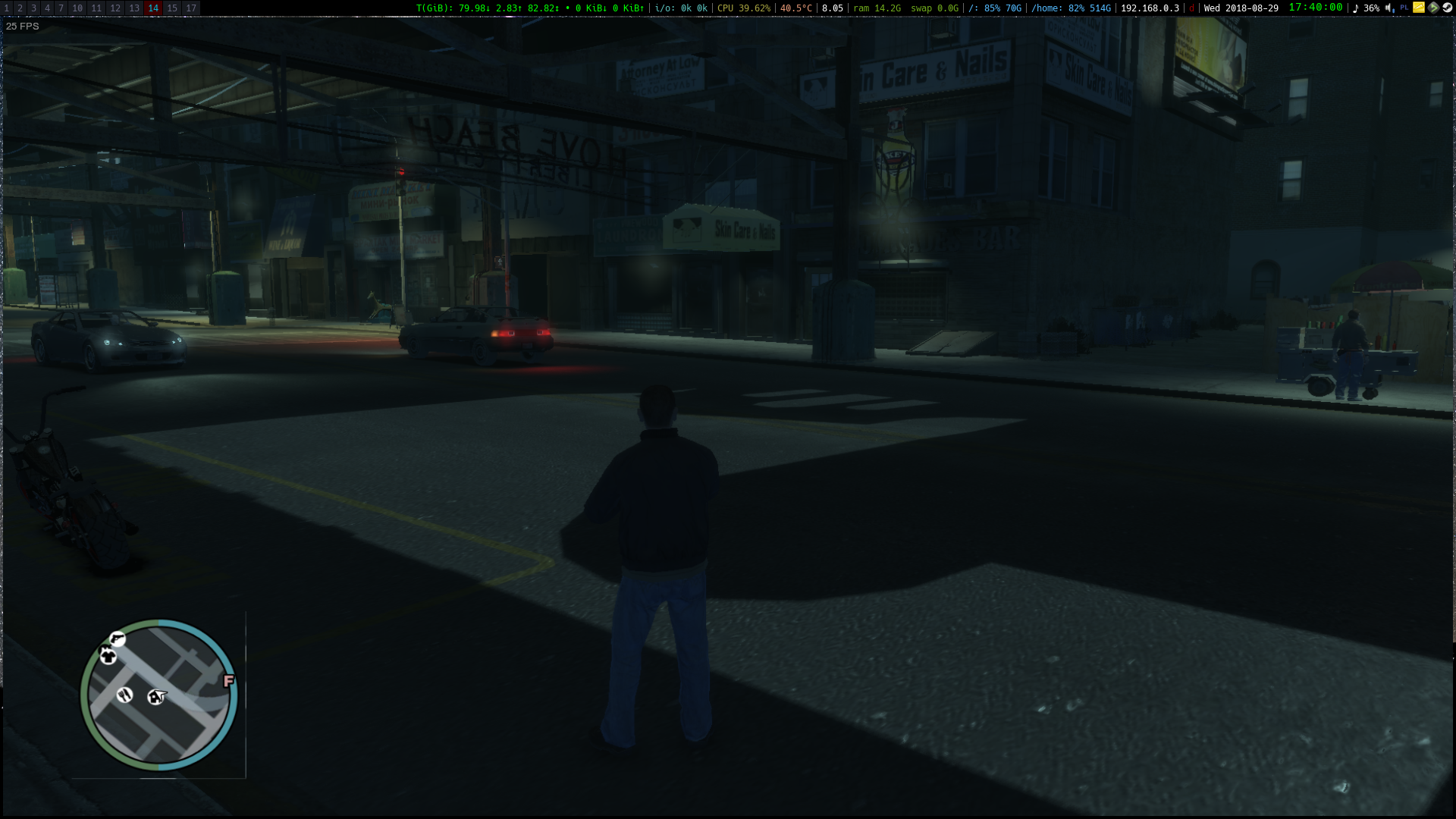
Framerate is horrible though, and there's a graphical glitch next to minimap:
Do you all have AMD GPUs or has someone succeeded in launching the game on an nvidia GPU? I feel like nvapi issue might be related here. Though it doesn't work for me even on latest wine staging, so unlikely, still worth noting.
The game is constantly eating one core of my CPU, staying at the black screen. I disabled intro videos just in case, but that didn't help.
I have the same problem as @vanyasem - xliveless is installed (used this before, so I know how to do it), but no matter what I do (killing gta4browser.exe, setting specific options), the screen just stays black (and one of my CPU cores goes to 100% usage). This is on Arch Linux with NVIDIA 396.54

Me too. Have the same problem as @vanyasem and @DissCent NVIDIA 396.54 drivers on GTX 1050m XUbuntu 18.04 @zetok's workaround does not work for me.

I had to install intel-microcode to get past the securom 8016 error on my steam machine. The steam machine (with steamos and with steam in normal client mode and window manager) has an nvidia card and it just hangs on EFLC or plain IV. My gpd win2 with intel hd and oibaf ppa starts EFLC fine. The install requires xlive.dll . I have not been able to start IV on any of my systems though.
okay i'm new to this steam proton thing, where do i have to put those wine fixes to block the gta4browser.exe? I tried to put it inside the user_settings.py but that just breaks all games.

I managed to get the game working fine by copying xliveless (from lutris repo) to the game folder, and then blocking tv.rockstargames.com (because that subdomain has misconfigured ip address at the moment, and game is stuck at disclaimer screen trying to connect to it) by applying following command:
sudo sh -c "echo '127.0.0.1 tv.rockstargames.com' >> /etc/hosts"
Nasty workaround (because of Rockstar's negligence towards GTAIV PC port), but it works.

What you suggest, @lazanet , seems to be for a separate issue. The first workaround is obvious and is for skipping GFWL. The second is for skipping activation and getting stuck at the disclaimer screen. The problem is that some of us are not even getting to the disclaimer screen. Can you please share your specs so that we can rule out some stuff? Tnx :-*
@Mattia98 I've managed to get EFLC running on nvidia by copying nvapi files from my system installation of wine (wine 3.14) to the corresponding directories in the Proton (Proton Beta 3.7-5) installation.
cp /usr/lib64/wine/nvapi64.dll.so ~/.local/share/Steam/steamapps/common/Proton\ 3.7\ Beta/dist/lib64/wine/nvapi64.dll.so
cp /usr/lib64/wine/fakedlls/nvapi64.dll ~/.local/share/Steam/steamapps/common/Proton\ 3.7\ Beta/dist/lib64/wine/fakedlls/nvapi64.dll
cp /usr/lib/wine/nvapi.dll.so  ~/.local/share/Steam/steamapps/common/Proton\ 3.7\ Beta/dist/lib/wine/nvapi.dll.so
cp /usr/lib/wine/fakedlls/nvapi.dll ~/.local/share/Steam/steamapps/common/Proton\ 3.7\ Beta/dist/lib/wine/fakedlls/nvapi.dll

For Arch the paths to wine libs differ:
cp -v /usr/lib64/wine/nvapi64.dll.so ~/.local/share/Steam/steamapps/common/Proton\ 3.7\ Beta/dist/lib64/wine/nvapi64.dll.so
cp -v /usr/lib64/wine/fakedlls/nvapi64.dll ~/.local/share/Steam/steamapps/common/Proton\ 3.7\ Beta/dist/lib64/wine/fakedlls/nvapi64.dll
cp -v /usr/lib32/wine/nvapi.dll.so  ~/.local/share/Steam/steamapps/common/Proton\ 3.7\ Beta/dist/lib/wine/nvapi.dll.so
cp -v /usr/lib32/wine/fakedlls/nvapi.dll ~/.local/share/Steam/steamapps/common/Proton\ 3.7\ Beta/dist/lib/wine/fakedlls/nvapi.dll
Can confirm, that fixes both GTA IV, and GTA EFLC for me
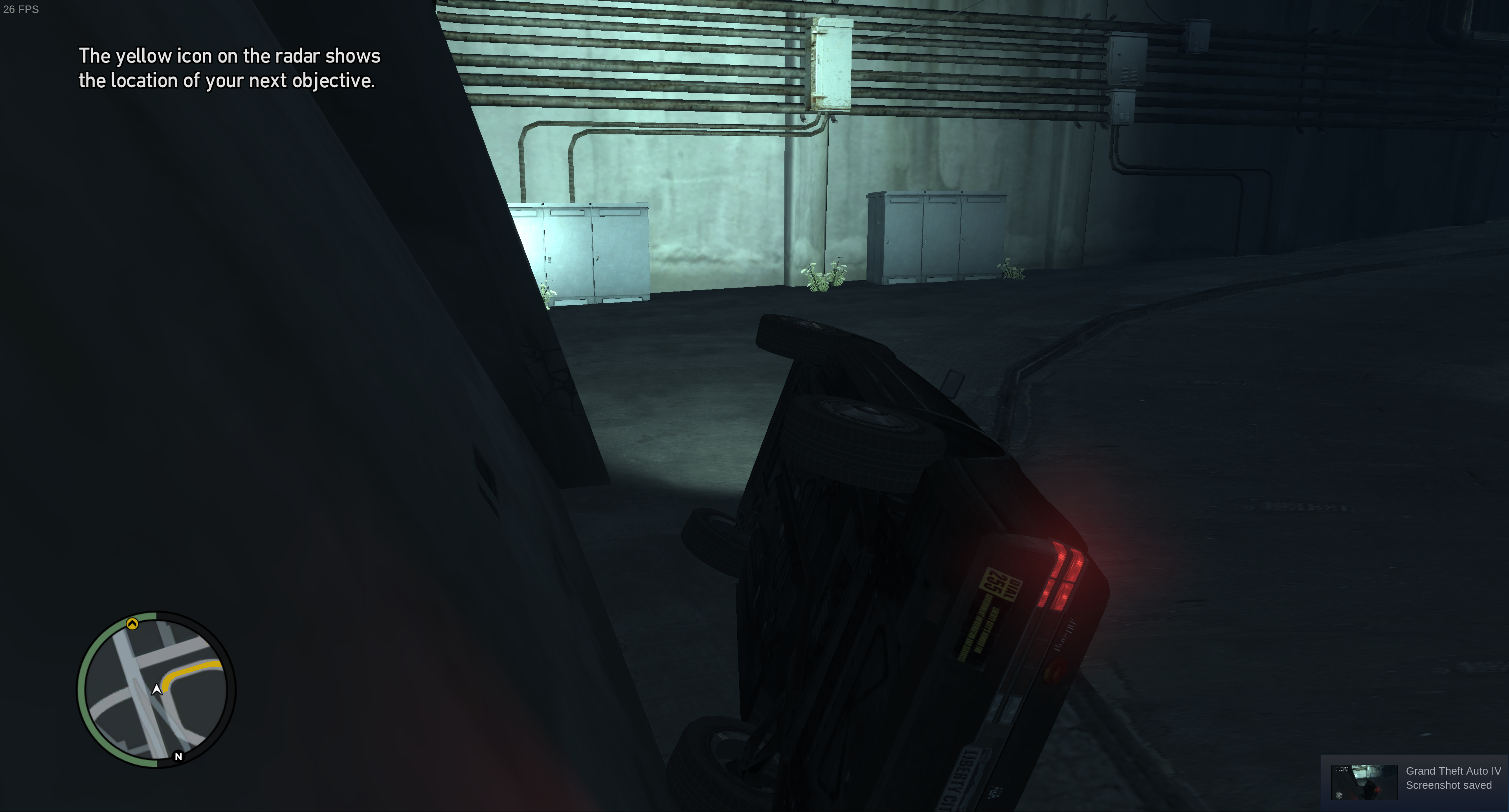
The game performs very poorly though, I get around ~19 FPS in 4k maxed out. Specs: https://gist.github.com/vanyasem/f787469ec8c50cdd3728340ef4c73269
I only saw some occasional graphics glitches, and shuttering during cutscenes (vsync off). The game runs pretty well by itself.

When dowloading Wine 3.14 from playonlinux I don't get those files. And when searching through the Ubuntu package (https://packages.ubuntu.com/bionic/amd64/libwine-development/download) I can't find them there either. Where can I get those files? BTW still not working out-of-the-box on Proton 3.7-6
@Mattia98 Those are part of wine-staging.
Anyway, https://github.com/doitsujin/dxvk/wiki/Common-issues#nvapi
