

 ValveSoftware
Intel Iris - Colours wrong when using Vulkan - Only in Fullscreen
System Info Gist https://gist.github.com/kreshim2018/dc71d9493db33f3b5951c2b447f1260a Windows 10 Home Version 1803 - Build 17134.48
- Have you checked for system updates?: Yes
- Are you using the latest stable video driver available for your system? Yes
- Have you verified the game files?: Yes
When running Dota 2 with the Vulkan renderer all the colours are off. However, when I screenshot using the steam overlay, the colours are correct. Below is a photo of the actual colours in-game and then a screenshot using steam overlay.
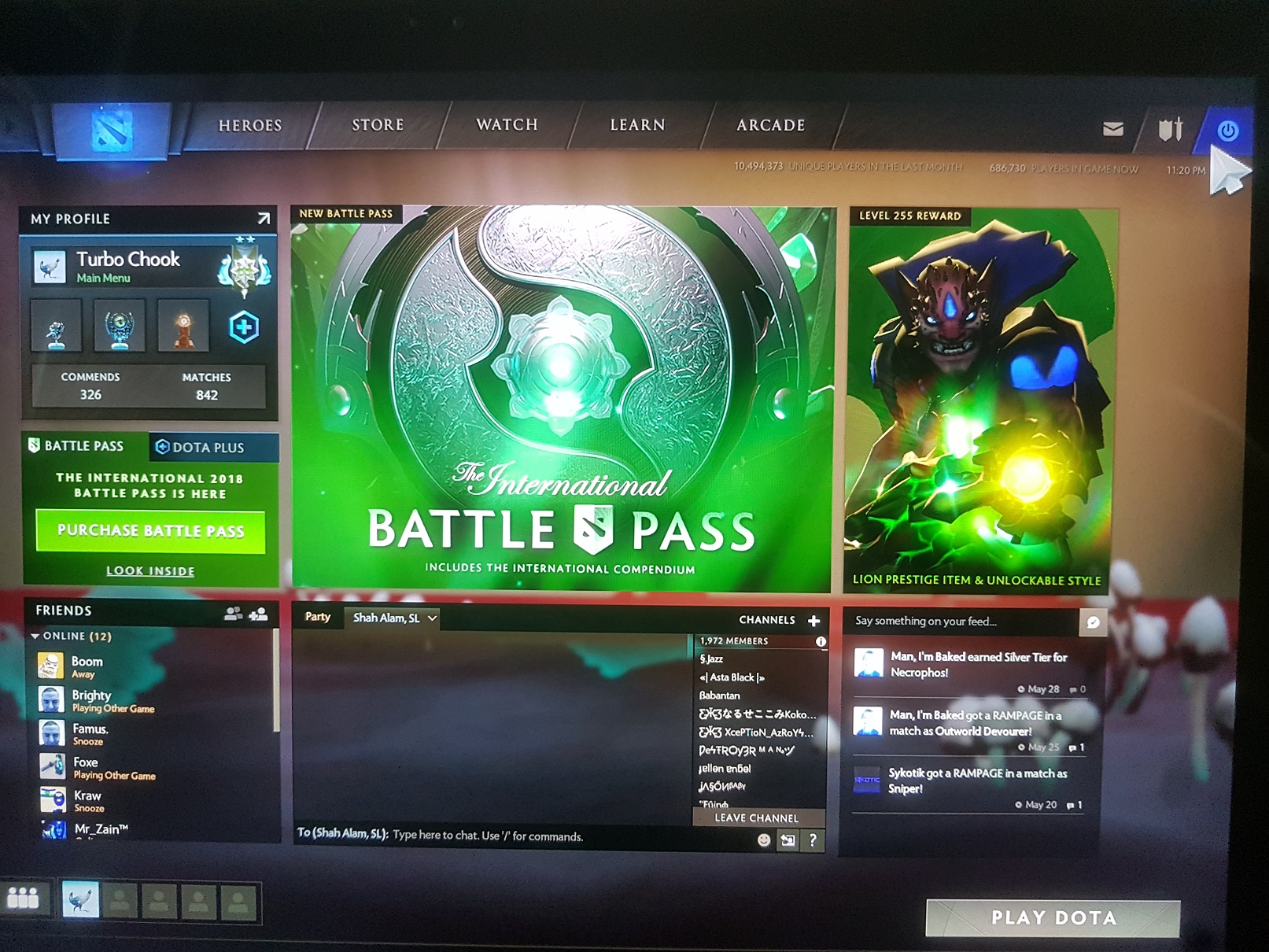
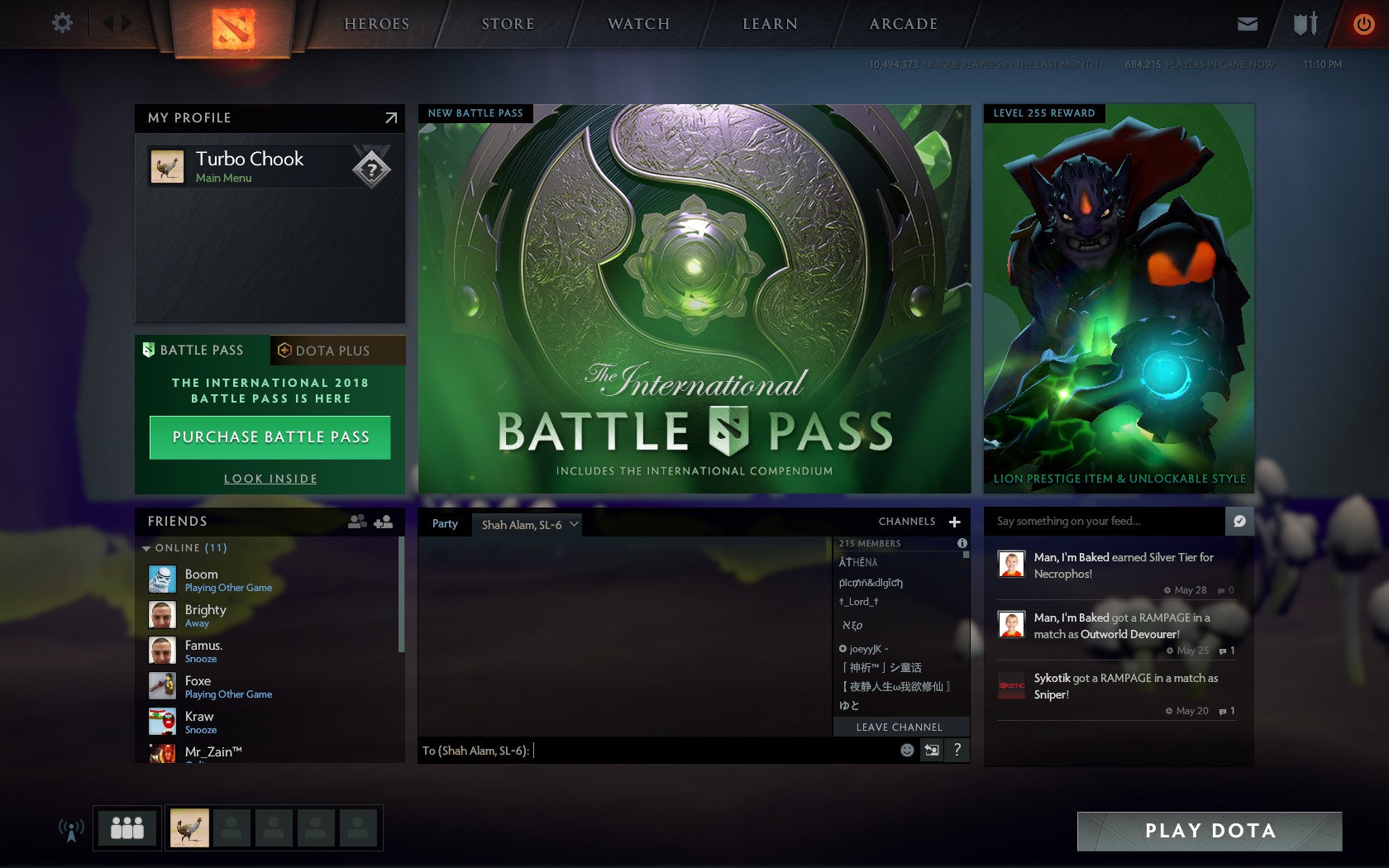
When running in windowed mode the colours are also correct.
I have tried running the -nogammaramp launch parameter but that did not appear to do anything. Only other parameter is -console.
I have tried using three different versions of VulkanRT, with the latest version currently installed (1.1.73.0)
There are some render errors in the console on startup Gist of console: https://gist.github.com/kreshim2018/19c34fc076fbea098abf42bc15a41151
I have seen a massive performance increase using Vulkan, however everything is also blue..

Gist of VulkanInfo if thats helpful
https://gist.github.com/kreshim2018/b688c293dbc641c686fb6db9fc93b7d5
Intel has looked into this and it is a driver bug impacting Windows RS3+ on Kabylake+ hardware. There is a potential workaround I can look into which would be choosing VK_FORMAT_B8G8R8A8_SRGB for the swapchain instead of VK_FORMAT_R8G8B8A8_SRGB. But it should also be fixed in a future driver update.

So when is this being fixed? or what steps can we use to fix it ourselves?

So when is this being fixed? or what steps can we use to fix it ourselves?
Hello Indiana,
This was fixed for me a few weeks after I posted. Intel released updated drivers for Iris that rectified the issue.
I