

 Valkirie
Fit Windows 11 Style
Change some margins and add mica.
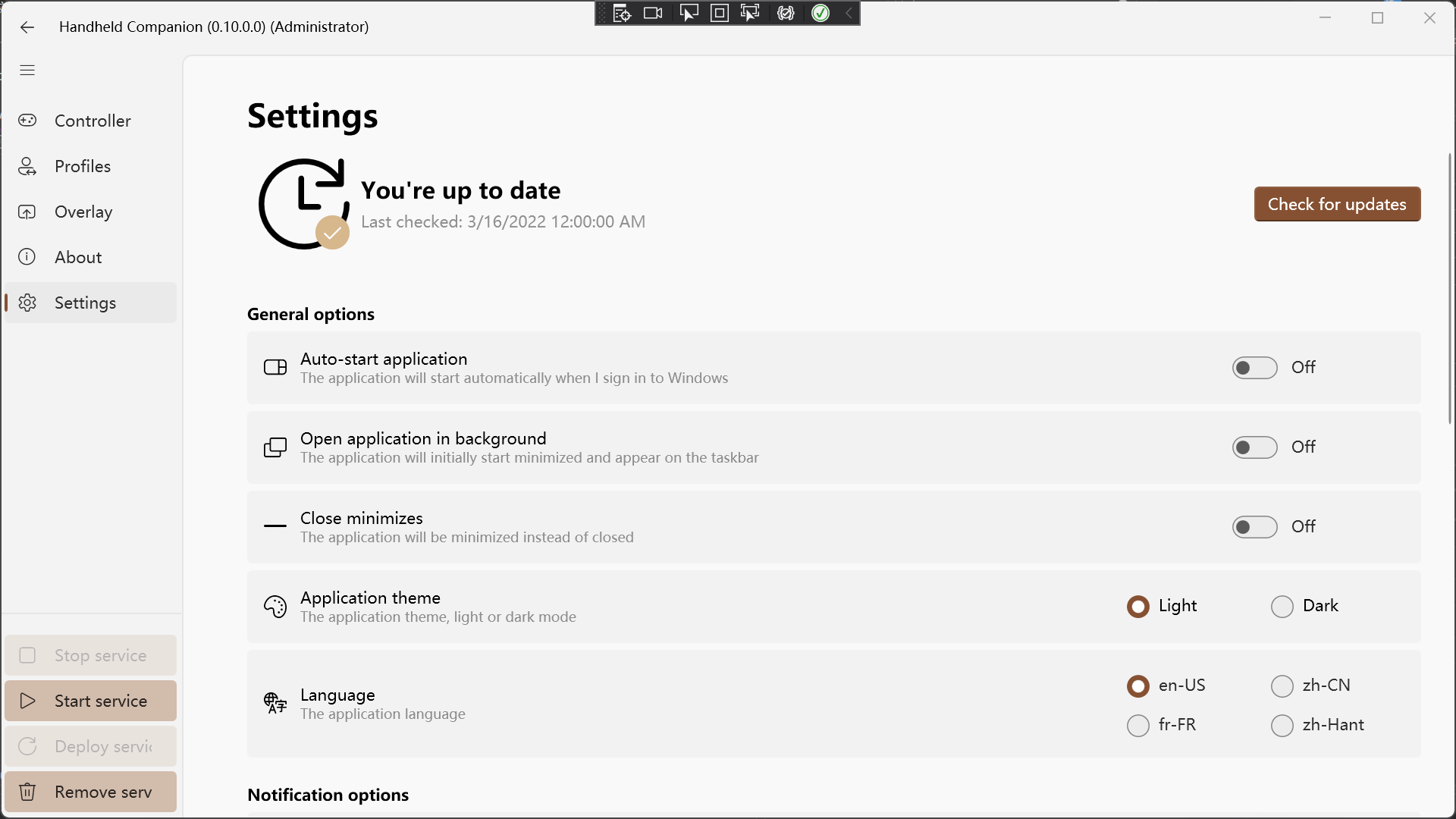 P.S. The Card UI is so weird. You can use SettingUI instead. (https://github.com/Paving-Base/APK-Installer-Classic/tree/main/APKInstaller/APKInstaller/Controls/Setting)

Thanks for the above. Will give it a try. I'd love to stop using my workaround for broken touch input on my project, aka: all the PreviewMouse calls on MainWindow.cs

Thanks for the above. Will give it a try. I'd love to stop using my workaround for broken touch input on my project, aka: all the PreviewMouse calls on MainWindow.cs
WPF support touch scroll itself. Just need set IsManipulationEnabled=true and PanningMode not None... Does this project have some problem when using native touch scroll?

Thank you for the additional translations.
I think this commit completely fixes #59 Sweet! Need to do more testing with an installed version.
About the changes in the various margins across pages and locking the title. As our target screens are usually 800p lot's of screen real estate it now white space (marked orange) and the title keep being visible (marked purple), which is kind of wasteful in my opinion:
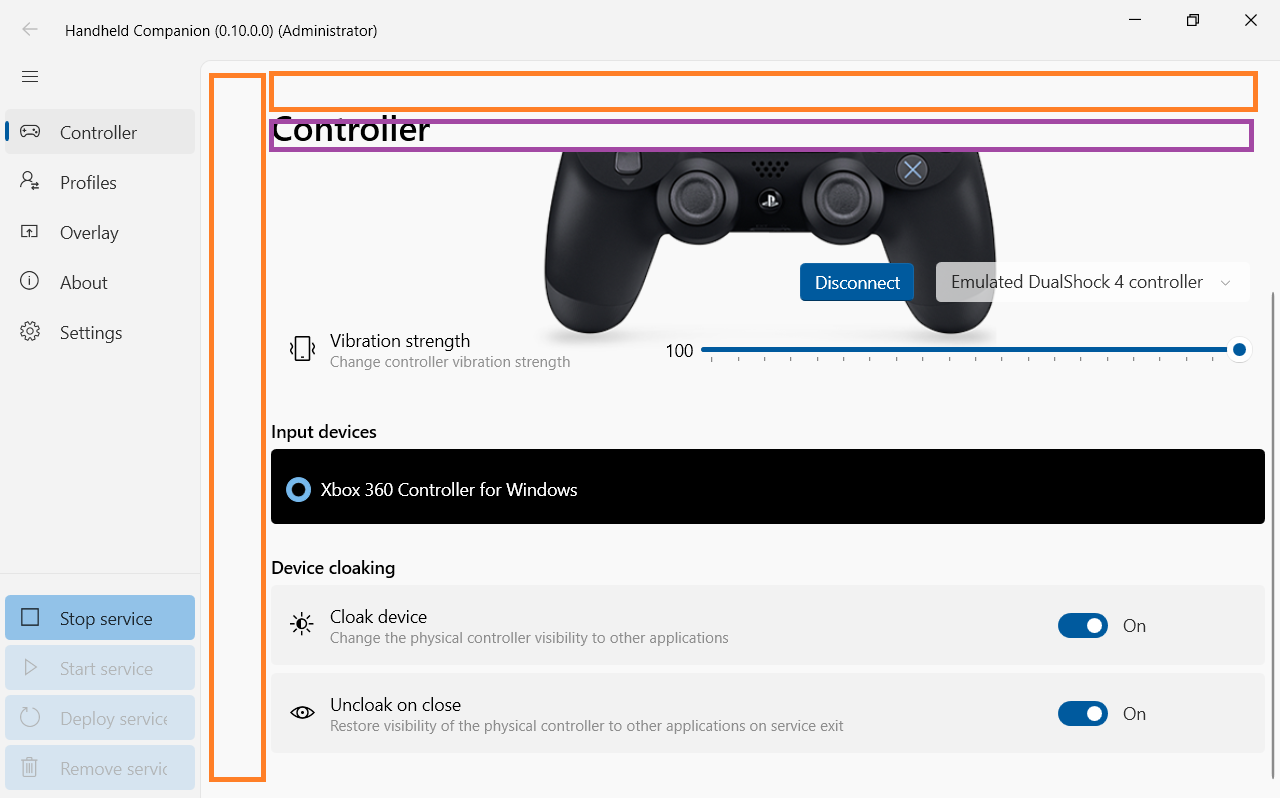
This is the style of winui 2.7. You can change this but also need change the margin of page head. I think this space is acceptable unless you need support Windows 10 Mobile...
Thanks for the above. Will give it a try. I'd love to stop using my workaround for broken touch input on my project, aka: all the PreviewMouse calls on MainWindow.cs
WPF support touch scroll itself. Just need set IsManipulationEnabled=true and PanningMode not None... Does this project have some problem when using native touch scroll?
Yes. I just can't get native touch scroll to work.
I don't know how to fix it. Mybe you can copy everything to a empty WPF one by one to find out what is broken...
Could you make a pure UI version? I don't want install HidHide...
You can actually ignore the ControllerService project. You don't have to run it for Handheld Companion to start and for it to let you navigate menus.
I don't know why every scrollviewer in your app doesn't support touch. (Maybe you can move to Windows App SDK. That's real WinUI and fully support touch... (And why you add winui2.7 into the WPF???
Interesting, when I use the touch interface now, in the areas where the right hand slider is present, I can observe a small circle/cross. Sliding feels good too.
Will check the style for separator in SettingExpander.xaml
When removing all of these:

And putting it in:
<Style x:Key="ExpanderSeparatorStyle" TargetType="Rectangle"> <Setter Property="Margin" Value="0" />
Some code can definitely be spared.
Another odd thing I noticed, I checked several commits back is the following:
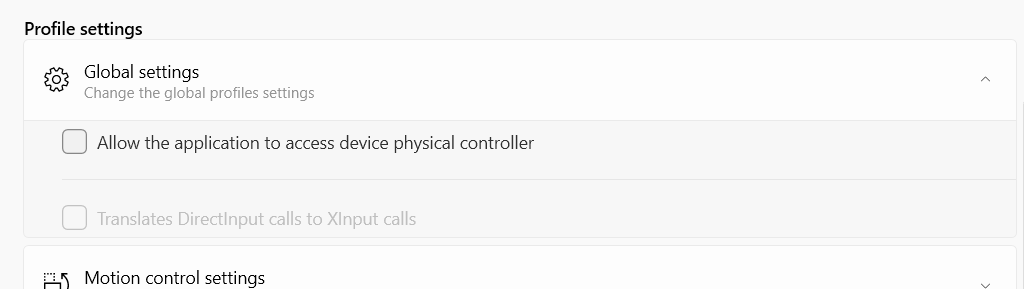
It seems ExponderContent padding, which is defined in SettingExpender.xml as 0 14 0 14 does not apply it at the top and bottom Expander entries?
Why use .netcore? Useing .netfx will be smaller and don't need to install runtime. And some of nugets which this project used is not support .netcore yet.
Hey @wherewhere. I'm not familiar with .netfx at all.
I was able to fix my touch issue. Guilty component was ManagementObjectSearcher (https://github.com/dotnet/runtime/issues/522).
Now that I can get proper touch support, do you have any suggestions on how to get my sliders contained within the scrollviewer to receive touch inputs and slide properly?
It's not much difference between netfx and netcoreapp. You can just change .net6.0 to .net4.8. Because Windows doesn't per-install netcoreapp runtimes. It's very annoying to install them one by one...
Any chance you could help me get my sliders to work when used inside a scrollviewer now that touch inputs are coming through ? https://github.com/Valkirie/ControllerService/pull/233
I have no idea... It seems that the Thumb can't be moved by touch... Maybe you can try to make it move first... (I don't like WPF. Mybe you can just abandon WPF. And move to UWP/WAS...
Sorted it. Now I'm wondering why the below isn't switching the visual backdrop to Acrylic. https://github.com/Valkirie/ControllerService/blob/c1cfc35415498fb48e6e16a7fa3a7f2ab4533280/HandheldCompanion/Views/Pages/SettingsPage.xaml.cs#L341
if (OSVersionHelper.IsWindows11OrGreater) { BackdropType newType; switch (Toggle_Backdrop.IsOn) { case true: newType = BackdropType.Acrylic; break; default: case false: newType = BackdropType.Mica; break; } WindowHelper.SetSystemBackdropType(MainWindow.GetCurrent(), newType); }
This is what I use. https://github.com/Paving-Base/APK-Installer-Classic/blob/main/APKInstaller/APKInstaller/Pages/SettingsPages/TestPage.xaml.cs#L127-L152
This is what I use. https://github.com/Paving-Base/APK-Installer-Classic/blob/main/APKInstaller/APKInstaller/Pages/SettingsPages/TestPage.xaml.cs#L127-L152
Thanks.
When I try to set Backdrop to None, I get this:
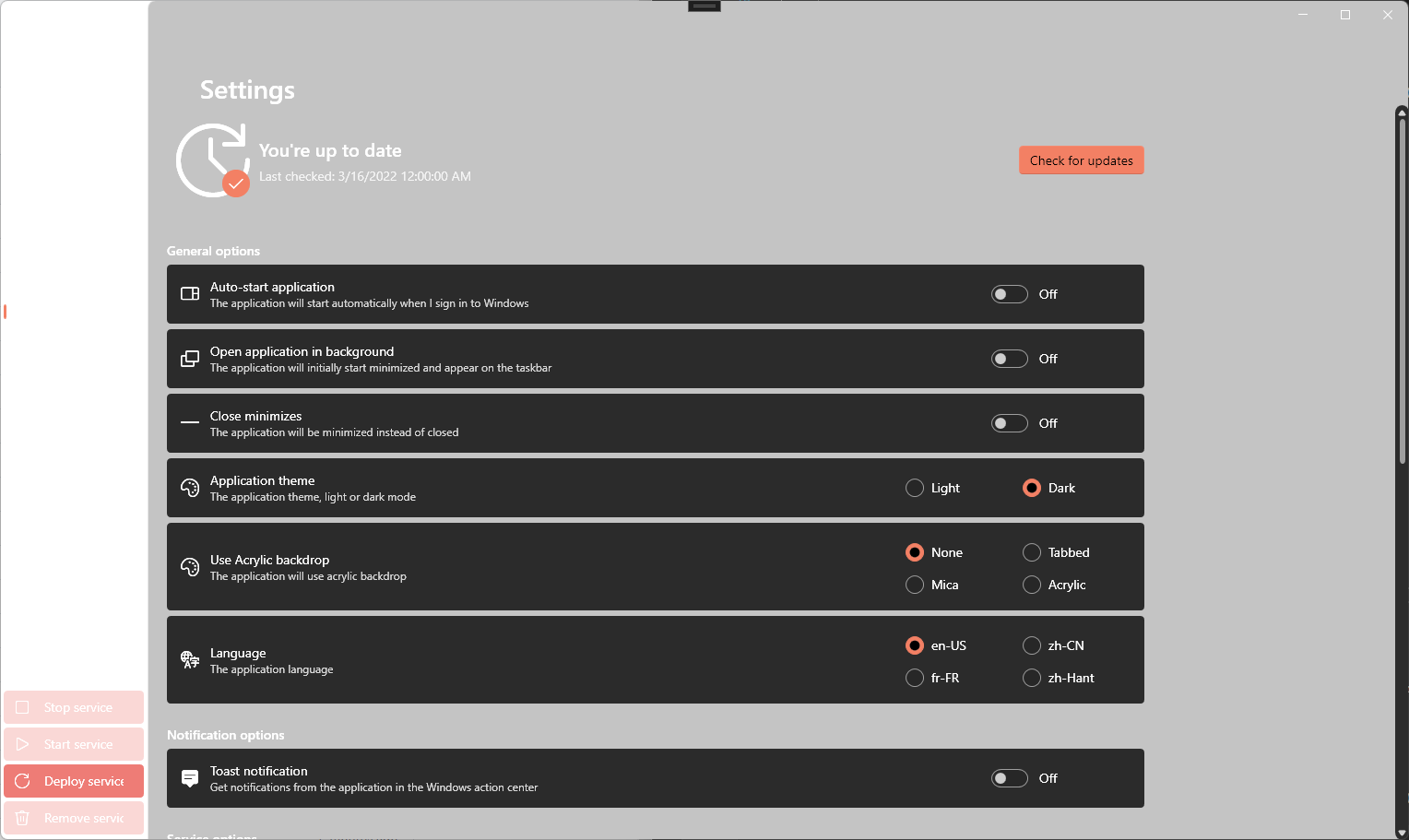
When I try to set Backdrop to Acrylic while the app is running, I get this:
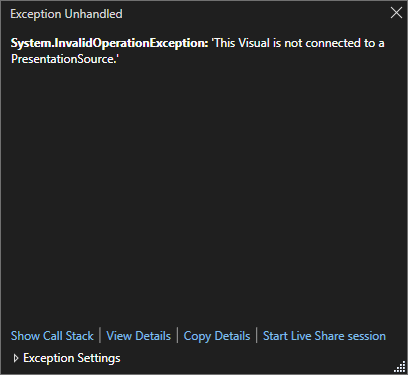
Code is the following: https://github.com/Valkirie/ControllerService/blob/08f9f11d5147bb3d00826859cf22138b3648759d/HandheldCompanion/Views/Pages/SettingsPage.xaml.cs#L343 Any idea ?
Maybe you can add modern wpf source into this project, so that you can directly debug it without guess...