
vscodium

vscodium copied to clipboard
 VSCodium
VSCodium does not respect screen DPI settings while VSCode does
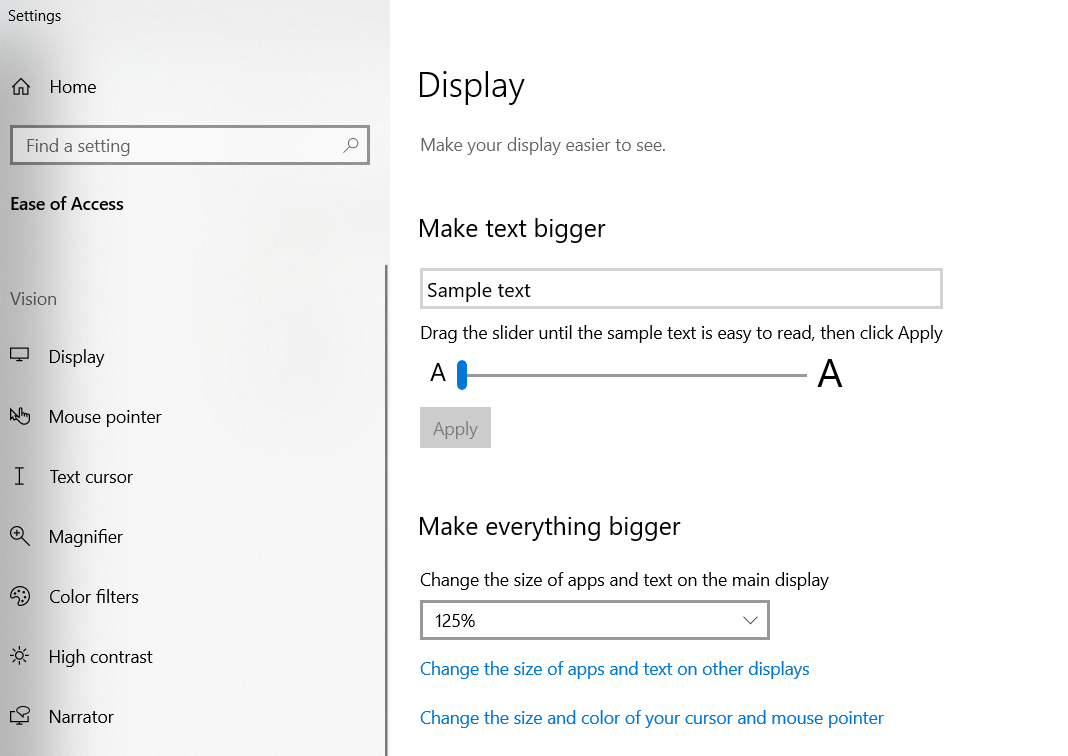
Describe the bug VSCodium does not respect screen DPI settings (Windows Settings - Display - Change the size of apps and text on main display)
Please confirm that this problem is VSCodium-specific
- [x] This bug doesn't happen if I use Microsoft's Visual Studio Code. It only happens in VSCodium.
Please confirm that the issue/resolution isn't already documented
- [x] I checked the Docs page and my issue is not mentioned there.
To Reproduce Steps to reproduce the behavior:
- Go to Windows Settings - Display - Change the size of apps and text on main display
- Set slider to 125%
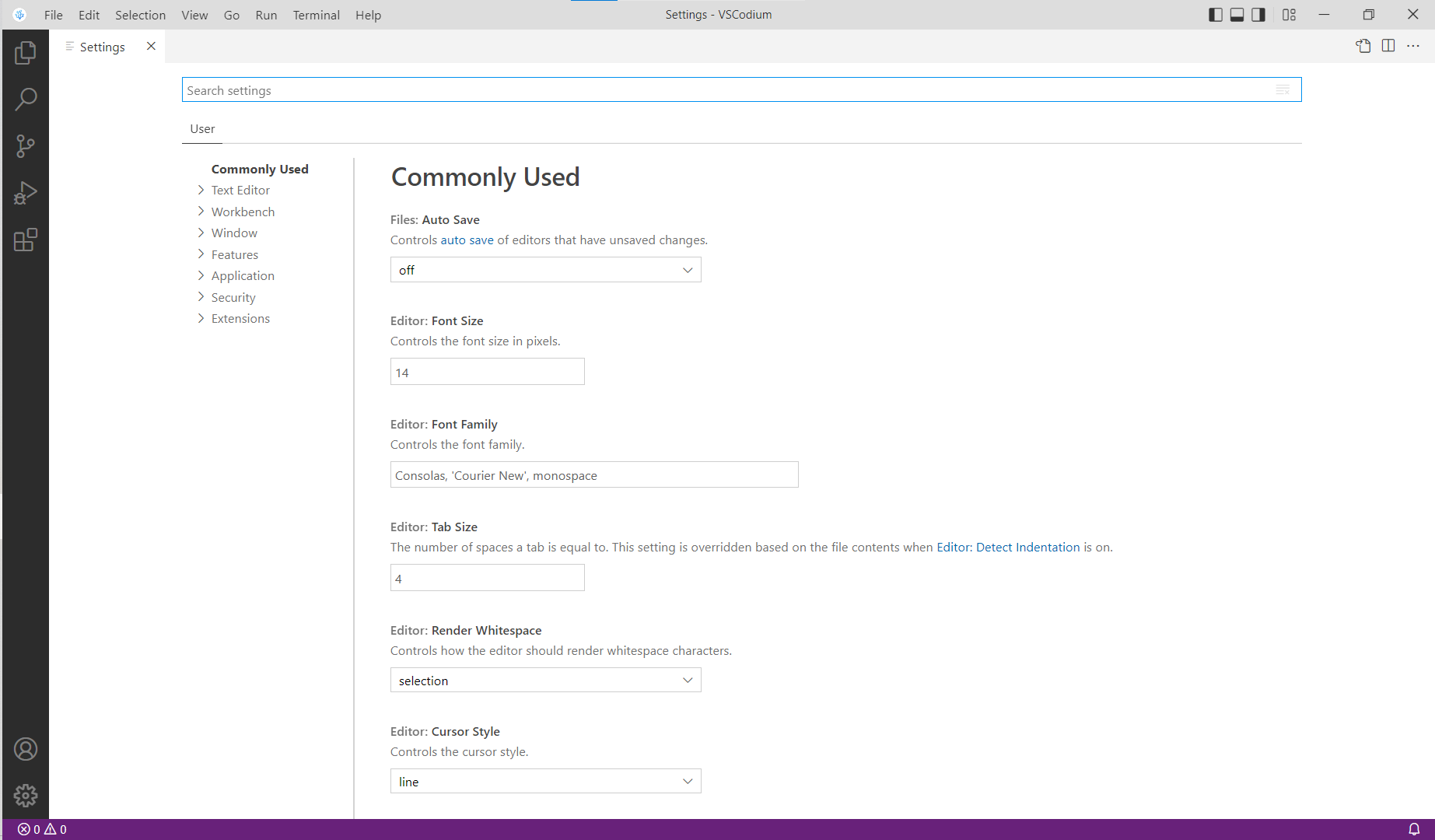
- Launch VSCodium, see small fonts and interface elements size
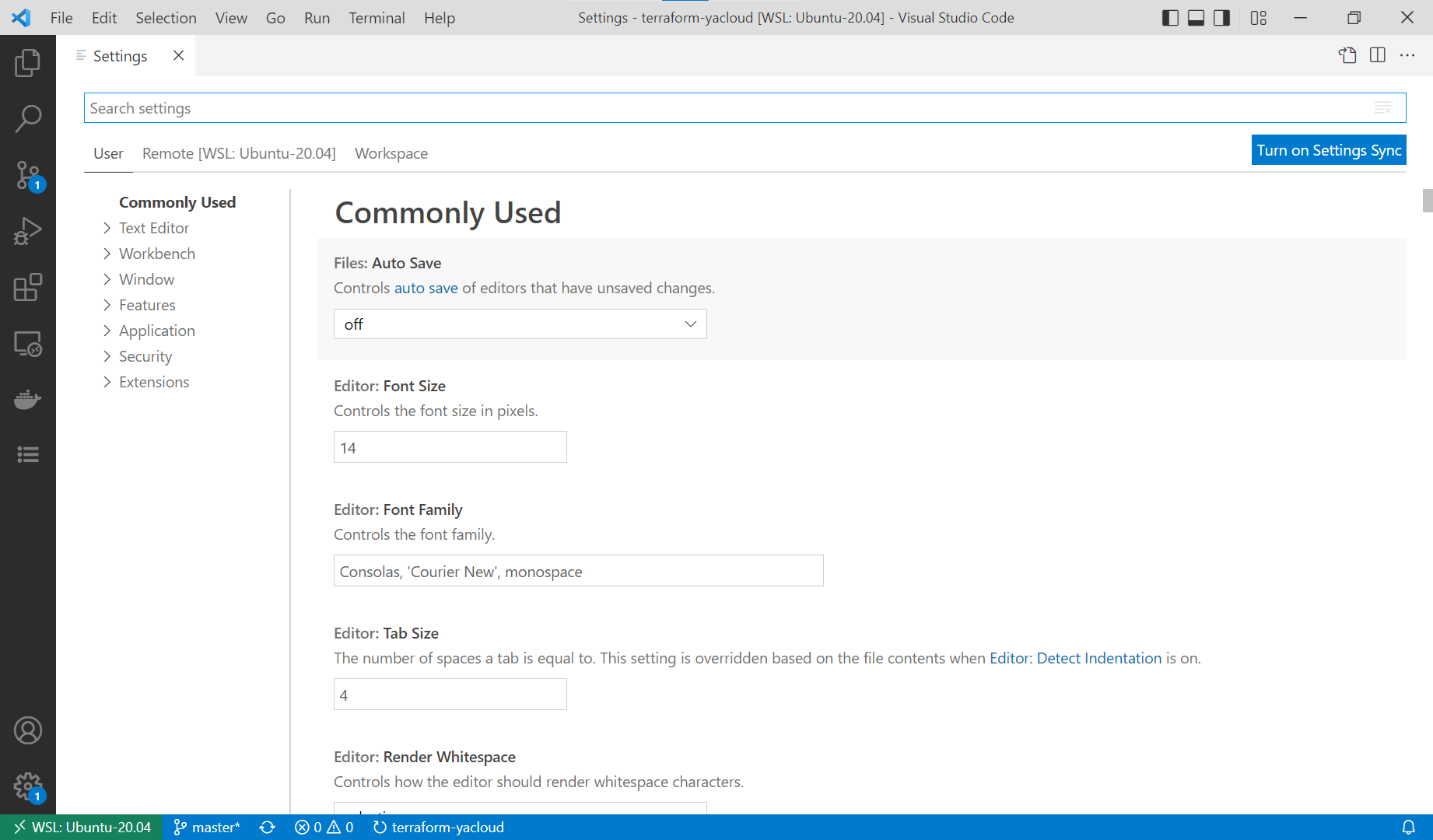
- Launch VSCode, see proper fonts and interface elements size
Expected behavior VSCodium should respect DPI settings the same way VSCode does.
Screenshots
DPI settings:
Open the following images full-size to better see the difference.
VSCodium with these settings:
VSCode with these settings:
Desktop (please complete the following information):
- OS: Windows 10
- Architecture: x64
- Version: 21H1 (OS Build 19043.1586)
Additional context
Bug is with regular DPI screen, 1920x1080 in my case, if DPI is set bigger than default. Not with HiDPI screen.
