

 UniversalViewer
French version of the viewer
Hello, They are many unreviewed french translations for UV on Transifex which prevent those to be integrated in UV. I would be pleased to review them if you give me the rights to do so. Thanks,

Hi, thank you - that would be great. Let me know your email and I'll add you.

Hello, I revised many french translations in Transifex but I have some questions about the meaning of some expressions as "Manifest Ranges": is range a synonym for order ? Does it refers to Range ?
In which context the "Opens in a new window" is displayed (do you have any examples) ?
Same for "placeholder text": is placeholder a synonym for filler text ?
Does "Volume" refers to a sound volume ?
Does "Locale" which is used to select the language setting of the viewer should not be replaced by "Language" ?
Thanks,
Hi,
I think "Manifest Ranges" was added so that there's an aria-label on the drop down box for selecting which top-level tree to use when you have multiple top-level ranges. Maybe a label of "structure" would be better?
"Opens in a new window" is for when the downloadDialogue.optionsExplanatoryTextEnabled option is enabled. This shows a piece of text below each download option explaining what will happen when you click on them.
I'm not sure why "placeholder text" is necessary... I think "filler text" could be used instead. The help dialogue where it is used isn't enabled by default.
"Volume" refers to sound volume.
"Language" is fine instead of "Locale".
Hello, I finished to reviewed the french translation of UV on Transifex. By the way, translating fragments of text, out of any context (no document describes where the text is displayed and its purpose) is prone to errors and approximations. Not really an easy way to translate an application. Would be fine to add screen captures in Transifex or instructions on how to display the text messages to be translated. I hope this will help anyway,
I will add this to the v3 board along with completing arabic translations. https://github.com/UniversalViewer/universalviewer/projects/2
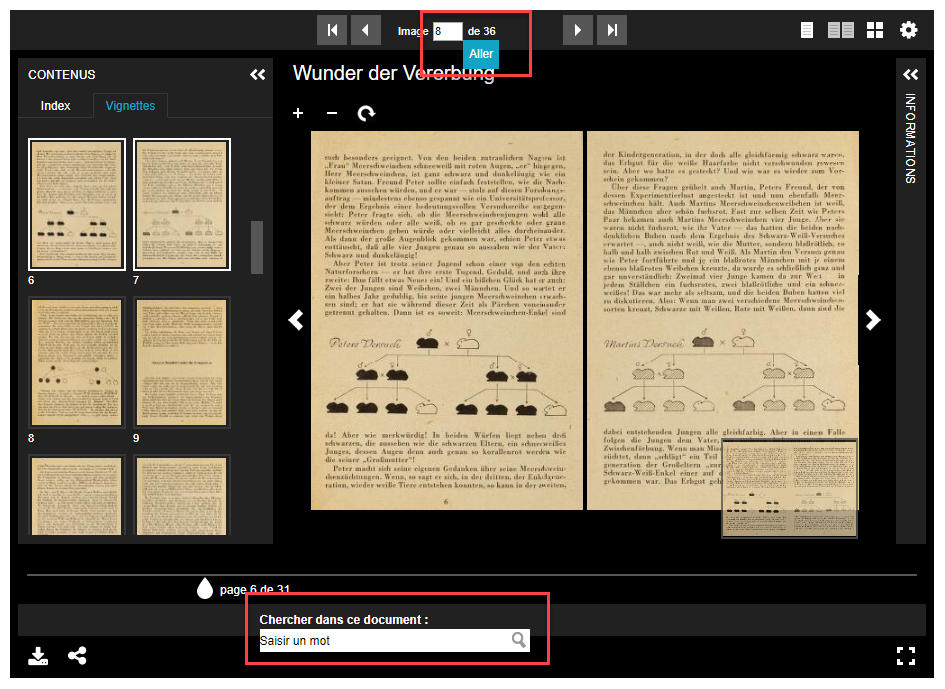
Do you mean a theme for instance to make adjustment to the gap between the "Aller" blue button and the page number ?
Hello, Should the themes (e.g. https://github.com/UniversalViewer/uv-cy-gb-theme) be build or modified "by hands" ? As the themes repositories are ditinct from UV repository, I am a bit puzzled about the right way to generate the french custom theme. Thanks,
Hello,
I have found you tutorial to create custom themes. However, I am stuck to the grunt sync:bowerComponents step with the error:
Running "sync:bowerComponents" (sync) task
Verifying property sync.bowerComponents exists in config...ERROR
>> Unable to process task.
Warning: Required config property "sync.bowerComponents" missing. Use --force to continue.
I also tried grunt sync:bowerComponents --force and got the new error:
Verifying property sync.bowerComponents exists in config...ERROR
>> Unable to process task.
Warning: Required config property "sync.bowerComponents" missing. Used --force, continuing.
Any ideas about this problem ? Thanks,
I think that tutorial is likely out of date now @JBPressac .
Have you tried just grunt sync instead?

Hello,
Actually, I am stuck before the grunt sync step. When I execute bower update after modifying bower.json and deleting src/themes/uv-en-GB-theme directory as mentioned in the tutorial, I have got this error message:
bower                     invalid-meta for:/home/jean-baptiste/Dev/universalviewer/bower.json
bower                     invalid-meta The "name" is recommended to be lowercase, can contain digits, dots, dashes
bower uv-en-GB-theme#*          cached https://github.com/JBPressac/uv-en-GB-theme.git#1.1.1
bower uv-en-GB-theme#*        validate 1.1.1 against https://github.com/JBPressac/uv-en-GB-theme.git#*
bower uv-cy-GB-theme#*          cached https://github.com/UniversalViewer/uv-cy-GB-theme.git#1.1.1
bower uv-cy-GB-theme#*        validate 1.1.1 against https://github.com/UniversalViewer/uv-cy-GB-theme.git#*
bower uv-cy-GB-theme#*         install uv-cy-GB-theme#1.1.1
bower uv-en-GB-theme#*         install uv-en-GB-theme#1.1.1
bower                      postinstall grunt sync:bowerComponents
bower                      postinstall Running "sync:bowerComponents" (sync) task
bower                      postinstall Verifying property sync.bowerComponents exists in config...
bower                      postinstall ERROR
bower                      postinstall >> Unable to process task.
bower                      postinstall Warning: Required config property "sync.bowerComponents" missing. Use --force to continue.
bower                      postinstall Aborted due to warnings.
bower                          ECMDERR Failed to execute "grunt sync:bowerComponents", exit code of #3
I modified bower.json as follow:
  "dependencies": {
    "uv-cy-GB-theme": "UniversalViewer/uv-cy-GB-theme",
    "uv-en-GB-theme": "JBPressac/uv-en-GB-theme"
  },
This problem occured with a today clone of https://github.com/UniversalViewer/universalviewer.git.
Thanks,
Any Process here? I also tried to modify the theme. Is there a new tutorial?

All issues will be triaged for further investigation or closure by the 28 September 2023. If your issue is still relevant and would like for it be investigated further please comment by 14 September 2023.

I see that the UV now contains a French-language theme, so I believe this is resolved. If there are pending translations somewhere that need to be added, please open a new issue.
