

 Unity-Technologies
NetworkedAnimator does not support Override Animation Controllers
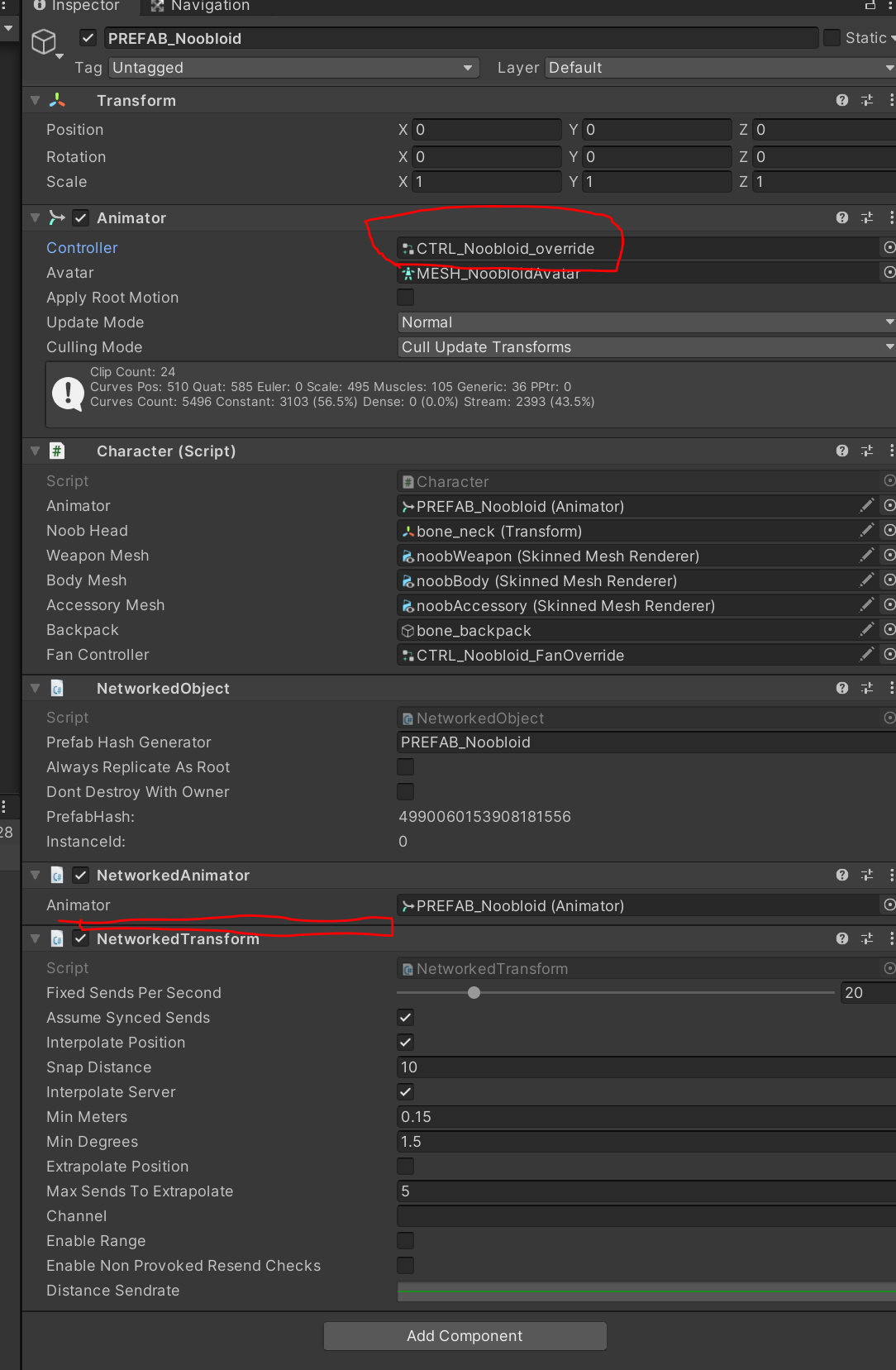
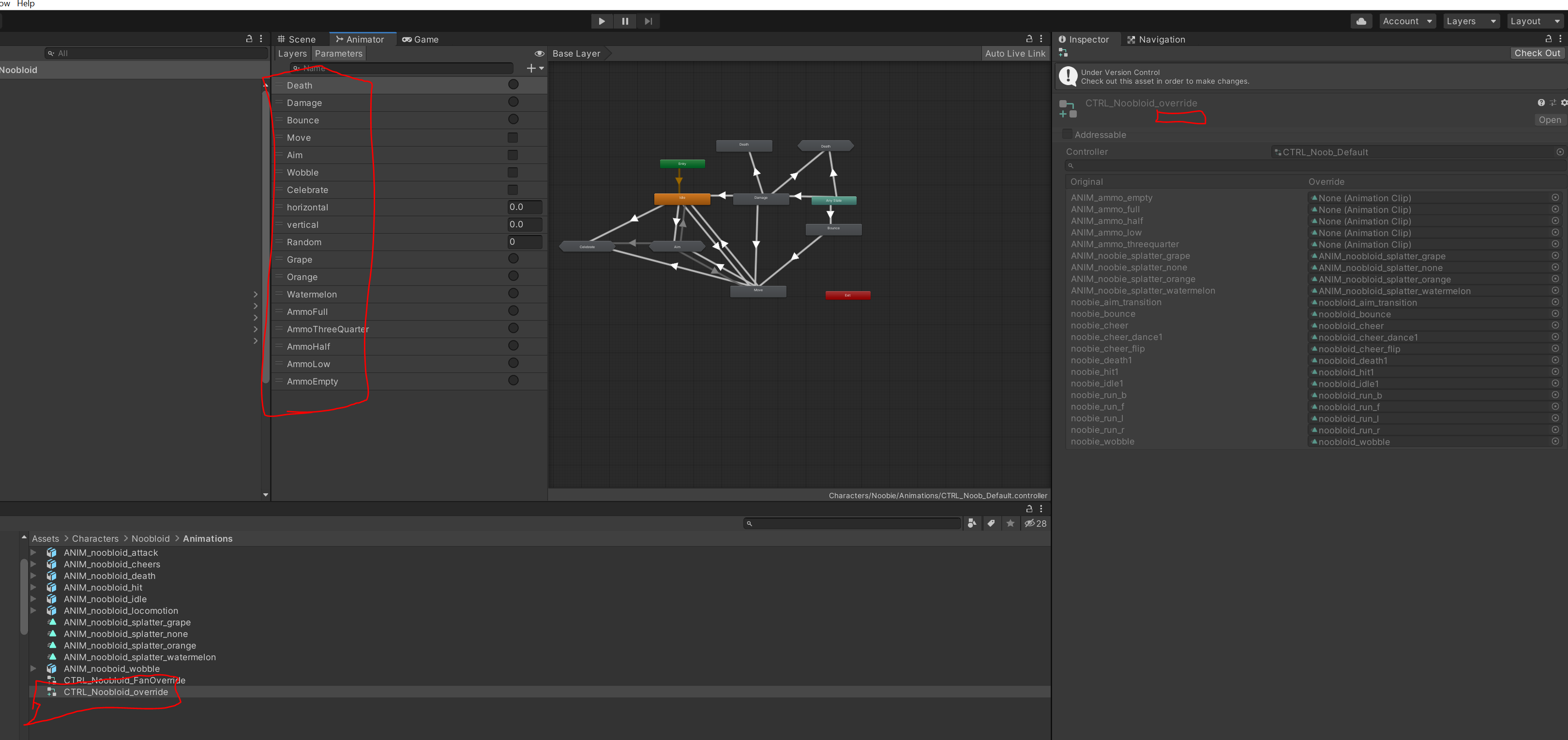
Describe the bug Applying a "NetworkedAnimator" component to an object and pointing it at an "Animator" component which is using an "Override Animation Controller" does not produce ANY of the parameters and ends up defaulting to not sync ANY parameters.
To Reproduce Steps to reproduce the behavior:
- pick any gameobject which is already networked and has a networkedanimator and an animation controller that works.
- Make an override animation controller based on the original and give it a new name
- Point the networked game object's "Animator" component at the newly created override animation controller
Expected behavior A list of all the parameters available to network should show up in the inspector.
Screenshots If applicable, add screenshots to help explain your problem.
Environment (please complete the following information):
- OS: [e.g. Windows 10]
- Unity Version: [e.g. 2019.1]
- MLAPI Version: [e.g. v6.0.1]
- MLAPI Commit: [e.g. https://github.com/Unity-Technologies/com.unity.multiplayer.mlapi/commit/c102935df1d7e0928283b48948fe96e5d96dd961]
Additional context
Add any other context about the problem here.

Added to Initiatives backlog for reimplementation, https://jira.unity3d.com/browse/MTTH-38

Ok, bug is confirmed...indeed the parameter list won't appear under NetworkAnimator when an override is in place. I'm going to try and fix this. FWIW, note that that list of checkboxes does not mean "you must checkbox this parameter for it to sync". It means "even if the animation isn't in transition, synchronize that parameter anyway". So (and I've confirmed this) your overridden animation controller's settings are respected and used.
I'm also looking at improving the UI as I quite frankly assumed the wrong meaning myself.

This will be fixed in the next release. We actually have removed these checkboxes.
