
com.unity.formats.alembic
 com.unity.formats.alembic copied to clipboard
 Unity-Technologies
Inconsistent path handling
According to line 14 in the file AlembicStreamDescriptor.cs, the path to the ABC file in the editor is handled differently than in the build:
As a result, the path of an imported ABC file is either not found in the editor or in the build . Since the classes are all marked as 'internal', the path can not be set on runtime either.

Hey @martin-tuor !
What version of the plugin are you using ? Can you provide repro steps and the errors you get ?
I want to make sure we look at the right issue.
Thanks

First I used the package version 1.0.4 and then downgraded to 1.0.3 because we found out, that in this version, there was no such compiler directive (#if UNITY_EDITOR).
We download AssetBundles and Alembic-Files from a remote server and combining them on runtime. Usually we place all downloaded files in to the PresistentData folder. As the deployment path of the Alembic file has to point to the StreamingAssets folder, we copy that file separately.
While we are testing in Unity, the path has to be something like: 'Assets/StreamingAssets/Alembic/File.abc'
After building, the path is combined with Application.streamingAssetsPath by the AlembicStreamDescriptor and has to be changed to:
'Alembic/File.abc'
Otherwise, we get a FileNotFoundException as the combination will result in: 'd:/dev/project/Assets/StreamingAssets/Assets/StreamingAssets/Alembic/File.abc'
Hi @martin-tuor, We've done some work related to relative paths and a new version 1.0.5 was release yesterday ... can you upgrade and confirm if your issue is still reproducible ?
Thanks.

I just made a small test project using the newest version 1.0.5. It seems to work properly as long as I don't extract the AlembicStreamDescriptor from the Alembic prefab (Crtl-D).
As soon as we extract the AlembicStreamDescriptor, we are facing the same problems as before.

In order to change the location of the ABC-File after importing, I have to extract the Descriptor and change in to debug mode to set the property 'Path To Abc'. Otherwise we are unable to download ABC-files from a server on runtime.
Another issue we experienced was, when we copy-paste an ABC-file to the StreamingAssets folder, the importer does not recognize it as an Alembic file. See screenshot:
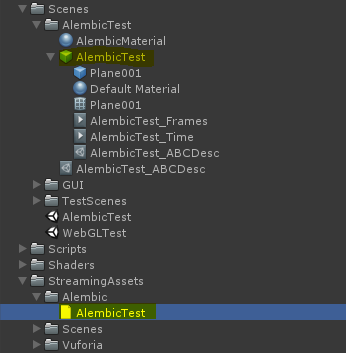
Hey @martin-tuor, The fact that the new alembic file isn't recognized when copied in the StreamingAssets folder is normal. The StreamingAssets is a reserved folder and everything in there is meant to be interpreted at runtime, meaning that the Editor doesn't evaluate what's in there, therefore, the Alembic Exporter isn't triggered.
As for your general problem of path recognition and downloading alembic at runtime, this is definitely a limitation of the importer for now. One thing that's not clear for me is how/when you get those error in the console ? is it at build time or simply by entering in Play mode.
I tried to reproduce the setup locally on my machine, changing the "Path To Abc" that points to a potential file that doesn't exist at the moment of building the project will simply fail to build process. At build time, the alembic needs to exist, the build step will copy the file in your Build destination and create a StreamingAssets there as well.
The current problem we have right now is that you need to setup a path in advance in Edit mode. There is no API for now so it can't be modified at runtime. If you want to risk yourself, you could use reflection and access the Descriptor class and modify the PathToAbc at runtime.
One thing for sure is that your use case is a totally legit one and we'll make sure to address this in the near future.
One thing that's not clear for me is how/when you get those error in the console ? is it at build time or simply by entering in Play mode.
We get those errors by simply entering Play mode. That is, when the defined path is working in the build version. When we fix the path the way it would work in Play mode, it won't work in the build version due to the compiler directive in the AlembicStreamDescriptor.cs (line 14). Therefore it's hard to perform proper testing on our software.