
Unigram
 Unigram copied to clipboard
 UnigramDev
Notification avatar disappeared
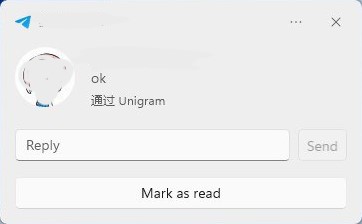
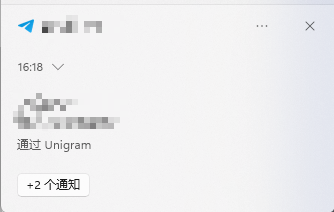
Describe the bug Avatar in notification gone after a day passed
To Reproduce I don't know why it became like this But I moved Unigram from C:\ to D:\ with System Settings
Expected behavior Show avatar like before
Screenshots
Before:
 After:
Version Info
- Unigram 8.8 (7438) X64
- Windows 11 Pro 22000.795

Is it not just a different type of notification?
You don't have "reply" button and field on second one.
Can you clear notifications and send message to yourself again?

it is a example, before (yesterday) DM and channels will have avatar, now every notifications don't have avatar. this problem appeared for a long time, i tried Unigram on muitiple computers and most of them won't have avatar after some days
@NalCol Technically this will help, but that is not the issue. You have "+2 other" notifications from Unigram, that's why you don't have avatar, because it's a list, not a single message.
No, the notification will pop out, and it won't have avatar too. it is not a problem of list
I just get a screenshot from DM
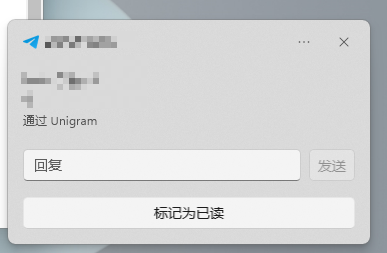 it is a pop notification and yesterday it will show avatar
Will move Unigram to other disk like D:\ break notification? I only made this change after yesterday shutted down computer.
Can confirm - I have same account in two apps - Direct in C, and Store in D (with Store in C everything worked as normal)
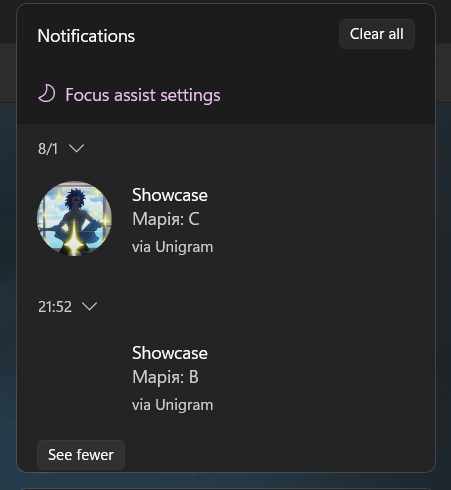
Can confirm - I have same account in two apps - Direct in C, and Store in D (with Store in C everything worked as normal)
My Unigram is from store, I found a most possible reason of this bug just now I tried to move back Unigram from D: to C: ( the disk installed Windows ) and it works! now avatar show up as usual.
Why the bug appears
I think it is a path bug lead the avatar resource can't be found by Notification Center
If you move the app, the AppData file will be stored in Disk:\WpSystem
Not same path with the OS Installed disk.
Possible way to fix it
move back Unigram from D: to C: ( the disk installed Windows )
Screenshot here
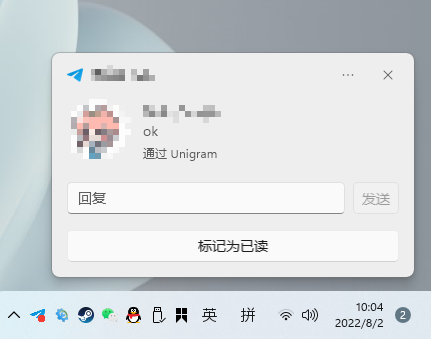
I am not a native English speaker, if you can't understand my words, please tell me.
Unfortunately I have no control over system shell, so I believe that this issue must be addressed to Microsoft, and not to us. The app obviously uses the special path format requested by the system when showing a notification: NotificationsService.cs#L449

Unfortunately I have no control over system shell, so I believe that this issue must be addressed to Microsoft, and not to us. The app obviously uses the special path format requested by the system when showing a notification: NotificationsService.cs#L449
At least everybody know why it isn't working now :)