

 Unidata
macOS CAVE client 17.1.1-2: METAR shows up as blocks with Mac Pro
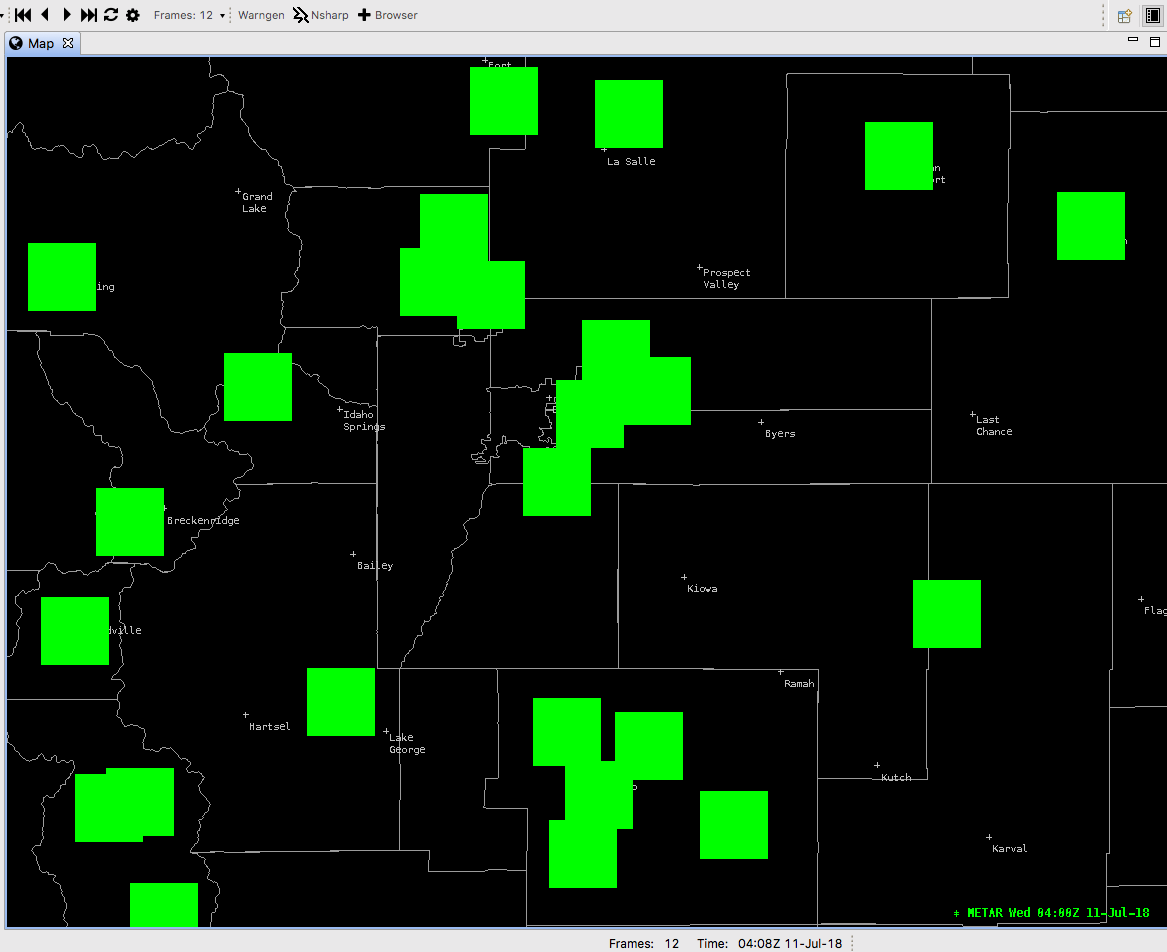
METAR station plots show up as boxes on the screen instead of the actual METAR plot. In other words, each place where there should be a METAR, I see a box that is the same color as what the METAR put should be and in the location where the METAR should be on the map. It's been an issue as long as I have used CAVE on the Mac, but I've narrowed it to only being a problem on my Mac Pro (2013). When I use my MacBook (2015) or Mac Mini (2016), the stations plot fine. I even did a fresh install of macOS High Sierra to see if that would clean this up, but it did not.
My guess is some kind of issue with graphics driver compatibility on the 2013 Mac Pro?

The current release is 17.1.1-6, which is available at https://www.unidata.ucar.edu/downloads/awips2/awips2-cave-17.1.1-6.dmg

My guess is some kind of issue with graphics driver compatibility on the 2013 Mac Pro?
Yes I believe this is correct. It's the SVG plot model render which seems to not work on older Mac graphics.
@NtwkEngineer can you please copy+paste the details you see in About This Mac for me. I'd be curious to see the full details of all of your macs to help me narrow this down (I'm guessing it's a graphics device). I have a 2012 Macbook with an NVIDIA GeForce GT card that displays the plot models as expected.
Is this enough detail to help? If you need something different, let me know-
MacBook
MacBook (Retina, 12-inch, Early 2015) Processor: 1.1 GHz Intel Core M Memory: 8 GB 1600 MHz DDR3 Graphics: Intel HD Graphics 5300 1536 MB
Mac Mini
Mac mini (Late 2014) Processor: 2.6 GHz Intel Core i5 Memory: 8 GB 1600 MHz DDR3 Graphics: Intel Iris 1536 MB
Mac Pro
Mac Pro (Late 2013) Processor: 3.7 GHz Quad-Core Intel Xeon E5 Memory: 64 GB 1866 MHz DDR3 Graphics: AMD FirePro D300 2048 MB
Reproduceable on 17.1.1-6 with the specifications below.
iMac (Retina 5K, 27-inch, Late 2014) Processor: 4 GHz Intel Core i7 Memory: 16 GB 1600 MHz DDR3 Graphics: AMD Radeon R9 M295X 4096 MB MacOS 10.13.5
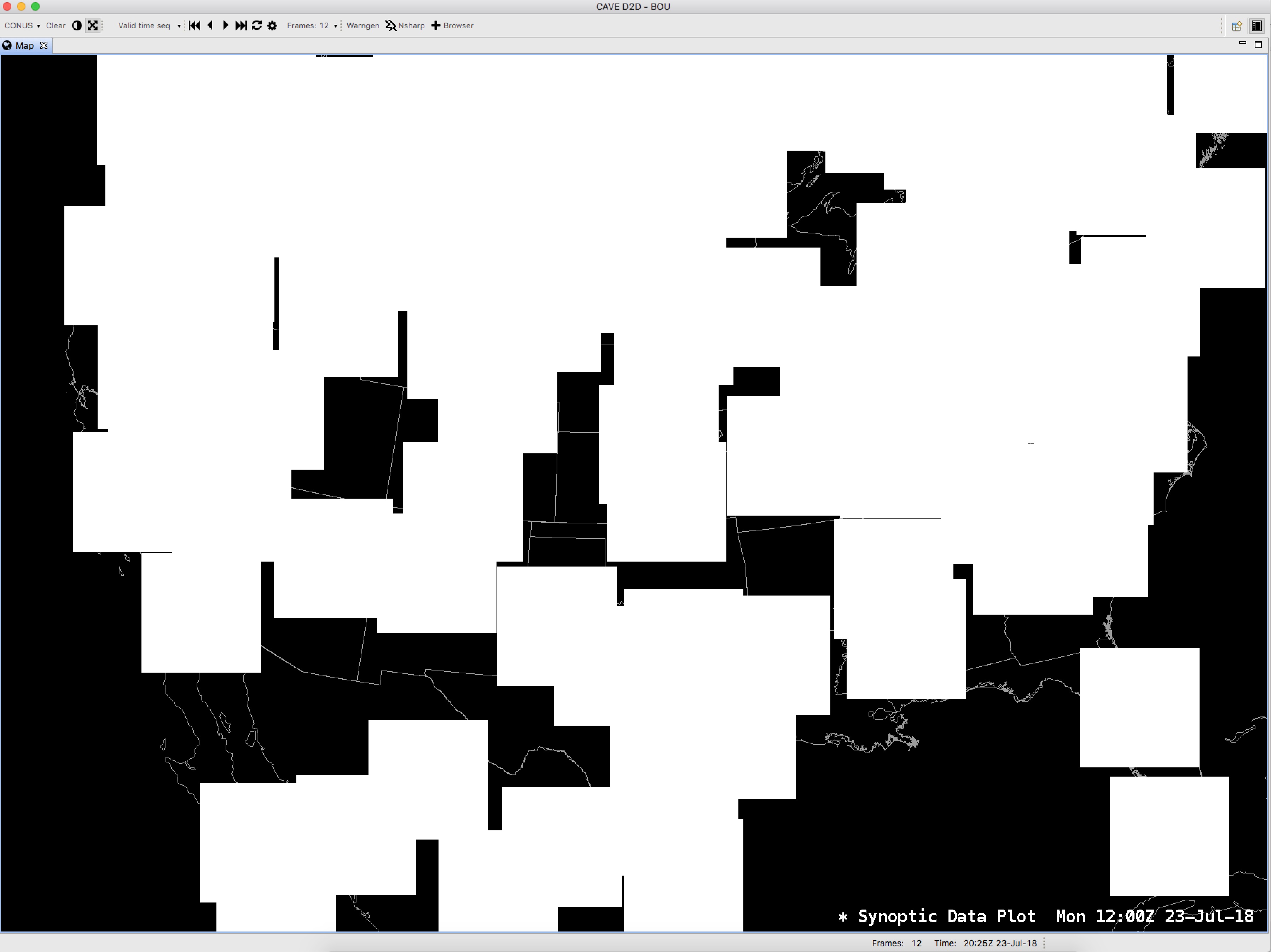

I do want to add, prior to PGEN being removed on Mac - this issue would occur when placing symbols from PGEN onto D2D.
MacBook Pro (15-inch, 2017) 2.8 GHz Intel Core i7 16 GB 2133 MHz LPDDR3 Radeon Pro 555 2048 MB Intel HD Graphics 630 1536 MB

Alright, more details here...
DOES NOT WORK
iMac (Retina 5K, 27-inch, Mid 2015) Processor: 3.3 GHz Intel Core i5 Memory: 16GB 1600MHz DDR3 Graphics: AMD Radeon R9 M290 2048MB
DOES WORK
MacBook Air (2013?) Processor: 1.7 GHz Intel Core i7 Memory: 8GB 1600MHz DDR3 Graphics: Intel HD Graphics 5000 1536MB So onboard graphics work while discrete do not. Disabling discrete on a machine with both results in CAVE crashing.
So onboard graphics work while discrete do not. Disabling discrete on a machine with both results in CAVE crashing
Interesting. Thanks for sharing. This may offer us a solution, I'll have to take a look.
@jaredwsmith reports his 15" Mac with Nvidia graphics works. So AMD is possibly the common denominator here.
Any updates on a fix for this bug? Still an issue in Cave v18.2.1-2 on iMac. Other plotting seems to work fine.
macOS Mojave version 10.14.6 Mac (Retina 5K, 27-inch, Late 2015) Processor: 4 GHz Intel Core i7 Memory: 32 GB Graphics: AMD Radeon R9 M395 2 GB

Currently we don't support AMD graphics cards for CAVE. CAVE is written to take advantage of graphics optimization on the actual hardware of the graphics card, and that is why issues present themselves with cards that are not NVIDIA (although I have tested this on my Mac with Intel graphics, and I don't see this issue). It is something we could potentially look at altering the fundamental way CAVE renders specific products, but it is a bit lower on the priority list right now so I can't give you any kind of ETA on when to expect this kind of change. Thanks.

@srcarter3 not a problem, mainly just wondering the status of the 'bug'. Thanks!