

 UniSharp
LFM on Nova TinyMCE with S3 can't list folders and files
Hi ! I'm facing a problem : when I want to add images through my TinyMCE editor in a Laravel Nova resource, the filemanager iframe opens but it doesn't list the directories neither the files on my S3 bucket. I can create folder and upload files (with an error at the end of the upload) but can't see them, and after many researches, I can't find out why...
There is all my configuration in lfm.php, nova-tinymce.php, filesystems.php and my bucket and IAM user permissions :
- Operating system : Win 11
- Laravel version : 9.5.1
- Laravel Nova version : 3.31.0
- Package version : 2.4.1
- Using emilianotisato/nova-tinymce version : 1.2.1
I also added 'filemanager/*' to the VerifyCsrfToken middleware route exceptions.
lfm.php
<?php

/*
|--------------------------------------------------------------------------
| Documentation for this config :
|--------------------------------------------------------------------------
| online  => http://unisharp.github.io/laravel-filemanager/config
| offline => vendor/unisharp/laravel-filemanager/docs/config.md
 */

return [
    /*
    |--------------------------------------------------------------------------
    | Routing
    |--------------------------------------------------------------------------
     */

    'use_package_routes'       => true,

    /*
    |--------------------------------------------------------------------------
    | Shared folder / Private folder
    |--------------------------------------------------------------------------
    |
    | If both options are set to false, then shared folder will be activated.
    |
     */

    'allow_private_folder'     => false,

    // Flexible way to customize client folders accessibility
    // If you want to customize client folders, publish tag="lfm_handler"
    // Then you can rewrite userField function in App\Handler\ConfigHandler class
    // And set 'user_field' to App\Handler\ConfigHandler::class
    // Ex: The private folder of user will be named as the user id.
    'private_folder_name'      => UniSharp\LaravelFilemanager\Handlers\ConfigHandler::class,

    'allow_shared_folder'      => false,

    'shared_folder_name'       => '',

    /*
    |--------------------------------------------------------------------------
    | Folder Names
    |--------------------------------------------------------------------------
     */

    'folder_categories'        => [
        'file'  => [
            'folder_name'  => '',
            'startup_view' => 'list',
            'max_size'     => 50000, // size in KB
            'valid_mime'   => [ ],
        ],
        'image' => [
            'folder_name'  => '',
            'startup_view' => 'list',
            'max_size'     => 50000, // size in KB
            'valid_mime'   => [
                'image/jpeg',
                'image/pjpeg',
                'image/png',
                'image/gif',
            ],
        ],
    ],

    /*
    |--------------------------------------------------------------------------
    | Pagination
    |--------------------------------------------------------------------------
     */

    'paginator' => [
        'perPage' => 30,
    ],

    /*
    |--------------------------------------------------------------------------
    | Upload / Validation
    |--------------------------------------------------------------------------
     */

    'disk'                     => 's3',

    'rename_file'              => false,

    'rename_duplicates'        => false,

    'alphanumeric_filename'    => true,

    'alphanumeric_directory'   => true,

    'should_validate_size'     => true,

    'should_validate_mime'     => true,

    // behavior on files with identical name
    // setting it to true cause old file replace with new one
    // setting it to false show `error-file-exist` error and stop upload
    'over_write_on_duplicate'  => false,

    // Item Columns
    'item_columns' => ['name', 'url', 'time', 'icon', 'is_file', 'is_image', 'thumb_url'],

    /*
    |--------------------------------------------------------------------------
    | Thumbnail
    |--------------------------------------------------------------------------
     */

    // If true, image thumbnails would be created during upload
    'should_create_thumbnails' => false,

    'thumb_folder_name'        => 'thumbs',

    // Create thumbnails automatically only for listed types.
    'raster_mimetypes'         => [
        'image/jpeg',
        'image/pjpeg',
        'image/png',
    ],

    'thumb_img_width'          => 200, // px

    'thumb_img_height'         => 200, // px

    /*
    |--------------------------------------------------------------------------
    | File Extension Information
    |--------------------------------------------------------------------------
     */

    'file_type_array'          => [
        'pdf'  => 'Adobe Acrobat',
        'doc'  => 'Microsoft Word',
        'docx' => 'Microsoft Word',
        'xls'  => 'Microsoft Excel',
        'xlsx' => 'Microsoft Excel',
        'zip'  => 'Archive',
        'gif'  => 'GIF Image',
        'jpg'  => 'JPEG Image',
        'jpeg' => 'JPEG Image',
        'png'  => 'PNG Image',
        'ppt'  => 'Microsoft PowerPoint',
        'pptx' => 'Microsoft PowerPoint',
    ],

    /*
    |--------------------------------------------------------------------------
    | php.ini override
    |--------------------------------------------------------------------------
    |
    | These values override your php.ini settings before uploading files
    | Set these to false to ingnore and apply your php.ini settings
    |
    | Please note that the 'upload_max_filesize' & 'post_max_size'
    | directives are not supported.
     */
    'php_ini_overrides'        => [
        'memory_limit' => '256M',
    ],
];
I don't specify images and files folder just because I want to use the root directory of the bucket. But either by specifying folder names, I can't see them.
nova-tinymce.php
<?php

return [

    /*
    |--------------------------------------------------------------------------
    | Default Options
    |--------------------------------------------------------------------------
    |
    | Here you can define the options that are passed to all NovaTinyMCE
    | fields by default.
    |
    */

    'default_options' => [
        'content_css' => '/vendor/tinymce/skins/ui/oxide/content.min.css',
        'skin_url' => '/vendor/tinymce/skins/ui/oxide',
        'path_absolute' => '/',
        'init' => [
            'menubar' => true,
            'autoresize_bottom_margin' => 40,
            'branding' => false,
            'image_caption' => true,
            'paste_as_text' => true,
            'paste_word_valid_elements' => 'b,strong,i,em,h1,h2',
            'language' => 'fr_FR',
            'entity_encoding' => "raw",
        ],
        'plugins' => [
            'advlist autolink lists link image imagetools media',
            'paste wordcount autoresize table codesample textpattern preview',
        ],
        'toolbar' => [
            'undo redo | styleselect forecolor backcolor |
                 bold italic underline strikethrough blockquote removeformat |
                 align bullist numlist outdent indent | link table media image | codesample | preview',
        ],
        'relative_urls' => true,
        'use_lfm' => true,
        'lfm_url' => 'filemanager',
        'apiKey' => env('TINYMCE_API_KEY', '')
    ],
filesystems.php :
'disks' => [

        'local' => [
            'driver' => 'local',
            'root' => storage_path('app'),
        ],

        'public' => [
            'driver' => 'local',
            'root' => public_path() . '/storage',
            'url' => env('APP_URL') . '/storage',
            'visibility' => 'public',
        ],

        's3' => [
	        'driver' => 's3',
	        'key' => env('AWS_ACCESS_KEY_ID'),
	        'secret' => env('AWS_SECRET_ACCESS_KEY'),
	        'region' => env('AWS_DEFAULT_REGION'),
	        'bucket' => env('AWS_BUCKET'),
	        'root' => '.',
	        'use_path_style_endpoint' => env('AWS_USE_PATH_STYLE_ENDPOINT', false),
	        'throw' => false,
	        'visibility' => 'public',
        ],
    ],
IAM user permissions :
{
    "Version": "2012-10-17",
    "Statement": [
        {
            "Sid": "Stmt1420044805001",
            "Effect": "Allow",
            "Action": [
                "s3:ListBucket",
                "s3:ListObjects",
                "s3:HeadObject",
                "s3:CopyObject",
                "s3:GetObject",
                "s3:DeleteObject",
                "s3:GetObjectAcl",
                "s3:PutObjectAcl",
                "s3:PutObject",
                "s3:CopyObject",
                "s3:UploadPart",
                "s3:CreateMultipartUpload"
            ],
            "Resource": [
                "arn:aws:s3:::xxxxx",
                "arn:aws:s3:::xxxxx/*"
            ]
        }
    ]
}
I just replaced my bucket name with "xxxxx" for anonymity
Bucket permissions :
{
    "Version": "2012-10-17",
    "Statement": [
        {
            "Sid": "PublicRead",
            "Effect": "Allow",
            "Principal": "*",
            "Action": "s3:*",
            "Resource": "arn:aws:s3:::xxxxx/*"
        }
    ]
}
And there is some screenshots :
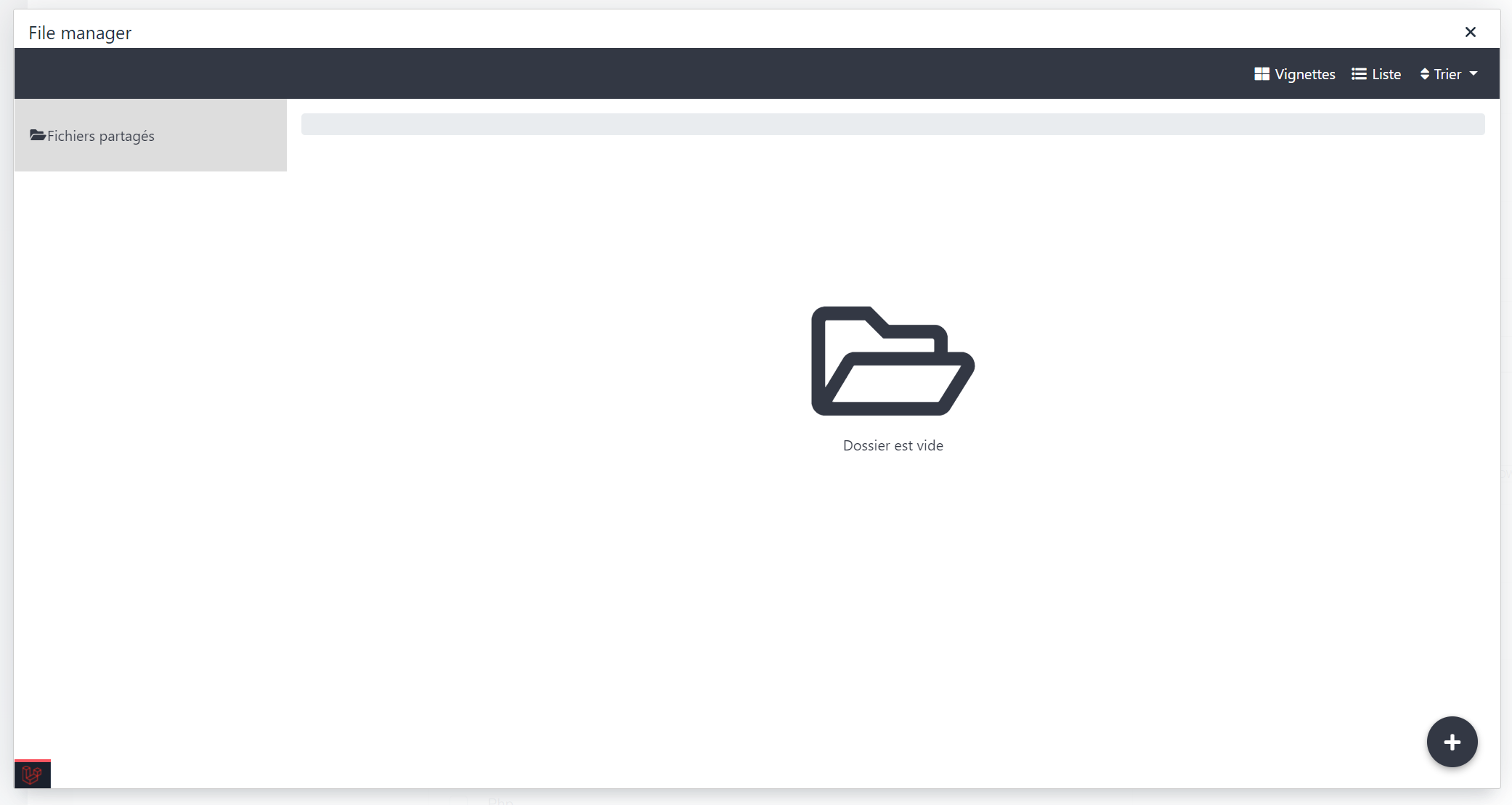
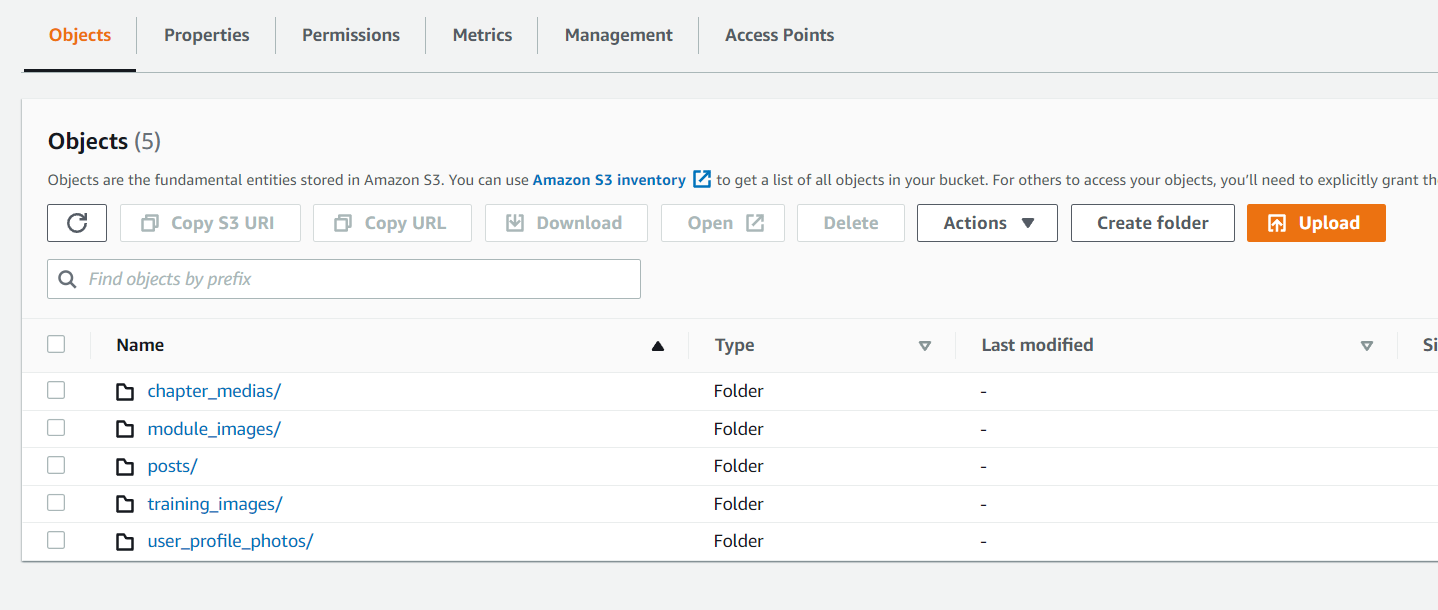

On the last screenshot, the uploading is working, the file appears on the S3 bucket, but there is an error
This is maybe caused by the TinyMCE integration. In the docs, we must override the file picker callback function, but I don't know how to do it with this Nova package, because the config is in PHP, not in JS. Or maybe by the Nova TinyMCE package, but in the package doc the integration is already done
Thanks in advance for your help !
