

 UnamSanctam
Miner does not show by ip in the panel.
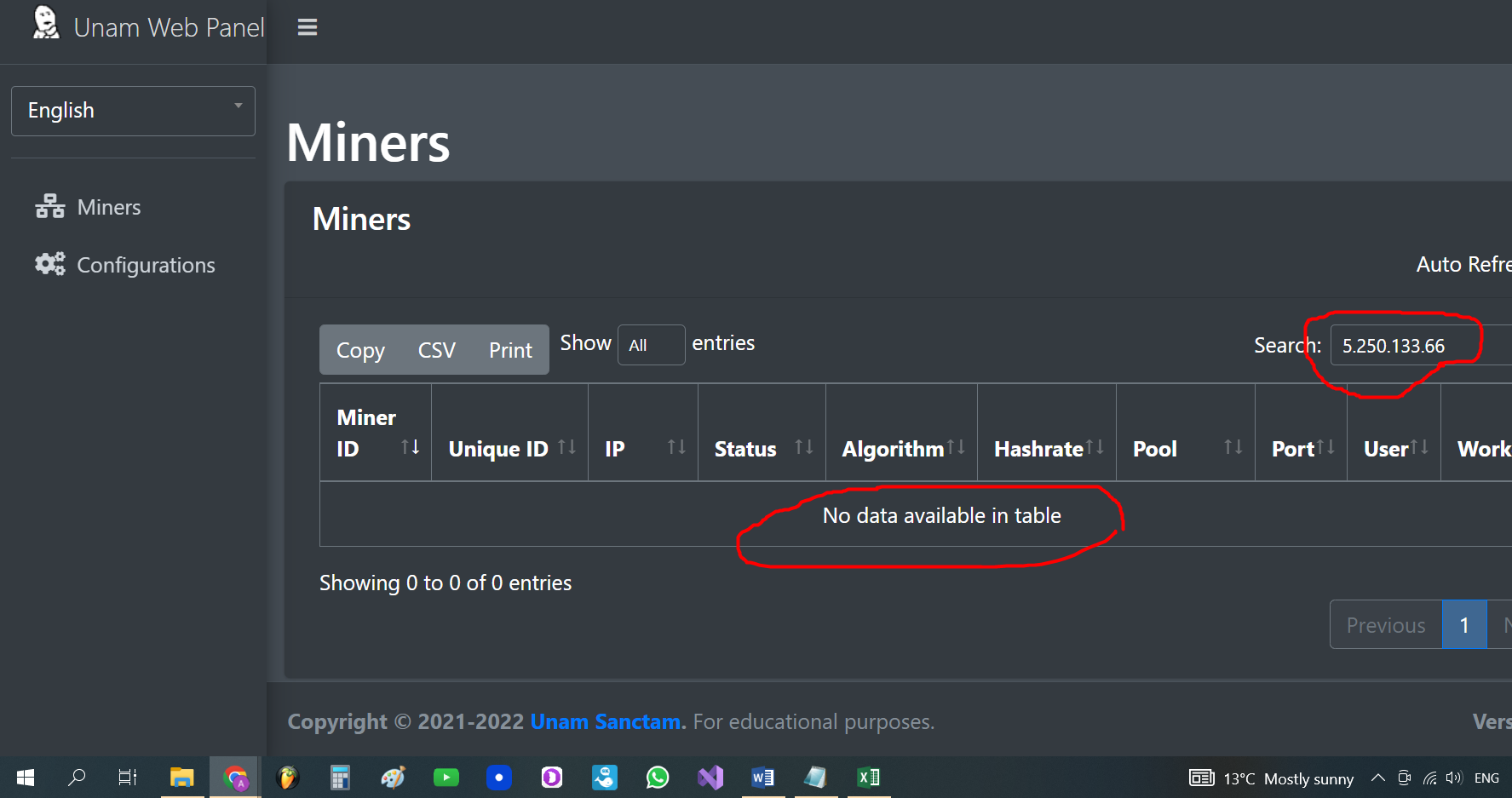
It's not the first time I've seen this problem. When in ip loger it shows the start of the miner. There is an ip address. I go to the server log. I also see a request from this ip to my panel. I go to the panel, add this ip for search. And writes nothing found. See screenshots.
IPLOGGER
Server log
WEB PANEL 1.5.0

Try logging the requests (your log there doesn't show the POST data), add file_put_contents('request.log', file_get_contents('php://input'), FILE_APPEND); into line 4 inside endpoint.php.
Also could be that it's inside the panel but somehow you can't search for its IP, so you can try to find it manually by choosing show "All" entries and then pressing CTRL+F and then enter the IP.

Try logging the requests (your log there doesn't show the POST data), add
file_put_contents('request.log', file_get_contents('php://input'), FILE_APPEND);into line 4 inside endpoint.php.Also could be that it's inside the panel but somehow you can't search for its IP, so you can try to find it manually by choosing show "All" entries and then pressing CTRL+F and then enter the IP.
Added a line to endpoint.php I clicked All "entries. Didn't find it. I also opened the unamwebpanel.db file and I didn't find this ip in it either. I can send you the file if you don't believe me. I think I inserted the line correctly into endpoint.php. I'm attaching the screen. And I thought By default, the panel records both post and get requests. It is strange that you did not do this in the panel by default. Now all servers work on such requests. What to do next? Why did the miner send the request to the web panel. And the web panel from the log see that it I accepted it, but I didn't add it to the database, and to the panel's statistics, too.
The panel checks both POST and GET requests, that's not what that line is for. Now all requests will be written out into the /api/request.log file, check for the request from that IP and post it here.
The panel checks both POST and GET requests, that's not what that line is for. Now all requests will be written out into the
/api/request.logfile, check for the request from that IP and post it here.
- It is not in this file. /api/regist.log There is not even the word ip here. I didn’t even see a single ip that is in the panel here.
- You wrote that IP and post it here. I do not understand. What did you write about. I have to post something here. So the panel automatically records all the data itself.
The line you have added (line 4) will cause all requests to the web panel to be written out into the request.log file inside the api folder, post your request.log file here and I'll check it.
For me using https on panel fixed ip addresses itself, without https i see 127.0.0.1 but when using https (not endpoint just a panel) it displays correctly
