

 Ultimaker
ERROR SLICING
Application Version
5.1.0
Platform
Mac OSX
Printer
Creality CR X
Reproduction steps
- Imported STL
- Tried to slice it.
I have sliced this 100 times in previous version of Cur Homepot mini v2 kopie.stl.zip a
Actual results
ERROR SLICIN
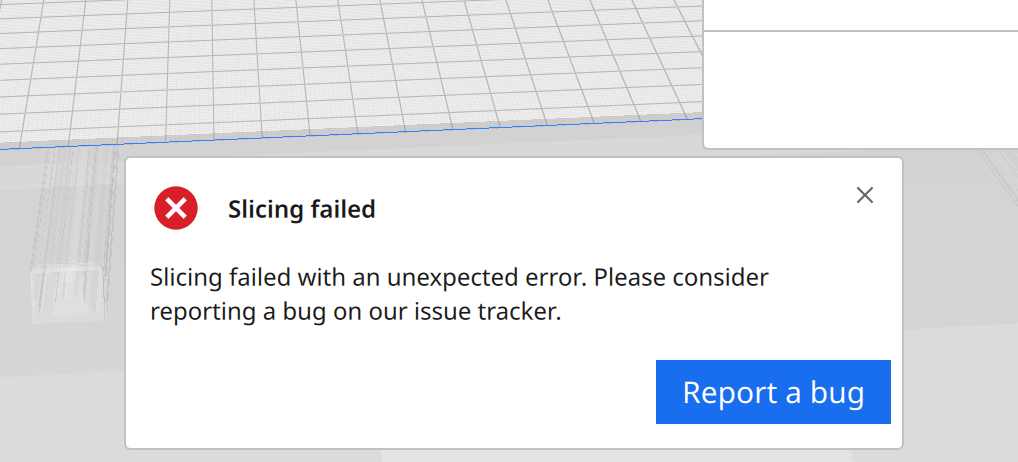 G
G
Expected results
no error ;-)
Checklist of files to include
- [X] Log file
- [X] Project file
Additional information & file uploads
CCRX_Homepot mini v2 kopie.3mf.zip cura.log

Thanks for the report. I checked the model and can't find any errors but it won't slice. This is not the first instance of this behavior but it is the first one that I couldn't get to slice at all. I'll mark this as a duplciate (maybe of #12926 ?) and leave it open. Someone from the Cura team will take a look at it.

In 5.2.0 it will slice on a 100% scale. As soon as I increase the size of the model to 200 or more % the slicers fails

I tried this again with 5.3.1 and it sliced at 100% scale but not when I scaled it up. It sliced in Cura 4.13.1 at any 100% and at 200% scale. 4.13.1 is available HERE.
Thank you I got 4.13.1and you are right it work great what I don't understand is to why the release software and don't patch bugs
On Sat, 6 May 2023, 17:38 GregValiant, @.***> wrote:
I tried this again with 5.3.1 and it sliced at 100% scale but not when I scaled it up. It sliced in Cura 4.13.1 at any 100% and at 200% scale. 4.13.1 is available HERE https://github.com/Ultimaker/Cura/releases?page=2.
— Reply to this email directly, view it on GitHub https://github.com/Ultimaker/Cura/issues/12984#issuecomment-1537178087, or unsubscribe https://github.com/notifications/unsubscribe-auth/AQ7FYUMA4LQPOB7T242TAK3XEZ465ANCNFSM556LXMGA . You are receiving this because you commented.Message ID: @.***>
Thank you for your report. It seems that your uploaded project file slices correct on our latest unreleased 5.7.0-alpha.0+3abb5 which indicates that the issue you're experiencing seems to be fixed for the upcoming 5.7.0 release.
I'm closing this issue as fixed for the 5.7.0 release
