

 Ultimaker
Error while trying to splice object with multiple copies of it
Application Version
5.1.0
Platform
Windows 11
Printer
Duet Custom Build
Reproduction steps
Loaded https://media.printables.com/media/prints/57302/stls/603802_637ea754-5839-40a0-a9c0-99711f82f5d2/dice-storage-7pc-chessex-mid-grid.stl and created 6 copies of it (7 total models). Clicked the slice button and errors out. Model slices without issue with only one copy of it loaded.
Tested and the model will slice with a total of 4 models loaded, but errors out with any more then that.
Actual results
Slicing failed Slicing failed with an unexpected error. Please consider reporting a but on our issue tracker.
Expected results
I expect it to slice like normal.
Checklist of files to include
- [X] Log file
- [X] Project file
Additional information & file uploads
dice-storage-7pc-chessex-mid-grid.zip

Thanks for the report. The model has a couple of errors. --> 0 Naked edges (?) --> 0 Planar holes (?) --> 0 Non-planar holes (?) --> 2 Non-manifold edges (?) --> 3 Inverted faces (?) --> 8 Degenerate faces (?) --> 4 Duplicate faces (?) --> 0 Disjoint shells (?) -> Repairing: 100.00% ----- Repair completed in 4587ms ------ -> Vertex count changed from 7758 to 7612 (-146) -> Triangle count changed from 16656 to 16358 (-298)
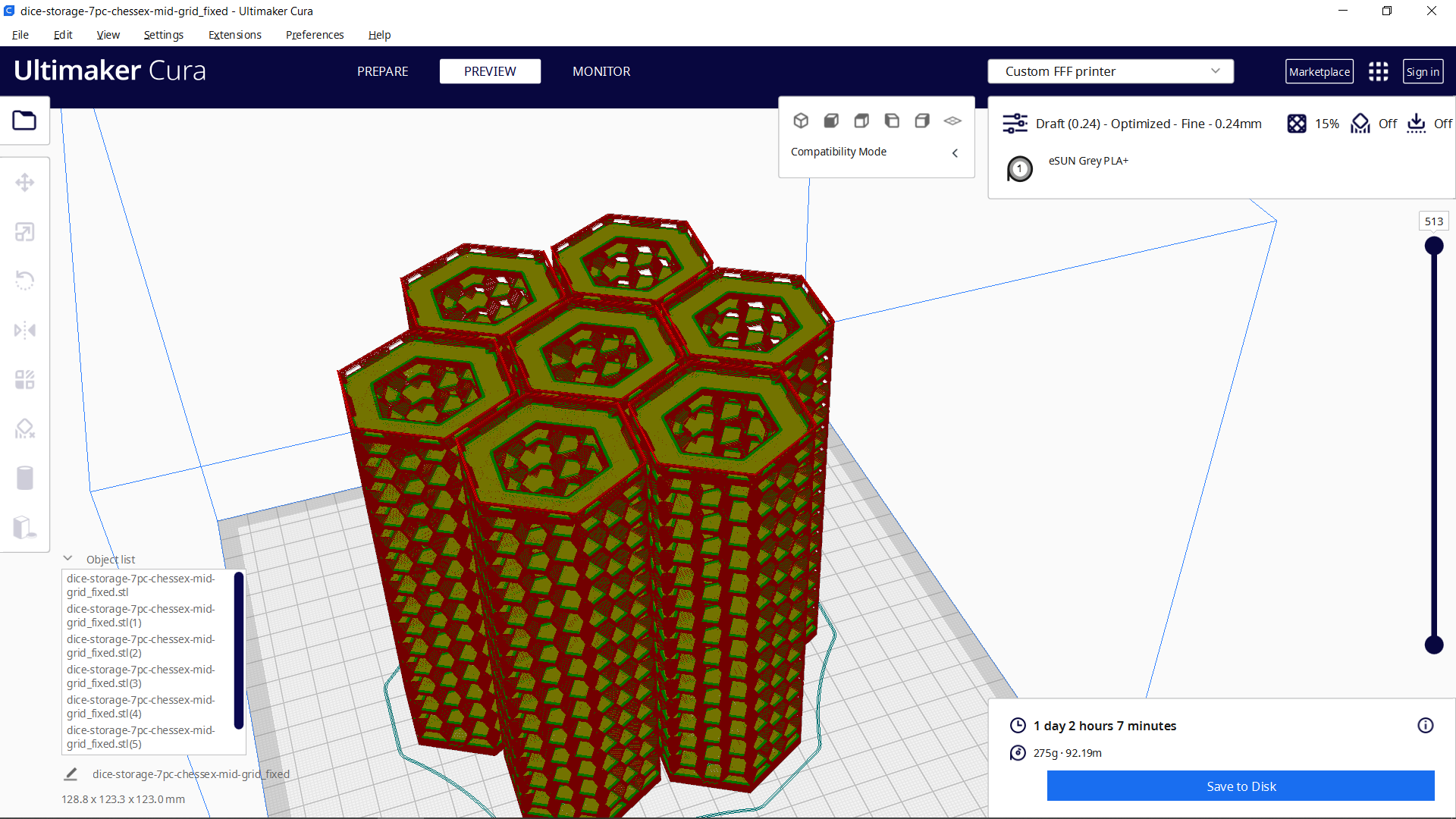
After repairing the model all 7 sliced as they should. I'll leave this open so you can respond. I'm also attaching the repaired model. dice-storage-7pc-chessex-mid-grid_fixed.zip

This issue has been automatically closed because there has been no response to our request for more information from the original author. With only the information that is currently in the issue, we don't have enough information to take action. Please reach out if you have or find the answers we need so that we can investigate further.
![github-actions[bot] avatar](https://avatars.githubusercontent.com/in/15368?v=4 "Published by a pub.dev verified publisher")