

 Ultimaker
Missing Layers in Preview (v5.1.0) when Previous Version (v4.13.1) Showed with Same Slicer Settings
Application Version
5.1.0
Platform
Windows 10 (21H2), RTX 2080
Printer
Creality Ender-3 Pro
Reproduction steps
- Open Cura 5.1.0
- Open project file (project files attached for both versions)
- Slice Model using included slicing settings
- Click on the Preview tab and examine the model
Actual results
Layers are missing on the fingertips in the 5.1.0 version, but show in the 4.13.1 when using the same slicing settings (or equivalent, since some settings changed from v4 to v5).
Even when opening the 4.13.1 project version in 5.1.0 and visa-versa, behavior does not change. 5.1.0 is always missing layers when sliced and the 4.13.1 always shows them. I have included a screenshot of what the missing layers look like when sliced in 5.1.0.
Expected results
After slicing, I should expect to see all the layers in the preview as the 4.13.1 version does. I have included a screenshot of what it looks like when sliced with 4.13.1 and how I should expect it to look in 5.1.0.
Checklist of files to include
- [X] Log file
- [X] Project file
Additional information & file uploads
NOTE: When doing a printing test, I think the 5.1.0 versions is actually printing something on the fingertips which makes me assume the layer preview is either incorrect or not accurate. The 5.1.0 version doesn't come out quite as clean as the 4.13.1 versions, but there could be a lot of reasons for that or even print to print variation. If 5.1.0 is doing some sort of trickery of printing multiple layers in one extrusion, for instance, the preview should reflect that or note that in some way.
I am including both versions of the log file, although I'm not sure how relevant they are since this isn't an crash or similar.
As mentioned above, I have included project files saved from both versions of Cura, although it doesn't matter which file is opened in which version, the behavior in 5.1.0 and 4.13.1 is always the same when previewing the slicing.
And slicing preview screenshots of 4.13.1 (how I expect it to look in 5.1.0) and 5.1.0 (how it actually looks) have also been included.
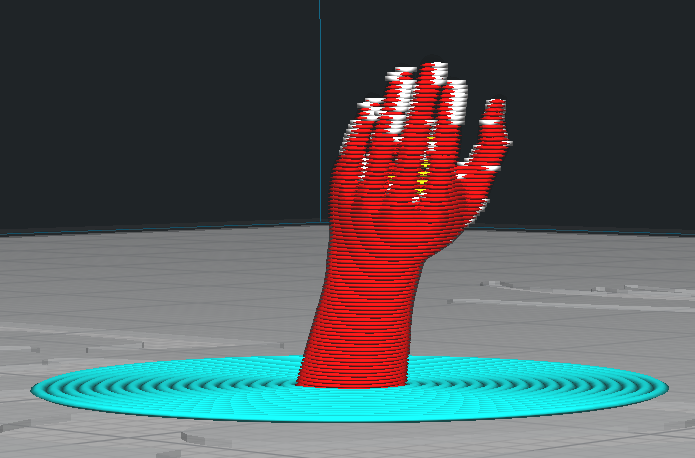
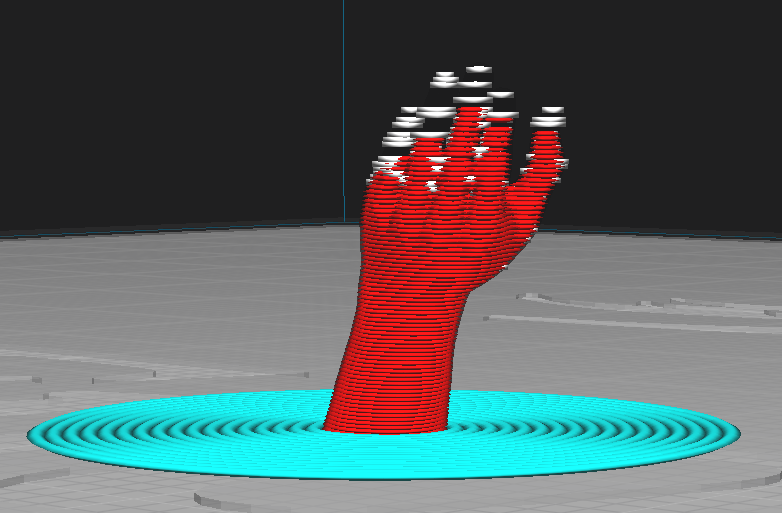 [510-Arm-Test.zip](https://github.com
4131cura.log
510cura.log
/Ultimaker/Cura/files/9275656/510-Arm-Test.zip)
4131-Arm-Test.zip
[510-Arm-Test.zip](https://github.com
4131cura.log
510cura.log
/Ultimaker/Cura/files/9275656/510-Arm-Test.zip)
4131-Arm-Test.zip

Thanks for the report.
I checked the model using Cura's Mesh Tools plugin and the warning came up "The model is not watertight and my not print correctly."
An on-line repair utility provided this report:
--> 0 Naked edges (?)
--> 0 Planar holes (?)
--> 0 Non-planar holes (?)
--> 47 Non-manifold edges (?)
--> 66 Inverted faces (?)
--> 0 Degenerate faces (?)
--> 53 Duplicate faces (?)
--> 0 Disjoint shells (?)
-> Repairing: 100.00%
----- Repair completed in 2316ms ------
-> Vertex count changed from 6894 to 7190 (+296)
-> Triangle count changed from 13826 to 14436 (+610)
So the model has a number of errors. Cura 5 seems like it does a more accurate job of slicing. The downside to that is it isn't as tolerant of errors in models.
A new setting in 5.x is "Minimum Wall Line Width". Try setting that to 0.2 and let us know if that works.
That model is pretty small. A 0.2 nozzle would help.
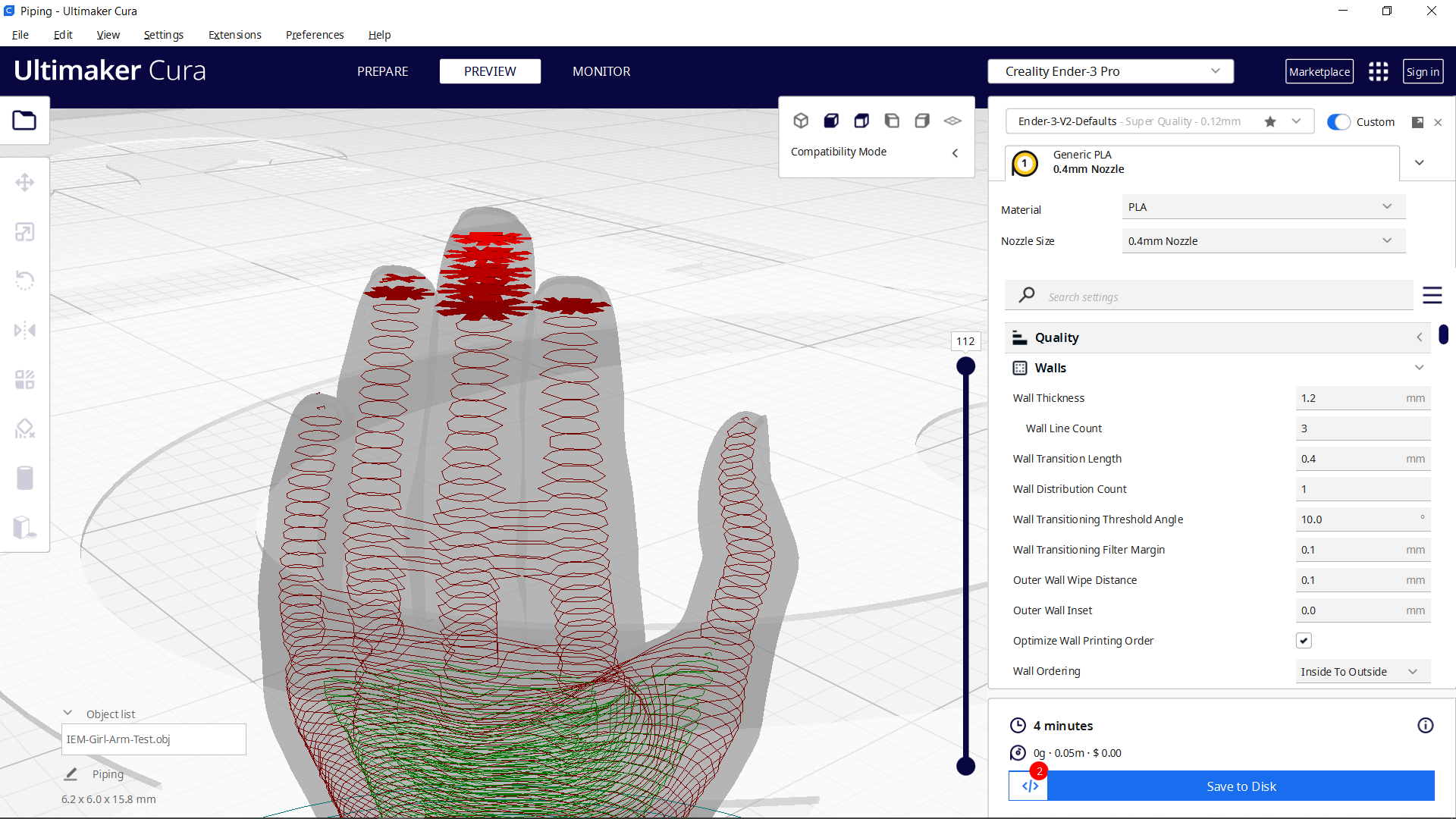

Thank you for the info. I didn't realize there were settings that were still hidden in my interface and setting the minimum wall line width to 0.2 made the preview shows way more layers and prints better too. I am aware this is a very small model, better suited to a resin printer, I just wanted to be see how far I could push a 0.4mm nozzle.
I saw a reviewer mention the missing preview layers on Cura 5.x vs showing on Cura 4.x when slicing something small which is why I thought it was a bug when I ran into the same thing, but it sounds like it's not a bug, so my bad!
I did also repair the STL with that online tool but the slicing preview looks basically the same when leaving the minimum wall line width at the default of 0.34 so I don't think geometry errors were the main driver behind this behavior.
The tops of some sharp model parts or thin edges are giving inaccurate output, we saw that in other cases as well, we do have a ticket on our backlog related to this, devs see Cura-939, for our internal reference. Will add your scenario to our ticket, though @GregValiant remark is spot on.

Hello!
I have missing layers too. On the preview and when printing.
I try many times. I quit and reload Cura. This append at random layers, in the base of the object.
gCode show no layer 3 (can't find "LAYER:3" in file) and Z jump from 0.36 to 0.60 (layer height is 0.12) :
G0 F300 X156.752 Y149.285 Z0.24 ... ;LAYER:1 ... G0 F300 X156.66 Y150.733 Z0.36 ... ;LAYER:2 ... G0 F300 X156.892 Y148.803 Z0.6 ... ;LAYER:4
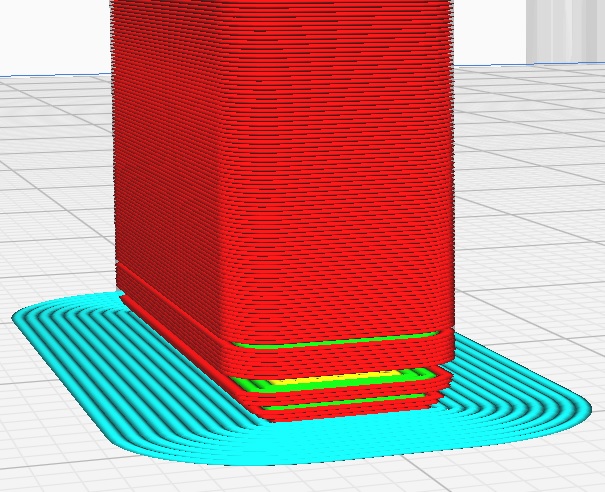
When showing preview, sometimes all the layers are shown plus lines going to the origin. On the picture below, the slider is on layer 18. Layers 17 and 19 show correctly.
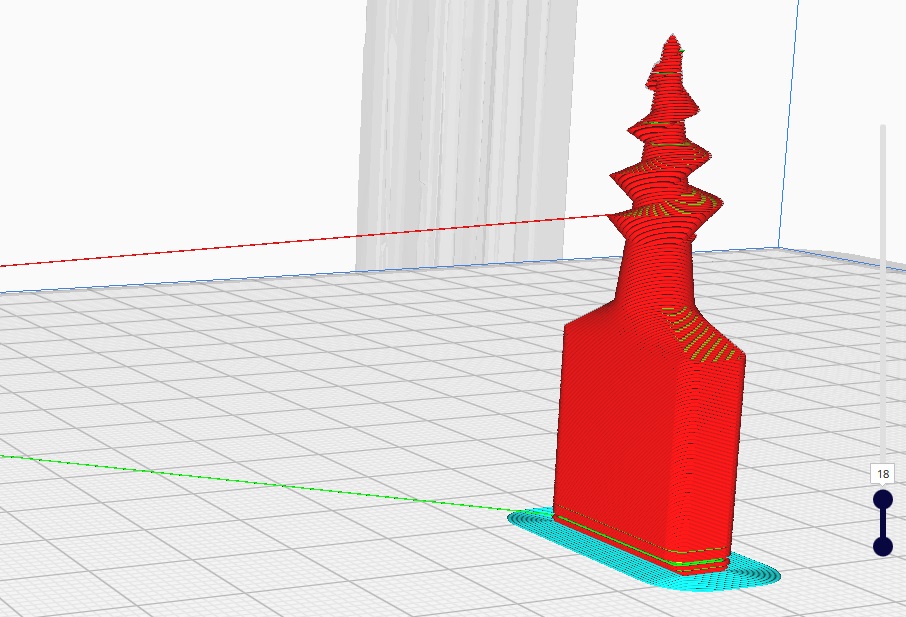
Ask if you want stl file or Cura config. Thank you.

@RobertDarmond It would be best to open another bug report. Please include a Project File ("File | Save Project") and put the 3mf in a zip folder and post the zip here. Often a problem that will look similar will end up being a different bug and so a separate ticket keeps the paperwork straight. If you are on Windows you may have MS 3D Builder on your computer. It has a pretty fair repair routine. If you open a file in Builder and then click on the Insert button a flag may come up. I have a feeling that you have a couple of reversed faces there and Cura is confused by them (can't tell the outside from the inside).
Here is a post on the UM Forum with a similar problem