

 Ultimaker
[5.0 beta] Inside to outside doesn't always work
Application Version
5.0 beta
Platform
win10
Printer
custom fff
Reproduction steps
Slice a benchy, or my project. Look at layer 196 for example
Actual results
The chimney is printed outside in but not the roof.
Expected results
Should print inside out.
Checklist of files to include
- [ ] Log file
- [ ] Project file
Additional information & file uploads


Hi @printingotb thank you for your report. I will bring it up with the team. Keep you posted.

Hi printingotb,
I must admit that this is very confusing, but it is intended behavior. The green line is what we call a center last line. It is not an inner wall. It could have been a inner wall of any of the two outer wall. The center line is always printed last in Cura. I will make a ticket to update the help text for Cura 5.1. Has this answered your question?

Yes, thanks for the explanation.
The green line is what we call a center last line.
Is there a plan to add this to the line type colour scheme? I believe that would be helpful as the middle line is a new concept to users. Or at the least a different shade of green, like how the travel lines are light blue/dark blue, with/without retraction.
Hi printingotb,
I created a ticket on the backlog (CURA-9290) to change the Wall Ordering description text and consider changing the line color in the slicing preview. Thanks for reporting this.
Kind regards,
Paul Kuiper
Would it be possible to have the center line printed first in the cases where it is surrounded only by outer walls like above?
Outer walls have a tendency to not connect properly if printed first. The start of the outer wall will often be dragged along with the nozzle for a tiny distance, causing a gap in the wall. This is most noticeable after a few layers with the seam in the same position and smaller line widths are more sensitive to this.
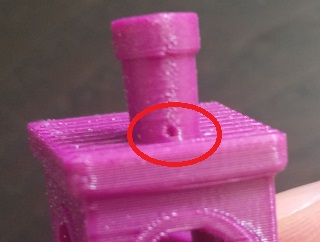
We have discussed a separate setting for the center line strategy at some point, but we could not find a reason to add such an setting and decided to always use center line last. I do not directly see a reason to change this. This seems to be related to start/stop behavior around a seam that you could optimize differently. You will have to same issue again when printing a single line wall when we would add such a feature.
I have been meaning to test this more thoroughly but have run into issues that prevents me from doing so reliably: https://github.com/Ultimaker/Cura/issues/12682 My thinking is: Case one: When printing outside to inside, the outer wall will always start alone (as in no neighbors on the same layer). This gives more accurate prints but will print overhangs and seams worse with the same settings since the start point has less contact with the print. Case two: When printing inside to outside, the outer wall always starts with a neighbor with two exceptions: -When there is a middle line to be printed beside it or; -It is a single lined wall.
This means that I will run into two different seam results on the same print.
The relevant tuning tools that comes to mind is: -Coasting: reduces stringing and may reduce the visibility of the seam but increases risk of gaps. -Retraction extra prime: should help the start point to adhere immediately instead of being dragged along a short distance. May produce blobs and increased visibility of the seam (and it only works if there is a retraction happening). -Outer wall wipe distance: helps the endpoint to connect with the start point as long as it's not too far away. -(outer wall inset can somewhat be helpful in certain cases).
Increasing extra prime or wipe may help the seams where outer wall is printed first but will affect the seam negatively where there is a neighboring line in the same print. Single line walls, especially thin walls, are kind of different and may benefit from a specific setting if the above turns out to be a problem. That's why I'm thinking it may be a good idea to print middle lines before the outer wall.
But as I said, I haven't done any dedicated tests yet, apart from what I have seen during my daily printing.
Have I missed anything?
We have discussed a separate setting for the center line strategy at some point, but we could not find a reason to add such an setting and decided to always use center line last. I do not directly see a reason to change this. This seems to be related to start/stop behavior around a seam that you could optimize differently. You will have to same issue again when printing a single line wall when we would add such a feature.
Imagine a model (some toolbox for example) contain only this type of walls with 1.5mm wall width and 0.6 nozzle
Start to sound cool to print centerline first and outer perimeter later with an "Outer wall inset" option


Hi @puffofsmoke,
I will bring up this feature request in our next meeting with the Cura team. Should be easy to test this with pure generated GCode what the difference would look like in this specific use case. In the meantime the change in the description has been merged (CURA-9290).
A new, more detailed description has been added to this setting to avoid confusion.
To me, it doesn't seem like a bug in Ultimaker Cura anymore. Would you still like to keep this issue open or do you agree that we can close it?
