
PdfPig
 PdfPig copied to clipboard
 UglyToad
CopyFrom and AddPage both cause AddText to be written upside down
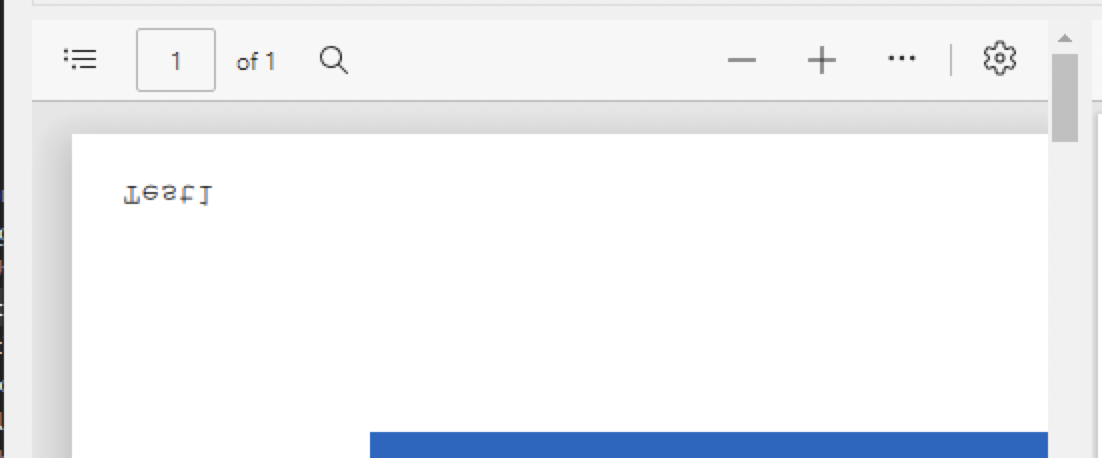
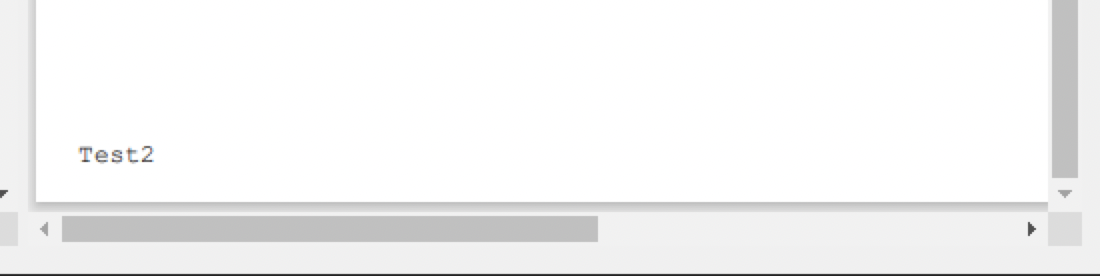
I am trying to load an existing PDF into my program and write simple text (just the page number) to each page. I have come across a bug where if I use AddPage or CopyFrom to copy a page from the existing PDF into a newly created PDF, the text gets created upside down. If I just create a new blank page and write the text to it, it works fine.
My guess is that the rotation is not preserved or something, because it also writes it to a different corner (top-left) than the non-copied page (bottom-left). The text is also much smaller if I do the copy from the existing document. I cannot find any way to get the text to be displayed the correct orientation after copying a page into the new PDF.
Is there a way I can write directly onto the existing PDF without having to create a new PdfDocumentBuilder?
Using CopyFrom or AddPage:
Just writing text, no copy:
using (var document = PdfDocument.Open(pdfPath))
{
    var b1 = new PdfDocumentBuilder();
    var f1 = b1.AddStandard14Font(Standard14Font.Courier);
    var p1 = b1.AddPage(document, 1);
    p1.AddText("Test1", 12, new PdfPoint(20, 20), f1);

    var b2 = new PdfDocumentBuilder();
    var f2 = b2.AddStandard14Font(Standard14Font.Courier);
    var p2 = b2.AddPage(PageSize.A3);
    p2.AddText("Test2", 12, new PdfPoint(20, 20), f2);

    byte[] data1 = b1.Build();
    byte[] data2 = b2.Build();
    File.WriteAllBytes(@"test1.pdf", data1);
    File.WriteAllBytes(@"test2.pdf", data2);
}

@brianliebe Hello, I tried replicating the issue with the code you attached, I tried with different docs, and every time I can't replicate the bug. The text ends up where it is supposed to be every time - bottom left. This might be an issue specific to the format of the source document you're using.

@tsurrdurr I had this same issue and it was definitely something specific to the PDF itself. Would it help if I emailed you the offending PDF?

I suspect the target PDF has a /Rotate value non-zero in its page dictionary contents somewhere, based on the output the value is +/-180 causing the placed text to be rotated by 180 degrees potentially. The internal library text placement logic probably needs to account for the rotation before placing.
Though I'm not certain on this because the text appears mirrored rather than rotated.

I am getting this issue, also only for certain PDFs. Is there a fix being planned for any workaround for it?
