UglyToad
Ability to extract FlateDecoded images from a PDF and save them as files
Hi.
When I try to save the raw bytes of an Image retrieved from a PDF to a file, the file is not recognized as an image.
        [Fact]
        public void check()
        {
            using (var document = PdfDocument.Open(Path.Combine("Builder", "CanWriteSinglePageWithJpeg.pdf")))
            {
                var page1 = document.GetPage(1);

                var image = Assert.Single(page1.GetImages());

                if (!image.TryGetBytes(out var imageBytes))
                {
                    imageBytes = image.RawBytes;
                }

                File.WriteAllBytes(Path.Combine("Builder", "smile.jpg"), imageBytes.ToArray());
            }
        }
The code works fine from the PDF generated from the test named "CanWriteSinglePageWithJpeg".
But if you try to use the attached PDF, the image file is not recognized as an image file.
I tried using the file extensions jpg, bmp, png, and tiff.
If I compare the PDFs, one of the differences is the XObject Image in the attached PDF has the /Filter /FlateDecode attribute, where as the XObject Image in CanWriteSinglePageWithJpeg.pdf has the /Filter /DCTDecode attribute.
Any ideas?
Thank you.

When image are used in a pdf document, they can have multiple format like you said (ex. bmp, jpg, tiff, etc...). This format is expressed in the form of /Filter just like you have seen.
Currently, the library only support the /Filter /JPXDecode which is a form JPEG. For any other type of /Filter, you would have to figure out manually how to decode it.
I think the number one reason behind /Filter /JPXDecode being the only one that has been implemented is dependencies. Some of the not implememted /Filter are not trivial. That's why is left to the user to choose how to handle it.

It seems like I can use the FlateFilter class to decode bytes, but I'm not sure which values to pass to the second and third arguments of the Decode method.
For example,
IReadOnlyList<IFilter> filters = DefaultFilterProvider.Instance.GetNamedFilters(new NameToken[] { NameToken.FlateDecode });

IFilter filter = filters.Single();

byte[] decodedBytes = filter.Decode(imageBytes, ?, ?);
If I use this approach, and I get the decoded bytes, will those bytes represent something that can be saved to disk to produce an image file?
Thank you.
Okay, so this is an incomplete example code of how would you handle different filter for an image.
private static IReadOnlyList<Image> ExtractImages(Page page)
{
    var images = new List<Image>();
    foreach (var imageObject in page.GetImages().Cast<XObjectImage>())
    {
        try
        {
            var bytes = imageObject.Bytes;
            images.Add(Image.FromStream(new MemoryStream(bytes.ToArray())));
        }
        catch(Exception _)
        {
            if (!imageObject.ImageDictionary.TryGet(NameToken.Filter, out IToken filterToken))
            {
                throw new IOException("Unable to extract image filter token from object");
            }


            // There can be a multiple filter being applied to an image
            if (filterToken is ArrayToken filterArray)
            {
                // Never have seen it. I don't how to handle it
            }
            else
            {
                var bytes = imageObject.RawBytes;

                if (filterToken.Equals(NameToken.CcittfaxDecode) || filterToken.Equals(NameToken.CcittfaxDecodeAbbreviation))
                {
                    // Transform raw bytes according to the CCITTFax Filter
                }
                else if (filterToken.Equals(NameToken.DctDecode) || filterToken.Equals(NameToken.DctDecodeAbbreviation))
                {
                    // Transform raw bytes according to the DCT Filter
                }
                else if (filterToken.Equals(NameToken.Ascii85Decode) || filterToken.Equals(NameToken.Ascii85DecodeAbbreviation))
                {
                    // Transform raw bytes according to the ASCII85 Filter
                }
                else if (filterToken.Equals(NameToken.AsciiHexDecode) || filterToken.Equals(NameToken.AsciiHexDecodeAbbreviation))
                {
                    // Transform raw bytes according to the ASCIHex Filter
                }
                else if (filterToken.Equals(NameToken.Jbig2Decode))
                {
                    // Transform raw bytes according to the JBig2 Filter
                }
                else if (filterToken.Equals(NameToken.LzwDecode) || filterToken.Equals(NameToken.LzwDecodeAbbreviation))
                {
                    // Transform raw bytes according to the LZW Filter
                }
                else if (filterToken.Equals(NameToken.RunLengthDecode) || filterToken.Equals(NameToken.RunLengthDecodeAbbreviation))
                {
                    // Transform raw bytes according to the RunLength Filter
                }
                else
                {
                    throw new IOException($"Unknown image filter {filterToken} was found on object");
                }
            }


        }
    }

    return images;
}
Like I said earlier, PdfPig already support /JPXDecode so it would be handled by XObjectImage::Bytes, that property act as a helper property. If the library support the filter, it would give you the bytes already transformed. It would throw if it does not know how to handle the /Filter and that's when the user (In this case you) comes in to transform the raw bytes (XObjectImage::RawBytes). For the most part if you can include BitMiracle Images libraries in your project, you would be able to decode the raw bytes just by calling a couple method of their libraries.
Just for some additional context here and I'm not 100% certain on this because I'd need to have a refresh on the specification when I get time.
Filter JPXDecode corresponds to JPEG and we don't support decoding these bytes because the image.RawBytes dumped to file correspond to a JPEG image, so when you save the raw bytes of a JPXDecoded stream you have the bytes of a valid .jpg file.
All other images in PDF documents are in a PDF specific format, basically the raw bytes are encoded with a filter as normal, like for page content streams or other PDF objects.
We can decode those bytes using the existing filters, I'd need to double check what filters are exposed on the public API but calling image.TryGetBytes() in the current prerelease or image.Bytes in the older version will give you the decoded bytes (except for an image with JPXDecode filter). Those decoded bytes don't actually correspond to a known image format though, they're equivalent to a PNG image with the inner data decoded as far as I know, the bytes represent pixel values for a number of channels and a specific dimension and colourspace.
That's where I'd need to consult the spec to refresh my memory, but (except for JPEG files using JPXDecode) images aren't stored in a recognizable standard format (yay PDF 😭).
A quick snippet from the spec:
An image is defined by a sequence of samples obtained by scanning the image array in row or column order. Each sample in the array consists of as many color components as are needed for the color space in which they are specified—for example, one component for DeviceGray, three for DeviceRGB, four for DeviceCMYK, or whatever number is required by a particular DeviceN space. Each component is a 1-, 2-, 4-, 8-, or (in PDF 1.5) 16-bit integer, permitting the representation of 2, 4, 16, 256, or (in PDF 1.5) 65536 distinct values for each component. (Other component sizes can be accommodated when a JPXDecode filter is used; see Section 3.3.8, “JPXDecode Filter.)

Also for reference about the DCTDecode filter:
However, one of the formats used for image data, is the DCT format. This is actually a JPEG, and if you take the binary data out and save it in a file with a .jpeg format, you can open it. It includes not just the pixel data but also the JPEG header at the start – it is a complete file.
https://blog.idrsolutions.com/2011/07/extract-raw-jpeg-images-from-a-pdf-file/

Hi @icnocop, once this PR is merged you will be able to call image.TryGetPng(out byte[] bytes) on any IPdfImage to retrieve a PNG formatted image. The resulting PNG file is extremely naive (lacks any compression) but should be valid in all viewers.
https://github.com/UglyToad/PdfPig/pull/201
Hi @EliotJones,
atm the function image.TryGetPng(out byte[] bytes) does only support ColorSpace.DeviceGray and ColorSpace.DeviceRGB.
But I just tried it out with ColorSpace.ICCBased (which is what the PNGs in my and many other pdfs are using), and it works perfectly for this format!
In my tests I just needed to treat this format as if it would be ColorSpace.DeviceRGB.
You think it would be a good idea to include this?
image.ColorSpace == ColorSpace.DeviceRGB || image.ColorSpace == ColorSpace.ICCBased


I have pdf files where the extracted image has two filters FlateDecode and DCTDecode. When I try to extract them as raw bytes the format is not recognized. Do you know what I have to do there to decode the image correctly? In the attachment you find the pdf file for testing. Einfamilienhaus__Doppelhaushälfte__Heidelweg_15__50999_Köln__Sürth.pdf
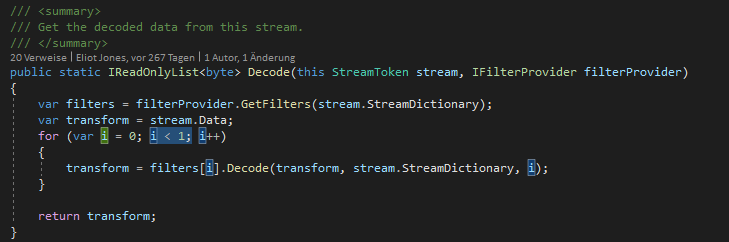
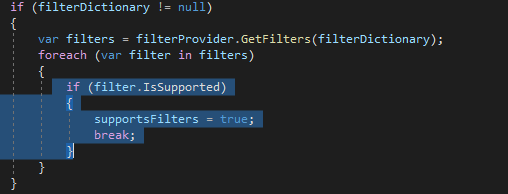
Update: When debuggind PdfPig I see that bytesFactory is null and therefore "TryGetBytes" of XObjectImage retuns "null". Why is that?
Update2: When I ignore the second Filter and only do FlateDecode I can extract the images. In the following for testing I adjusted "PdfExtensions.cs" and "XObjectFactory.cs" like this. Perhaps you need a code update in your library to support having multiple filters set.