
monaco-languageclient
 monaco-languageclient copied to clipboard
 TypeFox
React Compatibility
I am able to get the client example to connect with my python LSP server, but when I try to use the library in my react app it isn't working. I was wondering if we could get some docs on how to integrate with react, or if anyone knew of any guides on how to connect a custom LSP server to the react-monaco-editor.

Hi @wudstrand
I try to use the library in my react app it isn't working
Can you be more specific about that? What does not work? We don't have a react specific example, only the webpack related one to show how to use it.

Are you using @monaco-editor/react or react-monaco-editor? @monaco-editor/react won't work as it doesn't use the ESM version
What is the result of a npm list monaco-editor?

I am using the @monaco-editor/react at the moment so I guess I need to transition over to react-monaco-editor library. Do I need to use web pack with this component? Here is a copy of my current impl of the editor in react. If you could let me know if I am on the right track that would be great.
import React, {useState} from 'react';
import Editor, {EditorProps, Monaco} from "@monaco-editor/react";
import {toSocket, WebSocketMessageReader, WebSocketMessageWriter} from "vscode-ws-jsonrpc";
import {
    CloseAction,
    ErrorAction,
    MessageTransports,
    MonacoLanguageClient,
} from "monaco-languageclient";
import normalizeUrl from 'normalize-url';


const ReconnectingWebSocket = require('reconnecting-websocket');


interface Props extends EditorProps {
    enableEdit?: boolean
}

const LSPConnectedEditor: React.FC<Props> = ({enableEdit, ...other}) => {
    const [editor, setEditor] = useState<any | null>(null)

    function createLanguageClient (transports: MessageTransports): MonacoLanguageClient {
        return new MonacoLanguageClient({
            name: 'Sample Language Client',
            clientOptions: {
                // use a language id as a document selector
                documentSelector: ['python'],
                // disable the default error handler
                errorHandler: {
                    error: () => ({ action: ErrorAction.Continue }),
                    closed: () => ({ action: CloseAction.DoNotRestart })
                }
            },
            // create a language client connection from the JSON RPC connection on demand
            connectionProvider: {
                get: () => {
                    return Promise.resolve(transports);
                }
            }
        });
    }

    function createWebsocket(socketUrl: string) {
        const socketOptions = {
            maxReconnectionDelay: 10000,
            minReconnectionDelay: 1000,
            reconnectionDelayGrowFactor: 1.3,
            connectionTimeout: 10000,
            maxRetries: Infinity,
            debug: false
        };
        return new ReconnectingWebSocket.default(socketUrl, [], socketOptions);
    }

    function createUrl (hostname: string, port: number, path: string): string {
        // eslint-disable-next-line no-restricted-globals
        const protocol = location.protocol === 'https:' ? 'wss' : 'ws';
        return normalizeUrl(`${protocol}://${hostname}:${port}${path}`);
    }

    const beforeMount = (monaco: Monaco) => {
        monaco.languages.register({
            id: 'python',
            extensions: ['.py'],
            aliases: ['PYTHON', 'python', 'py'],
        });
    }

    const onMount = () => {

        // create the web socket
        const url = createUrl('localhost', 5000, '/');
        const webSocket = createWebsocket(url);

        webSocket.onopen = () => {
            const socket = toSocket(webSocket);
            const reader = new WebSocketMessageReader(socket);
            const writer = new WebSocketMessageWriter(socket);
            const languageClient = createLanguageClient({
                reader,
                writer
            });
            languageClient.start();
            reader.onClose(() => languageClient.stop());
        };
    }

    return (
        <Editor
            height="90vh"
            defaultLanguage={"python"}
            language={'python'}
            theme={'custom-theme'}
            beforeMount={(monaco: Monaco) => beforeMount(monaco)}
            onMount={(editor, monaco: Monaco) => onMount()}
            {...other}
        />
    )
}

export default LSPConnectedEditor;
Here is the output of npm list monaco-editor
+-- @monaco-editor/[email protected]
| +-- @monaco-editor/[email protected]
| | `-- [email protected] deduped
| `-- [email protected]
+-- [email protected]
| `-- [email protected] deduped
+-- [email protected]
| `-- [email protected] deduped
`-- [email protected]
  `-- vscode@npm:@codingame/[email protected]
    `-- [email protected] deduped
Webpack is not required, you can use whatever you want as soon as everything use the ESM version of monaco-editor from npm.
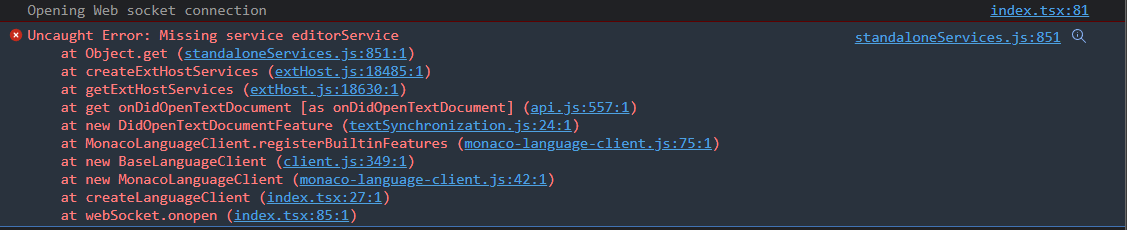
Here is what I have so far. I am seeing an Uncaught Error: Missing service editorService error now.
import React, {useState} from 'react';
import {toSocket, WebSocketMessageReader, WebSocketMessageWriter} from "vscode-ws-jsonrpc";
import {
    CloseAction,
    ErrorAction,
    MessageTransports,
    MonacoLanguageClient,
} from "monaco-languageclient";
import normalizeUrl from 'normalize-url';
import MonacoEditor from "react-monaco-editor";
import {MonacoEditorProps} from "react-monaco-editor/src/types";
import * as monaco from "monaco-editor";


type Monaco = typeof monaco;
const ReconnectingWebSocket = require('reconnecting-websocket');


interface Props extends MonacoEditorProps {
    enableEdit?: boolean
}

const LSPConnectedEditor: React.FC<Props> = ({enableEdit, ...other}) => {
    const [editor, setEditor] = useState<any | null>(null)

    function createLanguageClient (transports: MessageTransports): MonacoLanguageClient {
        return new MonacoLanguageClient({
            name: 'Sample Language Client',
            clientOptions: {
                // use a language id as a document selector
                documentSelector: ['python'],
                // disable the default error handler
                errorHandler: {
                    error: () => ({ action: ErrorAction.Continue }),
                    closed: () => ({ action: CloseAction.DoNotRestart })
                }
            },
            // create a language client connection from the JSON RPC connection on demand
            connectionProvider: {
                get: () => {
                    return Promise.resolve(transports);
                }
            }
        });
    }

    function createWebsocket(socketUrl: string) {
        const socketOptions = {
            maxReconnectionDelay: 10000,
            minReconnectionDelay: 1000,
            reconnectionDelayGrowFactor: 1.3,
            connectionTimeout: 10000,
            maxRetries: Infinity,
            debug: false
        };
        return new ReconnectingWebSocket.default(socketUrl, [], socketOptions);
    }

    function createUrl (hostname: string, port: number, path: string): string {
        // eslint-disable-next-line no-restricted-globals
        const protocol = location.protocol === 'https:' ? 'wss' : 'ws';
        return normalizeUrl(`${protocol}://${hostname}:${port}${path}`);
    }

    const beforeMount = (monaco: Monaco) => {
        monaco.languages.register({
            id: 'python',
            extensions: ['.py'],
            aliases: ['PYTHON', 'python', 'py'],
        });
    }

    const onMount = () => {
        console.log('Mounted')

        // create the web socket
        const url = createUrl('localhost', 5000, '/');
        const webSocket = createWebsocket(url);

        webSocket.onopen = () => {
            console.log("Opening Web socket connection")
            const socket = toSocket(webSocket);
            const reader = new WebSocketMessageReader(socket);
            const writer = new WebSocketMessageWriter(socket);
            const languageClient = createLanguageClient({
                reader,
                writer
            });

            languageClient.start()
                .then(() => console.log('language client started'))
                .finally(() => console.log('language client done'));

            reader.onClose(() => languageClient.stop());
        };
    }

    return (
        <MonacoEditor
            height="90vh"
            language={'python'}
            theme={'custom-theme'}
            editorWillMount={(monaco: Monaco) => beforeMount(monaco)}
            editorDidMount={(editor, monaco: Monaco) => onMount()}
            {...other}
        />
    )
}

export default LSPConnectedEditor;
The issue is that react-monaco-editor has monaco-editor v0.33 as dependency while monaco-languageclient v3 REQUIRES monaco-editor 0.34, try to force the update to monaco-editor 0.34
@CGNonofr we should add a table to the main README stating the version requirements. I was thinking about that before and will add something soon.
I was also thinking whether makes sense to have usage examples for react, angular, vue and webpack outside this repo. First, we can move unneeded things out of here (removing unneeded dependencies from the examples) and to be able to point people to existing resources. I will see if I do this in the upcoming weeks whenever there is time (lower prio).
we should add a table to the main README stating the version requirements
It can't hurt :+1:
I was also thinking whether makes sense to have usage examples for react, angular, vue and webpack outside this repo
Why does it need to be outside of the repo?
Why does it need to be outside of the repo?
Yeah, god question. Maybe it is better to create two workspaces: one for the two libs and another on for the examples. Lean dependencies for the libs and whatever is needed can go in the examples.

I'm not sure why the angular/react demos can't be along with the other demos though
I'm not sure why the angular/react demos can't be along with the other demos though
Yes, they can. I would just like to have separated npm workspaces, one for monaco-languageclient and vscode-ws-jsonrpc and one for all current and future examples.
I know that I threw it all together a couple of months ago, but I now think it is better to have a separation here.
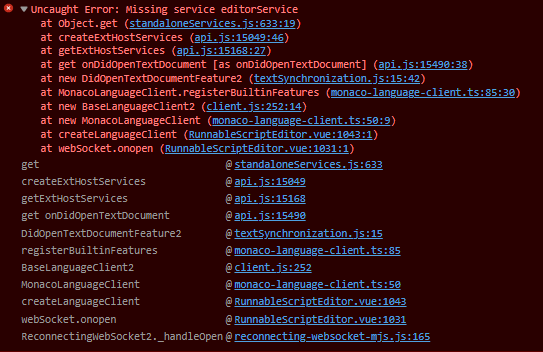
My issue may be different, but I also started receiving the following error:
+-- [email protected]
`-- [email protected]
  `-- vscode@npm:@codingame/[email protected]
    `-- [email protected] deduped
I am using the monaco-editor/language-client in a vue application.
I added the window.MonacoEnvironment code below recently, so I'm trying to determine if this is the culprit. Perhaps I'm doing something wrong here, but I was just trying to solve this warning:

import editorWorker from "monaco-editor/esm/vs/editor/editor.worker?worker";
import jsonWorker from "monaco-editor/esm/vs/language/json/json.worker?worker";
import cssWorker from "monaco-editor/esm/vs/language/css/css.worker?worker";
import htmlWorker from "monaco-editor/esm/vs/language/html/html.worker?worker";
import tsWorker from "monaco-editor/esm/vs/language/typescript/ts.worker?worker";

export function useMonacoEnvironment() {
  // @ts-ignore
  if (!window.MonacoEnvironment) {
    console.debug("Setting up monaco environment");
    // @ts-ignore
    window.MonacoEnvironment = {
      getWorker(_: any, label: string) {
        if (label === "json") {
          return new jsonWorker();
        }
        if (label === "css" || label === "scss" || label === "less") {
          return new cssWorker();
        }
        if (label === "html" || label === "handlebars" || label === "razor") {
          return new htmlWorker();
        }
        if (label === "typescript" || label === "javascript") {
          return new tsWorker();
        }
        return new editorWorker();
      },
    };
  }
}

The "missing service" error happens when there is multiple monaco editor versions involved
I am only seeing v 0.33.0 in my yarn.lock file. But thanks I'll keep digging around with that in mind
@CGNonofr FYI I have just created a couple of enhancement issues for creating framework related examples.
I am only seeing v 0.33.0 in my yarn.lock file. But thanks I'll keep digging around with that in mind
That's weird, because monaco-languageclient@3 has a dependency on [email protected] which has a dependency on [email protected]
what is the result of npm list monaco-editor?
I put the output of that command in my first response. I'm not using monaco-languageclient@3, should I be?
+-- [email protected]
`-- [email protected]
  `-- vscode@npm:@codingame/[email protected]
    `-- [email protected] deduped
Oh you're not using the last version of monaco-languageclient! I don't know about your error, you should probably update though
Updated to v3 and still receiving the same error. I'll figure this out.
+-- [email protected]
`-- [email protected]
  `-- vscode@npm:@codingame/[email protected]
    `-- [email protected] deduped
I just realize it can happen if an editor is created before monaco-languageclient/monaco-vscode-api is loaded (because creating an editor initialize and freeze the services, while we are trying to register additional ones)
Otherwise I don't know, I'm interested it you find anything
Updated to v3 and still receiving the same error. I'll figure this out.
Plus, you don't need to define monaco-editor separately in your dependencies in the package.json? If so, remove it and only keep the dependency to monaco-languageclient.
Since monaco-editor is imported directly, I think it's a good idea to have it in the package.json
I figured out how to reproduce my issue.
I am instantiating multiple monaco editors on a page without setting up any language services. These are just simple read-only views.
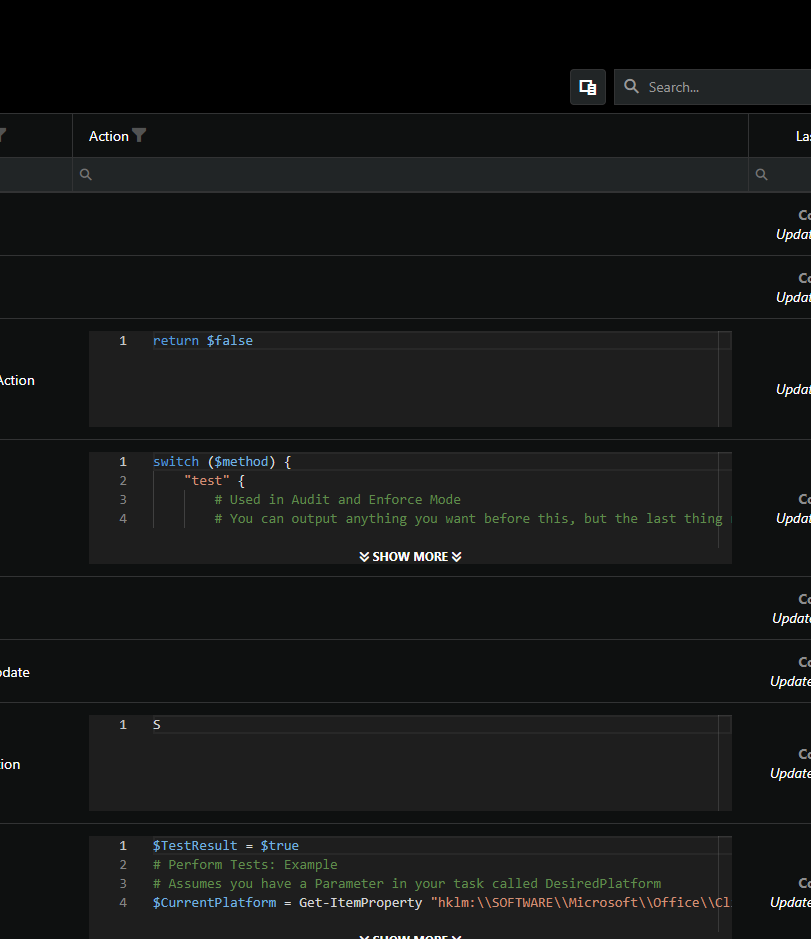
If I then navigate to a page that instantiates an editor with language services, it throws the error.
It appears that there may be some initialization logic that only occurs once. So if I load an editor without language services, and then load it with language services, the second load fails.
edit: When I say language services, I am referring to calling MonacoServices.install();
Yep, exactly what I meant, you can do import vscode before starting your first editor to prevent the error
Oh, I didn't see your comment earlier about loading monaco-languageclient/monaco-vscode-api!
I'm not 100% sure what you mean by import vscode.
Simply add an import statement? import vscode from "vscode"? Or is vscode coming from somewhere in monaco-editor or monaco-languageclient
Simply importing vscode should do the trick, importing monaco-languageclient should work as well
We use an alias from vscode to @CodinGame/monaco-vscode-api