

 Tjatse
Not Able to Get Processes in Node Dashboard
Hi We are Using pm2 and Pm2-gui. We have started pm2-gui in node and from Browser we are able to Login and See the CPU and Memory usage. We are not able to see the Processes. We have put conf.js which was generated by command pm2 ecosystem Below is the Execution status we get
node pm2-gui.js start ./pm2-gui.ini [WARN] 2018-2-27 18:54:39 Can not load PM2 config, the file "/TMS/.pm2/conf.js" does not exist or empty, fallback to auto-load by pm2 home. [INFO] 2018-2-27 18:54:39 Listening connection event on sys by func:_connectSysSocket [INFO] 2018-2-27 18:54:39 Listening connection event on log by func:_connectLogSocket [INFO] 2018-2-27 18:54:39 Listening connection event on process by func:_connectProcessSocket [INFO] 2018-2-27 18:54:39 Connecting to pm2 daemon: /TMS/.pm2/pub.sock [INFO] 2018-2-27 18:54:39 [pm2:log] Activate [WARN] 2018-2-27 18:54:39 Avoid duplicated listening! [INFO] 2018-2-27 18:54:39 Web server is listening on 127.0.0.1:12345 [INFO] 2018-2-27 18:54:43 Connected to /system! [INFO] 2018-2-27 18:54:43 Fetching pm2 version: /TMS/.pm2/rpc.sock [INFO] 2018-2-27 18:54:43 awake:1st Tracking-11 [INFO] 2018-2-27 18:54:43 [pm2:log] deactivate 'cause no subscriber


;
; Home directory of pm2.
;
pm2 = ~/.pm2
;
; The monitor will fetch system CPU/Memory amount after this certain time interval.
; it could be milliseconds or various time formats(https://github.com/zeit/ms)
;
refresh = 5s
;
; Port of Web server and socket agent.
;
port = 8088
;
; A value indicates whether or not run the pm2-gui as damonization.
;
daemonize = false
;
; A value indicates whether or not the action buttons (i.e. restart, stop all...) should be displayed on web page.
;
readonly = false
;
; The monitor will fetch process CPU/Memory amount after this certain time interval.
; it could be milliseconds or various time formats(https://github.com/zeit/ms)
;
process_refresh = 3s
[log] ; ; Log directory. ; dir = ./logs ; ; A value indicates whether or not display the [INFO], [ERROR].. prefixes before log message. ; prefix = true ; ; A value indicates whether or not display the local date string before log message. ; date = true ; ; Log level, one of debug, log, info, warn, error. ; level = info ; ; Socket.io origins check, e.g.: ; origins = 'example.com:* http://example.com:* http://www.example.com:8088' ; By default: ; origins = :
[agent] ; ; This authorization will be used to authorize socket / web connections if it's set. ; ;authorization = AuTh ; ; A value indicates whether agent offline or not. ; ; offline = true [remotes] ; ; the dashboard and web server will use this section to connect remoting socket server ; server_name = [authorization@]host:port ; ; pm2@171 = AuTh@https://192.168.1.171:9002/sockserv ; pm2@172 = 192.168.1.172:9001 ; pm2@173 = 192.168.1.173:9000 ;
just changing daemonize = true, and you can access the processes by pm2-gui mon after pm2-gui start /your/path/of/pm2-gui.ini
Dear Tjatse Thanks for the Quick revert. We have done the changes but the results remain the same. below is the Console when we run on node....
$ node pm2-gui.js start /var/opt/node-apps/pm2-gui/pm2-gui.ini [WARN] 2018-3-1 08:43:55 CPCPCP /TMS/.pm2/conf.jsCan not load PM2 config, the file "/TMS/.pm2/conf.js" does not exist or empty, fallback to auto-load by pm2 home. [INFO] 2018-3-1 08:43:55 Listening connection event on sys by func:_connectSysSocket [INFO] 2018-3-1 08:43:55 Listening connection event on log by func:_connectLogSocket [INFO] 2018-3-1 08:43:55 Listening connection event on process by func:_connectProcessSocket [INFO] 2018-3-1 08:43:55 Connecting to pm2 daemon: /TMS/.pm2/pub.sock [INFO] 2018-3-1 08:43:55 [pm2:log] Activate [WARN] 2018-3-1 08:43:55 Avoid duplicated listening! [INFO] 2018-3-1 08:43:55 Web server is listening on 127.0.0.1:8088 [INFO] 2018-3-1 08:43:57 awake:1st Deviceview-3 [INFO] 2018-3-1 08:43:57 [pm2:log] deactivate 'cause no subscriber [INFO] 2018-3-1 08:44:18 Connected to /system! [INFO] 2018-3-1 08:44:18 Fetching pm2 version: /TMS/.pm2/rpc.sock [INFO] 2018-3-1 08:44:37 Connected to /system! [INFO] 2018-3-1 08:44:37 Fetching pm2 version: /TMS/.pm2/rpc.sock [INFO] 2018-3-1 08:44:42 Connected to /system! [INFO] 2018-3-1 08:44:42 Fetching pm2 version: /TMS/.pm2/rpc.sock [INFO] 2018-3-1 08:44:45 Connected to /system! [INFO] 2018-3-1 08:44:45 Fetching pm2 version: /TMS/.pm2/rpc.sock
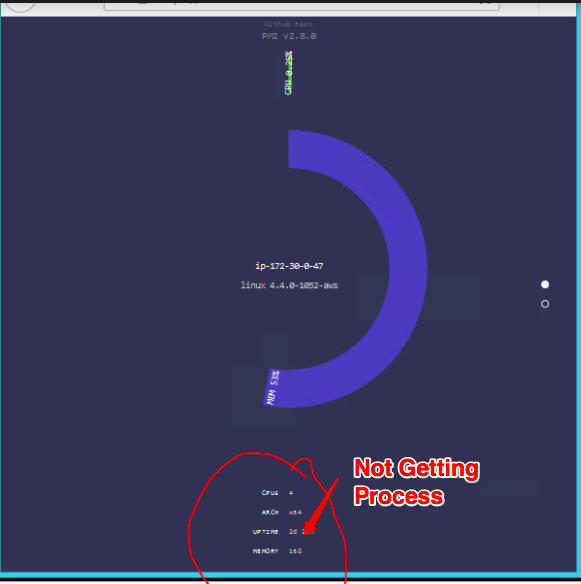
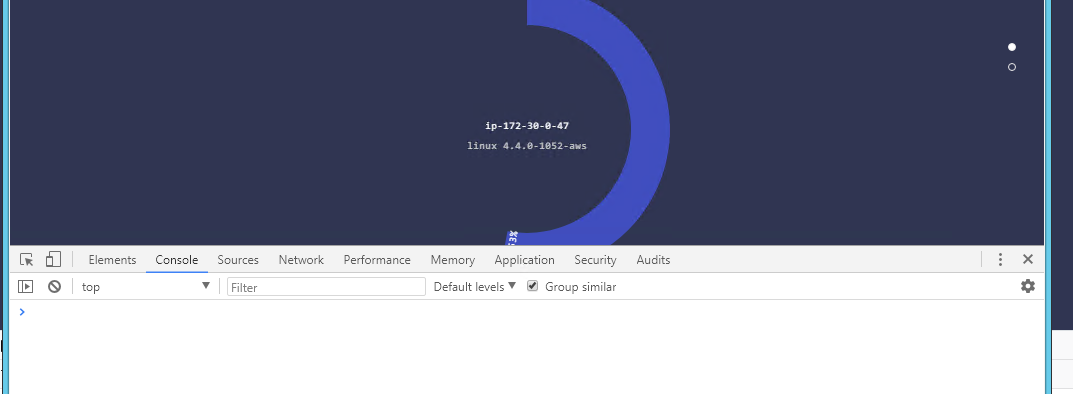
can you open the dev-tools of your browser and inspect the console logs (recommended to use Google Chrome)
Here we go
As we can see there are no errors reported in the console.
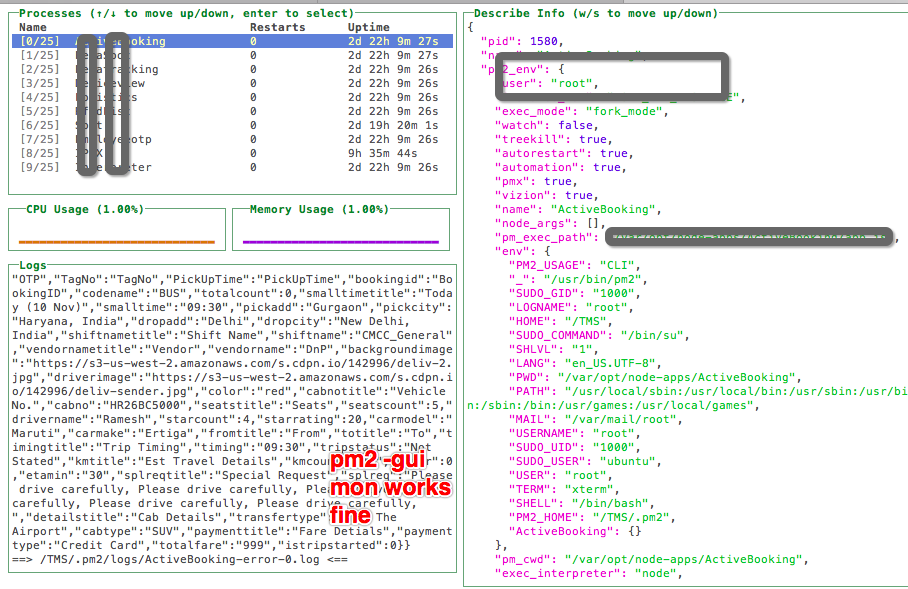
 Pm2-gui mon
Works fine
Pm2-gui mon
Works fine
so, you're visiting the dashboard (web ver.) on your linux server? (and whats the address?)
Dear Jun Yes we are trying to monitor the Pm2 via pm2-gui on Web Dashboard. The URL cannot be shared as it is hosted behind Firewall. We have Ubuntu Server 16 with PM2 and Niginx.
We are accessing the Webbrowser on Windows Machine put next to pm2 server. So they can access from local ip address.
gotcha!
whats your pm2-gui version?
Please make sure your web/socket address && port of pm2-gui could be resolved on your PC
it seems a network issue, i guess :)
From Package.json "name": "pm2-gui", "version": "0.1.4", "lockfileVersion": 1, "requires": true, "dependencies":
Will check the web/socket Address
Can you let us know what this setting relate to ; ; Socket.io origins check, e.g.: ; origins = 'example.com:* http://example.com:* http://www.example.com:8088' ; By default: ; origins = :
We have all the lines commented in our ini.
Dear Jun
Can you help on how to troubleshoot Please make sure your web/socket address && port of pm2-gui could be resolved on your PC And What settings to be changed in which file.
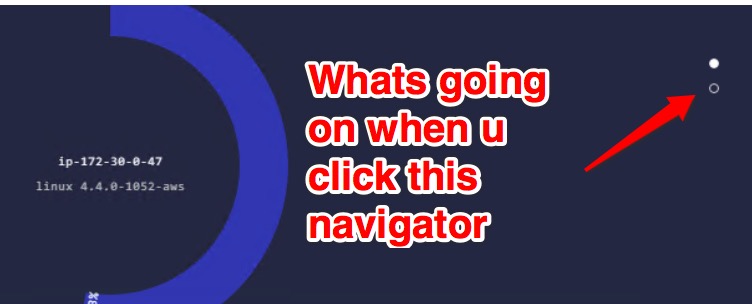
All this leads up to the privilege issues, you're running pm2 with root, but pm2-gui by TMZ, actually TMZ can not access the processes of root
Dear Jun this is abstract of command ps aux | less root 1442 1.8 0.2 924224 47900 ? Ssl 18:35 0:14 PM2 v2.8.0: God Daemon (/TMS/.pm2) root 1559 0.3 0.3 1210376 50684 ? Ssl 18:35 0:03 PM2: KM Agent (/TMS/.pm2) root 2237 0.1 0.3 1135200 51032 pts/0 Sl+ 18:37 0:00 pm2-gui slave
Both are running as root user.
It looks like it has something to do with Socket.io now. I have Changed Settings and now started getting error on console and web dashboard
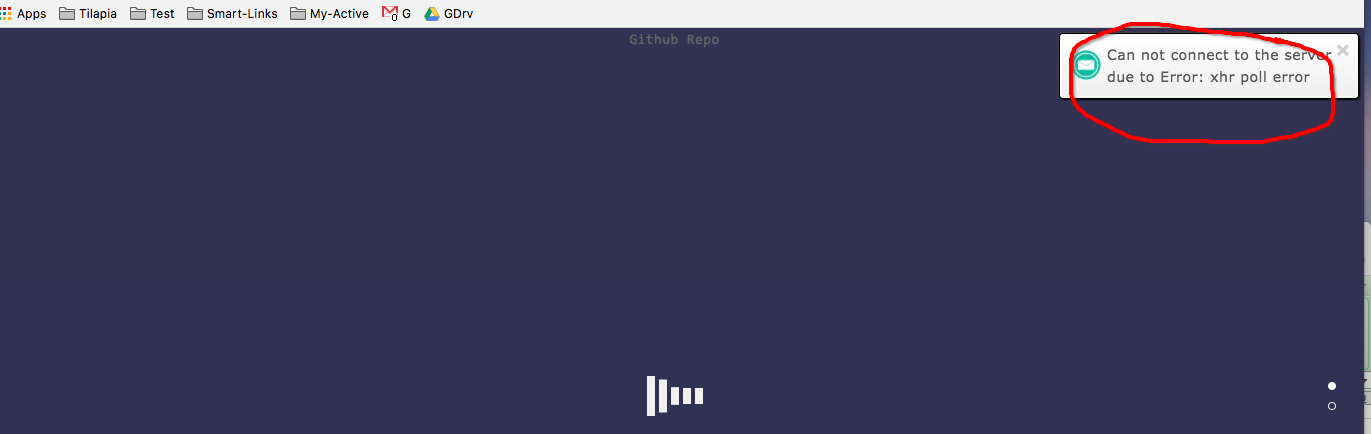

Here is my Niginx Settings
upstream pm2-gui {
server 172.30.0.47:8088;
}
location /pm2-gui/ {
rewrite ^/pm2-gui/(.*)$ /$1 break;
proxy_pass https://172.30.0.47:8088;
proxy_http_version 1.1;
proxy_set_header Upgrade $http_upgrade;
proxy_set_header Connection "upgrade";
root /var/opt/node-apps/pm2-gui2/web/public;
proxy_set_header X-Forwarded-For $proxy_add_x_forwarded_for;
proxy_set_header Host $host;
}
location /socket.io/ {
proxy_pass http://172.30.0.47:8088;
proxy_set_header Upgrade $http_upgrade;
proxy_set_header Connection "upgrade";
proxy_http_version 1.1;
proxy_set_header X-Forwarded-For $proxy_add_x_forwarded_for;
proxy_set_header Host $host;
}
the nginx configuration is the main issue now, congrats.
Are'y serving pm2-gui with a sub domain (e.g: http://my.site.com/pm2-gui/)?
Yes , We are serving pm2-gui with http://my.site.com/pm2-gui/
We have shared the Nginx and ini in the previous reply. Let us know where are we going wrong.
this is a nginx proxy (sub domain) issue, it's always very easy to get stuck. I'll test this on my centOS ASAP.
I've just tried sub domain and it's working as scheduled:
#
# The default server
#
server {
    listen       80;
    server_name  pm2.focuxy.com;

    charset utf-8;

    location / {
        root   /var/www/node-sites;
        proxy_redirect off ;
        proxy_set_header Host $host;
        proxy_set_header X-Real-IP $remote_addr;
        proxy_set_header REMOTE-HOST $remote_addr;
        proxy_set_header X-Forwarded-For $proxy_add_x_forwarded_for;
        client_max_body_size 50m;
        client_body_buffer_size 256k;
        proxy_connect_timeout 30;
        proxy_send_timeout 30;
        proxy_read_timeout 60;
        proxy_buffer_size 256k;
        proxy_buffers 4 256k;
        proxy_busy_buffers_size 256k;
        proxy_temp_file_write_size 256k;
        proxy_next_upstream error timeout invalid_header http_500 http_503 http_404;
        proxy_max_temp_file_size 128m;
        proxy_pass http://localhost:9009;
    }
    location /socket.io/ {
      proxy_pass http://localhost:9009;
      proxy_set_header Upgrade $http_upgrade;
      proxy_set_header Connection "upgrade";
      proxy_http_version 1.1;
      proxy_set_header X-Forwarded-For $proxy_add_x_forwarded_for;
      proxy_set_header Host $host;
    }


    error_page  404              /404.html;
    location = /404.html {
        root   /usr/share/nginx/html;
    }

    # redirect server error pages to the static page /50x.html
    #
    error_page   500 502 503 504  /50x.html;
    location = /50x.html {
        root   /usr/share/nginx/html;
    }

    # proxy the PHP scripts to Apache listening on 127.0.0.1:80
    #
    #location ~ \.php$ {
    #    proxy_pass   http://127.0.0.1;
    #}

    # pass the PHP scripts to FastCGI server listening on 127.0.0.1:9000
    #
    #location ~ \.php$ {
    #    root           html;
    #    fastcgi_pass   127.0.0.1:9000;
    #    fastcgi_index  index.php;
    #    fastcgi_param  SCRIPT_FILENAME  /scripts$fastcgi_script_name;
    #    include        fastcgi_params;
    #}

    # deny access to .htaccess files, if Apache's document root
    # concurs with nginx's one
    #
    #location ~ /\.ht {
    #    deny  all;
    #}
}
pm2-gui.ini:
pm2 = ~/.pm2
refresh = 5000
port = 9009
daemonize = true
[log]
dir = ./logs
prefix = true
level = warn
[agent]
authorization = AuTh
[remotes]
The sub folder such as http://mydomain.com/pm2-gui is not supported 'cause some express routes, e.g.: res.redirect('/auth'), and it should be a relative redirect behavior , i.e. res.redirect('./auth'), may be I can release a new Ver. to support NGINX FOLDER PROXY if you can not accept NGINX SUB DOMAIN PROXY.
Hi Jun, i got the same problem, is there any solution at this moment? Regards.

