
blender-addon-fbx-bundle

blender-addon-fbx-bundle copied to clipboard
Published
5 years ago
•
 TiliSleepStealer
TiliSleepStealer
Adjust position of FBX Bundle Tab in Sidebar?
Is there a possibility to adjust the position of the FBX Bundle Tab in the Sidebar?
Because for some reason it is unchangeably the first tab in my sidebar and I'd rather have it underneath the standard tabs as usually happens with addons in Blender.


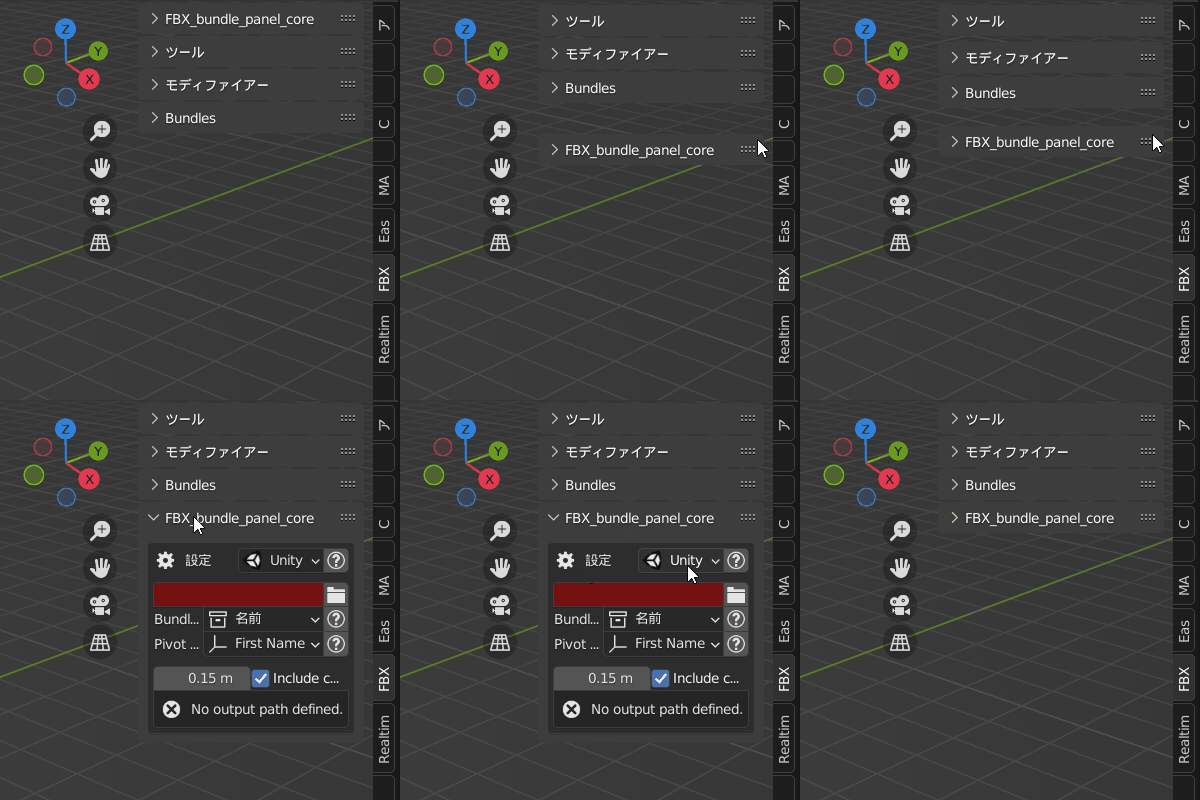
Try commenting out the [ bl_options = {'HIDE_HEADER'} ](url)
init.py `line 168
class Panel_Core(bpy.types.Panel):
	bl_idname = "FBX_bundle_panel_core"
	bl_label = " "
	bl_space_type = 'VIEW_3D'
	bl_region_type = 'UI'
	bl_category = "FBX Bundle"
	bl_options = {'HIDE_HEADER'}
class Panel_Core(bpy.types.Panel):
	bl_idname = "FBX_bundle_panel_core"
	bl_label = "FBX bundle Setting"
	bl_space_type = 'VIEW_3D'
	bl_region_type = 'UI'
	bl_category = "FBX Bundle"
#	bl_options = {'HIDE_HEADER'}
```
