

 TheJoeFin
Not working anymore - Windows 11 Beta?
Text-Grab stopped working and I guess it has something to do with the latest beta release of Windows. I have tried several versions and the store version, none of them works. I'm on Windows 11 Beta version 22621.160.
Any suggestions?

Hello, sorry to hear Text Grab stopped working for you, could you be more specific as to how much of Text Grab stopped working?
Does a window pop up? what mode were you trying to use (Fullscreen grab, Grab Frame, Edit Text Window)? What type of computer do you have?
I did test out Text Grab on the Windows Insider Dev channel and Release Preview with no issue. Looking forward to your response.

Hello
Thanks for a fast reply.
I have tried both Fullscreen grab and Grab frame. Both shows and I can select a rectangle in full screen, and words in grab frame. There is a bit longer delay than when it worked but then the full screen overlay disappears and grab frame also disappears but nothing is copied to clipboard.
If you open the "Event Viewer" and under "Windows Logs" on the left hand pane, click "Application" then the crashes should show up. I am not seeing any crash data in the developer dashboard for the Microsoft Store version. It could be possible there is a conflict with the version of .NET 6, but that shouldn't not affect the Store version of Text Grab. Hopefully the crash in the Event Viewer will give more information and explain why it is crashing.
There is no crash events in the application log. I tried several "grabs" in a row and sometimes it works and next time I try the same words it doesn't work. I have used it in several applications to get a clear black on white text but that doesn't help. It's like 1 read and 5 nothing. It feels like OCR can't read it?
What is your keyboard language set to? What language are you trying to OCR? Can you provide reference images?
My keyboard language is swedish. I have tried both english and swedish. It doesn't have any problems with swedish characters like ÅÄÖ.


This one, from the Event Viewer, worked one time of four tries.

Program Säkerhet Installation
Hello again @andersberglund, are you still having these issues? I have not been able to recreate them, and I am unsure what the issue might be.
Could you share a screenshot of your Windows Settings Language page so I can see if your language packs are fully installed like this:
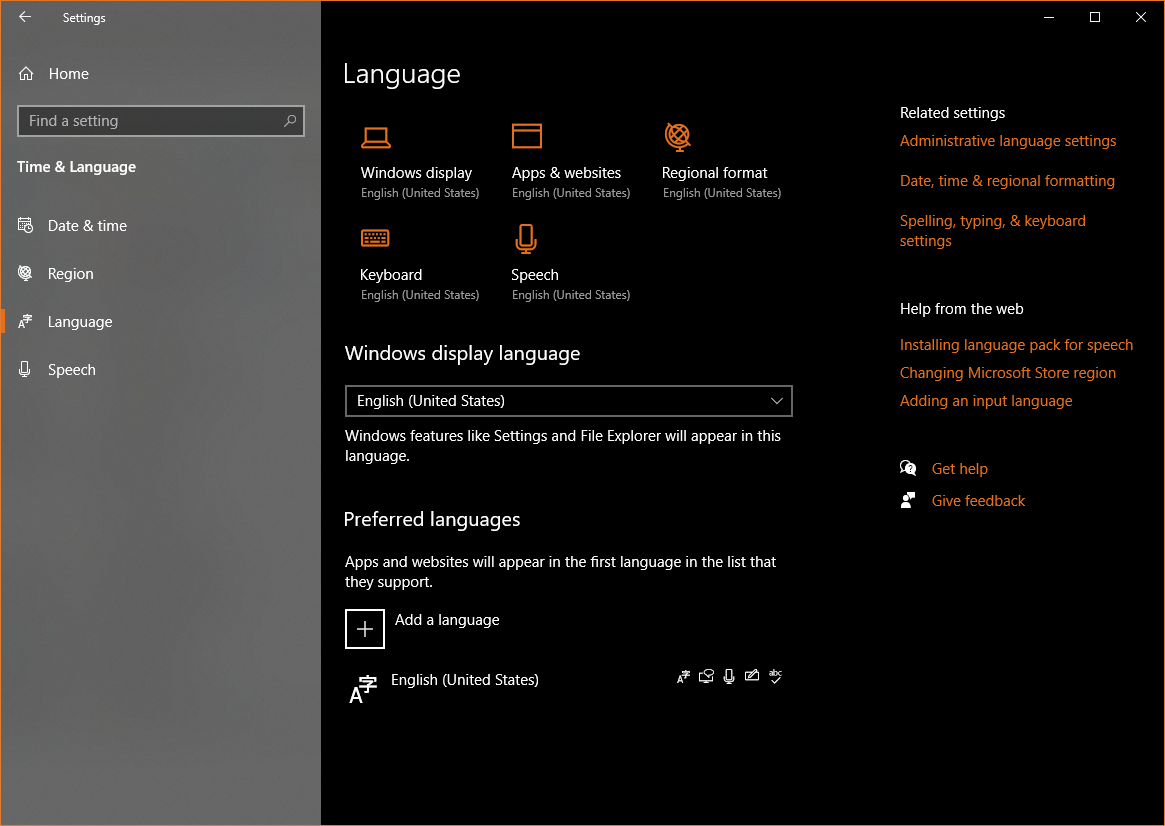
Hello
My settings page doesnt look like yours, I'm on Windows 11 Beta. But here it is. I have tried other OCR apps I have found and they can read the text, but that is done by saving a screenshot and then loading the picture into the app.
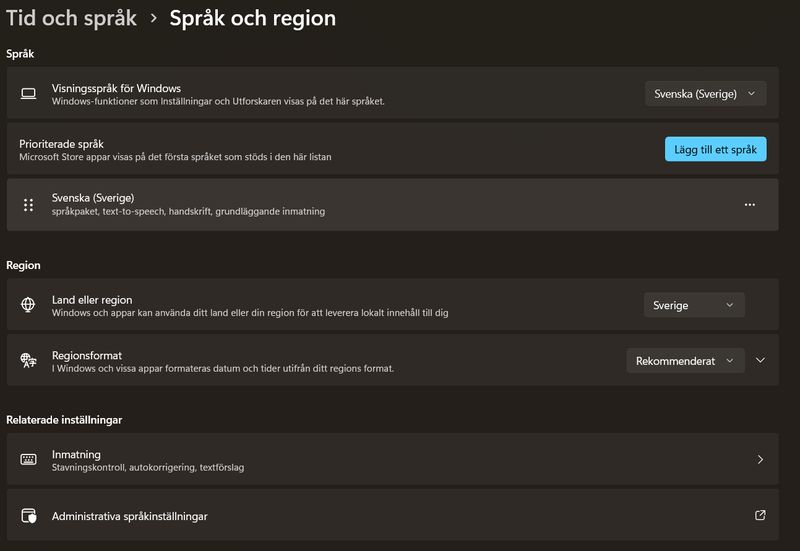
Hello again
I ran TextGrab in Visual Studio debug mode and got this error:
System.Runtime.InteropServices.COMException {"OpenClipboard Failed (Exception from HRESULT: 0x800401D0 (CLIPBRD_E_CANT_OPEN))"}
Line 323 in fullscreengrab.xaml.cs Clipboard.SetText(grabbedText);
Maybe this can explain why it doesn't work for me.
I changed the line to Clipboard.SetDataObject(grabbedText); as recommended by several sources. So far it is working 👌
This Stackoverflow answer has a helpful explanation. Not sure why SetText would be crashing, but SetDataObject is working. Anyway I some testing and it is working well, Text Grab will use SetDataObject to add the text to the clipboard.