

 The-OpenROAD-Project
Global pLacement allows Macros overlapping
Hi,
I have an issue with the global_placement function end result allowing macros to overlap and placing all the components in a very congested small area allowing macros and pins to overlap.
In fact, I'm manually creating LEF and DEF files in order to perform placement optimization. After succeeding in creating correct DEF files (not crashing the app) and performing the global_placement function, I end up with an illegal placement like you see below.
In the LEF/DEF files creation, I only considered the most basic design specification without diving into the details. I might lack some details necessary to the good execution of the placement.
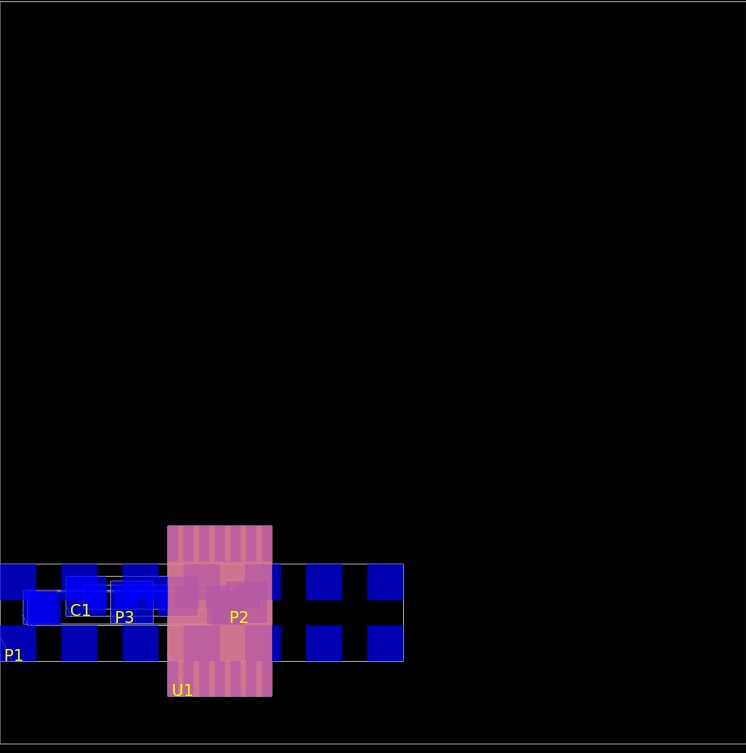 The legalization step is not triggered. I have also tried to add obstruction in the macros definition without noticeable results; or should I execute the detailed placement for this task?
What about the routability, how can I enforce the design to be routable, and how to route if so.
The legalization step is not triggered. I have also tried to add obstruction in the macros definition without noticeable results; or should I execute the detailed placement for this task?
What about the routability, how can I enforce the design to be routable, and how to route if so.
I will post my LEF DEF files. (they are quite easy)
I would be happy to get any piece of advice.
Thank you very much. def.txt lef.txt

Legalization is part of detailed_placement not global_placement. Are you using a set of flow script like ORFS or OL?

Thank you for your advice. Now the detailed_placement correctly resolves the components overlap. Nevertheless, the result doesn't seem to be very routable.
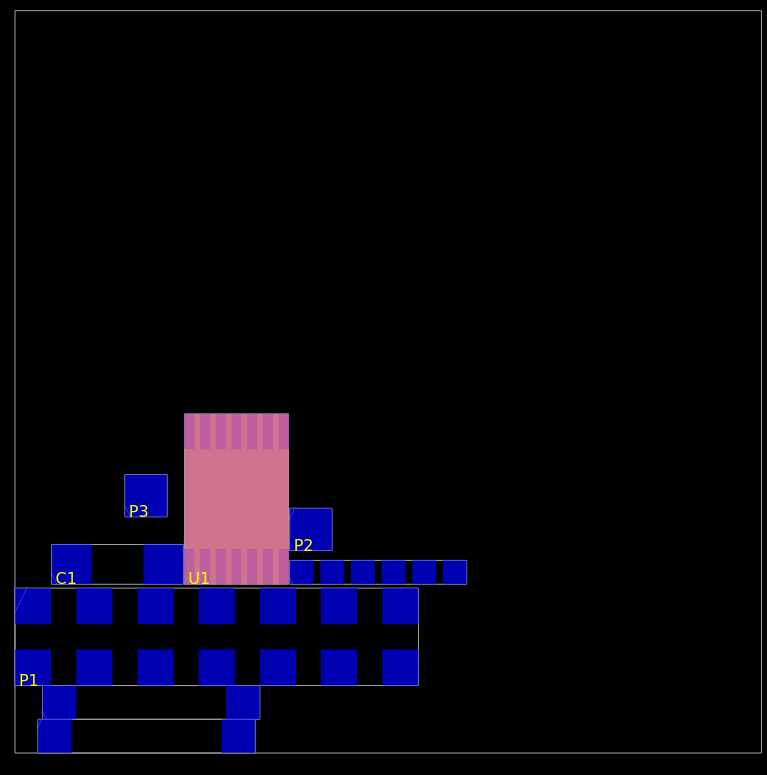
I then added the track config in the DEF file
TRACKS Y 0 DO 240 STEP 280 LAYER metal2 ;
TRACKS X 0 DO 180 STEP 380 LAYER metal2 ;
TRACKS X 0 DO 180 STEP 380 LAYER metal1 ;
TRACKS Y 0 DO 240 STEP 280 LAYER metal1 ;
And when I execute the global_route, I end up with this error
[ERROR GRT-0229] Vertical edge usage exceeds the maximum allowed. which I neither properly understand nor have any clue how to solve.
I'm not using any flow scripts. I'm only interested in having an optimized placement that is routable.
Thank very much for your precious help.
Since these are macros rather than standard cells you should try using the macro_placement command with -halo & -channel to create more spacing between them in both directions. You can do this after global_placement and skip detailed_placement.