

 Tencent
Firefox浏览器模式下,使用ant design4的组件下拉框不兼容
描述bug Firefox浏览器模式下,使用ant design4的组件,比如select,date组件下拉框无法出现,其他浏览器没有问题
如何复现 给出详细的复现步骤 1、第一步 在火狐浏览器中打开无界官网中的在线体验 2、 第二步 粘贴ant design4的组件官网https://4x.ant.design/components/select-cn/ 3、select的下拉框无法正常出现




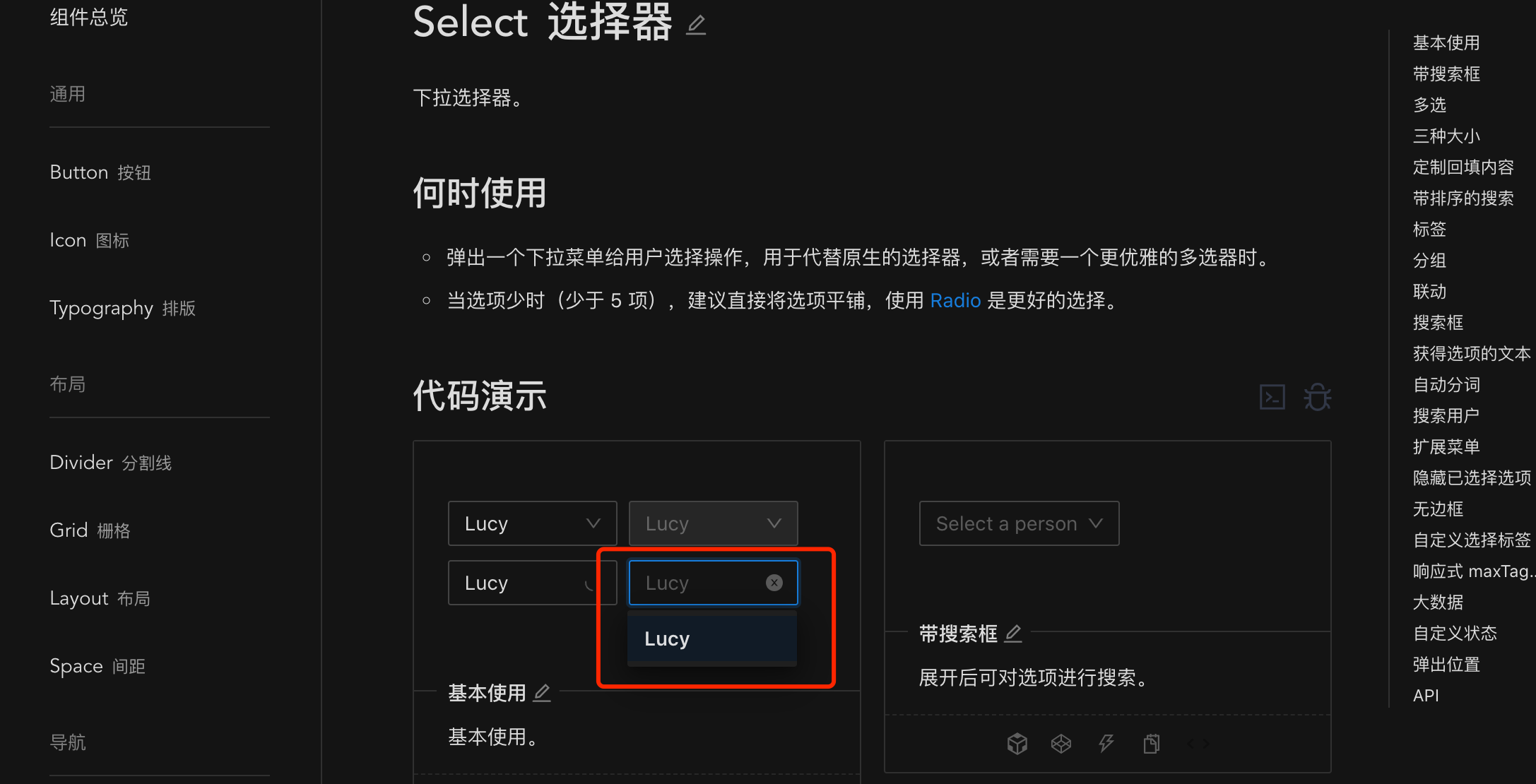

需要设置弹出框不插入到body中,但是select官方提供的getPopupContainer在Firefox上不生效,最后我是外层套了ConfigProvider并设置getPopupContainer,然后将ant-select-dropdown的top和left写死,解决了Firefox的问题,同样Popover等弹出 也有相同的问题,这个方案也可以解决
<ConfigProvider getPopupContainer={() => selectRef.current}> <div ref={selectRef} className={styles.curSelect}> <Select options={options} popupClassName={'curSelectPopup'} // getPopupContainer={(triggerNode) => triggerNode.parentNode} /> </div> </ConfigProvider>
css
.curSelect { position: relative; } .curSelectPopup.ant-select-dropdown { left: 0 !important; top: 36px !important; }


/**
 * 原因: 由于 antd 依赖的 rc-util/es/dom/isVisible.js 中 判断元素是否显示的方法在火狐下失效。
 * 解法: 代理 instanceof Element 方法, 手动检验 element 是否是 dom 元素
 *
 * 在项目入口处执行如下代码
 * */
Object.defineProperty(Element, Symbol.hasInstance, {
  value: function (left: any) {
    // const right = this;
    if (typeof left !== 'object' || !left) return false;
    const getType = (obj: any) => Object.prototype.toString.call(obj);
    let head = left.__proto__;
    const targetClass = getType(this);
    // eslint-disable-next-line no-constant-condition
    try {
      while (head) {
        // 重写 instanceof 判断逻辑
        if (getType(head) === targetClass) {
          return true;
        }
        head = head.__proto__;
      }
    } catch (e) {
      console.error(e);
    }

    return false;
  },
});


使用该插件即可解决:https://wujie-polyfill.github.io/doc/plugins/instanceof.html
antd4解决了,可是antd5出问题了,弹框位置不准确

使用该插件即可解决:https://wujie-polyfill.github.io/doc/plugins/instanceof.html
antd4解决了,可是antd5出问题了,弹框位置不准确
在firefox下,所有节点的基类都是指向基座的Node(chrome是iframe的Node),导致wujie的patchNodeEffect处理无效。 新增如下插件处理getRootNode指向,可以解决位置不准确问题
{
        patchElementHook(element: any, iframeWindow: any) {
              // 解决firefox下拉框无法对齐
              try {
                Object.defineProperties(element, {
                  getRootNode: {
                    configurable: true,
                    get: () => iframeWindow.Node.prototype.getRootNode,
                  },
                });
              } catch (error) {
                console.warn(error);
              }
       },
}

使用该插件即可解决:https://wujie-polyfill.github.io/doc/plugins/instanceof.html
antd4解决了,可是antd5出问题了,弹框位置不准确
在firefox下,所有节点的基类都是指向基座的Node(chrome是iframe的Node),导致wujie的patchNodeEffect处理无效。 新增如下插件处理getRootNode指向,可以解决位置不准确问题
{
        patchElementHook(element: any, iframeWindow: any) {
              // 解决firefox下拉框无法对齐
              try {
                Object.defineProperties(element, {
                  getRootNode: {
                    configurable: true,
                    get: () => iframeWindow.Node.prototype.getRootNode,
                  },
                });
              } catch (error) {
                console.warn(error);
              }
       },
}
在firefox下,Select的弹出层位置计算错误的问题用这个方法可以, 感谢!!!

