

 TeamAmaze
Can't see files from other users, or modify files outside of storage, even with root
I'm sorry if this is explanation is too confusing, I'm having problems to keep it clear and concise. Please ask me if you need clarification.
Thank you very much.
Setup
I'm using a Wiko Lenny3 with its stock ROM (Android Marshmallow), rooted with Magisk Manager v18.0.
I'm currently using Island to create a work profile in my phone. This basically creates a second user in my phone, so that apps in a user profile can't access data or settings from the other profile.
Normally, if you log in as several users in an Android, you can only use one session at a time and any other session is frozen. You can't receive notifications from any user other than the current, either. A work profile overcomes these two limitations.
In my specific phone, my owner storage is located at /storage/emulated/0/, and my work profile storage at /storage/emulated/10/.
Warning
Island has internet permissions and has attempted to connect to internet in the past. You might want to take precautions (I'm using a firewall), or use an alternative like Shelter, if it works for you. (At January 2019, Shelter only works for Nougat or higher.)
Issue
This isolation works too well. I can clone Amaze into my work profile, and when I run Amaze I can choose between running as owner, or running from my work profile.
Amaze can't get permission to show the contents of /storage/emulated/, or from any user than the one I pick. This happens even if I grant Amaze root access.
I can't create a folder or rename a file at /, either. The view for / refreshes, and any modification I do is silently discarded. Again, root access doesn't help.
If I try to Share a file with the Amaze app in the other profile, Amaze creates a 0-bytes file and crashes.
Alternative
Island provides an alternative way to connect the work profile storage space and the owner storage, called File Shuttle. If File Shuttle is enabled, and an application from the work profile opens a dialog for the Android Storage Access Framework, the user can click an entry reading “Shuttled by Island” to access the owner storage.
The Android Nougat stock file browser and FX FIle Explorer (a closed-source file browser) can open this dialog, but Amaze is not compatible with this Android SAF.
I can successfully Share files from FX FIle Explorer (in my work profile) to Amaze (in my owner profile).

Do you have any logcats? For the crashes and for the silent discarding of changes?

I'm sorry, I didn't notice a reply until now.
I didn't save a logcat then, but I can get one. What filters do I use? I tried adb logcat and adb logcat *:V and I'm getting a lot of crap from every other app in my phone.
Hi @ArenaL5 Can you check whether this specific issue exists in 3.5.0 I think this should be fixed now. Or maybe reopen it if you feel is not fixed?

I had completely forgotten about this. I even changed phones and OS since then... I'm not sure if this will change the result. I'm currently using an unofficial version of LineageOS 17.1 on Redmi Note 8, which has disk encryption enabled by default. I forgot to say the first time around that I enabled it manually in the old phone.
I tried version 3.5.0 and some of the issues are partially fixed:
- I can create folders on root now. It says the operation failed, but after refreshing I can see the new folders
- Sharing a file from my home folder to my work profile's home folder works. Attempting to share a file from root to my work profile silenty fails.
I saved a log for this. I deleted some obvious junk from the logs, mostly pertaining to camera errors (mm-camera, QCamera, CameraManagerGlobal, chatty, CamComm1.0-MD), wifi, and AnySoftKeyboard's debug version (too many tags to mention). I didn't delete every irrelevant entry (most StrictMode violations if not all are caused by AnySoftKeyboard too).
I haven't tried the most recent version yet.
There's an issue that's not been fixed on 3.5.0:
Amaze can't get permission to show the contents of
/storage/emulated/, or from any user than the one I pick. This happens even if I grant Amaze root access.
Root access allows me to see the root folder, but I can't see directly the contents of /storage/emulated. I can check if a given folder exists if I enable the option to edit the current path by long-pressing it, and do that, the Go button (“IR” on my screenshots) is enabled only for valid paths:
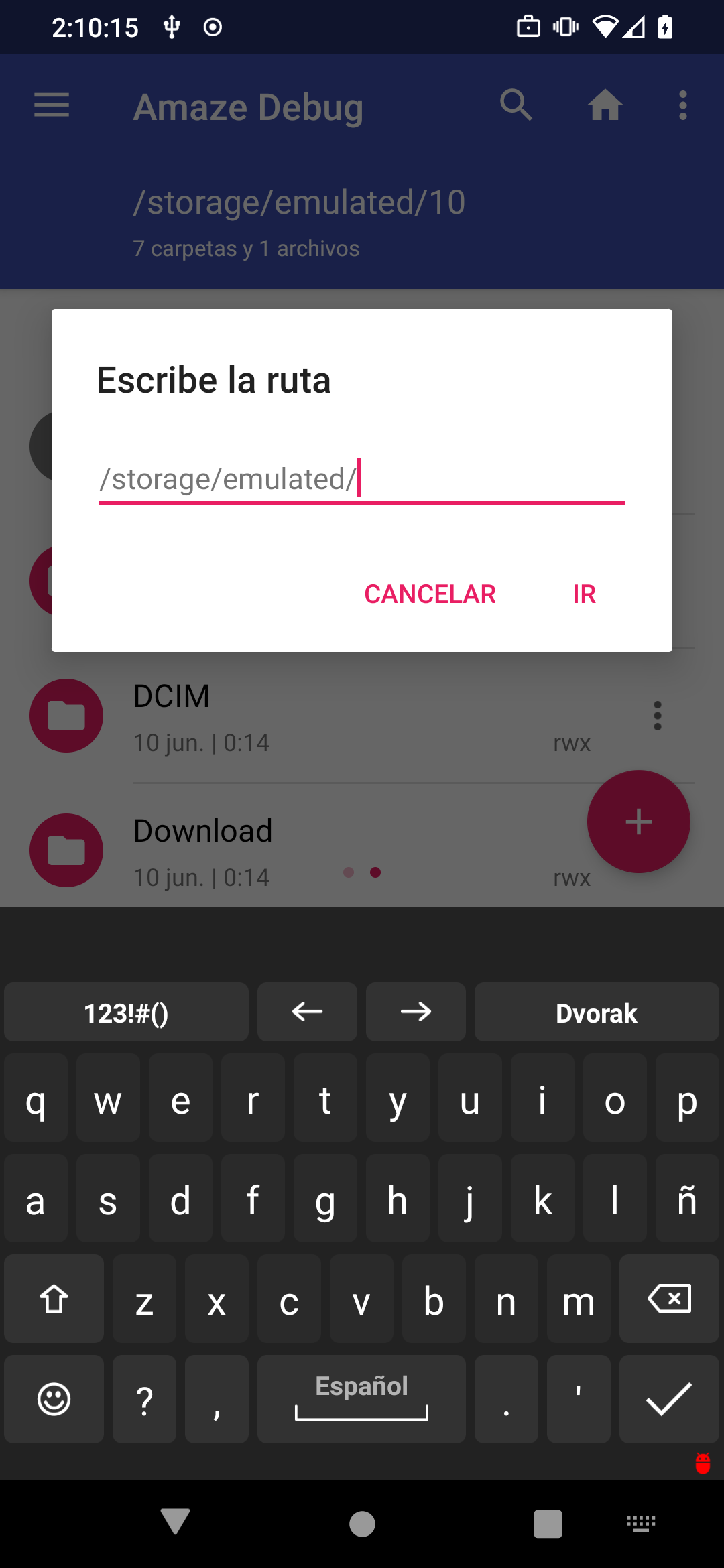
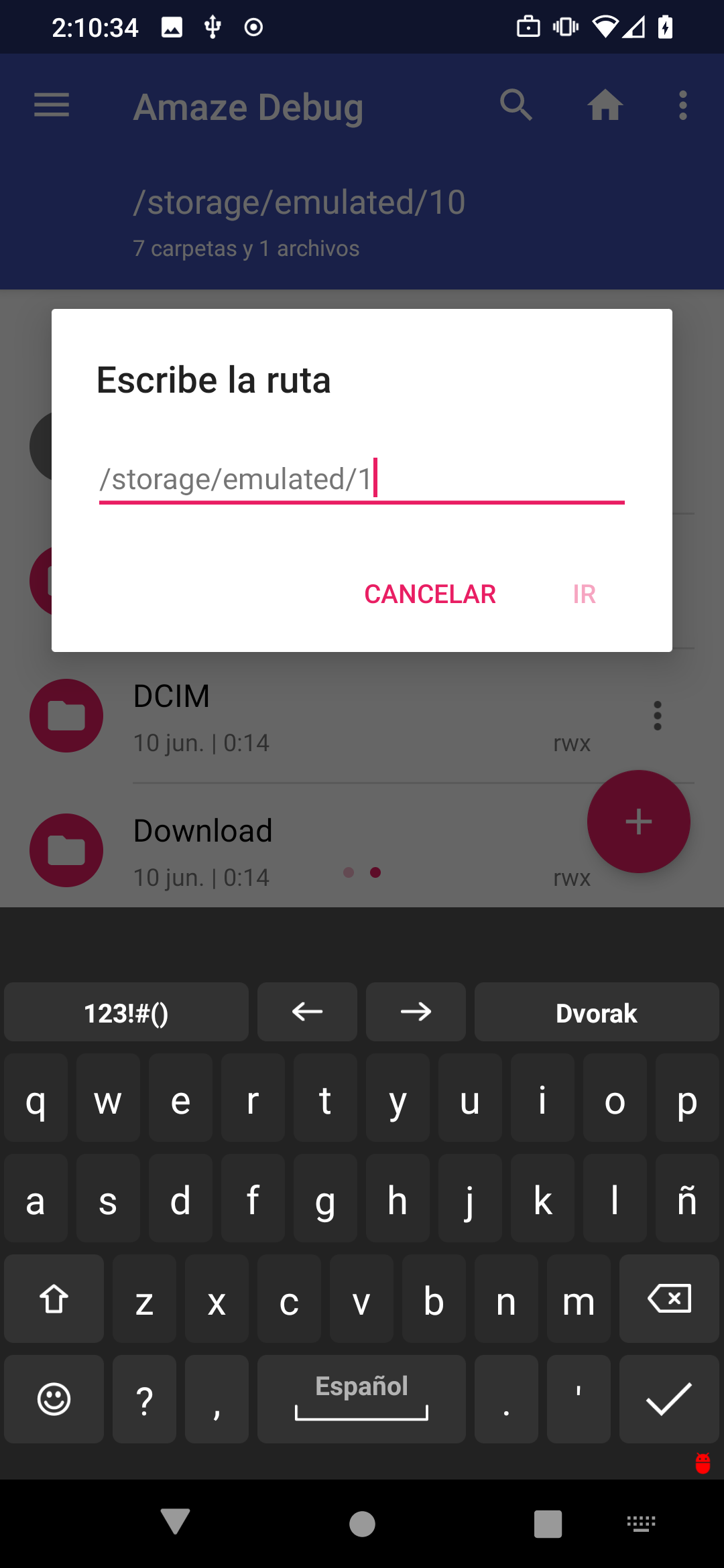
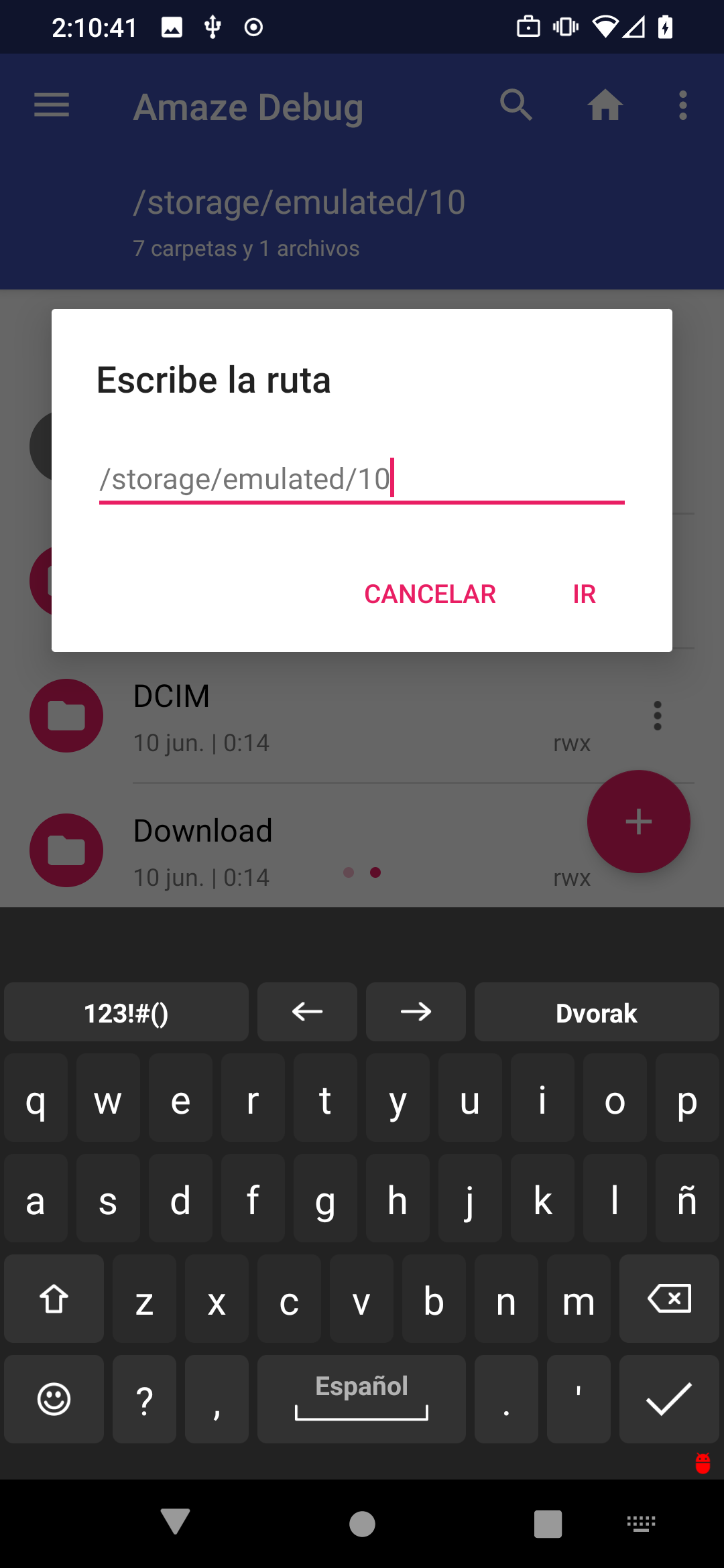
Besides this, using the Share option is the only way to share files between my work profile and my regular one.
The relevant logcat, again with obvious junk entries removed.