

 Swordfish90
Wonderswan emulation missing "Y" D-Pad Buttons
Disclamer In order to keep this bug tracker manageable, you need to keep a few things in mind:
- Any issue not following this template will be closed as invalid
- Is the issue reproducible on RetroArch with the same core? If so, it's very likely a core issue and the upstream core repository is a better place to file it
- Is the issue already opened? Try out a search before filing one.
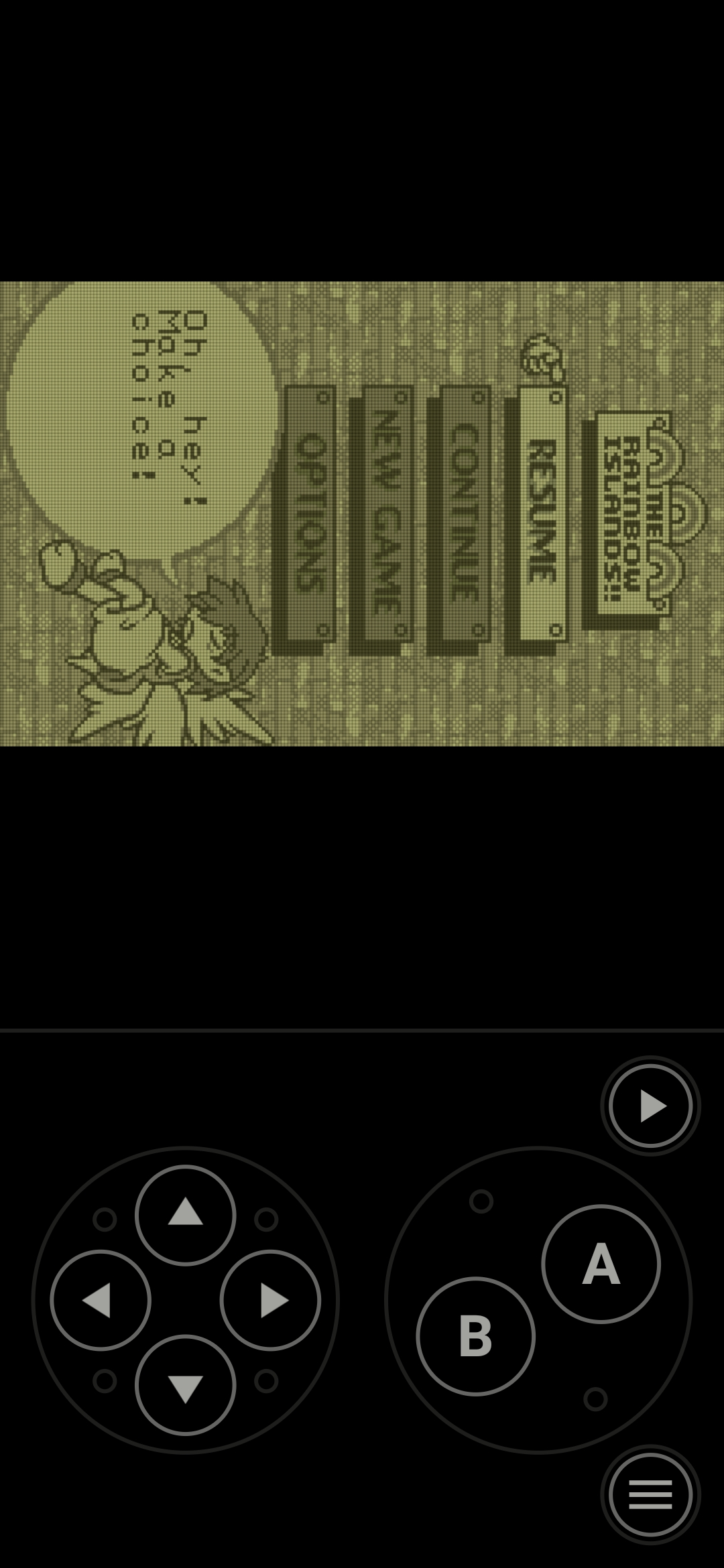
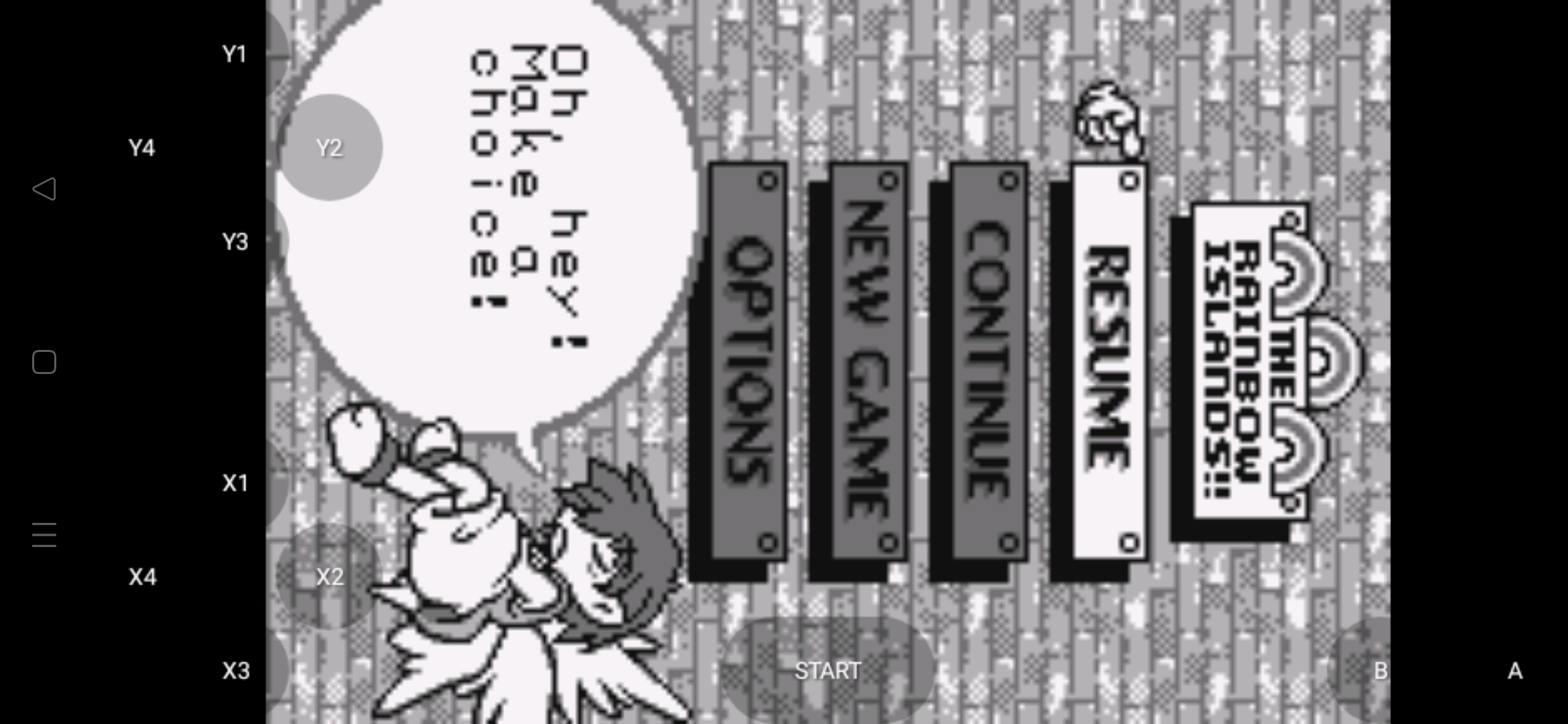
Describe the bug Lemuroid only emulates one of the two D-Pads the Wonderswan uses (The WonderSwan has both an "X" and "Y" D-Pad that are independent of each other), rendering vertical games that need both unplayable. In this instance, Lemuroid only uses the "X" D-Pad.
To Reproduce Steps to reproduce the behavior:
- Run a Wonderswan game that operates in vertical mode (Such as Rainbow Islands)
- Start the game and try to navigate the menus
- It doesn't work. Try in another emulator like Wonderdroid X and it does work with the two D-Pads.
Expected behavior Two D-Pads to be displayed for touch controls (The X and Y D-Pad)
Screenshots
Desktop (please complete the following information):
- OS: [e.g. iOS]
- Browser [e.g. chrome, safari]
- Version [e.g. 22]
Smartphone (please complete the following information):
- Device: Oppo Reno
- OS: Android 11
- Browser N/A
- Version Lemuroid 1.13.2
Additional context The WonderSwan Emulation for Lemuroid only gives 1 D-Pad whereas the WonderSwan actually had two D-Pads (The X and Y D-Pads).
For Horizontal games this mostly does not matter however almost all Vertical games use the two D-Pads seperately (With the X-Pad being used as the directional buttons and the Y-Pad being used as A/B buttons) and these two D-Pads are not simply mirrored or repeated.
In Lemuroid it only gives the X D-Pad, meaning I cannot navigate menus on Vertical games that also require the Y D-Pad.
I have attached two screenshots, one from Lemuroid and one from WonderDroid X.
