
CrowdAnki
 CrowdAnki copied to clipboard
 Stvad
Stvad
Feature request: Note ID, Card ID
Hi, Thank you for this. I'm using it to store and edit notes as files. I have been using a card and note IDs, along with this addon to create links between cards: https://ankiweb.net/shared/info/1423933177, and it would be very helpful to be able to access those.

Hey! I'm glad you find the extension useful :) Unfortunately I don't think this suggestion would work with CrowdAnki - a few points here:
- CrowdAnki does not know anything about cards - it only understands notes
- Note ids are not unique, so different collections would have different note ids for the same CrowdAnki note. Which makes the collaboration use-case hard if you include those - as you'd get merge conflicts each time =\

Oh really? Note IDs are not unique? I understand they wouldn't be if you don't represent them--they'd have to be reassigned--but I guess I assumed that if you, for example, exported into .apkg and imported it, you'd get the note IDs back. I may need to rethink my design...
FWIW there also exist GUIDs (globablly unique ids) and they are used by CrowdAnki, but AFAICT they aren't used by the "link" add-ons.

Basically, I wanted something I could refer to in both the Anki UI and in a file on my file system. But I may just have to explicitly represent it in the card in a field.
- CrowdAnki does not know anything about cards - it only understands notes
It only uses Notes right now, but it could easily get the Cards from them.
- Note ids are not unique, so different collections would have different note ids for the same CrowdAnki note. Which makes the collaboration use-case hard if you include those - as you'd get merge conflicts each time =\
My understanding was that Note Ids are indeed unique, but not synchronised in any way with other users. So two imports of the same anki deck make different Note Ids, yet they are still unique. Am I wrong about this?
Furthermore, using CrowdAnki explicitly allows users to explicitly set the Note Ids, as it is needed to update/create the card. So at least for new cards one could set the noteid to whatever they want, and have it be synchronised with others.
@ambimorph for the time being, have you used the "Add Note Ids" addon?

https://github.com/ankidroid/Anki-Android/wiki/Database-Structure
This page states the Notes table has a Guid. But cards just have a reference to the Note and a non unique id.
@ohare93 Yes, I use an add-on to link between cards, but I need the links to persist and be meaningful between the filesystem version and the Anki version.
Currently if I made a file based on the note represented in json, and it has a field with a note ID, I wouldn't be able to tell which other note it is supposed to be linking to. Unless I'm missing something.
For my purposes card IDs are not necessarily important, but note IDs are.
How do you explicitly set note IDs with CrowdAnki?
It's not a 'feature' of CrowdAnki, but since the Note guids are exported you can simply edit them :sweat_smile: upon reimport I believe it will not recognise the card as one you already have and make a duplicate with no review history, so there are limitations to this approach, but it will work fine for new cards.
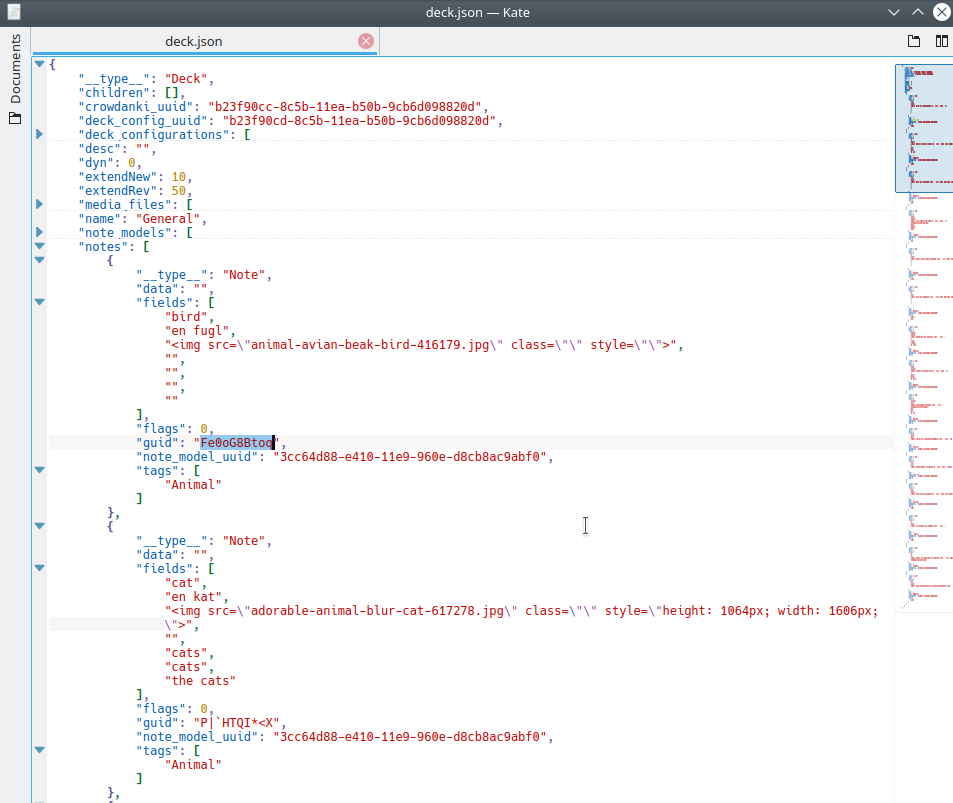
Currently if I made a file based on the note represented in json, and it has a field with a note ID, I wouldn't be able to tell which other note it is supposed to be linking to. Unless I'm missing something.
I'm sorry I am not following you :thinking: using the add-on I linked above would just add another "field" to your note editor with the existing guid of the note. Whatever you are doing with the other link card add-on is entirely separate, but you would be able to see the Note id in the note itself. Have you tried using both?
I'm using a different add-on (https://ankiweb.net/shared/info/1423933177) that doesn't make a new field, but allows you to insert links using the note ID, but the note ID is not the same as the guid. I see no way to access the guid from the Anki gui.
That said, the add-on you recommend might solve my problem, because, if I understand correctly from the docs, Anki uses the first field to uniquely identify a card. If that's true, then it should work.
I will try it and report back.
I've only just started looking at it, but one interesting thing off the bat is that the note ID from the add-on you suggested seems to be truncated compared to the note ID from the linking add-on.
Eg. I edited an old card to have the Note ID field, and the add-on filled in 72270802773, whereas the linker says it is nidd1572270802773.
Regardless I am pretty sure this will work, so thank you so much!